How to Automate Data Compliance for Azure Cloud Storage
In today's distributed cloud landscape, implementing automated data compliance for Azure Cloud Storage has become a critical security imperative. According to IBM's 2024 Data Breach Report, organizations with comprehensive automated compliance systems detect potential regulatory violations 89% faster and reduce breach-related costs by up to 62%. With data breach costs averaging $4.88 million globally, establishing robust automated compliance for cloud storage is essential for business survival.
Azure Cloud Storage provides native compliance features through various storage services including Blob Storage and Data Lake Storage. However, organizations in regulated industries often require more sophisticated Zero-Touch Compliance Automation to satisfy stringent regulatory requirements across GDPR, HIPAA, PCI DSS, and SOX frameworks simultaneously.
This guide explores Azure Cloud Storage's native compliance capabilities and demonstrates how DataSunrise's Autonomous Compliance Orchestration can transform manual compliance tasks into streamlined, automated processes.
Native Azure Cloud Storage Compliance Capabilities
Azure Cloud Storage includes several built-in compliance features that provide the foundation for regulatory adherence across multiple storage services through various access controls and governance mechanisms.
1. Azure Policy and Governance Framework
Azure provides comprehensive policy enforcement for compliance automation:
# Create compliance policy for data classification
az policy definition create \
  --name "Enforce-Data-Classification" \
  --display-name "Enforce Data Classification Tags" \
  --rules '{
    "if": {
      "field": "type", "equals": "Microsoft.Storage/storageAccounts"
    },
    "then": {"effect": "deny"}
  }'
2. Testing Compliance Scenarios
Execute sample operations to validate compliance automation:
# Upload sensitive data with compliance tags
Set-AzStorageBlobContent -File "customer_data.csv" `
  -Container "sensitive-data" `
  -Metadata @{
    "DataClassification"="Confidential";
    "RetentionPeriod"="7years";
    "ComplianceFramework"="GDPR,HIPAA"
  }
3. Azure Portal Web Interface for Compliance Management
The Azure Portal provides an intuitive interface for managing compliance without requiring specialized query expertise:
- Policy Dashboard: Navigate to Azure Policy to view compliance status across storage accounts
- Storage Account Insights: Access compliance metrics and data classification status through the storage account overview
- Activity Log: Review administrative operations and configuration changes
- Compliance Center: Use Microsoft Purview to assess overall compliance posture
- Alerts Management: Configure automated notifications for policy violations and compliance drift
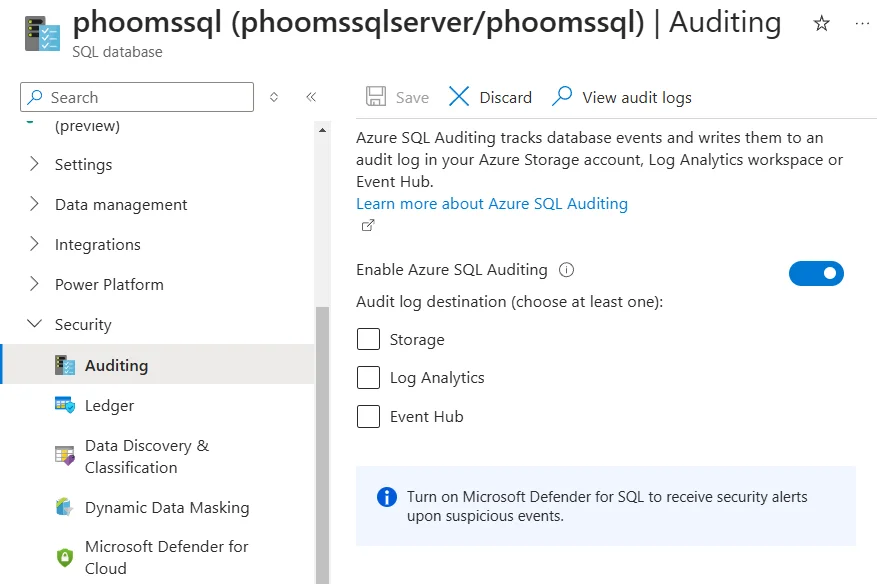
This web-based interface enables security teams and compliance officers to monitor storage compliance activities without technical expertise in query languages.
Enhanced Automated Data Compliance with DataSunrise
DataSunrise dramatically enhances automated compliance through Comprehensive Data Classification and Zero-Touch Policy Automation designed specifically for cloud storage environments. Unlike basic policy approaches, DataSunrise delivers enterprise-grade automated compliance with sophisticated data discovery and intelligent security policies enforcement.
Setting Up DataSunrise for Azure Cloud Storage Compliance
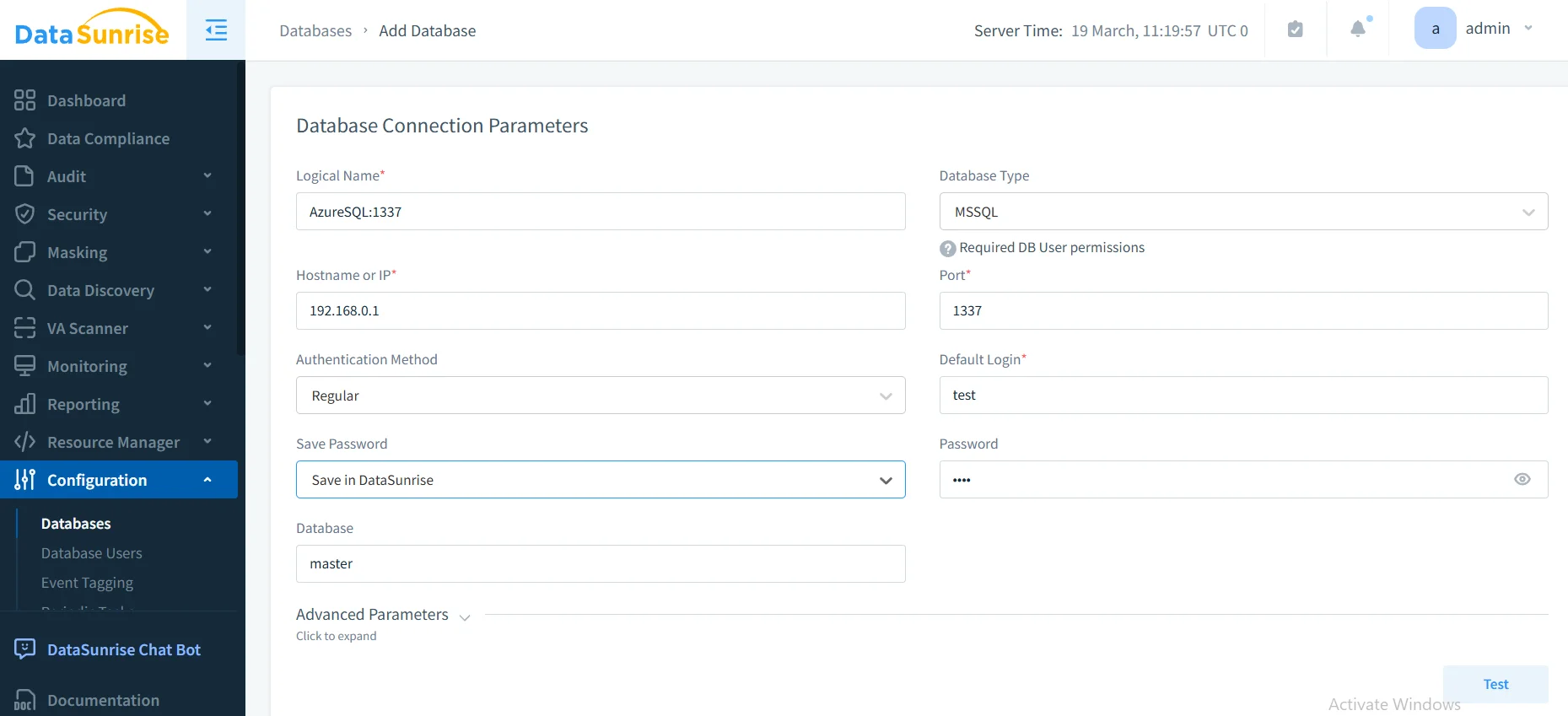
1. Connect to Azure Storage Services
Begin by establishing secure connections between DataSunrise and your Azure storage environment. DataSunrise supports comprehensive monitoring across Blob Storage, Data Lake Storage Gen2, File Storage, and Queue Storage for unified compliance coverage.
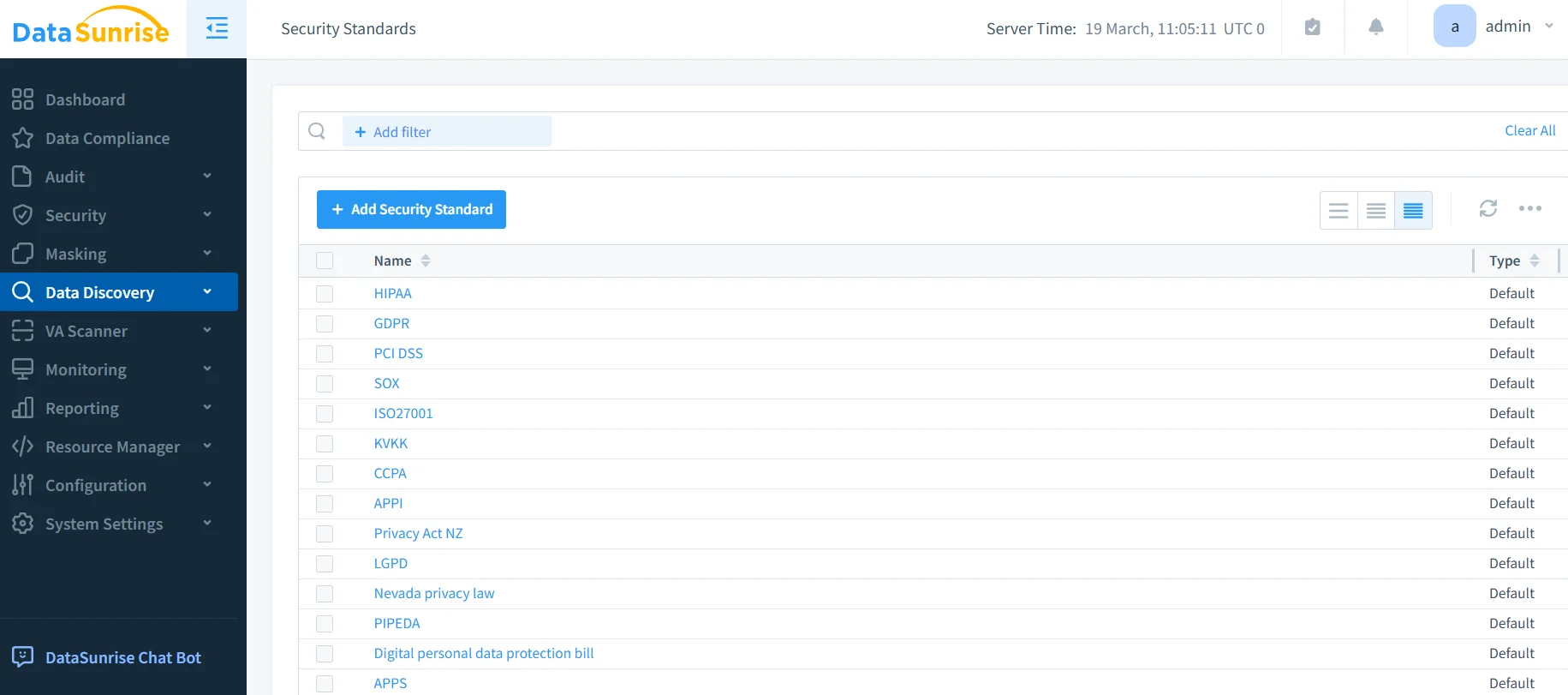
2. Configure Automated Compliance Rules
Create sophisticated compliance policies using DataSunrise's No-Code Policy Automation interface to automatically monitor sensitive data, align with regulatory frameworks like GDPR and HIPAA, and enforce real-time compliance controls across all storage containers.
3. Monitor Automated Compliance Activities
Access comprehensive compliance monitoring through DataSunrise's unified dashboard with advanced filtering, real-time notifications, and intelligent compliance correlation capabilities.
Key Advantages of DataSunrise for Azure Cloud Storage
DataSunrise provides significant enhancements over Azure Cloud Storage's native compliance capabilities:
Auto-Discover & Classify Engine
DataSunrise automatically scans Azure Cloud Storage environments to identify and classify sensitive data according to multiple regulatory frameworks. This automated compliance reporting ensures comprehensive coverage across structured, semi-structured, and unstructured data with advanced data protection capabilities.
Zero-Touch Policy Automation
Implement sophisticated compliance policies through an intuitive No-Code interface. DataSunrise's Continuous Regulatory Calibration automatically adjusts policies based on changing regulatory requirements, reducing implementation time from months to hours while providing comprehensive database security.
Intelligent Compliance Monitoring
DataSunrise provides contextual compliance intelligence with user behavior analytics that establishes normal access patterns and automatically detects potential compliance violations through advanced threat detection mechanisms.
Cross-Platform Integration
Monitor compliance across Azure Cloud Storage alongside traditional databases through a unified console. With support for over 40 data storage platforms, DataSunrise ensures consistent compliance policies across heterogeneous environments with robust access controls.
Best Practices for Automated Azure Cloud Storage Compliance
To maximize the effectiveness of your automated compliance implementation:
1. Strategic Compliance Architecture
- Focus automated discovery on containers with business-critical and regulated information
- Apply different automation levels based on data sensitivity and regulatory requirements
- Balance comprehensive monitoring with storage performance and cost considerations
2. Regulatory Framework Integration
- Configure policies that simultaneously satisfy GDPR, HIPAA, PCI DSS, and industry-specific requirements
- Implement tamper-evident compliance documentation with appropriate retention and encryption
- Schedule automated compliance checks to verify policy effectiveness
3. Enhanced Automation Implementation
- Deploy DataSunrise's security platform to extend beyond native capabilities
- Leverage machine learning to establish compliance baselines and identify anomalous activities with audit trails
- Enable cross-cloud governance with flexible deployment modes for consistent compliance regulations enforcement
Business Benefits of Automated Cloud Storage Compliance
Implementing automated compliance for Azure Cloud Storage delivers multiple strategic advantages:
| Business Benefit | Description |
|---|---|
| Risk Mitigation | Proactively identify and address compliance violations before they escalate into regulatory penalties |
| Operational Efficiency | Automate manual compliance tasks, reducing administrative overhead and human error |
| Audit Readiness | Maintain continuous compliance documentation with automated evidence collection |
| Cost Optimization | Reduce compliance-related expenses through intelligent automation and policy enforcement |
| Regulatory Confidence | Demonstrate continuous adherence to multiple regulatory frameworks simultaneously |
| Competitive Advantage | Enable faster time-to-market for regulated applications through streamlined compliance processes |
Conclusion
As organizations increasingly rely on Azure Cloud Storage for business-critical data, implementing automated compliance has become essential for regulatory adherence and operational excellence. While Azure provides foundational compliance capabilities, organizations with complex requirements benefit significantly from enhanced automation solutions like DataSunrise.
DataSunrise delivers Zero-Touch Compliance Automation specifically designed for cloud storage environments, offering Autonomous Compliance Orchestration and automated sensitive data discovery. With flexible deployment modes across cloud, on-premises, and hybrid environments, DataSunrise transforms Azure Cloud Storage compliance from a resource-intensive challenge into a strategic competitive advantage.
Protect Your Data with DataSunrise
Secure your data across every layer with DataSunrise. Detect threats in real time with Activity Monitoring, Data Masking, and Database Firewall. Enforce Data Compliance, discover sensitive data, and protect workloads across 50+ supported cloud, on-prem, and AI system data source integrations.
Start protecting your critical data today
Request a Demo Download Now