How to Automate Data Compliance for Sybase
Sybase ASE (Adaptive Server Enterprise) is still relied upon in industries such as finance, telecom, and government for managing sensitive workloads. With growing regulatory demands (GDPR, HIPAA, SOX, PCI DSS), organizations need more than access controls—they need continuous compliance automation.
This article explains Sybase’s native compliance and auditing tools, then shows how DataSunrise extends these features with autonomous compliance orchestration, centralized monitoring, and automated reporting. For a deeper dive, see IBM’s official Sybase ASE documentation.
Why Data Compliance Automation Matters
Modern enterprises process large volumes of sensitive information—customer records, financial transactions, and healthcare data. Manual compliance processes cannot keep pace with the speed and complexity of today’s database operations.
Automation ensures:
- Regulatory Alignment – Continuous enforcement of GDPR, HIPAA, PCI DSS, and SOX reduces the chance of accidental violations.
- Reduced Human Error – Automated audit trails and reporting eliminate mistakes common in manual compliance tasks.
- Faster Audit Readiness – Prebuilt reporting templates allow organizations to quickly produce audit-ready evidence.
- Scalability – Automation allows compliance monitoring to scale seamlessly across multiple Sybase instances and hybrid environments.
In short, compliance automation transforms regulatory obligations into an integrated and efficient process, ensuring that Sybase environments remain secure, consistent, and always audit-ready.
Native Compliance Features in Sybase ASE
Sybase ASE provides foundational compliance capabilities that administrators can enable and configure. These tools help track data access, enforce security, and produce an audit trail for regulatory requirements.
1. Enabling Sybase Audit Trail
Sybase includes a native audit system for capturing user logins, administrative actions, and data modifications. To enable auditing:
-- Enable auditing globally
sp_configure "auditing", 1

-- Define an audit table to store logs
sp_addauditrecording "sybase_audit", "sybase_audit_table"

-- Activate auditing for logins and roles
sp_auditlogin all, "success", "fail"
sp_auditrole "sa_role", "success", "fail"
Audit logs can then be queried directly:
SELECT event_time, user_name, event_type, object_name
FROM sybase_audit_table
ORDER BY event_time DESC;
2. Configuring Audit Filters
DBAs can filter audit events to reduce noise:
-- Audit only SELECT statements on sensitive table
sp_audit "select", "sensitive_db", "customers", "on", "access"
This allows targeted compliance monitoring without overloading the system with unnecessary records.
3. Reviewing Audit Records
Audit data is accessible through the Sybase system catalog or exported into external log repositories for long-term retention and compliance verification. For configuration examples, see SAP’s Sybase ASE auditing guide.
Limitations of Native Sybase Compliance
While Sybase ASE’s audit trail is useful, it has notable limitations:
- No real-time anomaly detection or alerting
- Logs are instance-specific, requiring manual aggregation across servers
- No pre-built compliance templates for GDPR, HIPAA, SOX, PCI DSS
- Manual reporting increases the risk of compliance gaps
These constraints make automation and scalability difficult for enterprises with multiple Sybase environments.
Automating Compliance with DataSunrise
DataSunrise addresses these gaps by providing a centralized compliance automation platform for Sybase and other databases. It introduces autonomous policy orchestration, intelligent audit rules, and cross-platform compliance reporting.
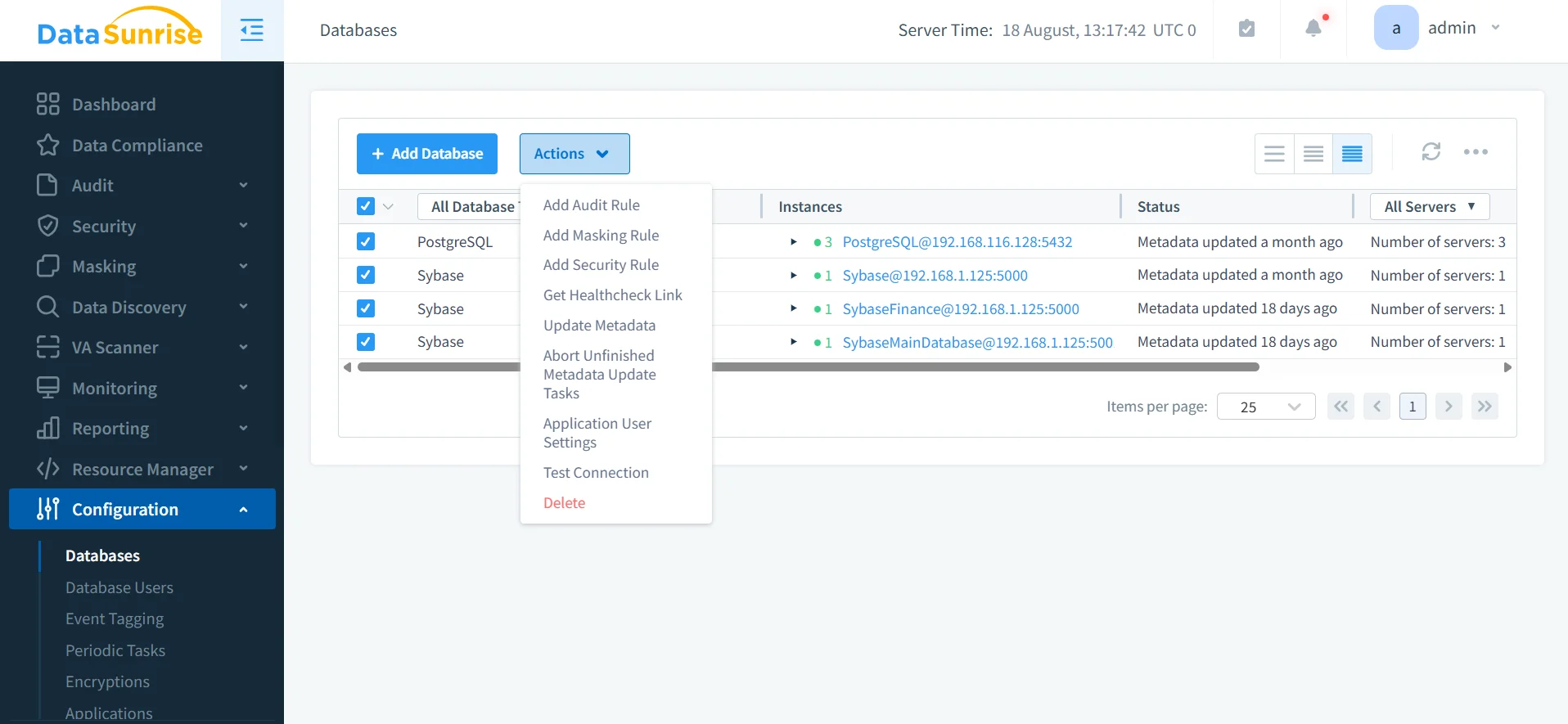
Step 1 – Connect Sybase ASE to DataSunrise
DataSunrise supports flexible deployment modes (proxy, sniffer, native log analysis) for Sybase ASE. Once connected, all queries, logins, and administrative actions are captured in real time without impacting performance.
Step 2 – Create Compliance Rules
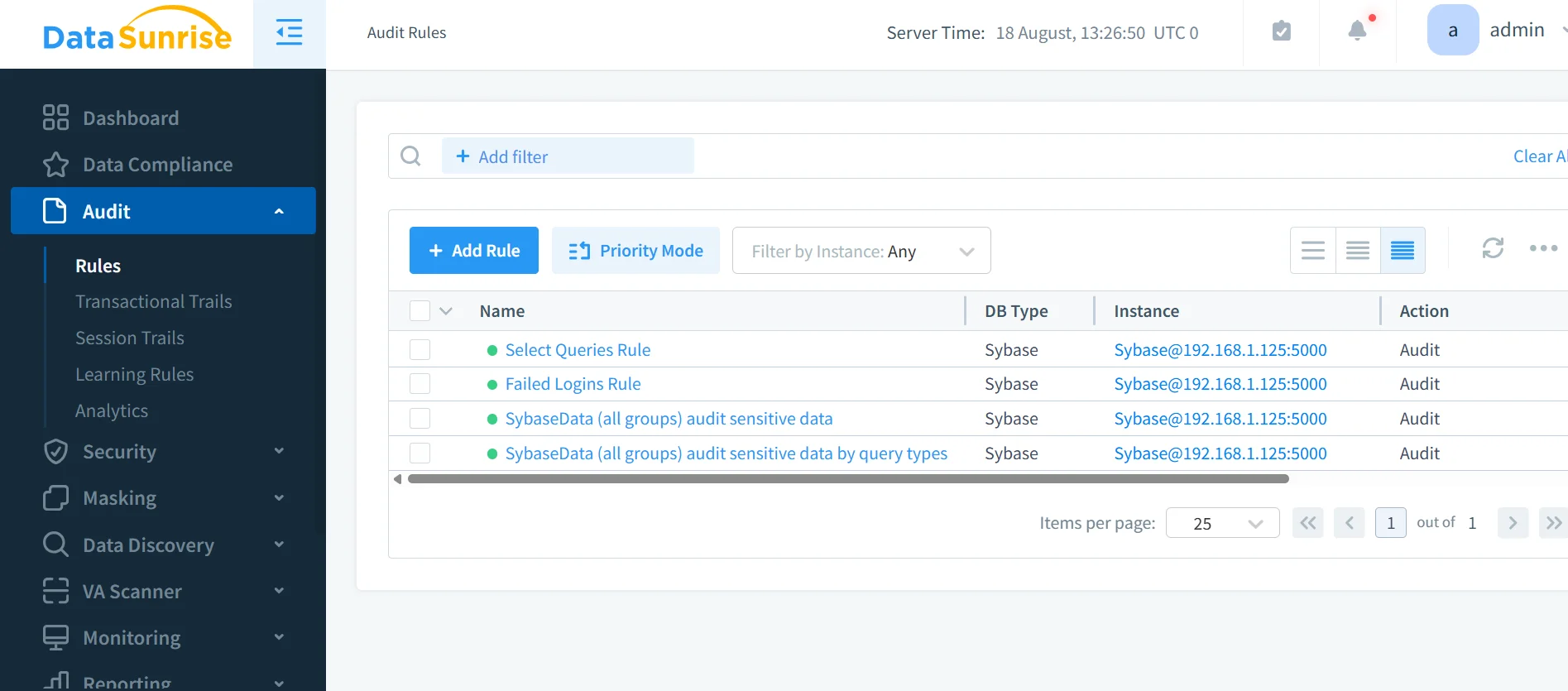
Using audit rules, administrators can define compliance-specific monitoring:
- Block unauthorized SELECT queries on sensitive tables
- Track failed logins from unapproved IP addresses
- Detect suspicious activity patterns with behavior analytics
Rules can be created without SQL scripting, thanks to the platform’s no-code interface.
Step 3 – Automate Reporting
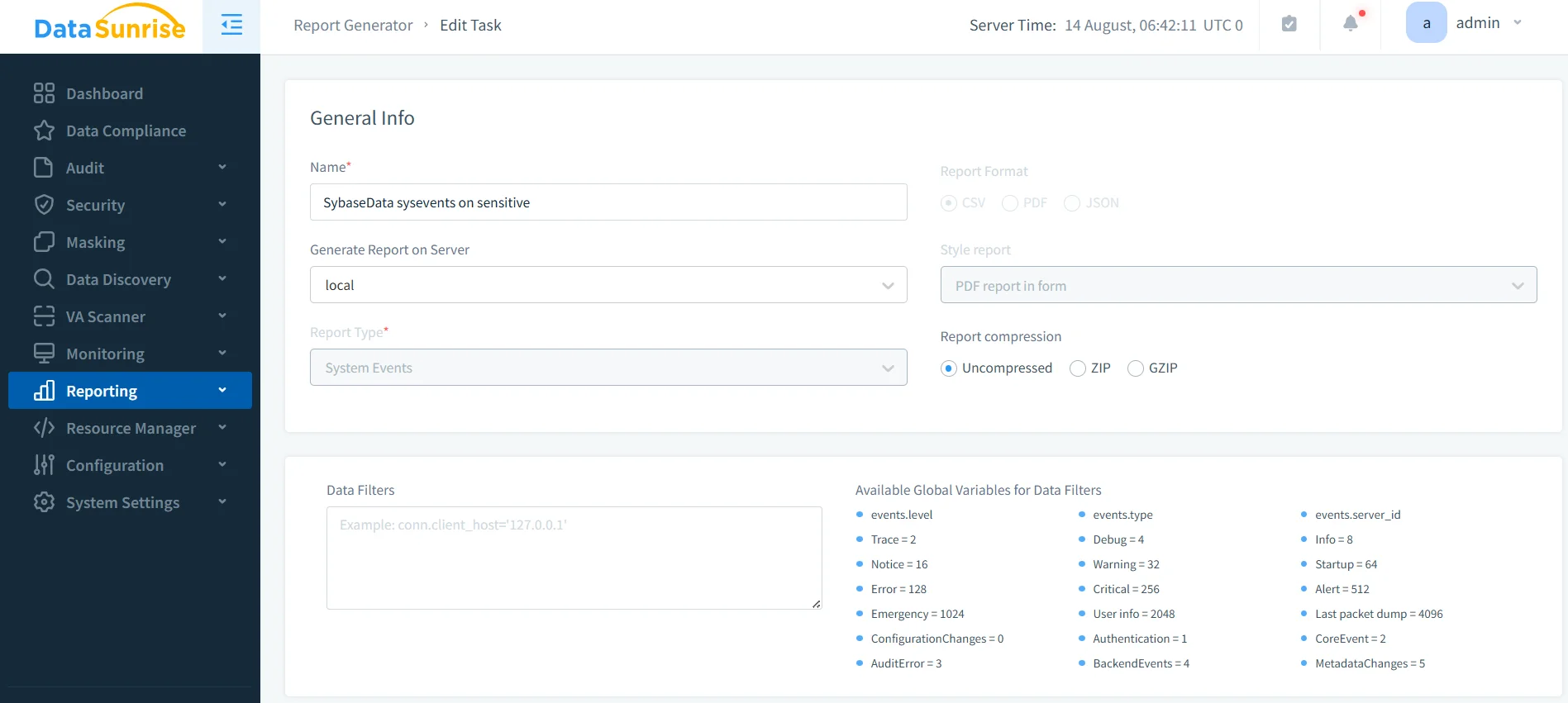
DataSunrise’s Compliance Manager generates audit-ready reports aligned with GDPR, HIPAA, PCI DSS, and SOX. Reports can be scheduled for automatic delivery to compliance officers, reducing manual workload and audit preparation time.
Business Impact
| Business Benefit | Description |
|---|---|
| Continuous Compliance | Real-time enforcement reduces audit failures and ensures ongoing alignment with global regulations. |
| Operational Efficiency | Automated rule creation, monitoring, and reporting minimize manual effort for DBAs and compliance teams. |
| Risk Reduction | Early anomaly detection helps prevent insider threats, external breaches, and compliance violations. |
| Cross-Platform Consistency | Unified monitoring across Sybase and 40+ supported databases strengthens multi-environment governance. |
| Audit Readiness | Automated evidence generation simplifies external audits, reduces preparation time, and improves accuracy. |
| Cost Optimization | Reduces overall compliance management costs by cutting manual overhead and improving resource usage. |
| Improved Trust & Reputation | Demonstrates strong commitment to data security and compliance, enhancing customer and regulator confidence. |
Conclusion
While Sybase ASE provides essential auditing capabilities, they are not enough for enterprises facing strict regulatory oversight. DataSunrise elevates compliance by automating audit rules, streamlining reporting, and centralizing monitoring across environments.
By integrating DataSunrise, organizations running Sybase can move from manual log reviews to zero-touch compliance automation, ensuring they stay ahead of regulators and protect sensitive business data.
Protect Your Data with DataSunrise
Secure your data across every layer with DataSunrise. Detect threats in real time with Activity Monitoring, Data Masking, and Database Firewall. Enforce Data Compliance, discover sensitive data, and protect workloads across 50+ supported cloud, on-prem, and AI system data source integrations.
Start protecting your critical data today
Request a Demo Download Now