How to Automate Data Compliance for Teradata
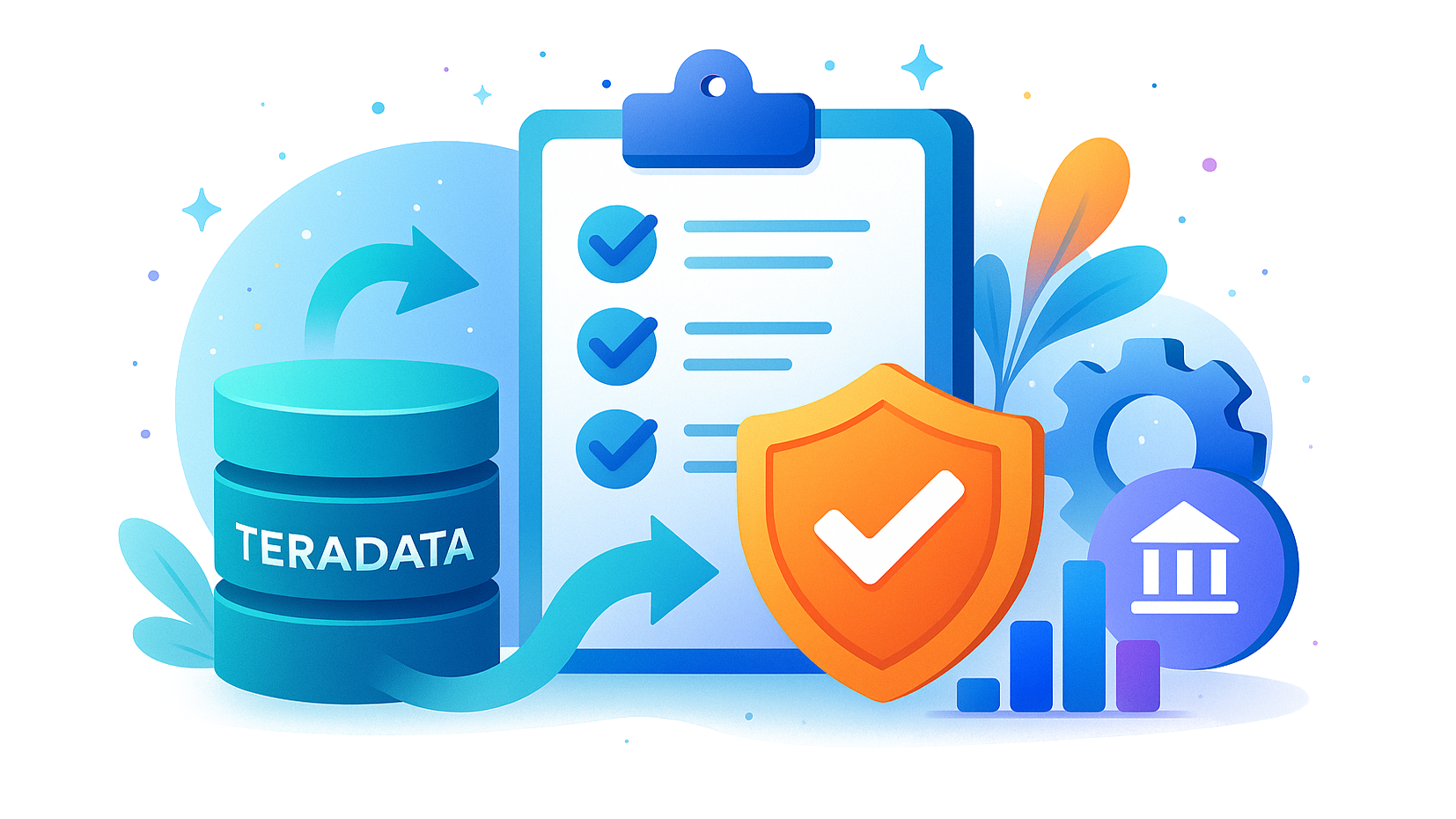
Organizations working with Teradata handle vast amounts of sensitive financial, healthcare, and customer data. Regulatory frameworks like GDPR, HIPAA, PCI DSS, and SOX demand strict compliance controls across large-scale analytic environments. Manual policy updates, scattered audit logs, and siloed governance quickly lead to compliance drift.
The scale of Teradata systems makes compliance particularly challenging. Studies show that data breaches cost organizations an average of $4.45 million in 2023 according to IBM’s Cost of a Data Breach Report. Financial regulators, such as the U.S. Securities and Exchange Commission (SEC), now require stronger governance for companies handling sensitive data. Meanwhile, healthcare providers face strict enforcement from the U.S. Department of Health & Human Services under HIPAA. In Europe, organizations that fail GDPR audits can face fines up to €20 million, as reported by the European Data Protection Board.
This guide explains how to automate Teradata data compliance. It covers native Teradata tools and advanced capabilities with DataSunrise Compliance Manager.
What is Data Compliance?
Data compliance refers to adhering to laws, regulations, and internal policies that govern how sensitive information is collected, processed, stored, and shared. It ensures accountability, transparency, and security in data management practices.
Modern enterprises must comply with multiple frameworks simultaneously—GDPR in Europe, HIPAA in healthcare, PCI DSS in payment industries, and SOX for financial accountability. Non-compliance leads to legal penalties, reputational harm, and operational disruption.
Key areas of focus include:
- Protecting sensitive assets through data security.
- Enforcing access controls to limit who can reach critical datasets.
- Applying database encryption to ensure information remains secure at rest.
By automating compliance in Teradata, organizations can minimize risk while ensuring continuous alignment with global standards.
Native Teradata Compliance Features
Teradata offers built-in tools that form the foundation of compliance automation:
Access Logging
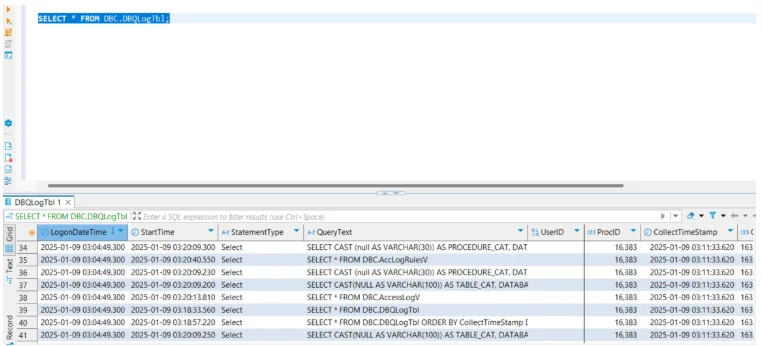
Teradata’s Database Query Logging (DBQL) tracks who accessed data, what queries were run, and execution metrics. This enables administrators to build audit trails and analyze performance. DBQL can be customized to log only specific users, objects, or query types.
-- Enable logging with object-level details
BEGIN QUERY LOGGING WITH OBJECTS ON ALL;

-- Example query to generate DBQL entries
SELECT CustomerID, OrderID, Amount
FROM Sales
WHERE Region = 'EMEA';

-- Disable logging once finished
END QUERY LOGGING ON ALL;
The DBQL tables (DBC.DBQLogTbl, DBC.DBQLObjTbl, and others) store results that can later be exported to compliance reporting systems.
For more advanced use, administrators can combine DBQL with filters:
-- Log only for a specific user
BEGIN QUERY LOGGING ON User_A
WITH STEPINFO, OBJECTS;
This granularity helps reduce overhead while still meeting compliance requirements.
For broader strategies, Teradata access logging complements a database audit trail that ensures accountability and traceability across all data actions.
Role-Based Access Control
RBAC ensures users only access the data they need. Roles can be combined with profiles for managing resource limits, and administrators can revoke permissions dynamically if compliance violations are detected.
-- Create a role for analysts
CREATE ROLE AnalystRole;

-- Grant limited access to financial data
GRANT SELECT ON Finance.Transactions TO AnalystRole;

-- Assign the role to a specific user
GRANT AnalystRole TO User_A;

-- Example of revoking rights if no longer needed
REVOKE SELECT ON Finance.Transactions FROM AnalystRole;
By structuring privileges through roles instead of direct user grants, Teradata simplifies compliance audits and provides a clear mapping of “who can access what.” This practice also aligns with the principle of least privilege, a core component of security compliance.
Teradata Viewpoint and Alerts
Teradata Viewpoint is a web-based monitoring platform that provides dashboards for system health, workload management, and query tracking. Administrators can configure alerts to detect failed logins, unusually heavy queries, or suspicious activities.
-- Example: setting a threshold alert for failed logins
-- (configured through Viewpoint interface)
Condition: Failed Logins > 3 attempts
Action: Send Email to Compliance Officer
Alerts can trigger email, SNMP traps, or custom scripts to integrate with SIEM platforms.
Limitations:
- Logs must often be reviewed manually, which increases the workload for compliance teams and delays detection of risky events.
- Rules are scoped to individual instances, creating management overhead when organizations run multiple Teradata clusters.
- No built-in consolidated reporting for multiple regulations (GDPR, HIPAA, PCI DSS, SOX), meaning external tools or manual processes are required to generate compliance evidence.
- Limited automation features compared to modern compliance platforms, making it harder to maintain continuous alignment with evolving standards.
- Alerting is reactive rather than proactive, lacking machine learning or behavioral analytics for early anomaly detection.
For organizations struggling with these limitations, a database activity monitoring solution helps provide consolidated visibility and proactive defenses.
Automated Data Compliance with DataSunrise
DataSunrise extends Teradata compliance with automation, AI-driven calibration, and centralized dashboards.
Sensitive Data Discovery
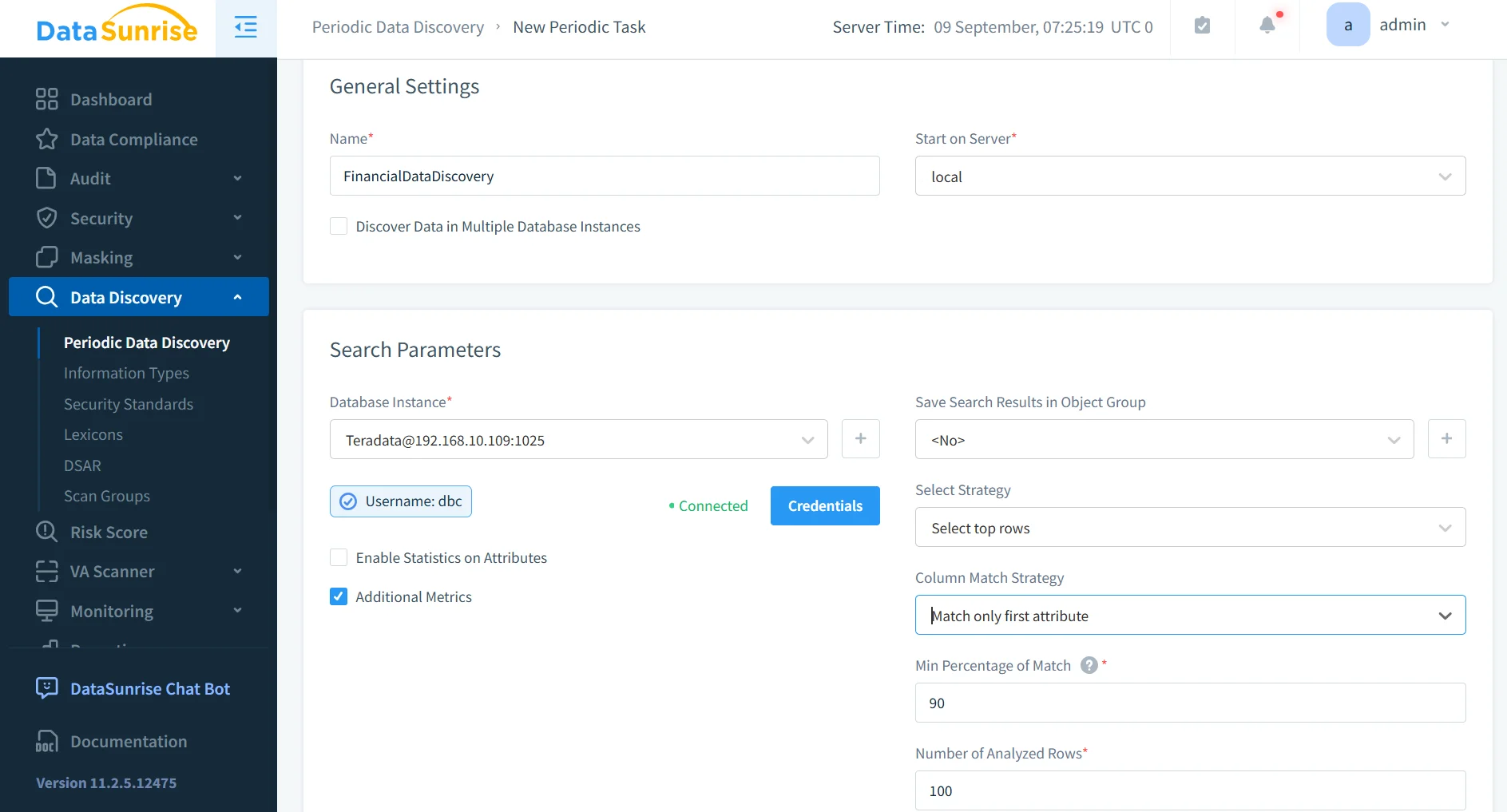
With sensitive data discovery, DataSunrise automatically scans Teradata databases to locate PII, PHI, and financial information. Detection goes beyond simple pattern matching by using dictionaries, contextual analysis, and OCR scanning for unstructured documents like invoices or medical records. This ensures hidden sensitive data does not escape compliance oversight.
Machine Learning Audit Rules
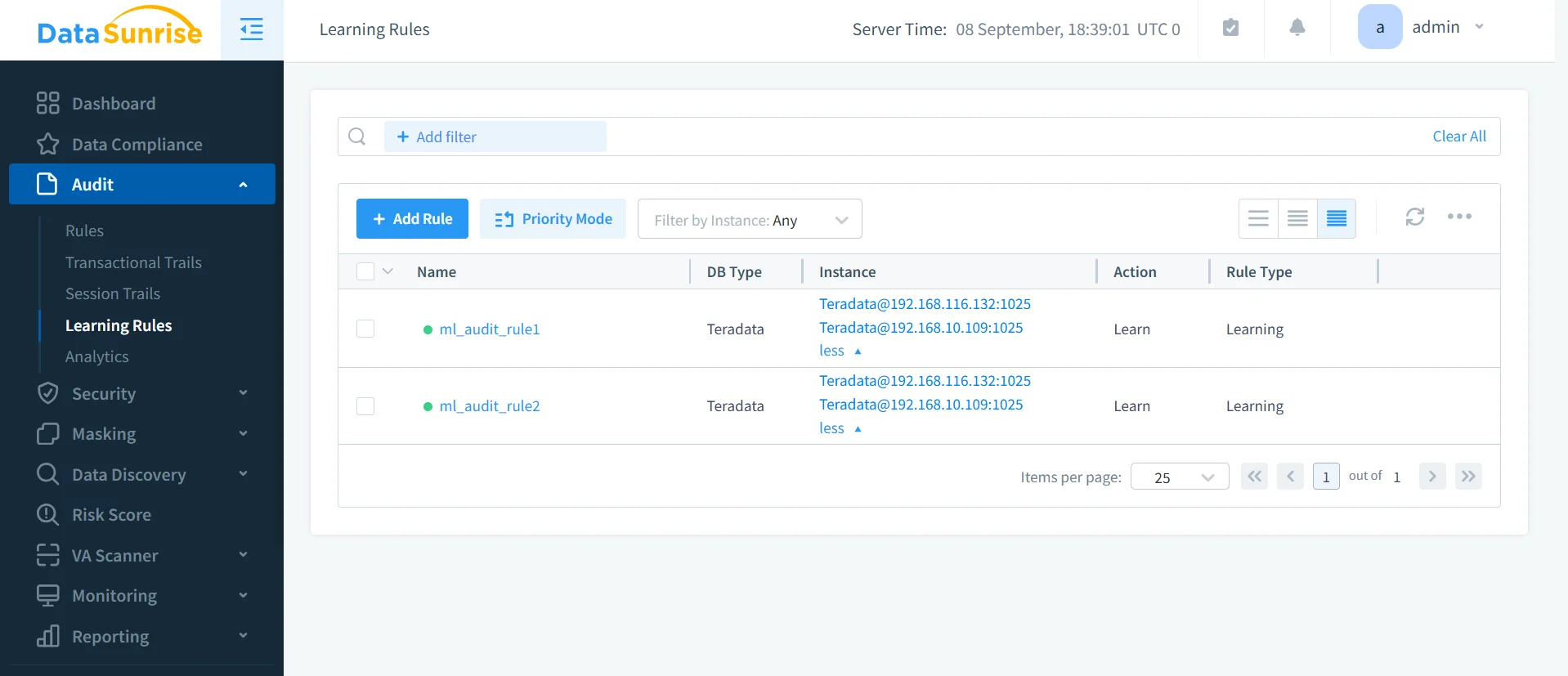
By applying machine learning audit rules, DataSunrise adapts to activity patterns and creates policies dynamically. For instance, when a new analyst account is added, ML-driven rules immediately restrict access to only the datasets necessary for that role. This reduces risks of accidental data exposure and provides proactive compliance enforcement.
Centralized Monitoring
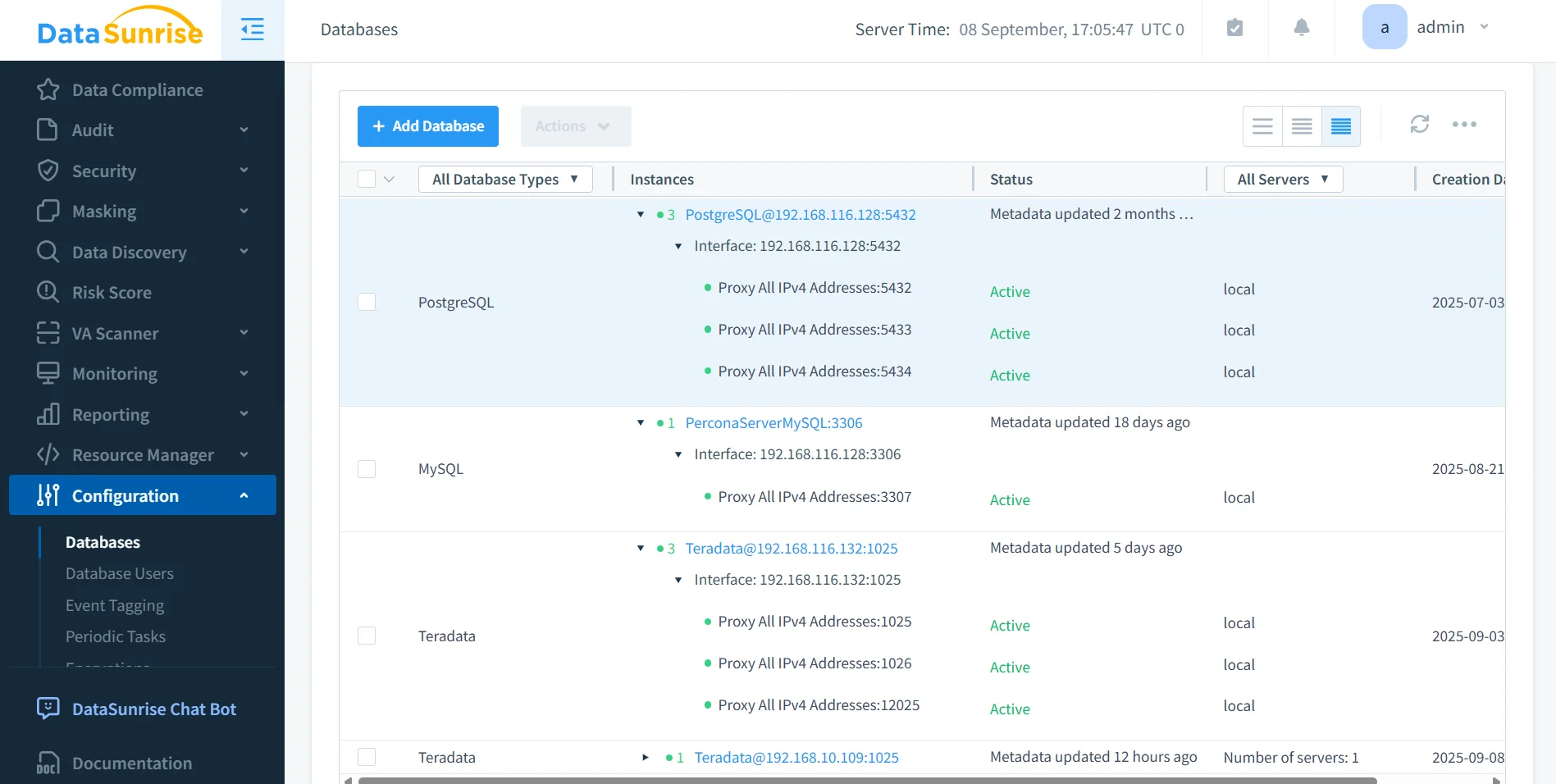
DataSunrise delivers centralized monitoring so administrators no longer need to track each Teradata instance separately. A single console consolidates compliance visibility across Teradata and more than 40 other supported platforms. This unified view helps correlate activity logs, alerts, and policy enforcement across hybrid or multi-cloud environments.
Automated Reporting
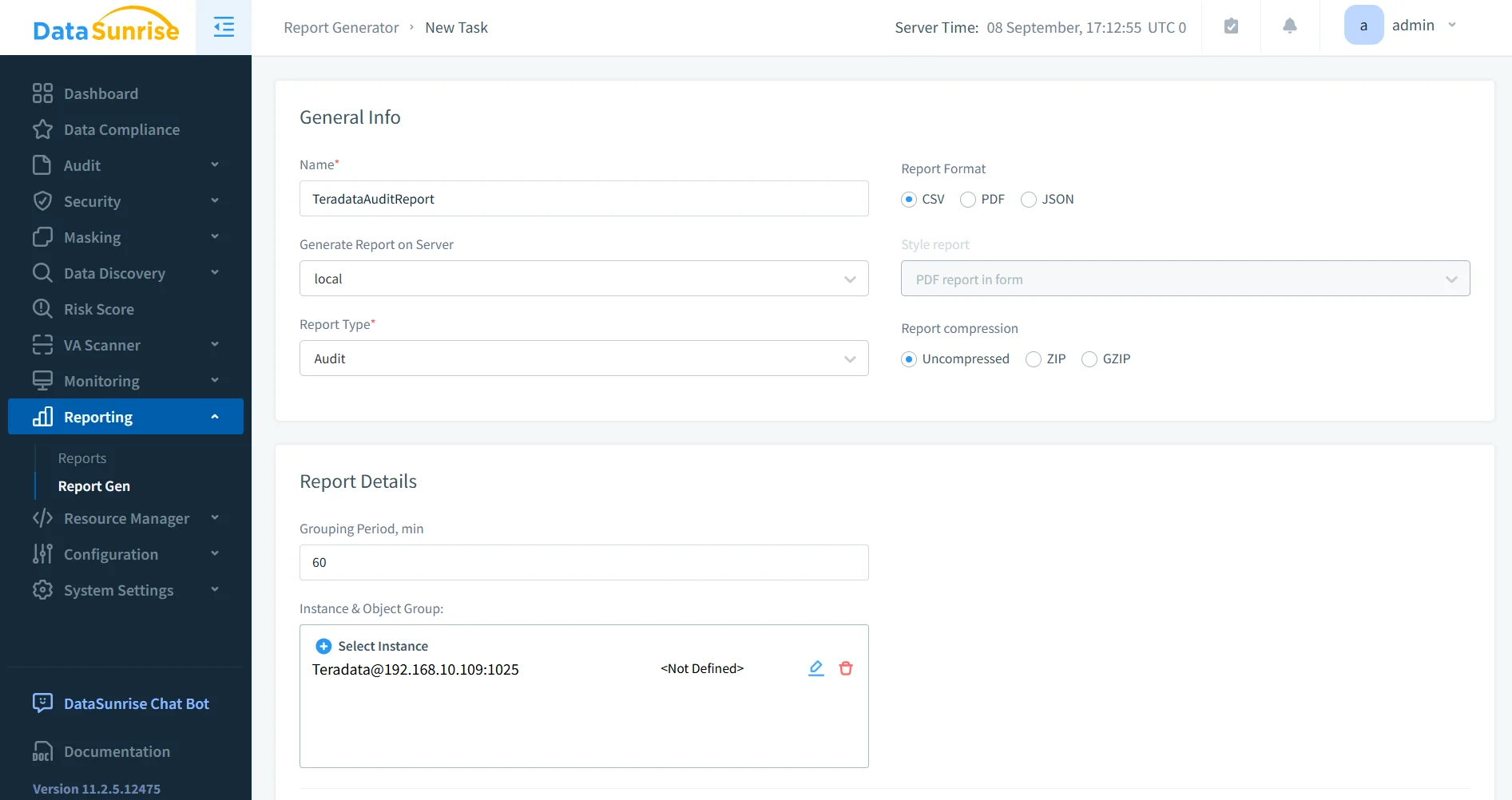
Through automated compliance reporting, organizations can generate audit-ready evidence for regulators without manual effort. DataSunrise includes templates for GDPR, HIPAA, PCI DSS, and SOX. Reports can be scheduled or created on demand, ensuring teams remain prepared for internal and external audits at all times.
Dynamic Data Masking
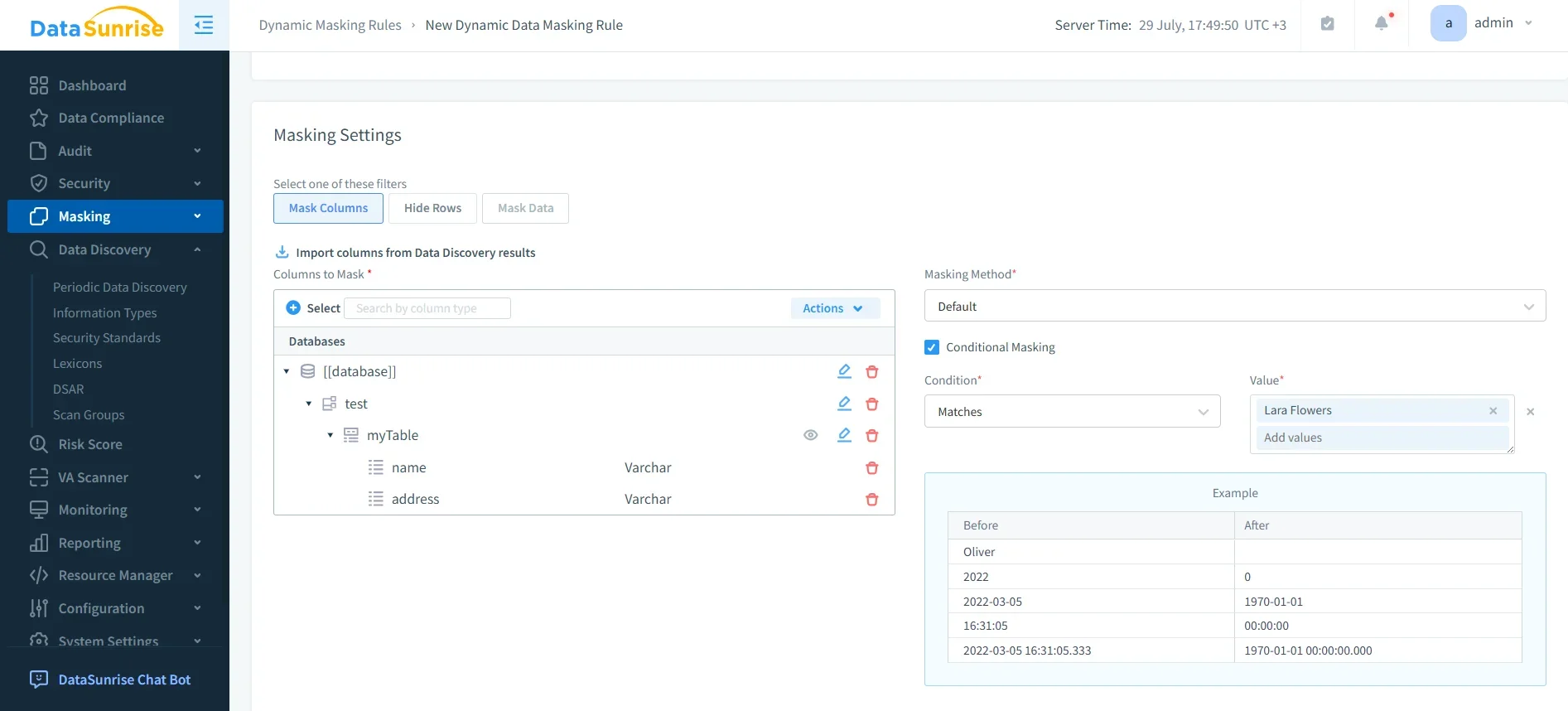
With dynamic data masking, sensitive fields—such as Social Security numbers, credit card details, or health records—are protected in real time. Based on user roles, the system masks or anonymizes the data during queries, ensuring unauthorized users never see raw values. Unlike static masking, this process is applied on-the-fly and does not impact database performance or application usability.
Compliance Autopilot
The Compliance Autopilot eliminates repetitive manual updates. It continuously aligns governance policies with evolving standards such as GDPR, HIPAA, PCI DSS, and SOX. Periodic scans detect new tables, users, or schemas and automatically apply the correct policies. This ensures compliance drift never occurs and keeps Teradata environments always aligned with global regulatory requirements.
Example: Automated Audit Workflow in DataSunrise
Connect Teradata Instance
Specify host, port, and credentials through the DataSunrise proxy.Create Compliance Rule
Select regulatory template (e.g., GDPR). Rules for sensitive columns (SSNs, card numbers) are applied instantly.Run Queries to Test
SELECT CustomerName, CreditCardNumber
FROM Customers;
The query executes, but CreditCardNumber is masked for unauthorized users.
- Generate Compliance Report
DataSunrise automatically produces a formatted audit report showing activity, masking enforcement, and violations.
This workflow complements other data audit processes, ensuring Teradata remains both secure and compliant.
Business Impact of Automating Teradata Compliance
| Impact Area | Benefit |
|---|---|
| Regulatory Alignment | Continuous compliance with GDPR, HIPAA, PCI DSS, and SOX. |
| Efficiency | Reduces manual oversight by automating rule updates and reporting. |
| Risk Reduction | Detects suspicious queries and prevents unauthorized data exposure. |
| Scalability | Supports hybrid/multi-cloud Teradata environments. |
| Audit Readiness | Provides instant, audit-ready evidence for regulators. |
| Cost Optimization | Lowers the total cost of compliance by reducing manual labor and external audit preparation expenses. |
| Faster Incident Response | Accelerates detection and remediation of compliance breaches through automated alerts and reporting. |
Conclusion
While Teradata offers strong native tools for access logging and monitoring, they require heavy manual intervention to meet modern compliance demands. DataSunrise automates the full compliance lifecycle—discovery, rule enforcement, monitoring, masking, and reporting—across Teradata and other platforms.
With Compliance Autopilot and AI-powered audit rules, organizations eliminate compliance drift, accelerate audit readiness, and maintain enterprise-wide security consistency.
Protect Your Data with DataSunrise
Secure your data across every layer with DataSunrise. Detect threats in real time with Activity Monitoring, Data Masking, and Database Firewall. Enforce Data Compliance, discover sensitive data, and protect workloads across 50+ supported cloud, on-prem, and AI system data source integrations.
Start protecting your critical data today
Request a Demo Download Now