How to Ensure Compliance for MongoDB
Organizations running MongoDB face increasing regulatory expectations, from GDPR in Europe to HIPAA in healthcare and PCI DSS in finance. As cyberattacks and insider threats rise, compliance is no longer optional—it is a strategic necessity. Recent Statista reports reveal a growing number of reported data breaches, highlighting the cost of poor oversight. Similarly, a Deloitte “Compliance Risk Assessments” article emphasizes that continuous compliance automation reduces audit failure risks and streamlines operations.
MongoDB’s popularity in modern development makes it a common choice for cloud-native applications, microservices, and large-scale analytics. However, its flexible schema design and distributed nature also introduce compliance challenges. Data often spans multiple clusters and hybrid environments, making it harder to ensure consistent enforcement of security and regulatory policies. At the same time, regulatory frameworks are expanding in complexity, requiring organizations to demonstrate audit-ready reporting, implement robust access controls, and protect sensitive fields like personally identifiable information (PII) and protected health information (PHI). Without the right tools, administrators risk misconfigurations that can lead to compliance drift, exposure of sensitive records, and costly penalties.
In this article, we will first look at MongoDB’s native compliance features and then show how DataSunrise extends these capabilities with automation, advanced audit, masking, and centralized monitoring for regulatory alignment.
What is Compliance?
Compliance means adhering to external regulations and internal policies that govern sensitive data handling. For MongoDB, compliance is tied to security features, auditability, and data protection. Frameworks such as GDPR, HIPAA, and PCI DSS demand strong controls over access, data masking, and audit trails. Businesses that fail to comply face fines, reputational damage, and legal consequences.
For MongoDB users, compliance requires more than just enabling security—it demands ongoing monitoring, automated controls, and audit-ready reporting. A helpful overview of regulatory practices is available at IBM’s compliance resources.
Native Compliance Features in MongoDB
MongoDB offers several built-in features to support compliance. Below we expand each capability with configuration examples.
Role-Based Access Control (RBAC)
MongoDB’s role-based access control enforces the principle of least privilege by granting users only the permissions necessary for their role. You can create custom roles tailored to your compliance requirements.
// Create a custom role with read access only
db.createRole({
  role: "readSensitiveData",
  privileges: [
    { resource: { db: "financeDB", collection: "transactions" }, actions: ["find"] }
  ],
  roles: []
});

// Assign the role to a user
db.createUser({
  user: "auditor1",
  pwd: "StrongPassword123!",
  roles: [ { role: "readSensitiveData", db: "financeDB" } ]
});
This ensures auditors can review data without altering it.
Encryption
MongoDB supports database encryption at rest (using the WiredTiger storage engine with the --enableEncryption option) and TLS/SSL encryption for data in transit.
Enable encryption at rest:
# mongod.conf
storage:
  dbPath: /var/lib/mongo
  journal:
    enabled: true
  wiredTiger:
    engineConfig:
      encryption:
        enableEncryption: true
        encryptionKeyFile: /etc/mongo-encryption-key
Enable TLS/SSL in transit:
# mongod.conf
net:
  ssl:
    mode: requireSSL
    PEMKeyFile: /etc/ssl/mongodb.pem
    CAFile: /etc/ssl/ca.pem
This ensures that sensitive data remains protected both when stored and transmitted.
Auditing
MongoDB Enterprise includes an auditing framework that records operations such as authentication attempts, schema changes, and CRUD operations. The audit log is output in JSON format.
Enable auditing in mongod.conf:
auditLog:
  destination: file
  format: JSON
  path: /var/log/mongodb/auditLog.json
  filter: '{ atype: { $in: ["authenticate", "createCollection", "dropDatabase", "insert", "update", "remove"] } }'
Sample output:
{
  "atype": "authenticate",
  "ts": { "$date": "2025-09-21T12:34:56Z" },
  "local": { "ip": "127.0.0.1", "port": 27017 },
  "param": { "user": "admin", "db": "admin", "mechanism": "SCRAM-SHA-256" },
  "result": 0
}
This JSON structure provides auditors with traceable events to satisfy compliance requirements.
Authentication
MongoDB integrates with LDAP, Kerberos, and x.509 certificates for centralized identity management, ensuring secure access control.
Example: LDAP authentication in mongod.conf:
security:
  authorization: enabled
  ldap:
    servers: ldap.company.com
    bind:
      method: simple
      queryUser: "cn=admin,dc=company,dc=com"
      queryPassword: "SecretPass!"
Example: x.509 authentication:
net:
  ssl:
    mode: requireSSL
    PEMKeyFile: /etc/ssl/mongodb.pem
    CAFile: /etc/ssl/ca.pem
security:
  authorization: enabled
These integrations allow organizations to enforce enterprise-wide access controls and strengthen identity governance across MongoDB deployments.
Enhanced MongoDB Compliance with DataSunrise
DataSunrise complements MongoDB by adding automation, centralized management, and advanced compliance features.
Compliance Autopilot
DataSunrise’s Compliance Autopilot continuously aligns MongoDB with GDPR, HIPAA, PCI DSS, and SOX. New collections, roles, or users automatically inherit required policies without manual updates.
- Drift Detection: It identifies configuration drift when administrators apply changes that may weaken compliance.
- Real-Time Adjustments: Policies are recalibrated in real time to maintain regulatory alignment across production and development clusters.
- Pre-Built Templates: Predefined templates for frameworks like GDPR and HIPAA reduce the setup effort while ensuring accurate enforcement.
- CI/CD Integration: Compliance checks can be embedded into DevOps pipelines, preventing non-compliant schema changes or user role misconfigurations from being deployed.
- Multi-Environment Governance: The Autopilot applies consistent policies across on-premises, hybrid, and cloud-based MongoDB instances, ensuring unified compliance coverage.
This minimizes human error, accelerates onboarding of new projects, and ensures audit trails remain regulator-ready.
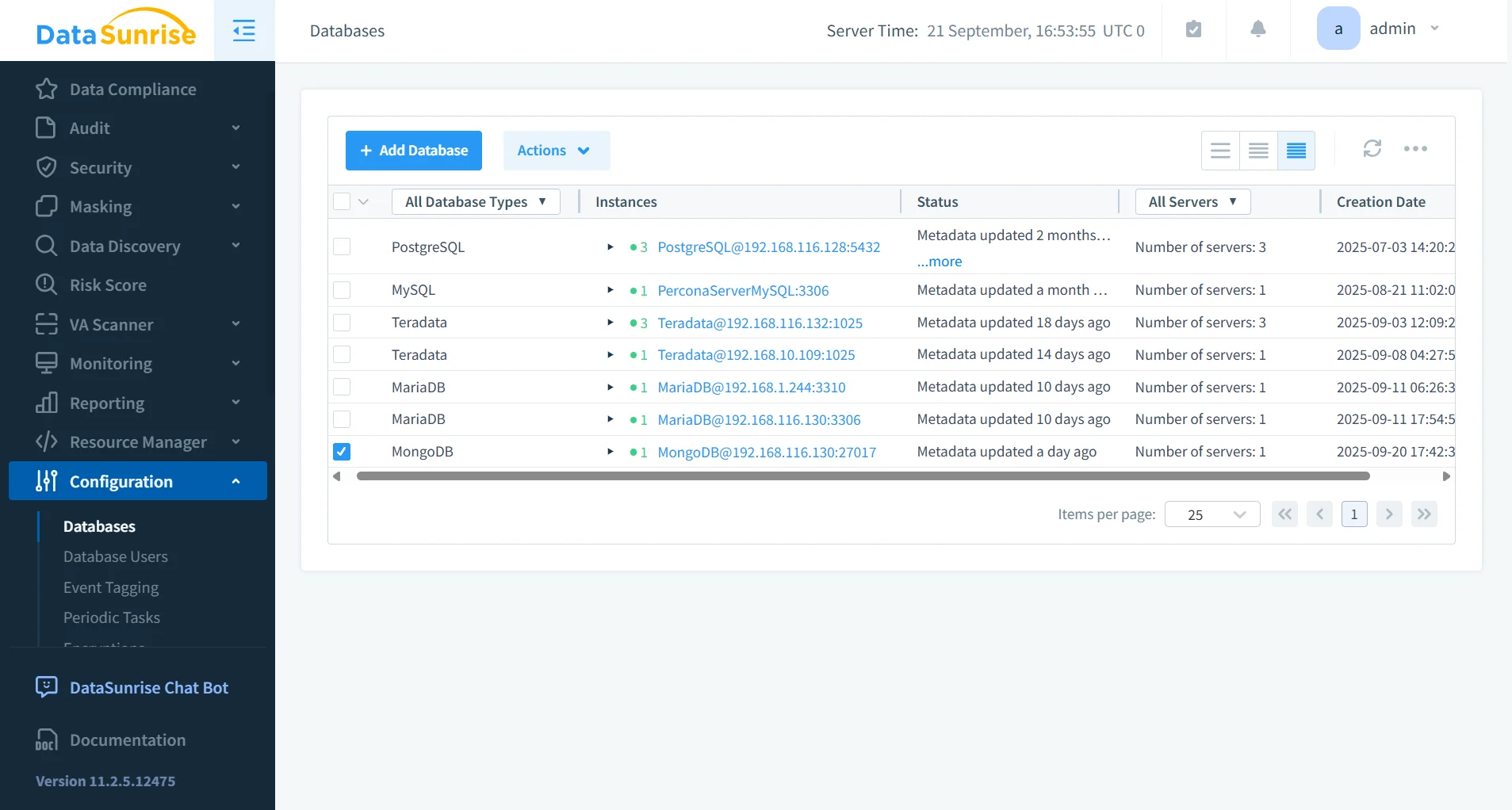
Centralized Monitoring
Instead of monitoring each MongoDB instance separately, DataSunrise consolidates activities across databases into a unified dashboard.
- Cross-Platform Visibility: Administrators gain visibility into database activity monitoring across 40+ supported platforms.
- Unified Alerts: Suspicious behavior is flagged in real time with consistent threat detection.
- Policy Consistency: Rules can be applied once and enforced globally across multiple MongoDB clusters, avoiding gaps in compliance.
Centralization simplifies compliance reviews and strengthens overall data security.
Advanced Security and Masking
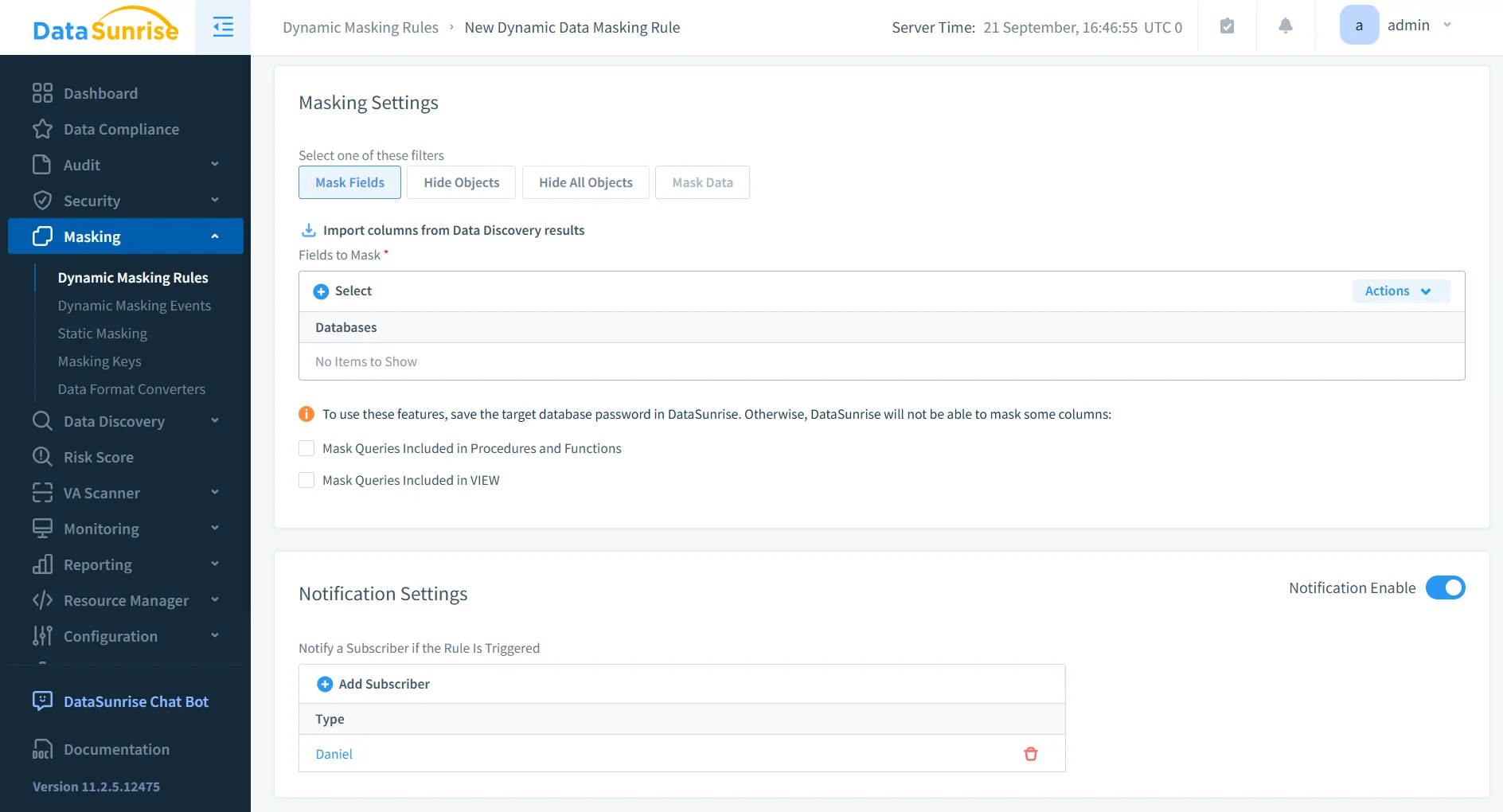
DataSunrise introduces dynamic data masking to ensure sensitive fields like PII or PHI are hidden from unauthorized users.
- Role-Aware Masking: Different users see different versions of the same data depending on their permissions.
- Non-Intrusive Deployment: Masking is applied transparently through the proxy, requiring no changes to application code.
- Complementary to Encryption: While encryption protects data at rest and in transit, masking ensures real-time protection during query execution.
Combined with behavior analytics, this enables analysts and developers to use production-like data safely.
Automated Compliance Reporting
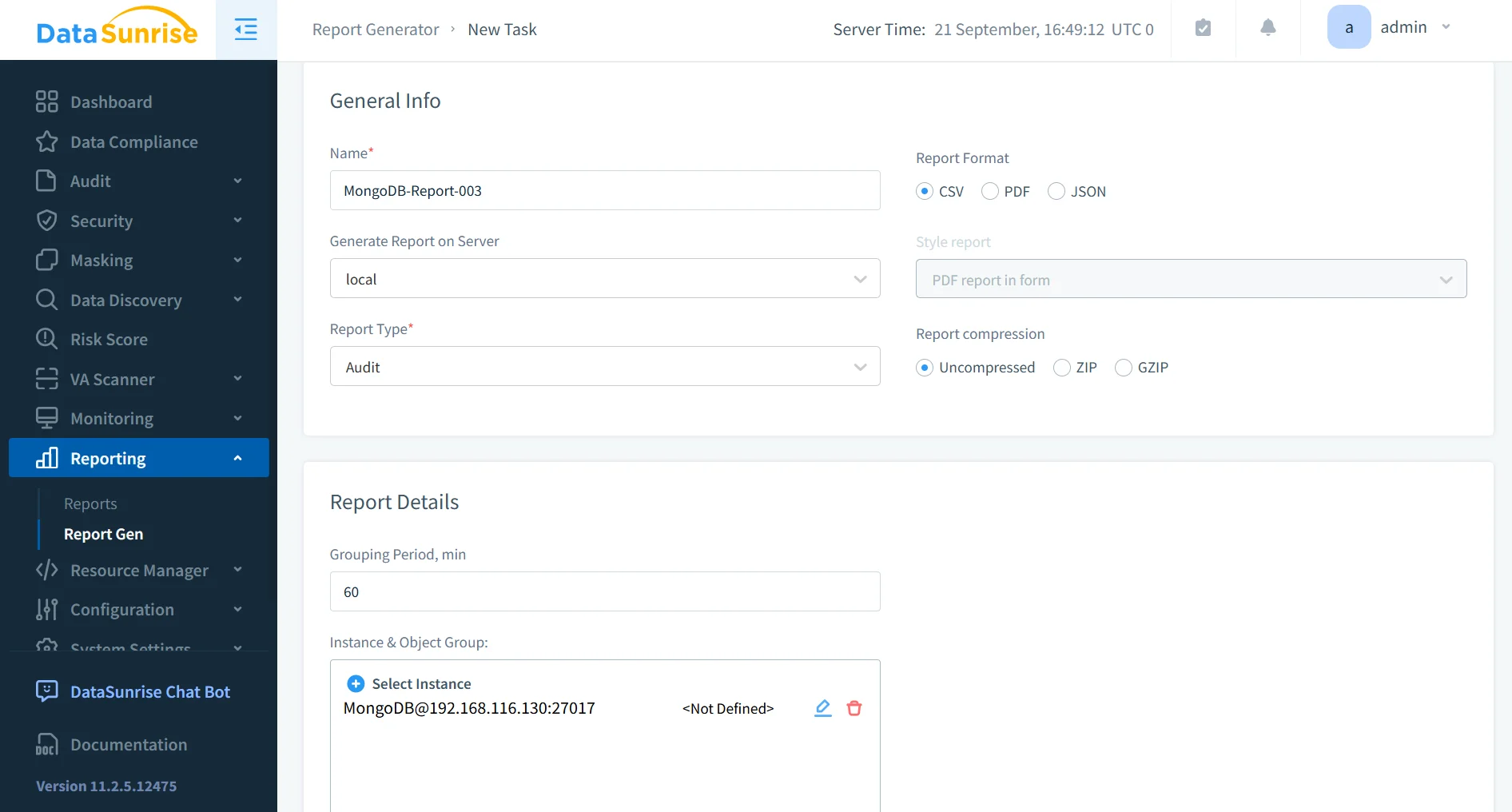
With DataSunrise’s compliance manager, organizations can generate one-click reports for GDPR, HIPAA, PCI DSS, and SOX.
- Scheduled Reports: Automate periodic reporting to always stay prepared for audits.
- Custom Templates: Reports can be customized to meet internal audit requirements as well as external regulator expectations.
- Evidence Generation: Produce detailed audit-ready evidence, reducing time spent on manual report assembly.
This integrates with report generation tools to simplify workflows and reduce compliance costs.
Comparison Table: MongoDB Native vs DataSunrise
| Feature | MongoDB Native Capabilities | DataSunrise Enhancements |
|---|---|---|
| Access Control | RBAC with predefined and custom roles | Granular rules across multiple databases with centralized access controls |
| Encryption | Database encryption at rest and TLS in transit | Encryption plus dynamic masking for real-time data protection |
| Auditing | Audit logs in JSON format for MongoDB Enterprise only | Cross-platform audit trails with custom rules and centralized reporting |
| Authentication | Native LDAP, Kerberos, and x.509 integration | Unified identity enforcement across multi-cloud and hybrid environments |
| Monitoring | Instance-specific logging and manual review | Database activity monitoring across 40+ platforms in one dashboard |
| Reporting | Limited manual exports | Automated compliance reporting with templates for GDPR, HIPAA, PCI DSS, SOX |
| Threat Detection | Not built-in | Real-time threat detection and behavior analytics |
| Deployment | On-premises or cloud | Flexible deployment with reverse proxy mode, sniffer, and hybrid coverage |
Conclusion
MongoDB’s native features provide a solid foundation for regulatory compliance, but enterprises often need more automation and visibility. By integrating DataSunrise, organizations gain continuous compliance alignment, centralized monitoring, automated reporting, and advanced masking.
Ready to strengthen your MongoDB compliance? Request a demo and explore how DataSunrise simplifies regulatory adherence while reducing risk.
Protect Your Data with DataSunrise
Secure your data across every layer with DataSunrise. Detect threats in real time with Activity Monitoring, Data Masking, and Database Firewall. Enforce Data Compliance, discover sensitive data, and protect workloads across 50+ supported cloud, on-prem, and AI system data source integrations.
Start protecting your critical data today
Request a Demo Download Now