How to Ensure Compliance for ScyllaDB
ScyllaDB is a high-performance, NoSQL database designed to handle massive workloads with low latency. Its architecture is ideal for applications in finance, healthcare, and telecommunications where speed and scalability are critical. But as with any system managing sensitive data, compliance with regulations such as GDPR, HIPAA, PCI DSS, and SOX is not optional.
ScyllaDB provides some native auditing and access control features, but ensuring end-to-end compliance often requires more robust tooling. In this guide, we’ll review ScyllaDB’s built-in options and then show how DataSunrise enhances compliance through advanced auditing, masking, and reporting.
What is Compliance?
Compliance in the context of databases means following industry regulations, security standards, and internal policies that govern how sensitive information is stored, accessed, and protected. It ensures accountability, transparency, and trust by enforcing controls around who can view or modify data.
Common regulations include:
- GDPR – Protects personal data of EU citizens and requires strict data access controls.
- HIPAA – Ensures the confidentiality and security of patient health information.
- PCI DSS – Governs handling of payment card information.
- SOX – Requires integrity and transparency in financial reporting systems.
For ScyllaDB users, compliance means implementing strong access control, maintaining audit trails, applying data masking, and generating audit-ready reports. These steps not only reduce risk but also demonstrate adherence to regulators and stakeholders.
Native ScyllaDB Compliance Capabilities
ScyllaDB inherits several compliance-related mechanisms from its Cassandra lineage:
Authentication and Role-Based Access Control
ScyllaDB enforces security with role-based permissions. Administrators can create custom roles and apply the principle of least privilege.
-- Example: Create a role with read access
CREATE ROLE readonly_user WITH LOGIN = true AND PASSWORD = 'securePass';
GRANT SELECT ON KEYSPACE healthcare TO readonly_user;
This ensures that only approved users access regulated data.
ScyllaDB roles can be nested, allowing administrators to build hierarchical permission models. For example, a role with broad privileges can grant subsets of access to other roles, making it easier to manage compliance at scale.
-- Example: Create a custom role with elevated privileges
CREATE ROLE data_auditor WITH LOGIN = true AND PASSWORD = 'auditPass';
GRANT SELECT ON ALL KEYSPACES TO data_auditor;
GRANT data_auditor TO compliance_team;
- Role Inheritance: ScyllaDB supports granting one role to another, which simplifies complex privilege structures.
- Granularity: Permissions can be assigned at the keyspace, table, or column level.
- Compliance Alignment: Properly configured RBAC helps align with GDPR’s data minimization principle and HIPAA’s access control requirements.
By using roles effectively, organizations reduce the risk of unauthorized access and demonstrate a proactive approach to compliance enforcement. For deeper background, see Role-Based Access Controls.
Audit Logging and Activity Tracking
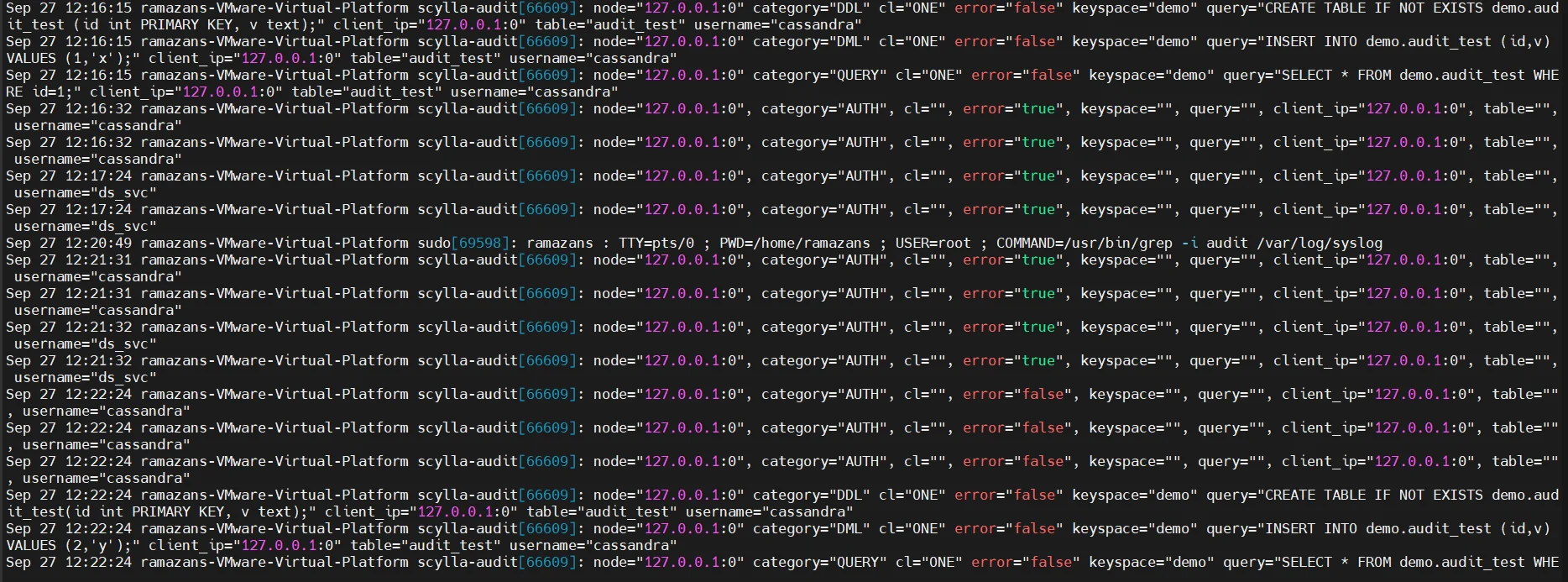
ScyllaDB supports audit logging via a configuration parameter that captures login attempts, schema changes, and queries. Logs can be shipped to external systems, but review is manual and storage grows quickly.
# Example: Enable audit logging in scylla.yaml
audit_log:
    enabled: true
    included_categories: [DML, DDL, AUTH]
    excluded_keyspaces: [system, system_schema]
Audit logs provide accountability but often lack centralization. DataSunrise expands these capabilities with advanced audit logs management.
Encryption Options
ScyllaDB provides encryption for data in transit (TLS between nodes and clients) and for data at rest. This ensures sensitive information is protected against interception and theft. Administrators must manage certificate files, key rotation, and cipher configurations to remain compliant with strict regulations.
To enable TLS, update the scylla.yaml configuration file with the following parameters:
client_encryption_options:
    enabled: true
    optional: false
    certificate: /etc/scylla/certs/node.crt
    keyfile: /etc/scylla/certs/node.key
    truststore: /etc/scylla/certs/ca.crt
    require_client_auth: true

server_encryption_options:
    internode_encryption: all
    certificate: /etc/scylla/certs/node.crt
    keyfile: /etc/scylla/certs/node.key
    truststore: /etc/scylla/certs/ca.crt
client_encryption_optionssecures client-to-node traffic.server_encryption_optionssecures node-to-node communication.- Certificates must be rotated periodically to avoid compliance drift.
By enforcing TLS everywhere, organizations align with frameworks like GDPR and HIPAA, which require encryption in transit for sensitive information. More detail is available in database encryption.
Challenges with Native ScyllaDB Tools
- Logs are stored locally, complicating centralized compliance review.
- Sensitive data may appear unmasked in queries and logs.
- Compliance reporting requires custom parsing and scripting.
- There is no built-in automation for detecting compliance drift.
These gaps can leave organizations exposed to regulatory risk.
Enhancing ScyllaDB Compliance with DataSunrise
DataSunrise closes these gaps by providing a comprehensive compliance framework on top of ScyllaDB. Its features are designed to meet regulatory standards while minimizing administrative effort.
Centralized Activity Monitoring
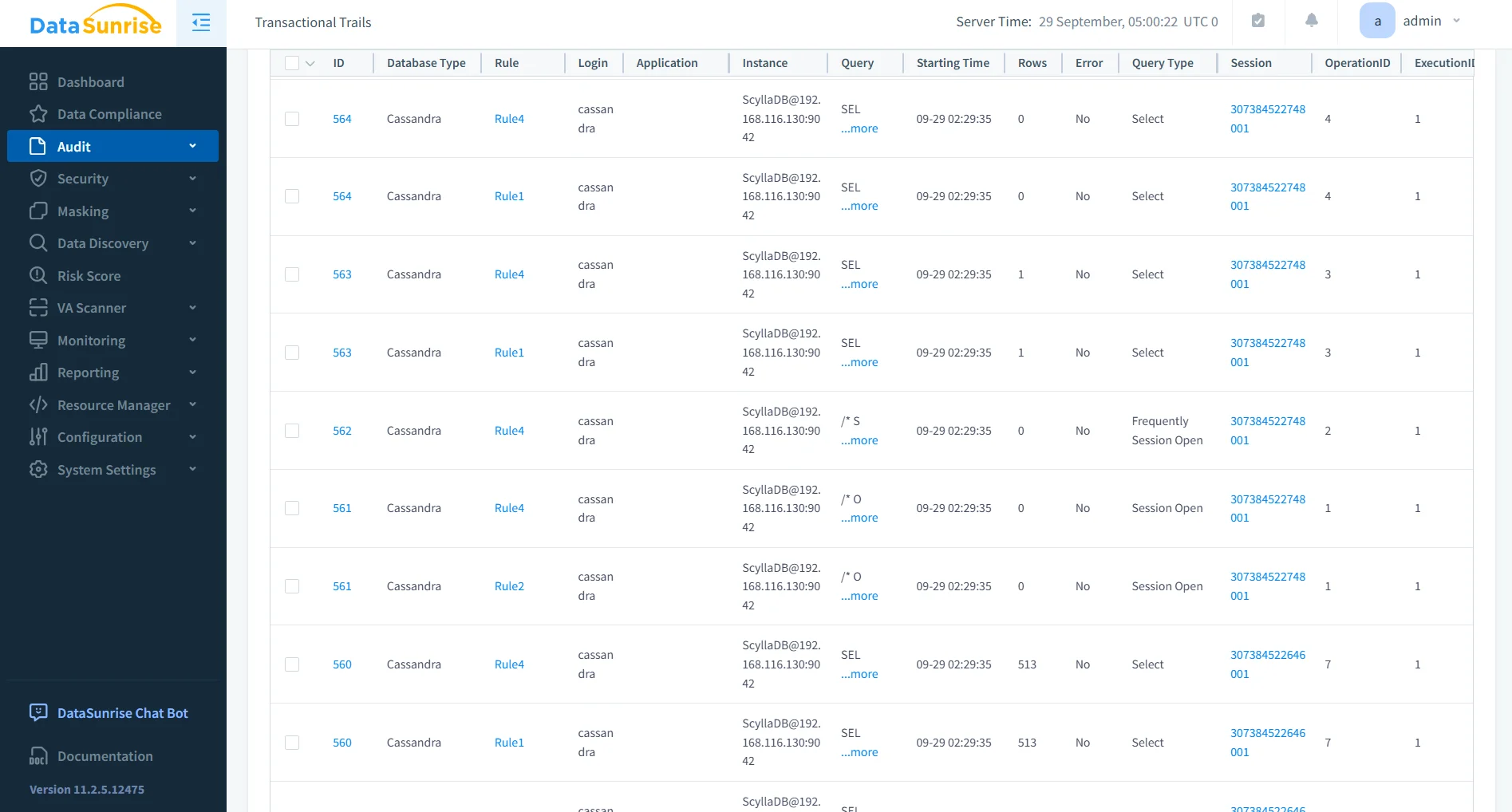
DataSunrise captures a complete data activity history across ScyllaDB clusters. Unlike native logs, monitoring is unified and searchable from a single interface, allowing administrators to reconstruct events for auditors quickly.
- Unified dashboard with cross-cluster visibility.
- Advanced filtering by user, table, or operation.
- Long-term storage of audit data for forensic analysis.
- Seamless integration with Database Activity Monitoring systems and SIEM tools.
- Real-time correlation of events across multiple ScyllaDB nodes.
- Customizable retention policies for compliance-driven storage requirements.
Granular Audit Rules
Through flexible audit rules, you can monitor specific keyspaces, tables, or operations. For example, a rule can be configured to log access to columns containing PHI or PCI data.
- Define object-level or column-level audit policies.
- Schedule rules for specific business hours or events.
- Apply alerts when unauthorized access attempts occur.
- Simplify compliance evidence generation by focusing on sensitive assets, aligned with audit trails.
Dynamic Data Masking
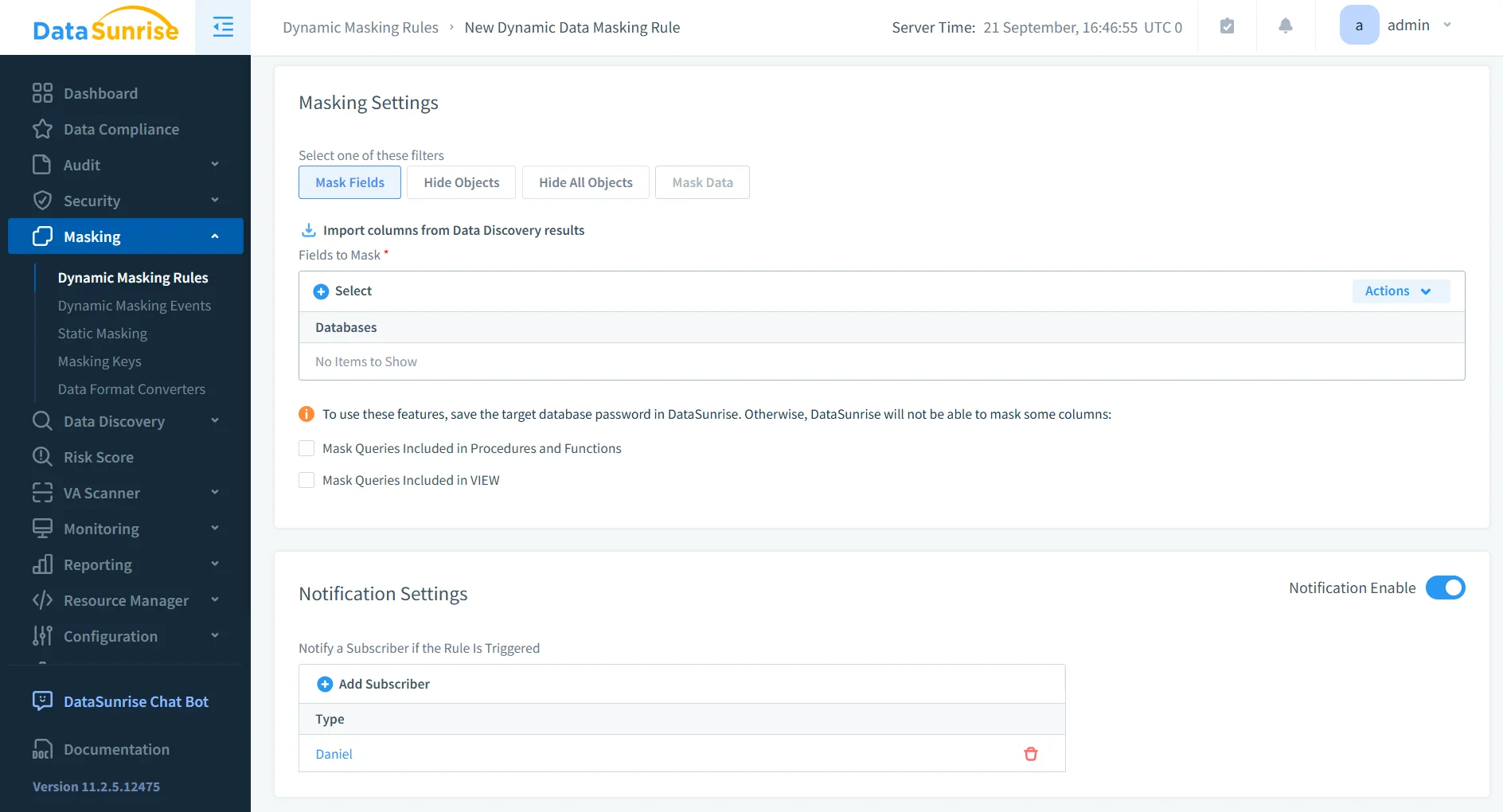
With dynamic masking, sensitive values such as SSNs or credit cards are hidden in query results depending on the user’s role. This ensures auditors or analysts see anonymized data while production users retain full access.
- Role-based masking policies adaptable to user groups.
- On-the-fly masking without schema modifications.
- Multiple masking types (partial, full, substitution).
- Complements static data masking for non-production use cases.
Automated Compliance Reporting
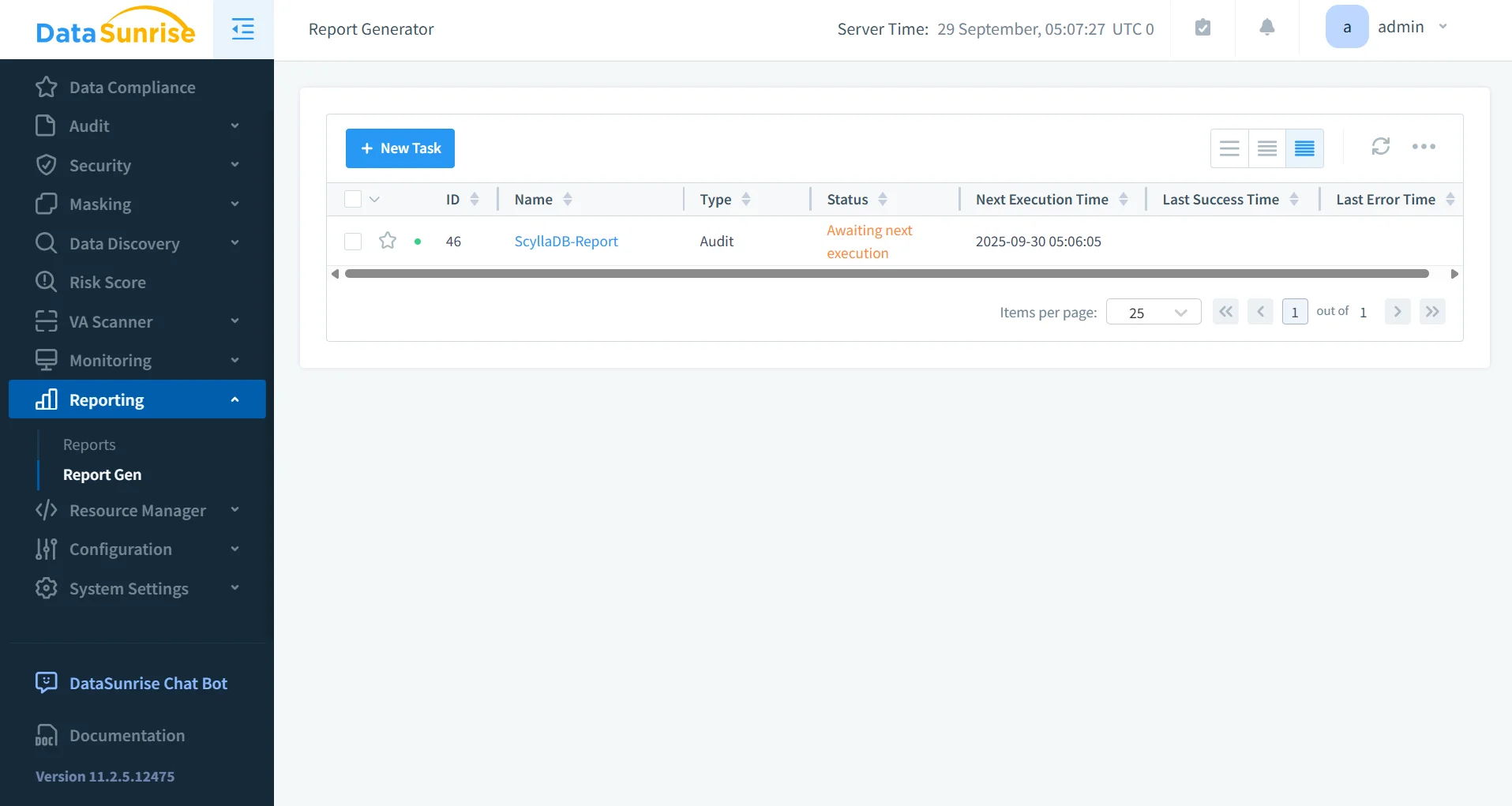
The Compliance Manager automates reporting for GDPR, HIPAA, PCI DSS, and SOX. Reports can be scheduled and exported in auditor-ready formats, reducing preparation overhead.
- Pre-built templates for common regulatory frameworks.
- Automated scheduling (daily, weekly, monthly).
- Export to PDF, HTML, or CSV for auditors.
- Integrates with automated compliance reporting workflows for enterprise readiness.
Business Benefits
| Benefit | Description |
|---|---|
| Reduced Risk | Continuous monitoring and masking minimize exposure of regulated data. |
| Audit Readiness | One-click audit logs and scheduled reports simplify regulatory audits. |
| Operational Efficiency | Centralized tools reduce manual effort compared to parsing native ScyllaDB logs. |
| Scalable Protection | Works seamlessly across on-premises, hybrid, and cloud deployments. |
| Regulatory Alignment | Built-in support for GDPR, HIPAA, PCI DSS, and SOX ensures consistent compliance across environments. |
| Faster Incident Response | Real-time monitoring and alerts accelerate detection of suspicious activity, reducing potential impact. |
For organizations seeking a broader perspective, see compliance regulations overview and how DataSunrise ensures continuous data protection.
Conclusion
While ScyllaDB offers foundational tools for authentication, logging, and encryption, organizations in regulated industries need stronger compliance coverage. DataSunrise extends ScyllaDB with automated compliance reporting, dynamic masking, and centralized monitoring. The result is a secure, audit-ready environment that reduces risk and ensures continuous alignment with regulations.
Protect Your Data with DataSunrise
Secure your data across every layer with DataSunrise. Detect threats in real time with Activity Monitoring, Data Masking, and Database Firewall. Enforce Data Compliance, discover sensitive data, and protect workloads across 50+ supported cloud, on-prem, and AI system data source integrations.
Start protecting your critical data today
Request a Demo Download Now