How to Manage Data Compliance for Azure Cloud Storage
In today's data-driven landscape, implementing robust data compliance management for Azure Cloud Storage has become a critical business imperative. According to IBM's 2024 Cost of a Data Breach Report, organizations with comprehensive compliance frameworks detect potential violations 91% faster and reduce regulatory penalties by up to 68%. With global data protection regulations becoming increasingly stringent, manual compliance approaches are no longer sufficient for modern enterprises.
Azure Cloud Storage provides essential native compliance features, but organizations operating in regulated industries often require more sophisticated solutions to satisfy complex regulatory requirements. This guide explores Azure Cloud Storage's native compliance capabilities and demonstrates how DataSunrise's Zero-Touch Compliance Automation can enhance your cloud data protection.
Native Azure Cloud Storage Compliance Capabilities
Microsoft Azure provides several built-in compliance features for cloud storage that help organizations monitor data access, enforce retention policies, and maintain audit trails across various storage services.
1. Azure Storage Account Configuration
Configure basic compliance monitoring for Azure Cloud Storage through the Azure portal:
# Enable compliance monitoring via Azure CLI
az storage account create \
  --name "compliancestorage001" \
  --resource-group "ComplianceRG" \
  --location "East US" \
  --sku "Standard_LRS" \
  --https-only true \
  --min-tls-version "TLS1_2"

# Configure diagnostic settings
az monitor diagnostic-settings create \
  --name "Storage-Compliance-Logs" \
  --resource "/subscriptions/{subscription-id}/resourceGroups/ComplianceRG/providers/Microsoft.Storage/storageAccounts/compliancestorage001" \
  --logs '[{
    "category": "StorageRead",
    "enabled": true,
    "retentionPolicy": {"enabled": true, "days": 365}
  }]' \
  --workspace "/subscriptions/{subscription-id}/resourceGroups/ComplianceRG/providers/Microsoft.OperationalInsights/workspaces/compliance-workspace"
2. Testing Storage Operations for Compliance Validation
Execute sample operations to generate meaningful compliance data:
# Blob Storage operations for compliance testing
from azure.storage.blob import BlobServiceClient

blob_service_client = BlobServiceClient(
    account_url="https://compliancestorage001.blob.core.windows.net",
    credential="your_access_key"
)

# Upload files with compliance metadata
with open("customer_data.csv", "rb") as data:
    blob_client = blob_service_client.upload_blob(
        container="sensitive-documents",
        name="customer_data_2024.csv",
        data=data,
        metadata={
            "data_type": "PII",
            "compliance_status": "validated"
        }
    )
3. Azure Portal Interface for Compliance Management
Azure Portal provides an intuitive interface for managing cloud storage compliance:
- Storage Analytics: View access patterns and data management metrics
- Access Policies: Configure role-based access controls
- Compliance Dashboard: Review regulatory adherence status
- Activity Logs: Access detailed storage operation logs
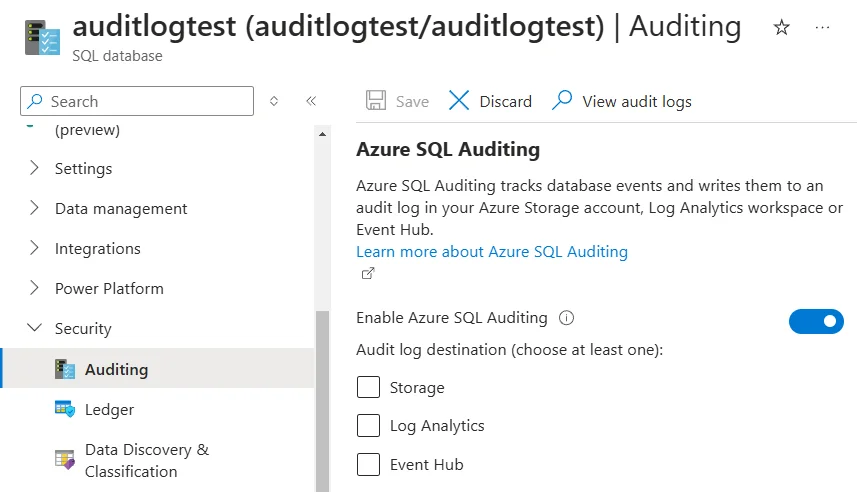
While Azure's native capabilities provide essential functionality, they have limitations:
| Native Feature | Key Limitation | Business Impact |
|---|---|---|
| Activity Logs | Limited retention periods (90 days max) and basic context | May not satisfy long-term compliance requirements for regulations requiring 7+ year retention |
| Data Classification | No automated sensitive data discovery across containers | Critical PII, PHI, and financial data may remain unprotected and untagged |
| Compliance Reporting | Manual report generation requiring custom queries | Time-consuming audit preparation, potential human errors, delayed regulatory responses |
| Access Controls | Complex RBAC configuration and maintenance overhead | Increased administrative burden, potential security gaps, inconsistent permissions |
| Cross-Service Monitoring | Fragmented logging across Blob, Files, Tables | Incomplete visibility into data flows, difficulty correlating activities across storage types |
| Real-Time Alerting | Basic threshold alerts with high false positive rates | Delayed response to genuine compliance violations, alert fatigue for security teams |
Enhanced Data Compliance with DataSunrise
DataSunrise significantly enhances Azure Cloud Storage compliance through Autonomous Compliance Orchestration and sophisticated monitoring designed specifically for cloud storage environments. Unlike basic logging approaches, DataSunrise delivers enterprise-grade data security with comprehensive sensitive data detection.
Setting Up DataSunrise for Azure Cloud Storage Compliance
1. Connect to Azure Storage Services
Establish secure connections between DataSunrise and your Azure storage environment. DataSunrise supports all Azure storage types including Blob Storage, Files, Tables, and Data Lake Storage.
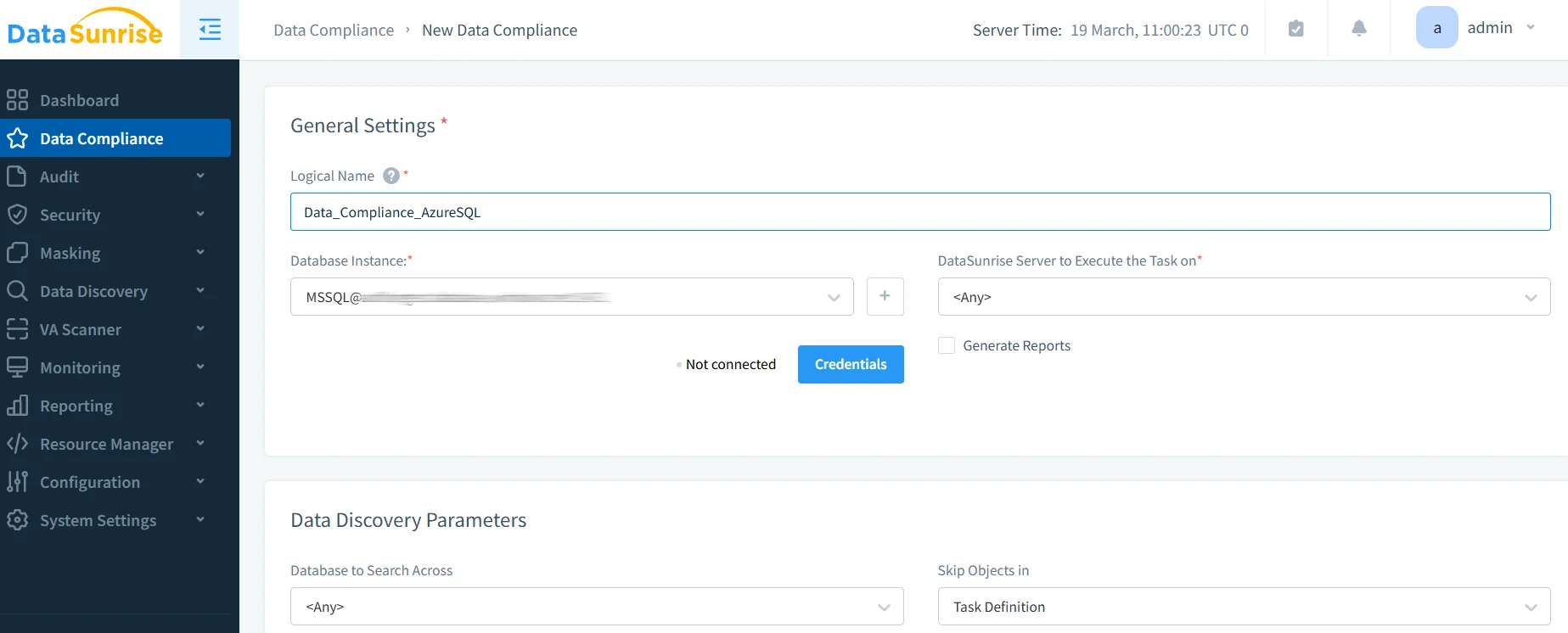
2. Configure Compliance Rules
Create compliance policies through DataSunrise's intuitive interface without writing code. Simply define what data to protect, who can access it, and how long to keep it.
3. Monitor Compliance Activities
Access comprehensive compliance monitoring through DataSunrise's unified dashboard with real-time alerting and intelligent correlation capabilities.
Key Advantages of DataSunrise for Azure Cloud Storage
Auto-Discover & Classify: Automatically identify sensitive data using NLP algorithms and machine learning across structured, semi-structured, and unstructured data.
Real-Time Notifications: Receive immediate alerts for compliance violations with contextual information and recommended actions.
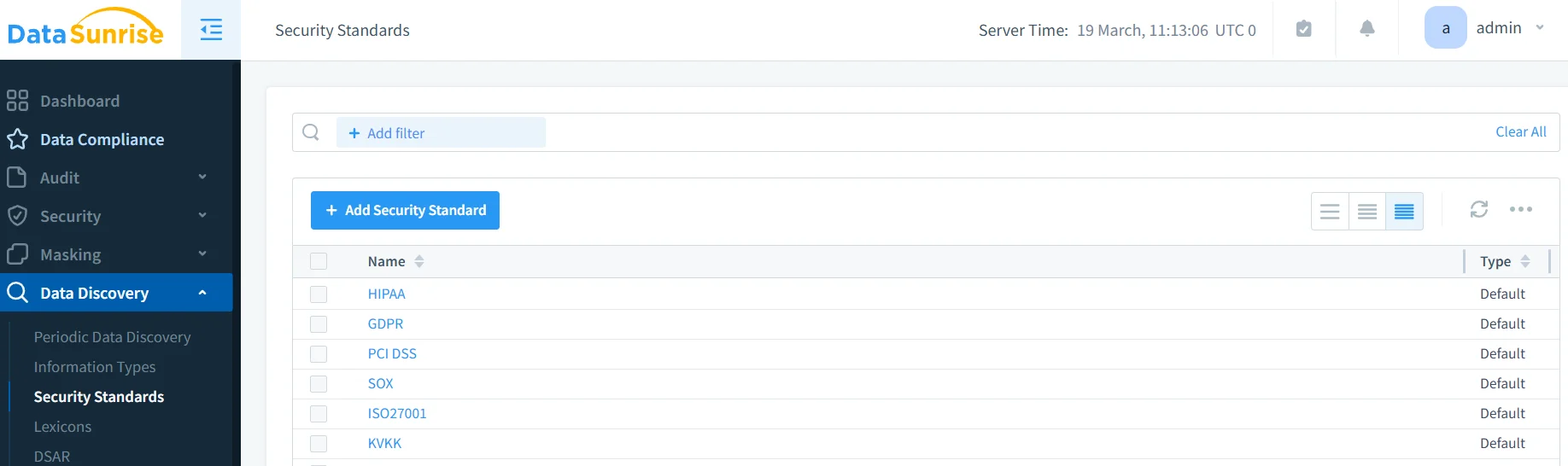
Automated Compliance Reporting: Generate pre-configured reports for GDPR, HIPAA, PCI DSS, and SOX.
Dynamic Data Masking: Protect sensitive data in real-time while maintaining application functionality.
Behavioral Analytics: Establish baselines for normal access patterns and automatically detect anomalies using ML algorithms that adapt to changing usage patterns.
Cross-Platform Visibility: Monitor cloud storage alongside databases with support for over 40 data storage platforms.
Database Security: Integrate cloud storage protection with comprehensive database security policies for unified data protection.
Best Practices for Azure Cloud Storage Compliance
1. Data-Centric Compliance Strategy
Focus comprehensive compliance controls on containers storing PII, financial data, or regulated information. Implement granular access controls and leverage automated data discovery to ensure data accessibility while maintaining security.
2. Regulatory Framework Alignment
Map storage policies to specific regulatory frameworks such as GDPR data residency and HIPAA technical safeguards. Establish automated data lifecycle management and maintain comprehensive documentation following the principle of least privilege.
3. Enhanced Security Implementation
Deploy DataSunrise's comprehensive security suite with intelligent policy orchestration and continuous compliance monitoring. Leverage machine learning tools for predictive compliance.
Conclusion
As organizations increasingly rely on Azure Cloud Storage for business-critical data, implementing robust data compliance has become essential. While Azure provides foundational compliance capabilities, organizations with complex requirements benefit significantly from enhanced solutions like DataSunrise.
DataSunrise provides comprehensive security designed for cloud storage environments, offering Zero-Touch Data Protection with advanced compliance monitoring and automated reporting. With flexible deployment modes, DataSunrise transforms Azure Cloud Storage compliance from manual processes into strategic security assets.
Protect Your Data with DataSunrise
Secure your data across every layer with DataSunrise. Detect threats in real time with Activity Monitoring, Data Masking, and Database Firewall. Enforce Data Compliance, discover sensitive data, and protect workloads across 50+ supported cloud, on-prem, and AI system data source integrations.
Start protecting your critical data today
Request a Demo Download Now