Manage Data Compliance for Azure Cosmos DB for NoSQL
In today's regulatory landscape, managing data compliance for NoSQL databases has become a strategic business imperative. According to IBM's 2024 Cost of a Data Breach Report, organizations with comprehensive compliance frameworks reduce data breach costs by an average of $1.6 million and demonstrate regulatory adherence 78% faster than those relying on manual processes.
Azure Cosmos DB, Microsoft's globally distributed NoSQL database service, handles massive volumes of sensitive data across multiple regions and API interfaces. With support for multiple APIs and consistency models, organizations migrating critical workloads to NoSQL platforms must implement robust data compliance management to meet regulatory requirements while protecting sensitive information in distributed environments.
This comprehensive guide explores Azure Cosmos DB's native compliance features and demonstrates how DataSunrise can enhance your NoSQL compliance management with Zero-Touch Compliance Automation and intelligent policy orchestration. Organizations can leverage advanced data security measures and database security frameworks to protect their distributed NoSQL environments.
Understanding Data Compliance for Azure Cosmos DB NoSQL
Data compliance for Azure Cosmos DB encompasses the systematic implementation of policies, procedures, and technical controls to ensure NoSQL operations meet regulatory requirements across distributed database environments. This comprehensive approach addresses data protection, privacy regulations, access controls, and audit trails requirements specific to document-based storage systems.
Managing data compliance for Azure Cosmos DB presents unique challenges including global data distribution across multiple regions, dynamic schema evolution without predefined constraints, multi-API interfaces (SQL, MongoDB, Cassandra, Gremlin, Table), and document-level granularity where sensitive data is mixed within document fields.
Azure Cosmos DB compliance must address multiple regulatory frameworks simultaneously including GDPR Compliance, HIPAA Compliance, PCI DSS Compliance, and SOX Compliance.
Native Azure Cosmos DB Compliance Capabilities
Azure Cosmos DB includes several built-in features for supporting compliance initiatives. These native capabilities provide a foundation for regulatory adherence through various security policies and monitoring mechanisms. Understanding these features is crucial for establishing a robust database firewall strategy.
1. Built-in Security Controls
Azure Cosmos DB offers fundamental security features that support compliance requirements:
# Enable encryption at rest for compliance requirements
az cosmosdb create \
  --resource-group "ComplianceRG" \
  --name "enterprise-cosmosdb" \
  --locations regionName="East US" failoverPriority=0 isZoneRedundant=False \
  --default-consistency-level "Session" \
  --enable-automatic-failover true \
  --enable-multiple-write-locations false
2. Access Control Configuration
Implement role-based access controls for compliance enforcement:
// Configure RBAC for compliance requirements
const { CosmosClient } = require("@azure/cosmos");

const client = new CosmosClient({
    endpoint: "https://enterprise-cosmosdb.documents.azure.com:443/",
    key: process.env.COSMOS_KEY
});

// Create compliance-focused container
const containerDefinition = {
    id: "ComplianceData",
    partitionKey: { paths: ["/customerId"] },
    defaultTtl: 86400, // Automatic data expiration for compliance
    indexingPolicy: {
        indexingMode: "consistent",
        includedPaths: [{ path: "/*" }],
        excludedPaths: [{ path: "/sensitiveData/*" }]
    }
};
3. Azure Portal Web Interface for Compliance Management
The Azure Portal provides an intuitive interface for managing compliance settings without requiring specialized technical expertise:
- Security Center: Navigate to your Cosmos DB account and access the Security section to configure compliance policies and review security recommendations
- Compliance Dashboard: Use the built-in compliance dashboard to view regulatory adherence status across different frameworks
- Access Control (IAM): Manage role-based access controls and review user permissions for compliance oversight
- Monitoring & Diagnostics: Configure diagnostic settings to capture compliance-related events and access patterns
- Policy Assignments: Apply Azure Policy definitions to enforce organizational compliance standards across Cosmos DB resources
- Resource Health: Monitor compliance-related configurations and receive notifications about potential compliance issues
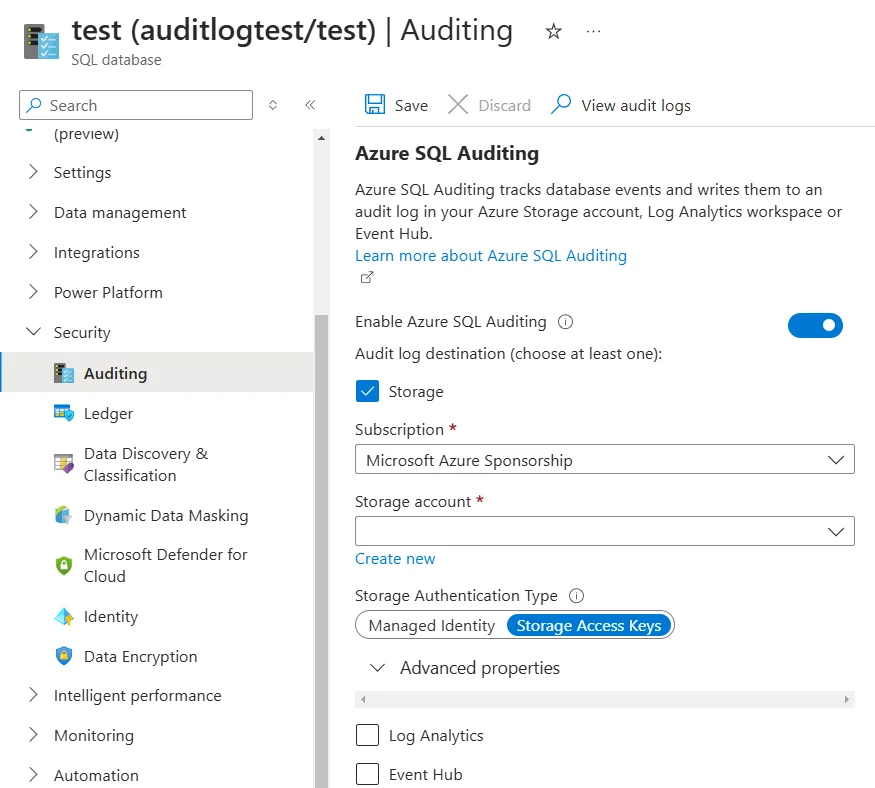
This web-based interface makes it easier for compliance officers and security administrators to manage NoSQL database compliance without deep technical knowledge of Azure CLI or PowerShell commands.
4. Azure Compliance Monitoring
Azure Portal provides basic compliance monitoring through regulatory compliance views, security policies, compliance reports, and resource health monitoring for compliance-related configurations. These native tools support fundamental compliance regulations but may require additional solutions for comprehensive coverage.
Enhanced Data Compliance with DataSunrise
DataSunrise Database Security Suite significantly enhances Azure Cosmos DB's native compliance capabilities through Autonomous Compliance Orchestration and sophisticated monitoring designed specifically for NoSQL environments. Unlike basic security controls, DataSunrise delivers enterprise-grade database regulatory compliance with Zero-Touch Data Protection capabilities and comprehensive threat detection mechanisms.
Setting Up DataSunrise for Azure Cosmos DB Compliance
1. Connect to Azure Cosmos DB Instance
Begin by establishing a secure connection between DataSunrise and your Azure Cosmos DB environment through the intuitive administrative interface. DataSunrise supports all Cosmos DB API types including SQL API, MongoDB API, Cassandra API, Gremlin API, and Table API for comprehensive compliance coverage.
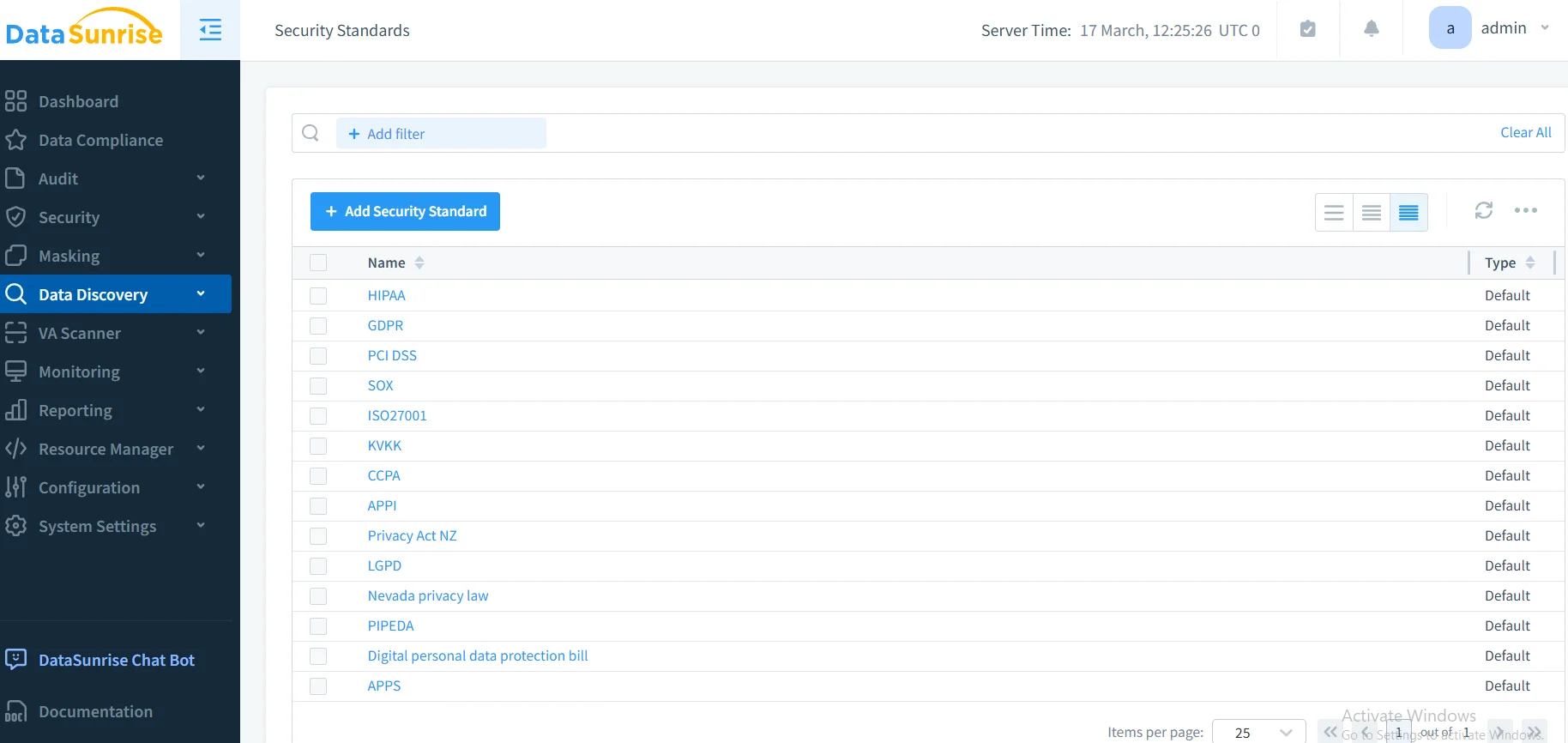
2. Configure Compliance-Focused Rules
Create sophisticated compliance policies using DataSunrise's No-Code Policy Automation interface. Define which collections require compliance monitoring, specify regulatory framework alignment, and implement automated compliance reporting processes.
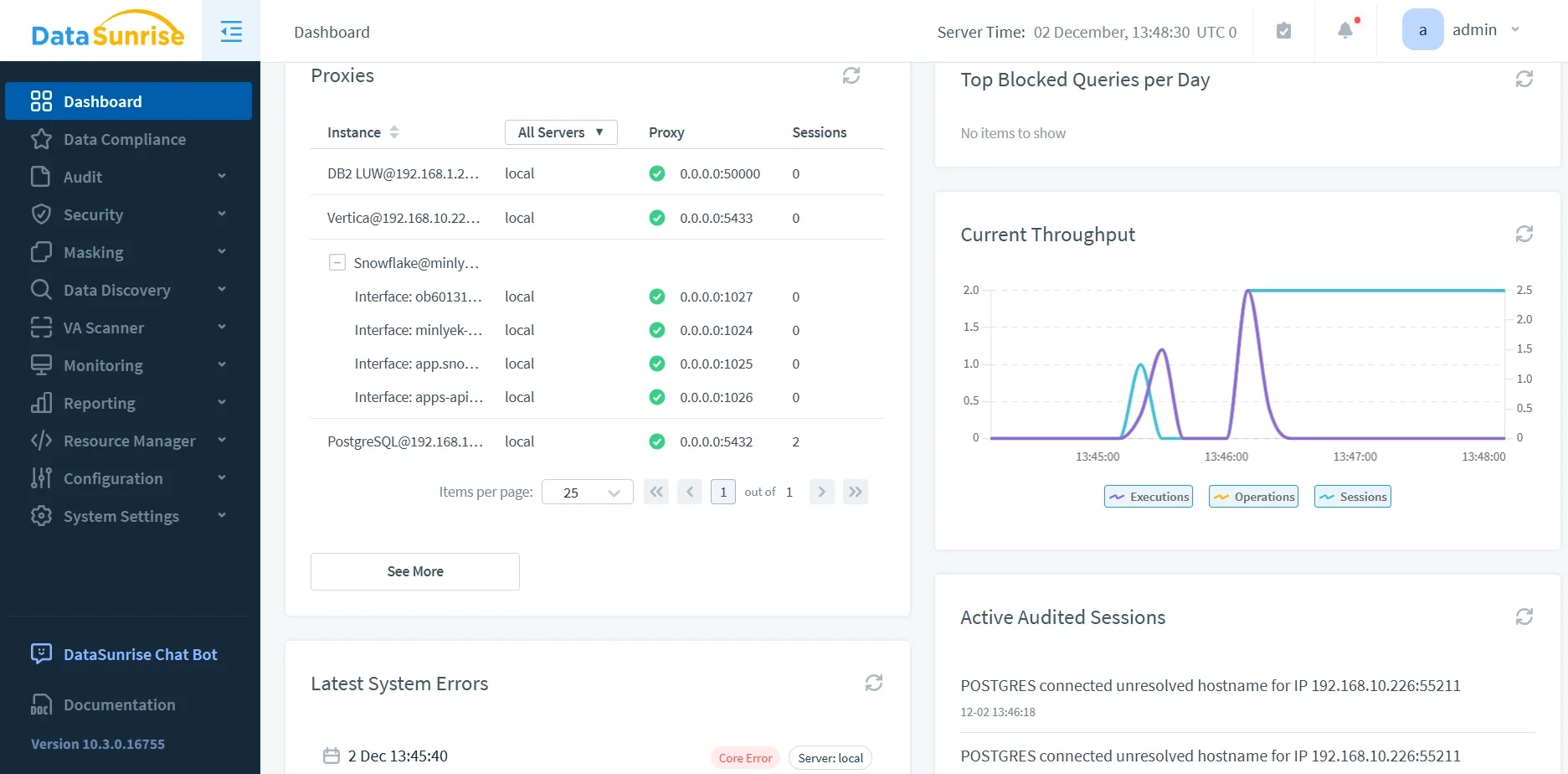
3. Monitor Compliance Activities
Access comprehensive compliance monitoring through DataSunrise's unified dashboard, providing complete visibility into all Cosmos DB compliance activities with advanced filtering, real-time monitoring, and intelligent correlation capabilities.
Key Advantages of DataSunrise for Azure Cosmos DB Compliance
DataSunrise provides significant enhancements over Azure Cosmos DB's native compliance capabilities:
Auto-Discover & Classify: Automatically identify and classify personally identifiable information within NoSQL documents using NLP algorithms and machine learning.
Continuous Regulatory Calibration: Monitor changes in regulatory frameworks and automatically update compliance policies without manual intervention.
Surgical Precision Masking: Protect sensitive NoSQL document fields in real-time while maintaining application functionality across distributed database operations.
Compliance Autopilot: Generate pre-configured reports for regulatory frameworks with automated compliance reporting that maps NoSQL activities to specific compliance requirements.
Real-Time Notifications: Receive immediate alerts for compliance violations with contextual information and recommended remediation actions.
Cross-Platform Consistency: Apply uniform compliance policies across heterogeneous environments with support for over 40 data storage platforms.
Best Practices for Azure Cosmos DB Compliance Management
To maximize the effectiveness of your Azure Cosmos DB compliance implementation, consider these strategic best practices:
1. Data-Centric Compliance Strategy
Focus comprehensive compliance controls on collections containing PII, PHI, financial data, or other regulated information using automated data discovery techniques. Implement granular compliance controls at the document field level and leverage automated classification tools to maintain coverage as document schemas evolve. Consider implementing role-based access controls for enhanced security.
2. Regulatory Framework Alignment
Design compliance policies that simultaneously address GDPR, HIPAA, PCI DSS, and SOX requirements through unified policy orchestration. Implement region-specific compliance controls that respect data sovereignty requirements across Azure Cosmos DB's global distribution.
3. Compliance Automation Implementation
Deploy DataSunrise's comprehensive compliance suite to extend beyond native capabilities with intelligent policy orchestration and continuous compliance posture management. Utilize No-Code Policy Automation and enable real-time compliance monitoring with automated alerting.
4. Performance-Optimized Compliance
Align compliance strategies with Cosmos DB partition key design to minimize performance impact while maintaining comprehensive protection. Apply detailed compliance controls to critical collections while using optimized approaches for high-volume, low-risk operations.
Conclusion
As organizations increasingly rely on Azure Cosmos DB for business-critical data in distributed NoSQL environments, implementing robust compliance management has become essential for regulatory adherence and risk mitigation. While Azure Cosmos DB offers foundational security features, organizations with complex compliance requirements benefit significantly from enhanced solutions like DataSunrise.
DataSunrise provides comprehensive compliance management specifically designed for NoSQL environments, offering Zero-Touch Compliance Automation, advanced data protection, and automated reporting capabilities. With flexible deployment modes, DataSunrise transforms Cosmos DB compliance from manual processes into strategic security assets.
Protect Your Data with DataSunrise
Secure your data across every layer with DataSunrise. Detect threats in real time with Activity Monitoring, Data Masking, and Database Firewall. Enforce Data Compliance, discover sensitive data, and protect workloads across 50+ supported cloud, on-prem, and AI system data source integrations.
Start protecting your critical data today
Request a Demo Download Now