How to Manage Data Compliance for Oracle Database
Managing data compliance for Oracle Database has become a strategic imperative in today's regulatory landscape. According to IBM's 2024 Cost of a Data Breach Report, organizations with comprehensive compliance management systems identify security incidents significantly faster and reduce breach-related costs substantially.
As regulatory penalties increase dramatically and organizations face mounting pressure from frameworks like GDPR, HIPAA, PCI DSS, SOX, and CCPA, implementing robust compliance management for Oracle Database has become essential for business continuity and competitive advantage.
This guide explores native Oracle Database compliance capabilities and advanced solutions that provide Zero-Touch Compliance Automation for streamlined regulatory adherence.
Understanding Oracle Database Compliance Requirements
| Framework | Key Requirements | Penalties/Impact |
|---|---|---|
| GDPR | Comprehensive audit trails for personal data, data minimization, right to erasure | Up to €20 million or 4% of global revenue |
| HIPAA | Strict access controls for PHI, encryption, comprehensive audit logs retention, breach notification | Significant fines and legal consequences |
| PCI DSS | Secure cardholder data storage, dynamic data masking, quarterly vulnerability scans, detailed access logging | Loss of payment processing privileges, fines |
| SOX | Accurate financial data reporting, segregation of duties, retention of financial records | Criminal penalties, delisting from exchanges |
Oracle Database Compliance Challenges
Organizations face unique challenges including massive data volumes making manual classification difficult, complex permission hierarchies, multi-tenant architecture requiring consistent policies, hybrid deployments across cloud and on-premises, performance impact from comprehensive auditing, and continuously evolving compliance regulations.
Native Oracle Database Compliance Capabilities
Oracle Database includes several built-in features for compliance management:
1. Oracle Database Vault
Provides controls to prevent unauthorized privileged access:
-- Create a realm to protect sensitive data
BEGIN
   DVSYS.DBMS_MACADM.CREATE_REALM(
      realm_name    => 'CUSTOMER_DATA_REALM',
      description   => 'Protects customer PII tables',
      enabled       => DBMS_MACUTL.G_YES,
      audit_options => DBMS_MACUTL.G_REALM_AUDIT_FAIL
   );
END;
/
2. Oracle Unified Auditing
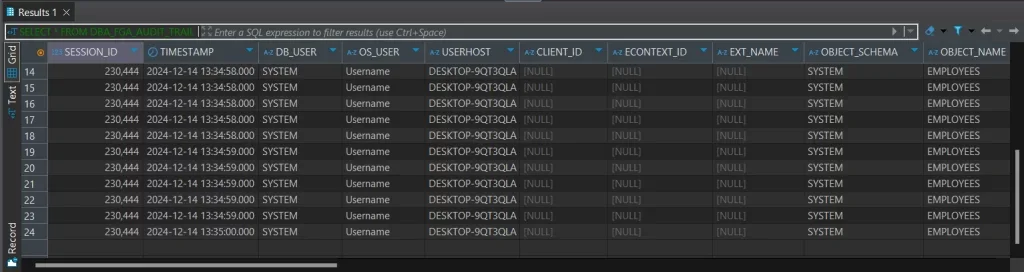
Consolidates audit trail management:
-- Create unified audit policy
CREATE AUDIT POLICY sensitive_data_access
   ACTIONS SELECT, UPDATE, DELETE ON sales.customers;

-- Query audit trail
SELECT event_timestamp, dbusername, action_name, sql_text
FROM   unified_audit_trail
WHERE  object_name = 'CUSTOMERS'
  AND  event_timestamp > SYSTIMESTAMP - INTERVAL '7' DAY;
Limitations of Native Features
While Oracle's native features provide essential functionality, they have limitations: Database Vault requires Enterprise Edition licensing, Unified Auditing lacks behavioral analytics, and Oracle-specific tools don't monitor heterogeneous environments.
Enhanced Compliance Management with DataSunrise
DataSunrise deploys Autonomous Compliance Orchestration for Oracle Database with zero-touch implementation. Unlike solutions that require constant tuning, DataSunrise delivers Continuous Compliance Alignment—dynamically adjusting policies across all data types.
Key Capabilities
1. Auto-Discover & Classify Sensitive Data
DataSunrise automatically scans Oracle Database to identify sensitive data including PII according to GDPR, HIPAA, PCI DSS, SOX, and CCPA requirements. NLP-powered discovery and OCR scanning ensure comprehensive coverage without manual configuration.
2. No-Code Policy Automation
Create compliance policies through an intuitive visual interface with pre-configured templates for major regulations. Implementation time reduces from weeks to hours with Continuous Regulatory Calibration for automatic policy updates.
3. Real-Time Compliance Monitoring
Unified dashboard provides compliance visibility across all Oracle databases with real-time alerts via email, Slack, or MS Teams. ML-powered risk scoring detects compliance drift and vulnerabilities through comprehensive database activity monitoring.
4. Automated Compliance Reporting
Generate audit-ready reports with one click for GDPR, HIPAA, PCI DSS, and SOX. Automated reporting significantly reduces audit preparation time.
5. Dynamic Data Masking
Zero-Touch Data Masking adapts automatically to user roles and regulatory requirements while maintaining referential integrity and performance.
6. User Behavior Analytics
ML algorithms establish normal access baselines and detect anomalies, identifying insider threats and unusual activities.
Implementing DataSunrise for Oracle Database Compliance
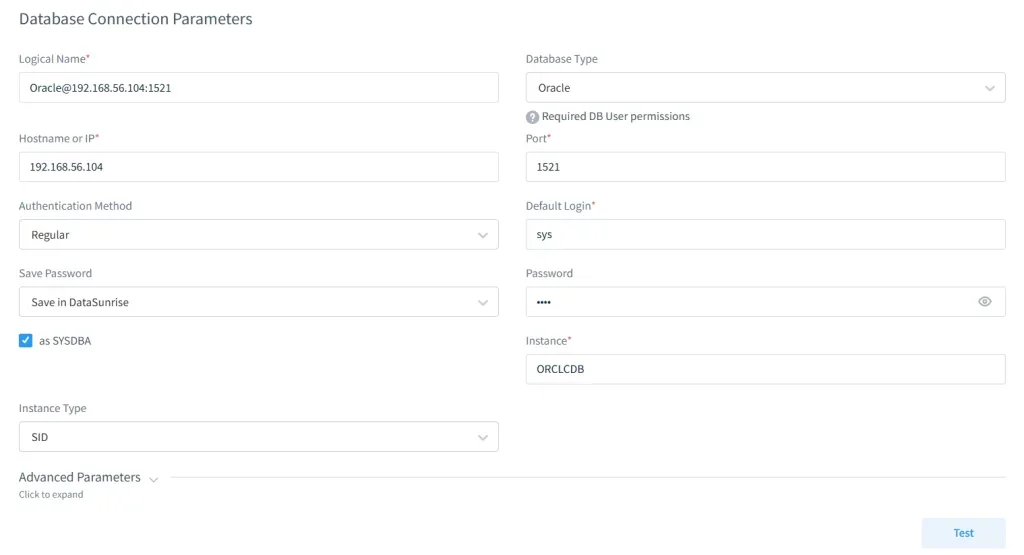
Step 1: Connect to Oracle Database
Establish a secure connection to your Oracle Database. DataSunrise supports multiple non-intrusive deployment modes and is compatible with Oracle 11g-23c, RAC, Data Guard, and Multitenant across on-premise, cloud, and hybrid environments.
Step 2: Auto-Discover Sensitive Data
Launch automated data discovery to identify and classify sensitive information. Apply regulatory templates (GDPR, HIPAA, PCI DSS) and the discovery completes in hours with minimal performance impact.
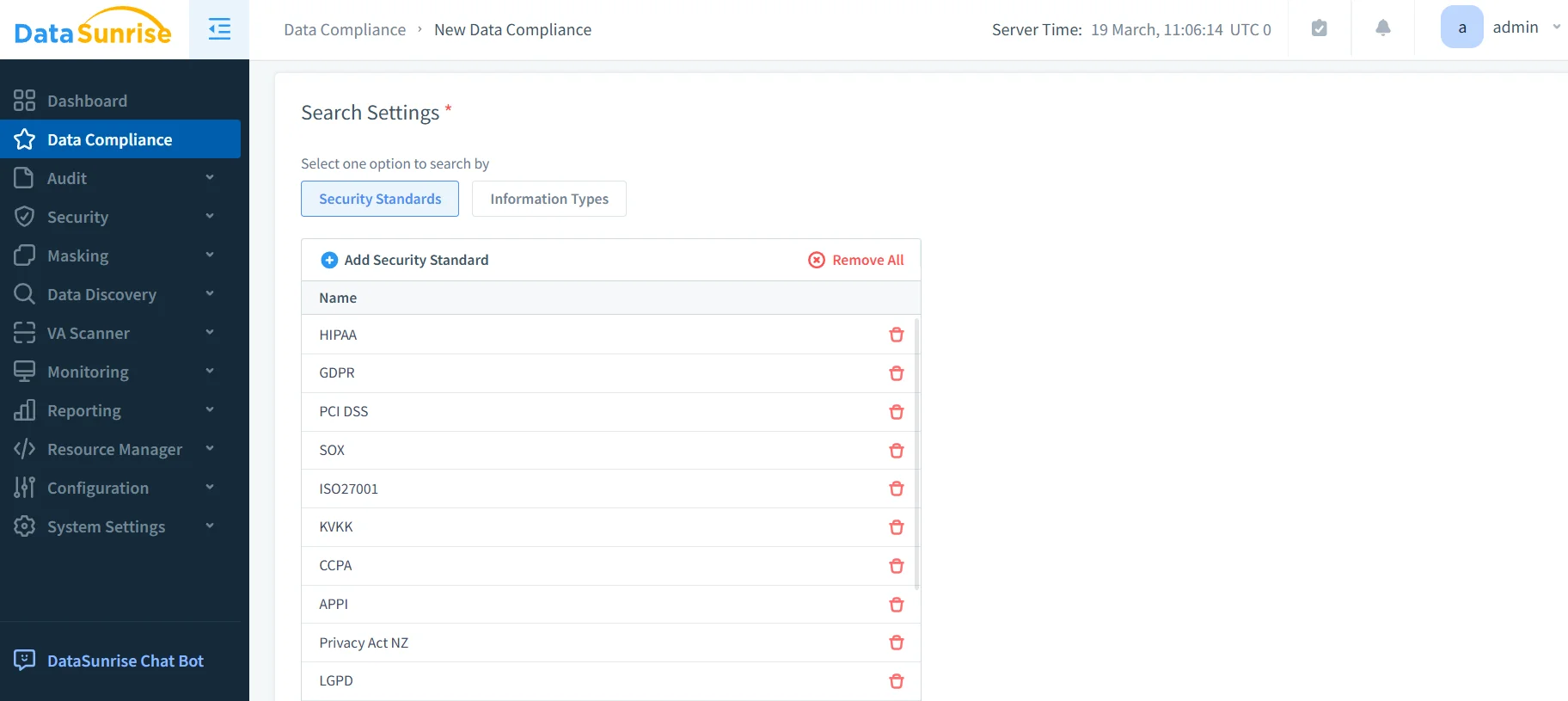
Step 3: Create Compliance Policies
Use the No-Code Policy Automation interface to configure compliance policies with pre-built templates for major regulations. Policies enforce rules for auditing, masking, blocking, and alerting on sensitive data access.
Step 4: Enable Monitoring
Activate real-time compliance monitoring through the centralized dashboard. Configure alerts via email, Slack, or MS Teams, and integrate with SIEM systems for comprehensive database security.
Step 5: Generate Reports
Access automated compliance reports on-demand or on schedule. Export in multiple formats with secure evidence storage for auditors and regulators.
Best Practices for Oracle Database Compliance Management
1. Adopt a Risk-Based Approach
Classify data by sensitivity and apply appropriate controls. High-risk data (PII, PHI, payment information) receives comprehensive auditing and masking. Medium-risk data gets standard role-based access controls. Low-risk data receives basic monitoring.
2. Implement Layered Security Controls
Use defense-in-depth: network firewalls, database security controls, application-layer protection, data encryption, and continuous monitoring. This ensures no single point of failure.
3. Automate Compliance Workflows
Automate sensitive data discovery, access provisioning, compliance reporting, audit evidence retrieval, and violation remediation. Automation significantly reduces manual oversight.
4. Establish Clear Governance
Define roles and responsibilities, document procedures, establish change management, conduct regular training, and perform periodic compliance audits.
5. Leverage DataSunrise's Advanced Features
Deploy Compliance Autopilot for automatic policy updates, ML Audit Rules that adapt to patterns, Cross-Database Visibility across 40+ platforms, and Centralized Policy Management.
Conclusion
Managing data compliance for Oracle Database requires sophisticated automation tools. While Oracle's native features provide essential capabilities, DataSunrise's Zero-Touch Compliance Automation delivers comprehensive compliance management with Auto-Discover & Mask, Intelligent Policy Orchestration, and support for over 40 data storage platforms.
DataSunrise substantially reduces compliance costs, accelerates audit preparation, and decreases compliance violations. Unlike solutions requiring constant tuning, DataSunrise delivers autonomous protection with Continuous Regulatory Calibration that adapts automatically to regulatory changes.
Protect Your Data with DataSunrise
Secure your data across every layer with DataSunrise. Detect threats in real time with Activity Monitoring, Data Masking, and Database Firewall. Enforce Data Compliance, discover sensitive data, and protect workloads across 50+ supported cloud, on-prem, and AI system data source integrations.
Start protecting your critical data today
Request a Demo Download Now