How to Mask Sensitive Data in Greenplum
In today's data-driven environment, implementing robust data masking for Greenplum has become essential for protecting sensitive information. According to IBM's 2024 Cost of a Data Breach Report, organizations with comprehensive data protection detect unauthorized access 82% faster and reduce breach costs by up to $1.82 million.
Greenplum, a massively parallel processing (MPP) database built on PostgreSQL, handles petabyte-scale analytics workloads. With regulations like GDPR, HIPAA, and PCI DSS imposing strict penalties for PII exposure, effective data masking has become a compliance necessity.
This article explores how to implement data masking in Greenplum using both native capabilities and enhanced solutions for comprehensive data protection.
Native Greenplum Data Masking Approaches
While Greenplum doesn't include dedicated built-in data masking features, administrators can implement basic masking using PostgreSQL-compatible functions and views to establish database security:
1. View-Based Masking with PostgreSQL Functions
Create masking views that apply transformation functions to sensitive columns:
-- Create a view that masks email and phone data
CREATE VIEW masked_customers AS
SELECT
    customer_id,
    customer_name,
    REGEXP_REPLACE(email, '(.{2})(.*)(@.*)', '\1****\3') AS email,
    REGEXP_REPLACE(phone, '(\d{3})(\d{3})(\d{4})', '\1-***-\3') AS phone
FROM customers;

GRANT SELECT ON masked_customers TO analyst_role;
2. Function-Based Dynamic Masking
Implement masking functions based on user context and role-based access controls:
-- Create role-based masking function
CREATE OR REPLACE FUNCTION mask_credit_card(card_number TEXT, user_role TEXT)
RETURNS TEXT AS $$
BEGIN
    IF user_role = 'administrator' THEN
        RETURN card_number;
    ELSE
        RETURN REGEXP_REPLACE(card_number, '(\d{4})(\d{8})(\d{4})', '\1-****-****-\3');
    END IF;
END;
$$ LANGUAGE plpgsql IMMUTABLE;
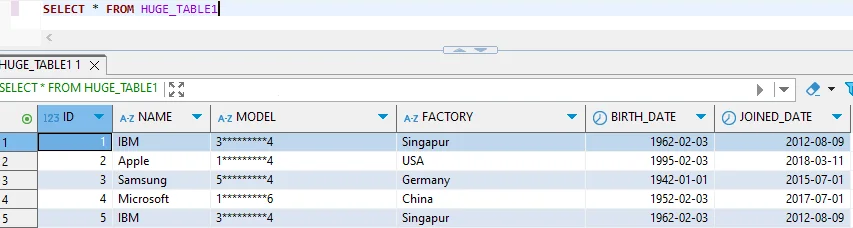
While these native approaches provide basic masking, they have significant limitations:
- Manual Maintenance: Views require manual creation and updates
- Performance Impact: Row-level functions degrade query performance at scale
- Limited Context: Cannot adapt to complex role hierarchies
- Policy Fragmentation: Scattered across multiple database objects without centralized policy management
Enhanced Data Masking for Greenplum with DataSunrise
DataSunrise significantly enhances data protection through Zero-Touch Data Masking and sophisticated automation designed for distributed MPP databases. Unlike manual view-based approaches, DataSunrise delivers enterprise-grade dynamic data masking with Surgical Precision Masking capabilities.
Setting Up DataSunrise for Greenplum Data Masking
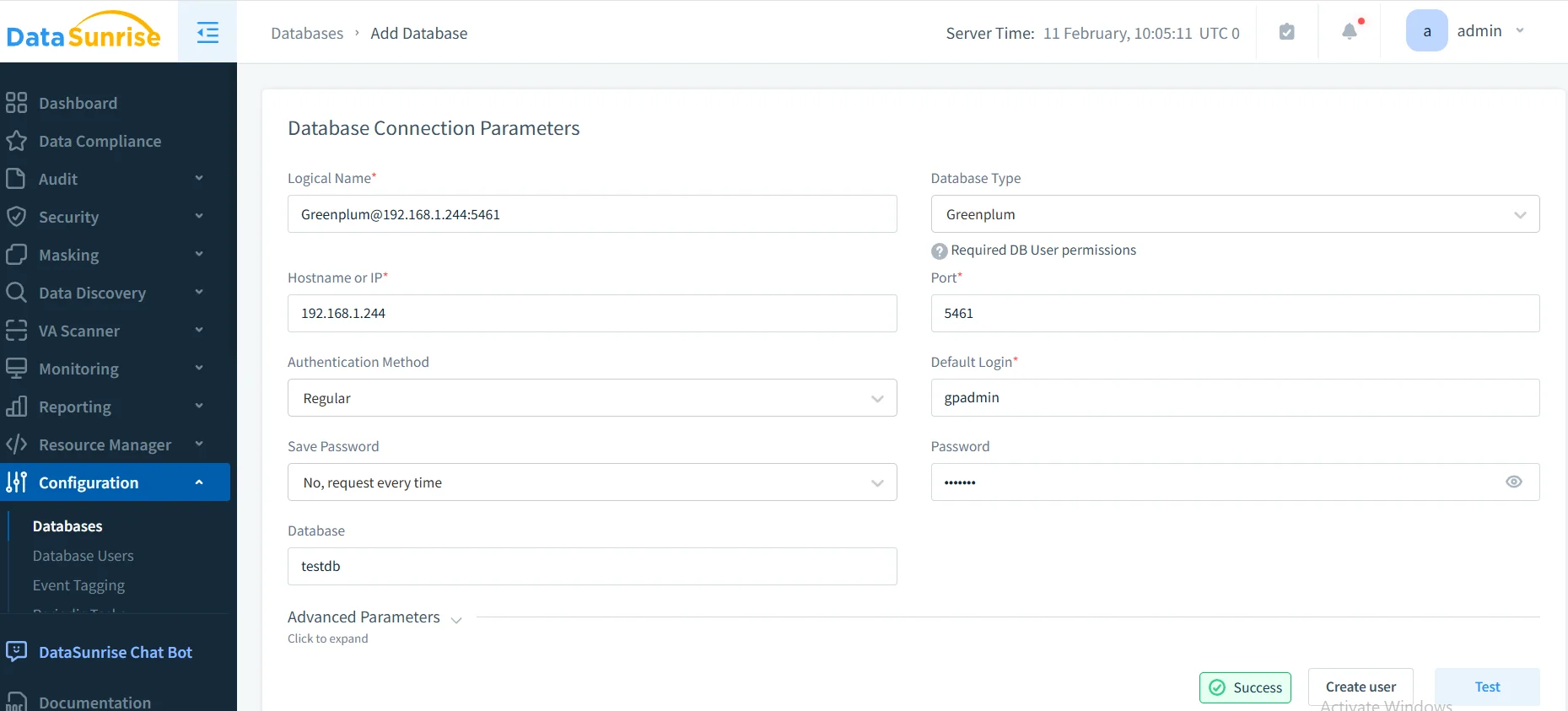
1. Connect to Greenplum Database
Establish a secure connection between DataSunrise and your Greenplum environment through the intuitive interface. DataSunrise automatically detects Greenplum's distributed architecture and configures appropriate parameters.
2. Discover and Classify Sensitive Data
Leverage DataSunrise's Auto-Discover & Mask engine to automatically identify sensitive data through data discovery. The NLP Data Discovery algorithms scan your database to identify PII, financial information, and healthcare data without manual configuration.
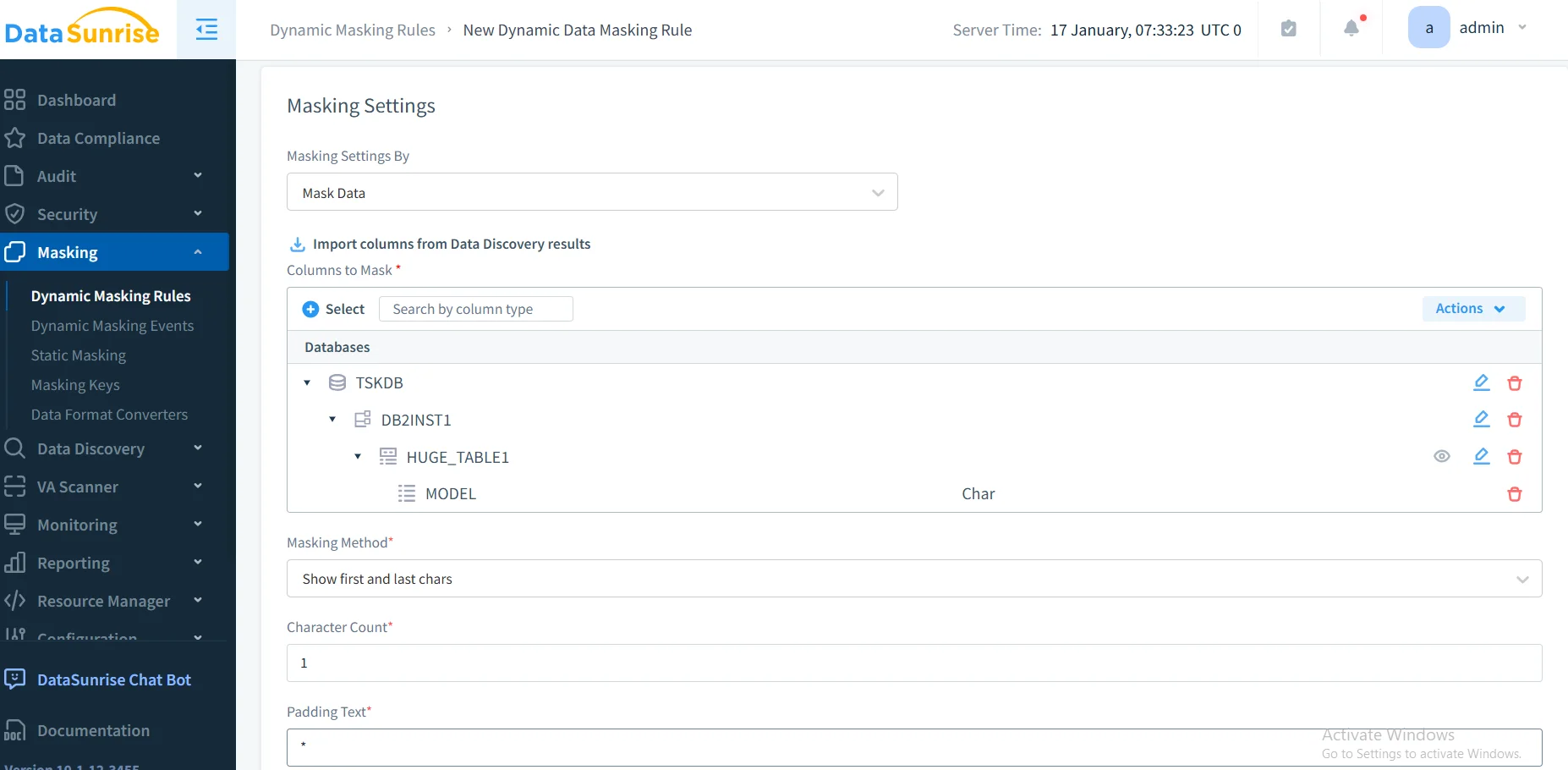
3. Create Dynamic Masking Rules
Configure granular masking policies through DataSunrise's No-Code Policy Automation interface. Specify target tables, select masking algorithms (partial masking, full masking, format-preserving encryption), and define user roles. DataSunrise applies masking transparently without requiring application changes.
4. Review Masking Activity
Access comprehensive masking logs through DataSunrise's dashboard with database activity monitoring, providing complete visibility into all data access with applied masking transformations, user contexts, and compliance validation.
Key Advantages of DataSunrise for Greenplum
- Zero-Touch Implementation: Operates as transparent reverse proxy without altering schemas or application code
- Intelligent Policy Orchestration: No-Code Policy Automation reduces implementation time from weeks to hours
- Advanced Masking Algorithms: Dynamic masking, static masking, and in-place masking support
- ML Suspicious Behavior Detection: Automatically detects anomalies indicating unauthorized data access and potential security threats
- Automated Compliance Reporting: Pre-configured reports for GDPR, HIPAA, PCI DSS, and SOX compliance
- Cross-Platform Visibility: Unified Security Framework across 40+ data storage platforms
Business Benefits of Data Masking for Greenplum
| Benefit | Description |
|---|---|
| Risk Mitigation | Protect sensitive data from unauthorized exposure, reducing breach costs and reputational damage |
| Regulatory Compliance | Satisfy GDPR, HIPAA, PCI DSS requirements with demonstrable data protection controls |
| Operational Flexibility | Enable secure data sharing for development, testing, analytics, and partner collaboration |
| Cost Optimization | Reduce compliance overhead through automated policy enforcement and streamlined audits |
| Competitive Advantage | Build customer trust through robust data protection practices and transparent privacy commitments |
Conclusion
As organizations rely on Greenplum for petabyte-scale analytics, implementing robust data masking is essential for protecting sensitive information. While Greenplum's PostgreSQL foundation provides basic masking through views and functions, organizations with complex requirements benefit from enhanced solutions like DataSunrise.
DataSunrise provides comprehensive data masking with Zero-Touch Data Masking, Autonomous Compliance Orchestration, and Surgical Precision Masking. With flexible deployment modes, DataSunrise transforms Greenplum data masking into a strategic security asset with automated policy enforcement.
Protect Your Data with DataSunrise
Secure your data across every layer with DataSunrise. Detect threats in real time with Activity Monitoring, Data Masking, and Database Firewall. Enforce Data Compliance, discover sensitive data, and protect workloads across 50+ supported cloud, on-prem, and AI system data source integrations.
Start protecting your critical data today
Request a Demo Download Now