IBM Informix Audit Tools
IBM Informix is a trusted database system widely used for mission-critical workloads that demand reliability, scalability, and security. As organizations increasingly prioritize compliance and data protection, audit tools play a vital role in ensuring accountability, integrity, and visibility across every transaction.
Native Informix audit tools enable administrators to track user activities, monitor database operations, and generate event-based logs for regulatory audits. When combined with advanced platforms such as DataSunrise, Informix environments gain centralized audit management, real-time monitoring, and adaptive security automation—ensuring compliance with global standards like GDPR, HIPAA, PCI DSS, and SOX.
Importance of Audit Tools
Audit tools are the foundation of database transparency and security. They provide organizations with detailed insight into who accessed the data, what changes were made, and when those actions occurred. This traceability is vital not only for maintaining compliance but also for defending against internal misuse or external attacks.
Without audit tools, even small configuration errors or unauthorized modifications can go unnoticed, leading to data loss, financial penalties, or reputational damage. By maintaining continuous audit records, companies can reconstruct database events during investigations, verify compliance with frameworks like GDPR and HIPAA, and strengthen internal accountability.
In environments such as Informix, where performance and security intersect, robust auditing ensures every query, login, and schema change is properly recorded—creating a reliable foundation for governance, risk management, and compliance reporting.
Native IBM Informix Audit Tools Overview
Informix includes several native audit utilities designed for monitoring database activity, authenticating users, and recording administrative actions. These tools collectively create a foundational audit trail for every database operation.
1. onaudit Utility
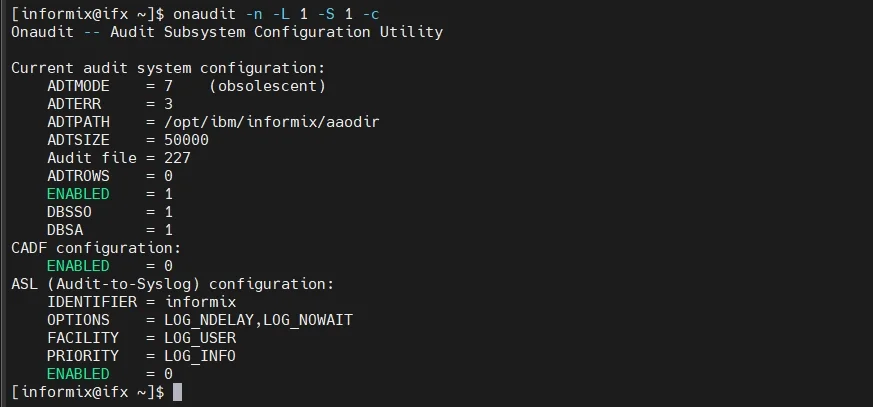
The onaudit utility is the core of the Informix auditing system. It enables configuration, activation, and control of auditing functions at both instance and user levels.
Example setup:
onaudit -L 1   # Enable auditing for all sessions
onaudit -A 1   # Activate auditing for administrative users
onaudit -c     # Confirm current configuration
Administrators can configure audit masks to define which events—such as table access, DDL operations, or failed logins—should be logged. This flexibility helps balance detail level and performance impact.
2. onshowaudit Utility
The onshowaudit command converts binary audit files into a human-readable format. This makes it possible to filter and analyze specific event types for deeper investigation.
Example output format:
EventType|Timestamp|User|Database|ClientHost|Result|Details
This simple text output can be redirected to reporting systems or parsed into structured formats (CSV/JSON) for integration with SIEM tools and compliance dashboards.
3. Audit Masks
Audit masks define which operations are tracked for each user or role. For example:
onaudit -a -u admin_user -e ACTB
The above command configures auditing of table-access (ACTB) events for admin_user. Such fine-grained configuration allows organizations to monitor only critical actions without overwhelming the system with unnecessary data.
4. Audit Log Management
Audit records are stored in binary files under the Informix audit directory. Administrators should establish rotation and archiving policies to prevent excessive disk usage and maintain performance. Encrypting or forwarding logs to a secure storage location further strengthens compliance integrity.
Here is an example of managing Informix audit logs safely:
# Rotate old audit logs to prevent storage overflow
mv $INFORMIXDIR/audit/*.adt $INFORMIXDIR/audit/archive/

# Compress archived logs
gzip $INFORMIXDIR/audit/archive/*.adt

# Verify disk usage for audit directory
du -sh $INFORMIXDIR/audit/

# Forward compressed logs to a secure server
scp $INFORMIXDIR/audit/archive/*.gz admin@secure-server:/var/audit-backup/
These steps ensure audit data is efficiently stored, transferred securely, and maintained for long-term compliance reporting.
Enhancing Informix Auditing with DataSunrise
DataSunrise extends Informix auditing beyond basic tracking by providing centralized control, adaptive intelligence, and zero-touch integration across hybrid architectures.
Unified Audit Platform
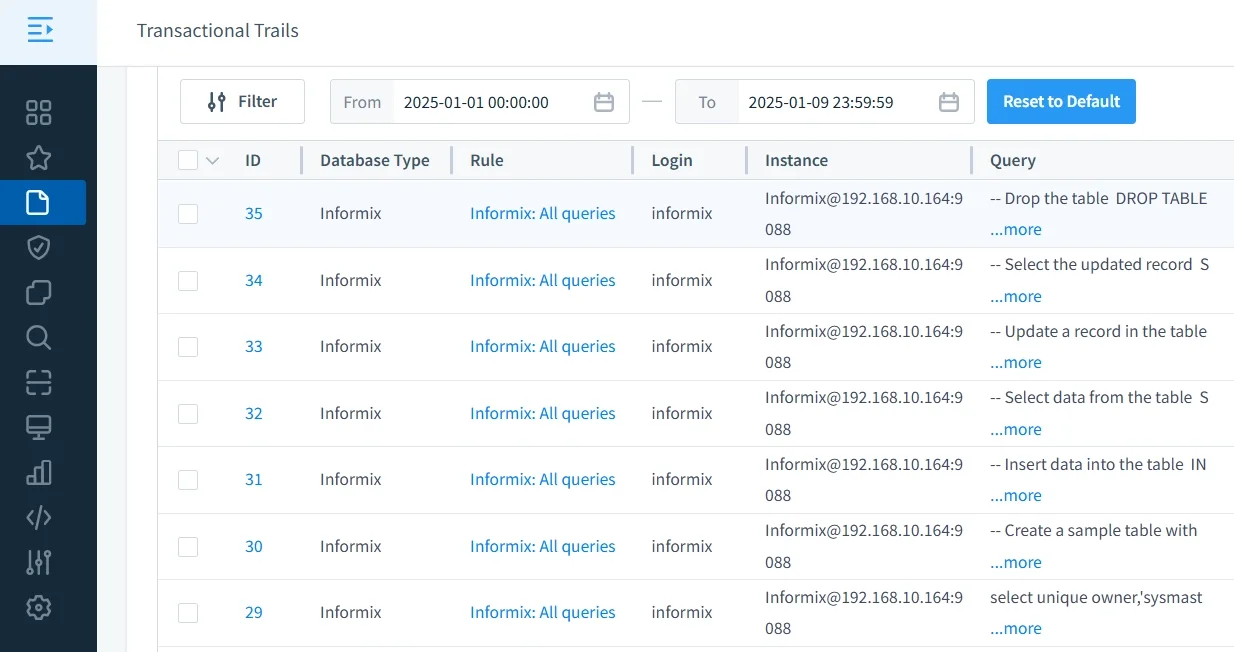
DataSunrise consolidates audit data from multiple Informix instances and other databases into one interface, simplifying management and eliminating the need for manual aggregation.
- Consolidates logs from multiple instances into a single audit view.
- Provides interactive dashboards for easier data correlation and incident investigation.
- Enables filtering and exporting logs by user, time range, or event type.
- Offers customizable data retention policies for audit evidence management.
This centralized data compliance platform reduces administrative effort and ensures unified audit visibility across on-premises and cloud deployments.
Autonomous Compliance Framework
Through Compliance Autopilot, DataSunrise continuously aligns Informix audit configurations with frameworks such as GDPR, HIPAA, and PCI DSS.
- Automatically calibrates audit policies to match updates in compliance frameworks.
- Detects deviations from compliance baselines in real time.
- Reduces manual configuration by applying prebuilt templates for major standards.
- Ensures long-term alignment through scheduled synchronization tasks.
Using Continuous Regulatory Calibration, policies remain synchronized as new regulations emerge—eliminating compliance drift and minimizing manual oversight.
Learn more about Compliance Manager and its automation capabilities.
Machine Learning Audit Rules
Built-in ML Audit Rules automatically detect abnormal activity and policy violations.
- Analyze user and system behavior to identify unusual access patterns.
- Detect insider threats by comparing historical and live data activity.
- Correlate events across multiple databases to highlight coordinated risks.
- Provide visual anomaly maps for easy interpretation by compliance officers.
They adapt to historical behavior, flagging anomalies like sudden mass data exports or access outside normal hours.
To learn more about how DataSunrise identifies and prevents suspicious actions, check User Behavior Analysis.
Cross-Platform Coverage
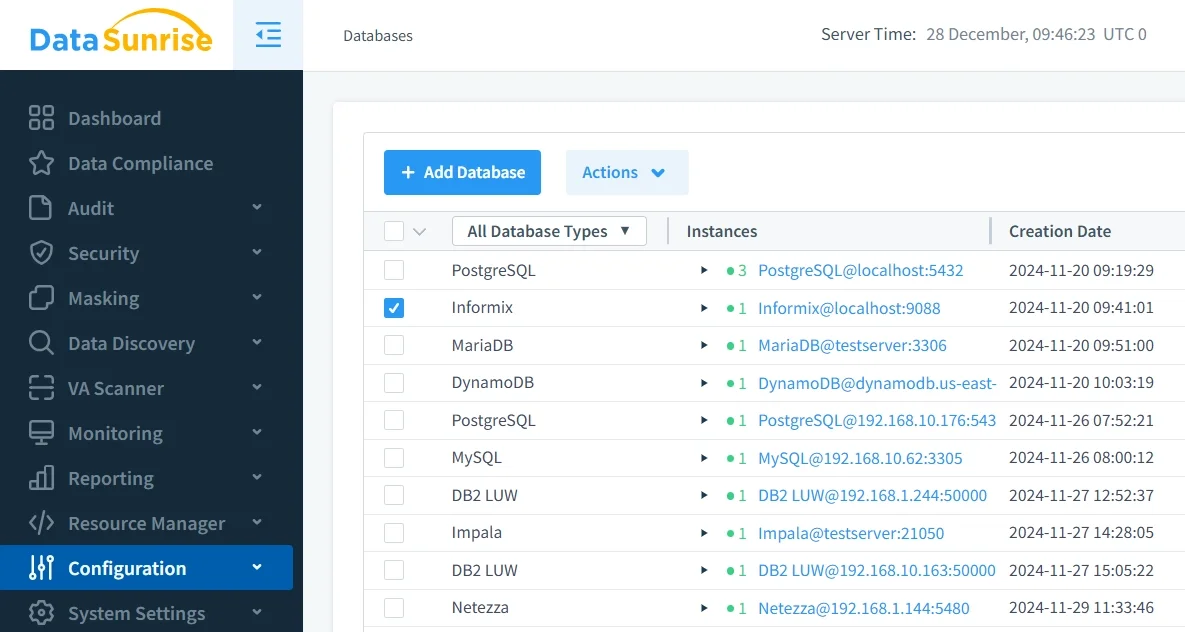
Supporting over 40+ databases and data storage platforms, DataSunrise provides seamless multi-environment coverage across Informix, Oracle, SQL Server, PostgreSQL, MongoDB, and more—ensuring consistent audit policies and security governance.
- Unifies security policies across SQL, NoSQL, and cloud-native databases.
- Provides consistent auditing and masking behavior regardless of platform.
- Simplifies multi-cloud and hybrid deployments through unified configuration panels.
- Integrates with existing SIEM, SOAR, and compliance management systems for holistic visibility.
Business Impact
Adopting DataSunrise as an extension to Informix audit tools provides measurable operational and strategic benefits. It not only simplifies complex compliance management but also significantly improves visibility across enterprise data systems. By leveraging automation, organizations can shift from reactive monitoring to proactive prevention, ensuring every database activity aligns with internal and external security standards.
| Benefit | Description |
|---|---|
| Reduced Compliance Costs | Automation minimizes manual auditing and reporting workloads. |
| Faster Incident Response | Real-time alerts enable quicker remediation of suspicious activity. |
| Improved Audit Accuracy | Centralized rules ensure consistent and complete logging. |
| Regulatory Confidence | Automated evidence generation produces audit-ready reports with a single click. |
| Scalable Security | Flexible deployment modes allow organizations to scale from small teams to enterprise environments effortlessly. |
For additional insights on building a secure audit infrastructure, visit Data Audit and Security Policies.
Conclusion
While IBM Informix’s native tools such as onaudit and onshowaudit form a reliable foundation for auditing, enterprises increasingly require automation, scalability, and cross-platform intelligence.
DataSunrise delivers a next-generation audit platform—combining autonomous compliance orchestration, real-time analytics, and machine learning-driven anomaly detection. With flexible deployment options and full Informix integration, it enables organizations to strengthen security posture, maintain continuous compliance, and achieve zero-touch audit automation.
Protect Your Data with DataSunrise
Secure your data across every layer with DataSunrise. Detect threats in real time with Activity Monitoring, Data Masking, and Database Firewall. Enforce Data Compliance, discover sensitive data, and protect workloads across 50+ supported cloud, on-prem, and AI system data source integrations.
Start protecting your critical data today
Request a Demo Download Now