ScyllaDB Data Compliance Automation
Organizations working with distributed databases like ScyllaDB face increasing regulatory and security challenges. Managing sensitive data efficiently while staying compliant with frameworks such as GDPR, HIPAA, and PCI DSS requires automation and precision. Manual compliance management across clusters often leads to gaps, inconsistencies, and reporting delays.
DataSunrise provides zero-touch compliance automation for ScyllaDB through autonomous discovery, continuous monitoring, and adaptive policy orchestration. This integration simplifies complex regulatory operations, ensuring consistent protection across nodes, clusters, and workloads.
What is Data Compliance?
Data compliance refers to the process of managing, securing, and governing data to meet legal, regulatory, and organizational standards. It ensures that sensitive information—such as personal, financial, or healthcare data—is collected, stored, and processed in accordance with defined rules.
Common regulatory frameworks like GDPR, HIPAA, PCI DSS, and SOX define strict guidelines for how data should be handled. For distributed environments like ScyllaDB, maintaining compliance means ensuring that every node, keyspace, and user interaction aligns with these standards.
Effective data compliance involves several layers:
- Sensitive Data Discovery: Identifying where personal or confidential data resides.
- Access Controls: Limiting data exposure based on user roles and privileges.
- Audit Trails: Tracking data access, modification, and sharing.
- Compliance Reporting: Generating compliance reports for regulators or auditors.
Automating these processes helps organizations reduce manual effort, prevent misconfigurations, and maintain continuous alignment with evolving data protection regulations.
Native ScyllaDB Governance Capabilities
ScyllaDB offers a flexible set of native governance tools that form the foundation for compliance and accountability. These capabilities can be divided into two key areas: auditing and access control.
1. Auditing and Activity Logging
ScyllaDB includes built-in auditing functionality designed to track database activity and user behavior. This feature records authentication events, query logs, and schema operations using its system audit keyspaces. Administrators can enable audit logging in scylla.yaml and configure it to monitor read and write operations across nodes.
Example: Enabling ScyllaDB Audit Logging
audit_log:
  enabled: true
  categories:
    - DML
    - DDL
    - AUTH
  destination: /var/lib/scylla/audit/
  roll_cycle: HOURLY
  retention_time: 7d
Once enabled, ScyllaDB collects detailed records of SQL operations, connection attempts, and configuration changes. These logs provide visibility into user activity and help support internal audits or external regulatory reporting.
For deeper control and integration, DataSunrise enhances ScyllaDB’s native audit with granular audit rules and centralized database activity monitoring.

2. Role-Based Access Control (RBAC)
ScyllaDB supports role-based access control (RBAC), enabling administrators to assign specific permissions to users or groups. With RBAC, access to keyspaces, tables, or operations can be restricted according to business requirements.
Example: Configuring RBAC in ScyllaDB
CREATE ROLE analyst WITH LOGIN = true AND PASSWORD = 'SecurePass!';
GRANT SELECT ON keyspace_name.table_name TO analyst;
CREATE ROLE admin WITH SUPERUSER = true AND LOGIN = true AND PASSWORD = 'AdminPass123!';
GRANT admin TO scylla_admin;
GRANT analyst TO data_analyst;
This method enforces the principle of least privilege and reduces the risk of unauthorized exposure. Combining RBAC with audit logging provides an accountability record showing who accessed or modified which data and when.
While these native capabilities allow for basic activity tracking and access control, they have several limitations:
- Logs are stored locally per node, complicating centralized review.
- No automated policy updates when schemas or roles change.
- Sensitive data can appear unmasked in logs.
- Manual correlation required across multi-cluster setups.
This is where DataSunrise adds value—turning native logging into a unified, automated compliance framework.
Automating ScyllaDB Compliance with DataSunrise
DataSunrise connects seamlessly to ScyllaDB clusters, acting as a centralized compliance manager that enforces, monitors, and adapts policies automatically.
1. Zero-Touch Discovery and Policy Generation
DataSunrise performs Sensitive Data Discovery across ScyllaDB keyspaces using NLP and pattern recognition to locate PII, PHI, and PCI fields—even within JSON documents.
- Automatically classifies sensitive columns by category.
- Triggers Auto-Discover & Mask workflows.
- Generates compliance policies without manual configuration.
The discovery engine supports context-aware classification, recognizing sensitive data even when column names don’t reveal it. Scheduled scans identify new objects, keeping compliance coverage current as databases evolve. Discovery results can be directly applied to data masking or security rule creation.
2. Dynamic Masking and Adaptive Rule Orchestration
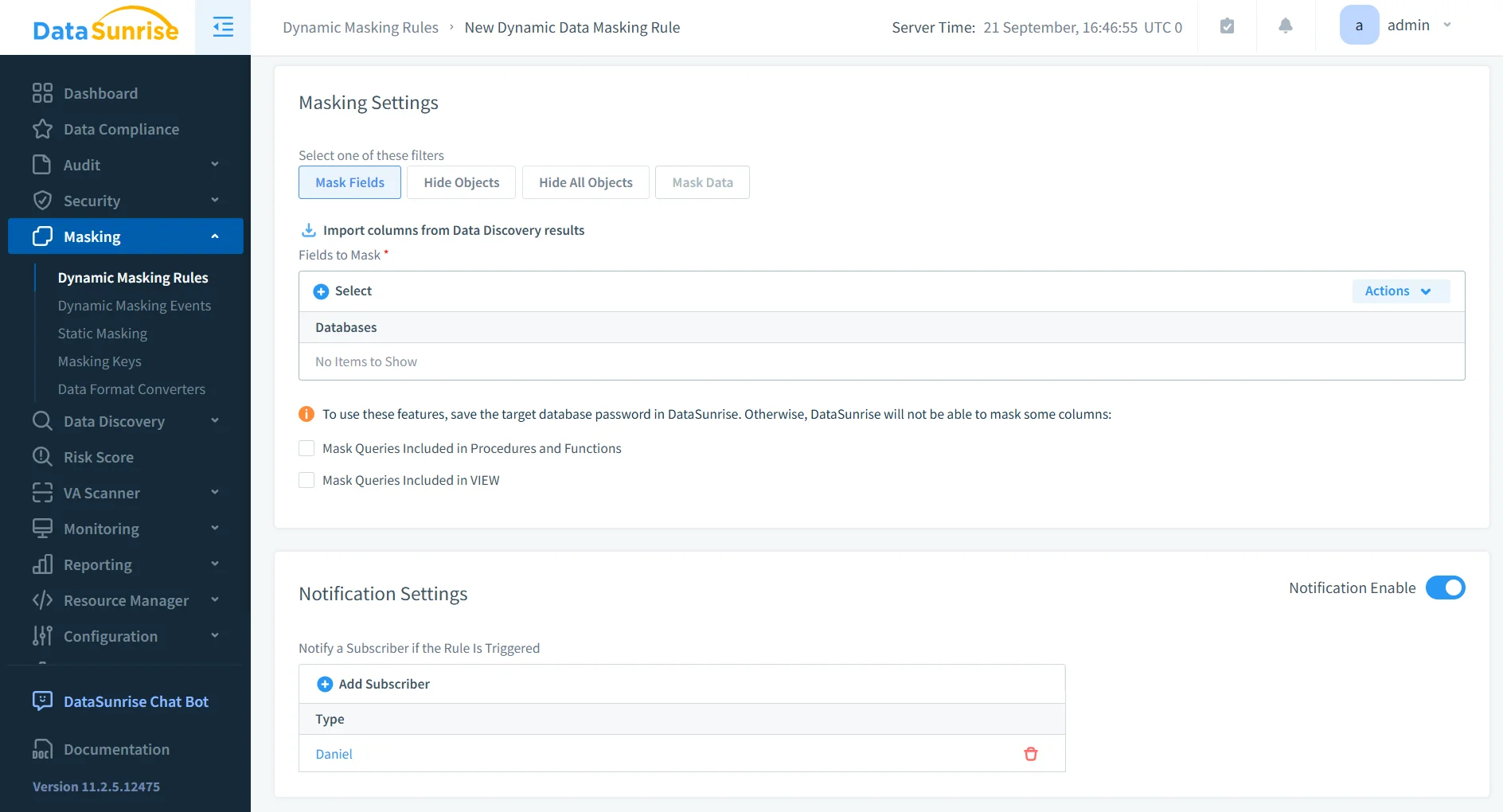
With Dynamic Data Masking, DataSunrise hides sensitive values from unauthorized users without modifying underlying data. Real-time rules ensure consistent protection, while Compliance Autopilot updates policies automatically after schema or role changes.
Masking rules can be customized by user role or sensitivity level, offering flexibility across compliance frameworks. Administrators can choose masking styles—partial, randomized, or substituted—to balance usability with data protection. Data masking works alongside data discovery and data security policies to ensure complete protection.
3. Centralized Compliance Dashboard
The Compliance Manager consolidates all ScyllaDB compliance activities—masking, auditing, and monitoring—into one dashboard. Administrators can:
- Track user queries and roles in real time.
- View coverage across all nodes and keyspaces.
- Generate one-click reports for GDPR, HIPAA, PCI DSS, and SOX.
This unified interface eliminates the need for manual log reviews and integrates with SIEM tools like Splunk or IBM QRadar for deeper security analysis. Reports can also be linked to automated compliance reporting for consistent audit readiness.
4. Real-Time Alerts and Automated Risk Scoring
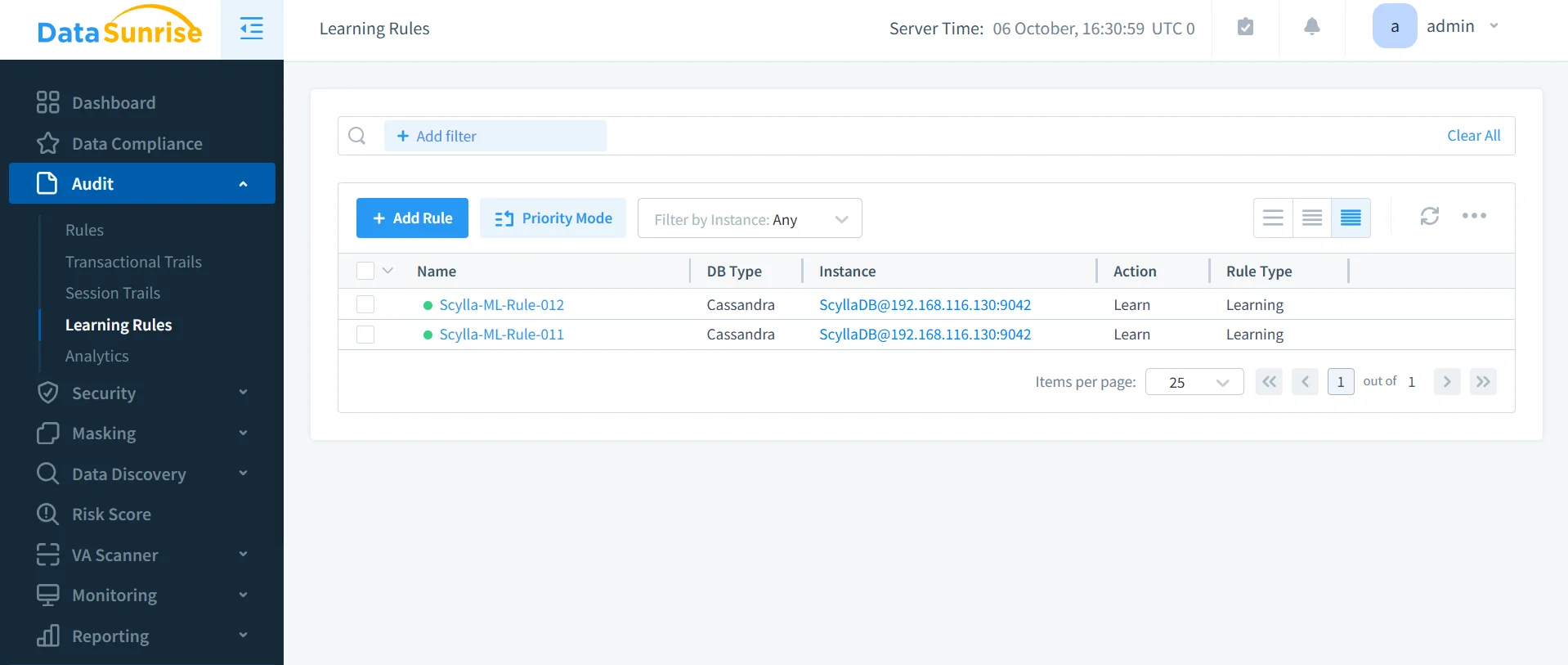
DataSunrise analyzes user behavior with Machine Learning Audit Rules and UEBA analytics, detecting anomalies such as bulk queries or unusual access patterns.
- Suspicious Behavior Detection: Alerts triggered by threshold breaches.
- Context-Aware Protection: Filters alerts by role and data category.
- Risk Scoring: Assigns compliance risk levels to users and tables.
These insights help organizations respond quickly to emerging threats. Automated alerts can also initiate policy actions—blocking suspicious queries and maintaining compliance alignment. Notifications can be integrated with Slack or Microsoft Teams.
Business Benefits
| Benefit | Description |
|---|---|
| Reduced Manual Oversight | Compliance Autopilot minimizes the need for manual rule adjustments. |
| Accelerated Time-to-Compliance | Automated discovery and reporting reduce onboarding and audit preparation time. |
| Comprehensive Regulatory Coverage | Supports GDPR, HIPAA, PCI DSS, SOX, ISO 27001, and CCPA compliance. |
| Lower Operational Costs | Consolidates multiple tools into a single centralized compliance platform. |
| Enhanced Data Governance | Continuous calibration keeps ScyllaDB configurations aligned with internal and external policies. |
Conclusion
As distributed environments scale, ScyllaDB data compliance automation becomes essential for maintaining security and audit readiness. While native logs offer foundational tracking, DataSunrise delivers autonomous, zero-touch compliance orchestration with dynamic masking, AI-driven monitoring, and centralized dashboards.
Through Continuous Regulatory Calibration and real-time adaptation, DataSunrise ensures every ScyllaDB node remains compliant and secure—without performance loss or manual intervention.
Protect Your Data with DataSunrise
Secure your data across every layer with DataSunrise. Detect threats in real time with Activity Monitoring, Data Masking, and Database Firewall. Enforce Data Compliance, discover sensitive data, and protect workloads across 50+ supported cloud, on-prem, and AI system data source integrations.
Start protecting your critical data today
Request a Demo Download Now