Teradata Database Activity History
Tracking database activity history in Teradata is vital for understanding how data is accessed, modified, and protected across large analytical environments. Teradata is known for its distributed architecture and scalability, but as data volumes grow, monitoring activities becomes equally critical to maintain compliance and prevent insider or external misuse.
According to recent studies from IBM Security, data breaches caused by unauthorized database access remain one of the top cybersecurity threats. For organizations relying on Teradata for analytics and enterprise storage, a strong auditing and monitoring foundation ensures accountability, transparency, and regulatory compliance.
This article explores how to view, manage, and enhance Teradata Database Activity History, combining native auditing tools with advanced monitoring through DataSunrise.
Importance of Database Activity History
Database activity history provides a chronological view of all interactions with critical data assets. In complex environments like Teradata, where thousands of queries run daily, having detailed records of each user’s actions is essential for both operational and security reasons.
Activity history helps detect abnormal behavior, prevent unauthorized access, and simplify incident investigations. It also ensures compliance with strict data protection regulations such as GDPR, HIPAA, and PCI DSS.
From a business standpoint, a well-maintained database activity history enables organizations to:
- Reconstruct events during security investigations.
- Verify user accountability for data changes or deletions.
- Improve auditing efficiency with precise historical records.
- Demonstrate regulatory compliance through traceable evidence.
- Enhance transparency across distributed database workloads.
Maintaining a detailed record of database operations transforms raw log data into a powerful decision-making and compliance asset.
Native Tools for Tracking Teradata Database Activity History
Teradata provides native mechanisms to capture user activities and track database interactions through its Database Query Logging (DBQL) subsystem and Access Logging features. Together, they form the backbone of Teradata’s native auditing environment.
Database Query Logging (DBQL)
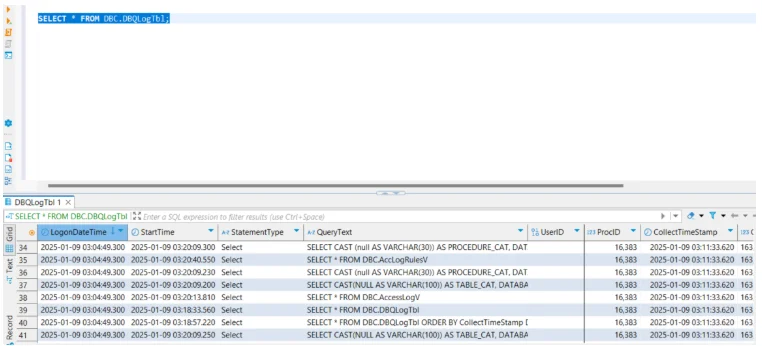
DBQL records detailed information about every query executed in the system—who ran it, when it was executed, and how resources were consumed.
To enable query logging for a specific user:
BEGIN LOGGING ON EACH QUERY ON user_name;
You can also log queries for an entire account:
BEGIN LOGGING WITH OBJECTS ON EACH QUERY ON ACCOUNT='Finance';
These statements create a full historical record of query activity, stored in system tables such as DBC.DBQLogTbl, DBC.DBQLObjTbl, and DBC.DBQLSQLTbl. Administrators can later query these tables to analyze usage patterns or detect unusual behavior.
Access Logging
Access Logging in Teradata provides a finer-grained view of specific security-sensitive actions such as logins, table access, and privilege changes. It’s particularly useful for compliance audits.
To enable access logging for a critical object:
BEGIN LOGGING WITH TEXT ON TABLE sales.customer_data;
Administrators can later examine the DBC.AccessLog table to view all actions performed on the customer_data table:
SELECT UserName, ObjectName, AccessType, EventTime
FROM DBC.AccessLog
WHERE ObjectName='customer_data';
This capability ensures that all sensitive data interactions are recorded for accountability and regulatory compliance purposes.
Reviewing and Managing Logs
Audit logs are stored in Teradata system tables under the DBC schema. It is recommended to:
- Regularly export logs for long-term retention.
- Purge old data using scheduled jobs to avoid performance impact.
- Integrate with SIEM platforms for centralized analysis.
While DBQL and Access Logging provide essential insights, they still require manual querying, filtering, and management—areas where modern tools like DataSunrise can offer automation and real-time analytics.
Enhancing Teradata Activity History with DataSunrise
DataSunrise complements Teradata’s native logging by introducing automation, intelligence, and unified visibility across multiple database systems. It captures detailed query-level activity in real time, correlates user actions, and delivers compliance-ready reports with minimal configuration.
Centralized Activity Monitoring
DataSunrise consolidates monitoring across Teradata clusters, enabling administrators to visualize user activity, access patterns, and security anomalies in a single dashboard. This unified monitoring helps reduce response time during audits or investigations.
Beyond simple log collection, it provides analytical visualization of database trends and user behavior. Administrators can instantly pinpoint who accessed sensitive data, which queries consumed excessive resources, and where potential anomalies occurred.
DataSunrise also integrates with enterprise SIEM systems, ensuring that audit data is available for cross-platform correlation and long-term retention. This approach transforms traditional static logs into actionable intelligence for proactive security management.
- Real-time visibility into SQL operations
- Advanced filtering by user, query type, or database object
- Long-term retention for forensic review
- Cross-database visibility across Teradata, Oracle, PostgreSQL, and more
Such centralized control minimizes blind spots and provides consistent policy enforcement across hybrid infrastructures, whether on-premises or cloud-based.
Dynamic Data Masking for Sensitive Fields
DataSunrise extends Teradata’s capabilities with dynamic data masking, ensuring sensitive data (e.g., PII, PHI, PCI) is automatically obfuscated in query results based on user roles. This guarantees privacy without affecting legitimate analytics operations.
Dynamic masking works in real time—when a user issues a query, sensitive columns such as social security numbers or credit card details are instantly masked based on access privileges. This enables analysts, developers, and third-party applications to continue working efficiently without exposing confidential data.
The masking logic operates at the proxy layer, meaning no changes are required in database schemas or application code. This non-intrusive approach allows organizations to deploy masking within minutes while maintaining full transparency and minimal performance overhead.
- Context-aware protection based on access level
- Real-time masking during query execution
- Non-intrusive deployment with proxy or sniffer mode
By implementing dynamic masking, enterprises ensure continuous data privacy enforcement that aligns with compliance frameworks like GDPR, HIPAA, and PCI DSS.
Machine Learning and Behavioral Analytics
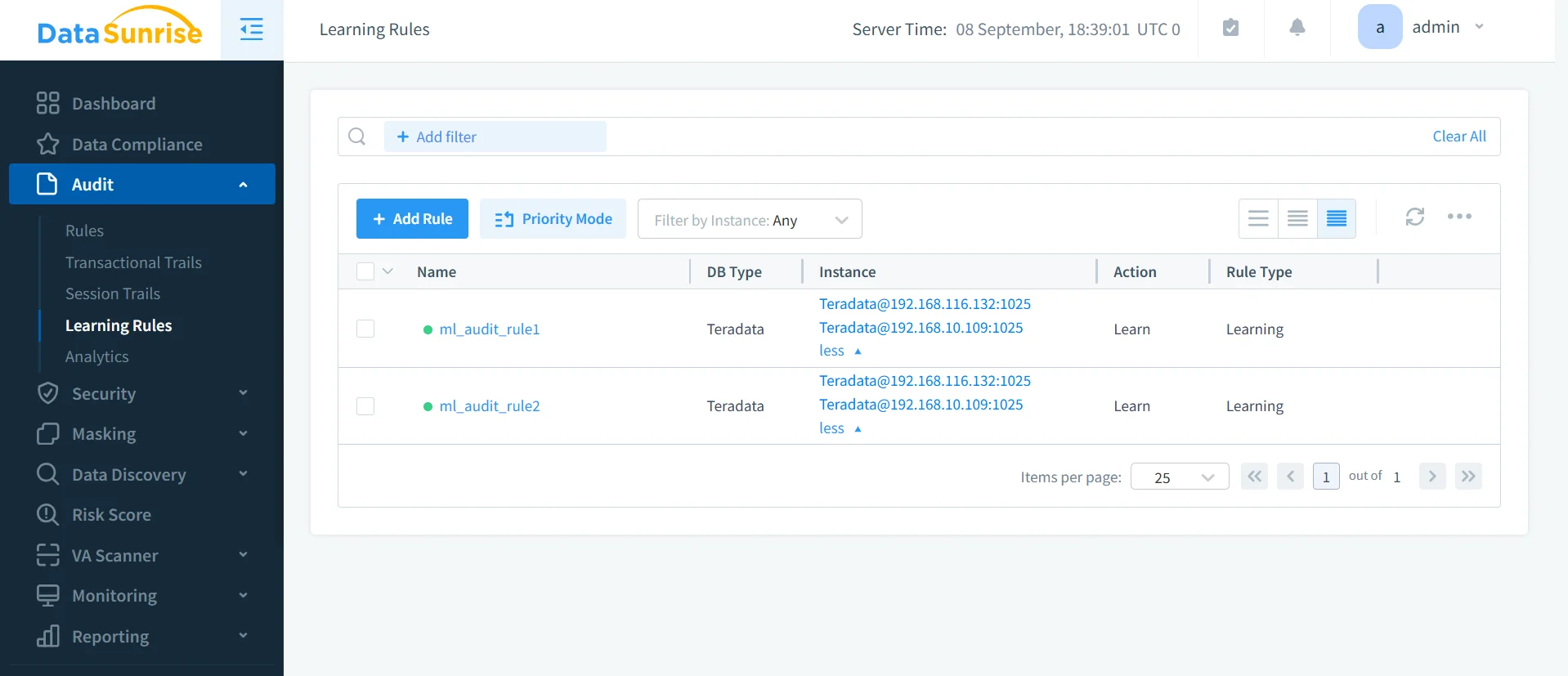
With behavioral analytics, DataSunrise applies ML models to Teradata activity data to detect suspicious deviations, privilege misuse, or credential compromise. These intelligent insights augment static audit trails with proactive threat detection.
- Machine learning audit rules
- Suspicious behavior alerts
- Risk scoring for user actions
Compliance Autopilot and Audit-Ready Reporting
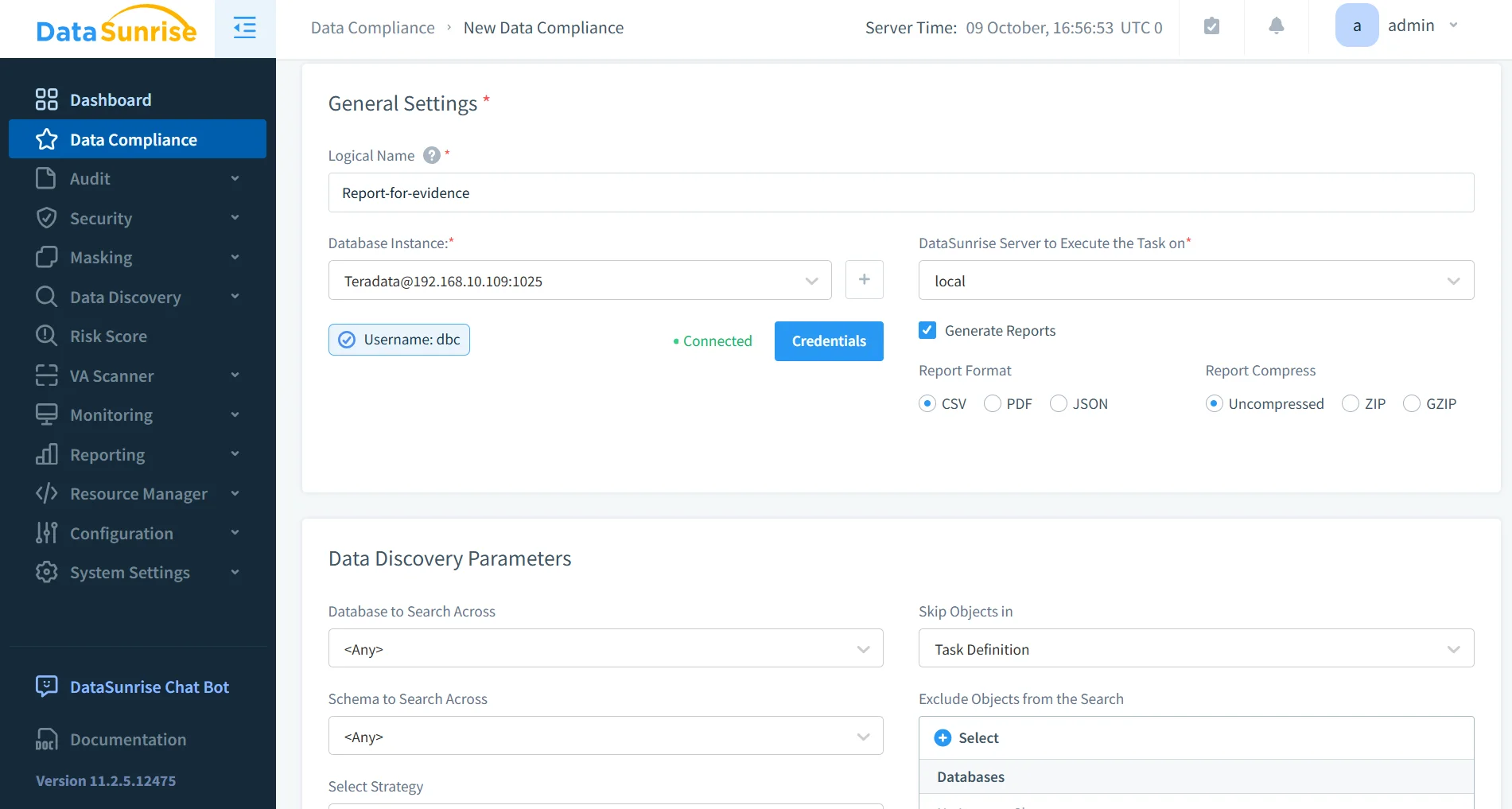
DataSunrise’s Compliance Autopilot automates regulatory alignment for frameworks such as GDPR, HIPAA, and PCI DSS. The system auto-generates reports and enforces policies across all Teradata instances, drastically reducing manual effort.
- Pre-configured compliance templates
- One-click audit-ready evidence generation
- Continuous compliance posture evaluation
Comparison Table
| Feature | Teradata Native Tools | DataSunrise Integration |
|---|---|---|
| Activity Logging | DBQL and Access Logging | Real-time cross-database activity tracking |
| Log Retention | Manual export required | Automated archival and report scheduling |
| Sensitive Data Protection | Not included | Dynamic and static masking options |
| Threat Detection | None | ML-driven anomaly detection and alerts |
| Compliance Automation | Manual reports | Automated GDPR, HIPAA, PCI DSS alignment |
| Interface | SQL queries and DBC tables | Web-based dashboard with analytics |
| Integration Scope | Single Teradata instance | Unified multi-database compliance framework |
Conclusion
Teradata’s built-in DBQL and Access Logging tools provide a strong foundation for tracking database activity history, but managing these logs manually can be time-consuming and error-prone.
Integrating DataSunrise enhances these capabilities with automation, real-time insights, and policy-based governance.
Protect Your Data with DataSunrise
Secure your data across every layer with DataSunrise. Detect threats in real time with Activity Monitoring, Data Masking, and Database Firewall. Enforce Data Compliance, discover sensitive data, and protect workloads across 50+ supported cloud, on-prem, and AI system data source integrations.
Start protecting your critical data today
Request a Demo Download Now