What Is MySQL Audit Trail

A MySQL audit trail is more than a log file—it’s a comprehensive record of who did what, when, and how in your database environment. For compliance, security, and operational resilience, an effective audit trail is essential. This guide explains its role, details native setup steps, and explores how DataSunrise extends capabilities with advanced features.
Understanding MySQL Audit Trails
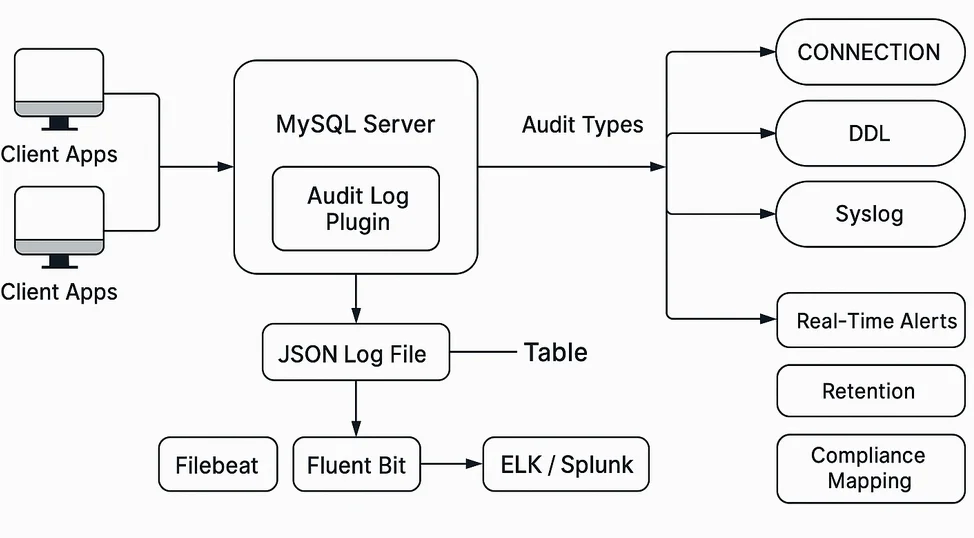
What Is MySQL Audit Trail refers to a chronological record of critical database activities such as logins, schema modifications, data changes, and access to sensitive resources. Maintaining such a trail provides the foundation for detecting suspicious activity, investigating incidents, and satisfying compliance with standards like GDPR, HIPAA, and PCI DSS. A well-maintained audit trail also assists with forensic investigations and operational troubleshooting. For example, if a table is accidentally dropped, the trail can reveal the user, time, and exact command.
Real-Time Auditing
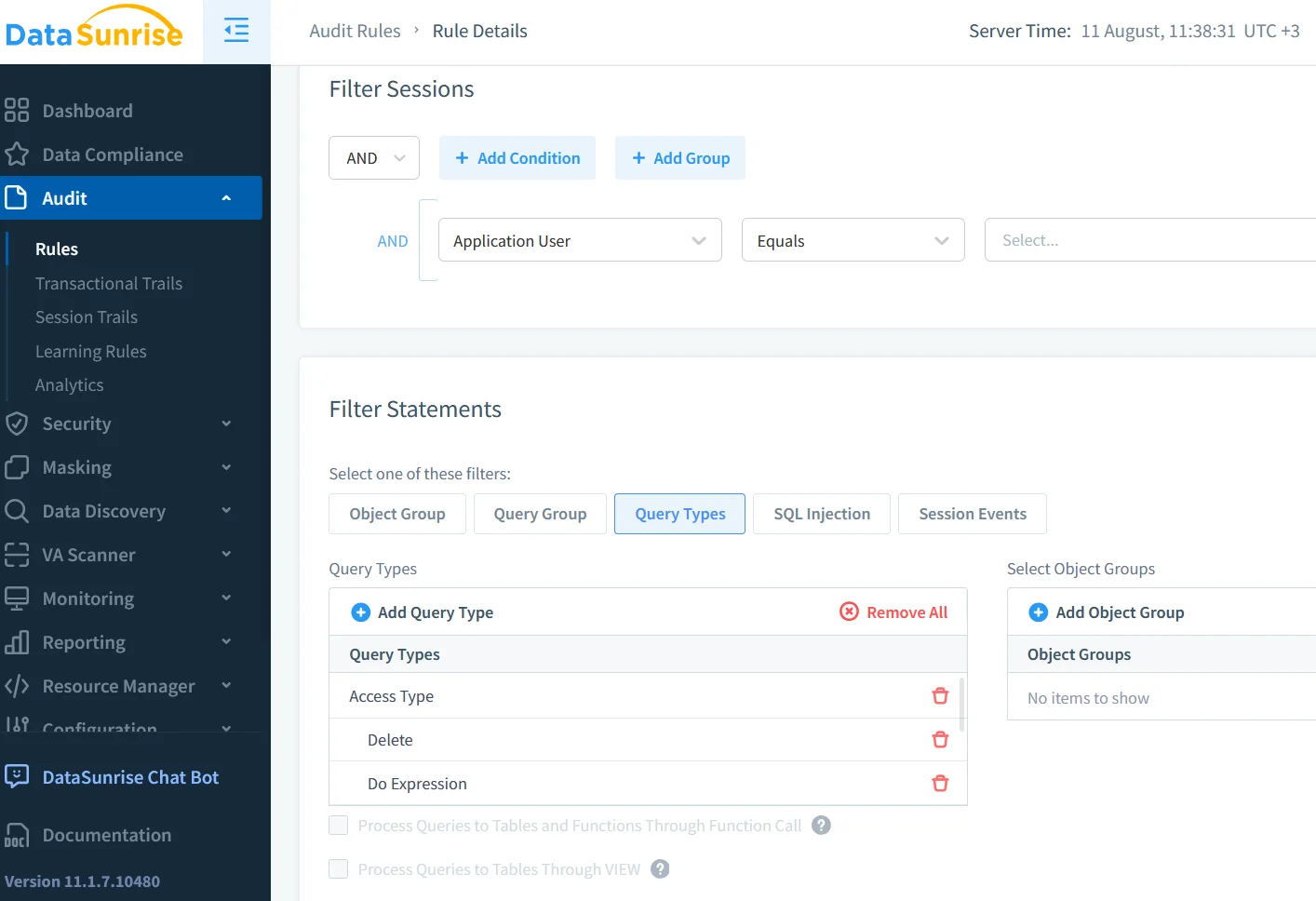
Traditional logs are often reviewed after incidents occur, which delays response. Real-time auditing changes this by capturing events instantly, integrating with SIEM/SOAR platforms for automated responses, and applying live filtering and field masking before queries are executed. With real-time insights, teams can react to anomalous activity—such as mass data exports or unusual schema changes—within seconds.
Dynamic Masking in Auditing
Dynamic masking safeguards sensitive information in query outputs without modifying stored data. For example:
SELECT customer_id,
       CONCAT(LEFT(card_number, 4), '****', RIGHT(card_number, 4)) AS masked_card
FROM payments;
Dynamic masking ensures that only authorized personnel view full data while still allowing others to work with masked yet meaningful values. In an audit context, dynamic masking prevents accidental disclosure when queries are reviewed or replicated in reporting environments.
Data Discovery Before Auditing
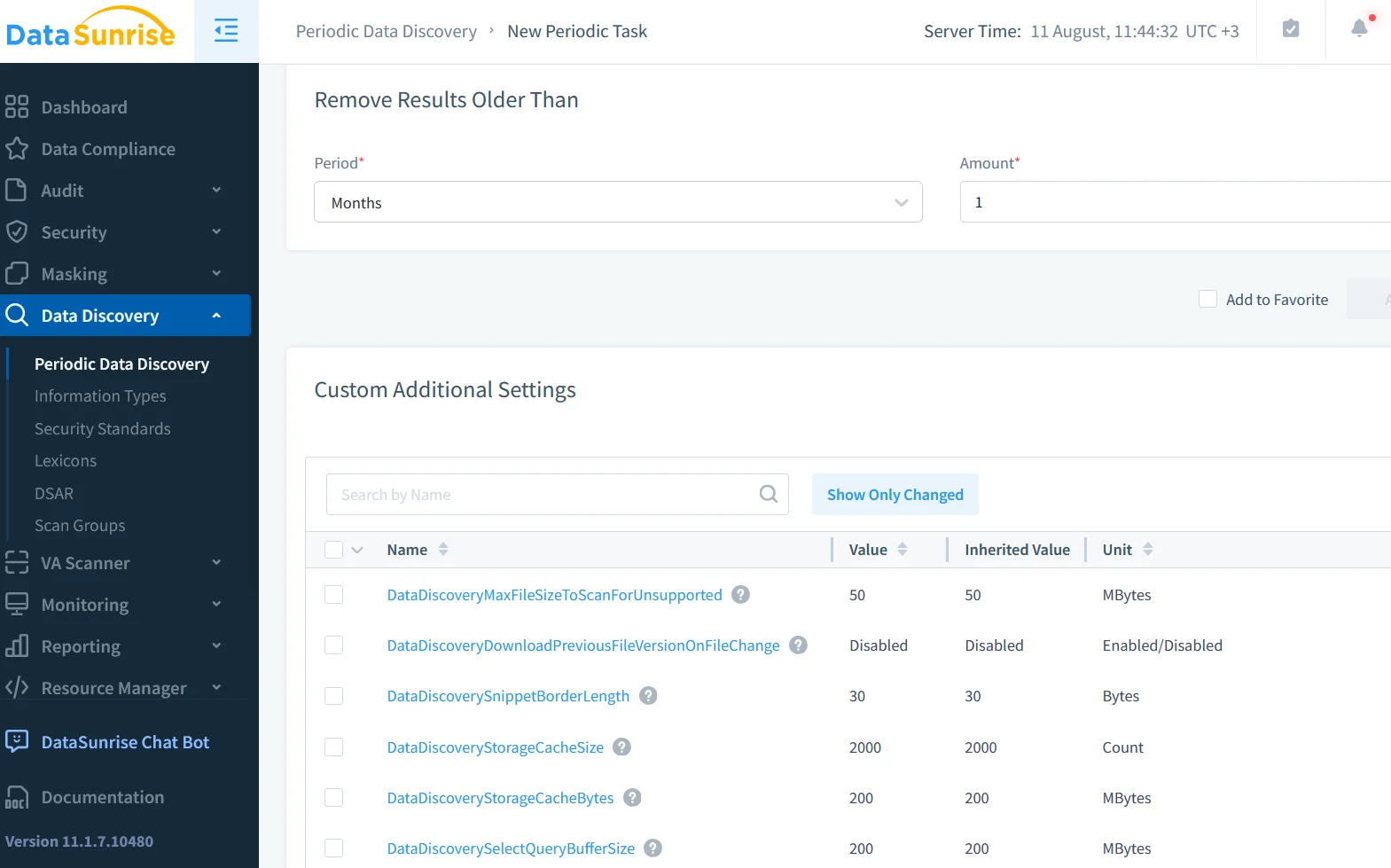
Data discovery is the process of identifying where sensitive or regulated information resides. By pinpointing high-risk tables, you can focus monitoring efforts, create targeted audit rules, and establish clear mappings between compliance requirements and database assets. Understanding your data landscape ensures that audit resources are directed where they are most needed.
Native MySQL Audit Setup
MySQL Enterprise Edition includes a built-in Audit Plugin for logging events to files or tables. You can enable it with:
INSTALL PLUGIN audit_log SONAME 'audit_log.so';
SET GLOBAL audit_log_format = 'JSON';
SET GLOBAL audit_log_policy = 'ALL';
To reduce noise, filtering can be applied:
SET GLOBAL audit_log_exclude_users = 'report_user';
Audit logs may be stored locally or sent to a log management system. More detail is available in the >MySQL Audit Plugin documentation. While native tools provide a solid baseline, they lack advanced analytics and centralized control, especially in environments with multiple servers.
Auditing MySQL with DataSunrise
DataSunrise builds on native auditing by intercepting traffic in real time without altering the database, applying built-in masking and alert rules, automatically mapping activities to compliance frameworks, centralizing audit logs from multiple MySQL instances, and using behavior analytics to flag unusual activity. Its reverse proxy architecture ensures all queries pass through a unified security layer, enforcing consistent policies and protections.
Security and Compliance Impact
A robust MySQL audit trail strengthens data security, enhances database security, and provides auditable proof for regulators. When combined with masking, discovery, and real-time alerts, auditing evolves from passive record-keeping into an active defense system.
Hybrid Approach
Many organizations adopt a layered strategy. Native MySQL audit logs provide guaranteed baseline tracking. DataSunrise adds advanced policy enforcement, alerting, and centralized management. Integrating both into SIEM solutions creates a unified, searchable event history. This combination offers redundancy, broader visibility, and faster incident response.
Real-World Use Case
Consider a financial institution with multiple MySQL instances. Native auditing ensures all transactions are logged locally. DataSunrise centralizes these logs, masks account numbers, and alerts security teams to unusual withdrawal patterns in real time. This approach both satisfies PCI DSS requirements and helps mitigate fraud risk.
Conclusion
What Is MySQL Audit Trail is more than a definition—it’s a strategy for securing and monitoring your database. Whether using MySQL’s built-in plugin or enhancing capabilities with DataSunrise, the goal is consistent, actionable visibility into every critical operation. For further technical reading, see the MySQL 8.0 Reference Manual, Percona’s MySQL Audit Blog, and the MariaDB Audit Plugin Guide, which shares concepts relevant to MySQL’s auditing approach.
Protect Your Data with DataSunrise
Secure your data across every layer with DataSunrise. Detect threats in real time with Activity Monitoring, Data Masking, and Database Firewall. Enforce Data Compliance, discover sensitive data, and protect workloads across 50+ supported cloud, on-prem, and AI system data source integrations.
Start protecting your critical data today
Request a Demo Download Now