Amazon Redshift Data Audit Trail
Amazon Redshift powers analytical ecosystems where thousands of queries, scheduled jobs, BI dashboards, and pipelines hit the cluster around the clock. But its performance-first design, separation of compute and storage, and distributed execution layers introduce a classic governance problem: visibility fragments fast.
SQL runs inside a distributed warehouse. Leader nodes coordinate, compute nodes execute pieces of queries, and S3-backed storage layers maintain the persistent data blocks. Without a unified way to track who touched what, when, and how, security and compliance efforts turn into archaeology.
That’s exactly why implementing a Redshift data audit trail is non-negotiable for regulated industries.
A well-built audit trail documents every meaningful interaction with database objects—SELECTs, INSERTs, privilege changes, failed logins, COPY/UNLOAD operations, external table access, and interactions with Redshift Spectrum or Lake Formation—giving your security and compliance teams a chronological, contextual, tamper-resistant history of everything that matters.
This article explains how Redshift’s native audit components work, where they fall short, and how DataSunrise consolidates, enriches, and operationalizes the Redshift audit trail into a fully enterprise-ready governance capability. For broader compliance context, see Data Compliance Overview.
What Is a Data Audit Trail in Amazon Redshift?
A Redshift data audit trail is a chronological record of authenticated actions performed inside a Redshift warehouse. It captures what activity was executed—including full SQL text, COPY commands, UNLOAD operations, and metadata modifications—while also recording who performed each action by linking IAM principals, Redshift database users, and session information. Every operation is accompanied by precise timestamps aligned with Redshift’s cluster logging mechanisms, allowing the event timeline to be reconstructed with accuracy.
Beyond the basic “who, what, and when,” the audit trail contains essential contextual details such as the originating IP address, the client software used to connect, and the workload queue responsible for query execution. It also stores execution outcomes, indicating whether each action completed successfully or failed, how many rows were scanned, and the overall runtime of the query.
Redshift surfaces these signals through system tables like STL_QUERY, STL_INSERT, STL_DELETE, and STL_CONNECTION_LOG; through CloudWatch audit streams; through long-term S3 audit file delivery; and through event traces produced by Spectrum and other external table interactions. For more details about native capabilities, refer to AWS Redshift official documentation (external link):
https://docs.aws.amazon.com/redshift/latest/mgmt/database-auditing.html
Because these signals are scattered across different systems, a true audit trail requires correlation, normalization, indexing, and a unified interpretation layer—something DataSunrise delivers through integrated Audit Logs and Database Activity Monitoring.
Native Amazon Redshift Audit Capabilities
1. Enabling Native Logging
aws redshift modify-cluster \
  --cluster-identifier mycluster \
  --enable-logging \
  --bucket-name my-audit-bucket \
  --log-destination-type s3 \
  --log-exports '["connection", "userlog", "useractivity", "useractivitylog"]'
Once configured, Redshift streams connection logs, user session logs, SQL text logs, and activity metadata logs directly into S3. These logs become part of long-term evidence frameworks required by standards such as SOX and PCI DSS.
The logging subsystem operates independently of compute load, enabling stable telemetry collection without performance degradation. To improve operational visibility, teams often complement this pipeline with Real-Time Notifications delivered by DataSunrise.
2. System Table Telemetry (STL / SVL)
SELECT userid, query, substring, starttime, endtime
FROM STL_QUERY
ORDER BY query DESC
LIMIT 20;
SELECT *
FROM STL_INSERT
WHERE userid <> 0
ORDER BY query DESC
LIMIT 20;
SELECT *
FROM STL_CONNECTION_LOG
WHERE recordtime > GETDATE() - INTERVAL '1 day';
These system tables provide deep visibility into execution: SQL fragments, users, timestamps, row counts, and error contexts. They are essential for forensic analysis and operational debugging.
Because telemetry retention is limited, organizations frequently extract these tables into a centralized platform such as DataSunrise, which enhances long-term audit retention and integrates with Data Activity History.
3. COPY / UNLOAD Operation Tracking
SELECT query, filename, line_number, colname, raw_line
FROM STL_LOAD_ERRORS
ORDER BY query DESC;
These operations are uniquely high-risk because they move large batches of data in or out of the system. Monitoring them is essential for preventing exfiltration attempts. DataSunrise strengthens this process by correlating load/export events with sensitive-object classification performed through Data Discovery.
4. Spectrum & S3 Access Telemetry
Spectrum queries generate additional logs tied to S3 interactions. These logs expose file-level metadata, scanned bytes, and permission boundaries defined by IAM or Lake Formation.
A small example of Spectrum audit inspection:
SELECT query, file, line_number, starttime, endtime
FROM SVL_S3LOG
ORDER BY starttime DESC
LIMIT 15;
This becomes increasingly relevant for hybrid architectures. In DataSunrise, Spectrum-related events contribute to unified visibility across warehousing and lake ecosystems, enriching Data Audit Trails with cross-platform context.
Comprehensive Redshift Data Audit Trail with DataSunrise
1. Centralized Audit Aggregation
DataSunrise unifies STL/SVL logs, S3 audit files, Spectrum telemetry, authentication traces, and session metadata. This eliminates fragmentation and produces a consistent audit timeline.
It integrates seamlessly with:
This ensures that Redshift audit data becomes a strategic compliance asset instead of a scattered set of log files.
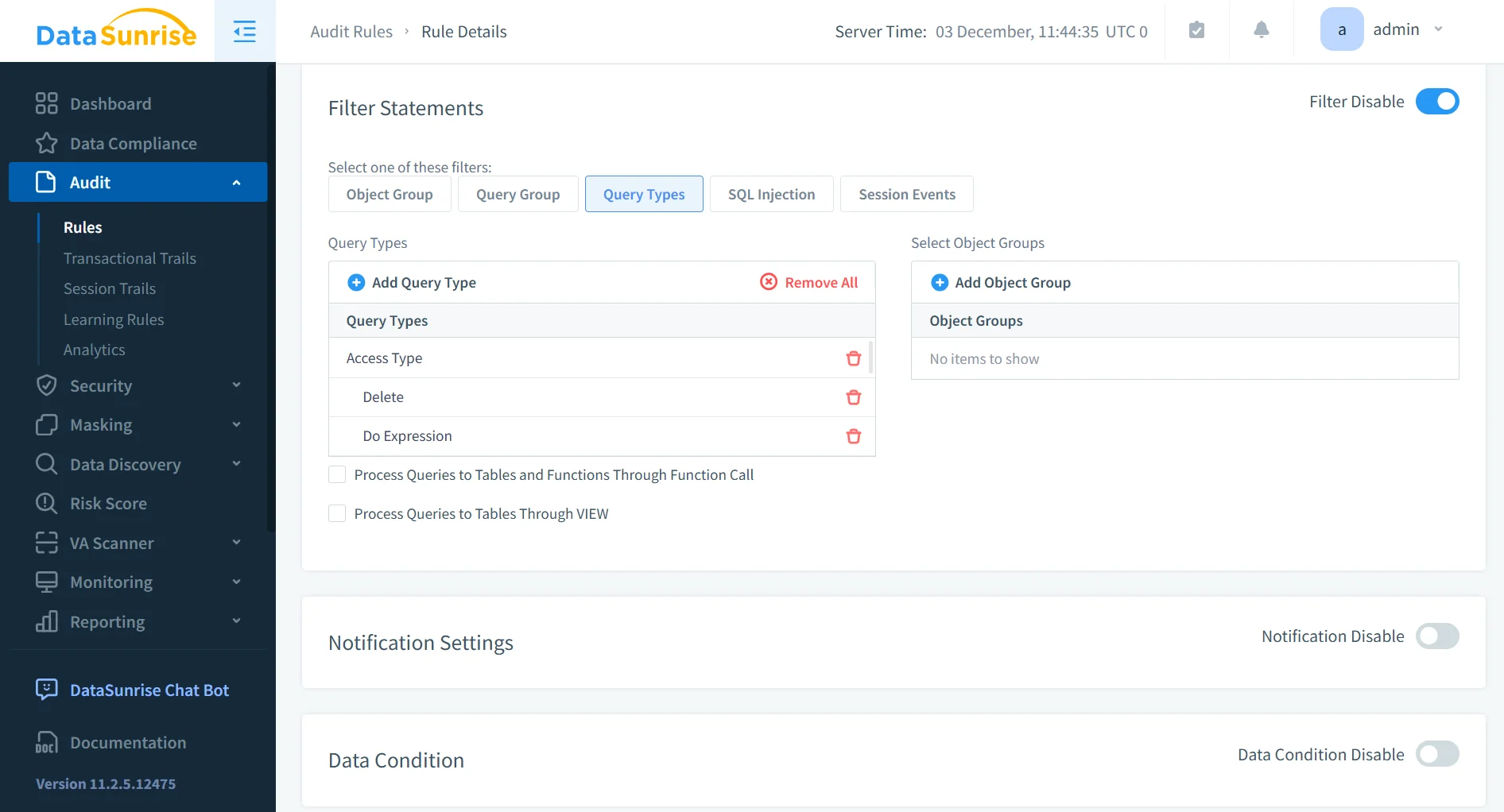
2. Granular Audit Rules
DataSunrise supports highly targeted audit rules across users, roles, schemas, sensitive columns, DDL modifications, and behavioral patterns.
These rules enrich native logging by aligning SQL activity with Audit Goals and customizable governance frameworks.
Rules can incorporate object classification derived from Personal Information Detection and automatically adapt to schema changes.
3. Real-Time Threat Detection
Native Redshift introduces log delays, while DataSunrise offers immediate anomaly detection powered by:
It also supports synchronous alerting through Real-Time Notifications.
This closes a critical detection gap for Redshift deployments handling regulated workloads.
4. Centralized Governance & Compliance
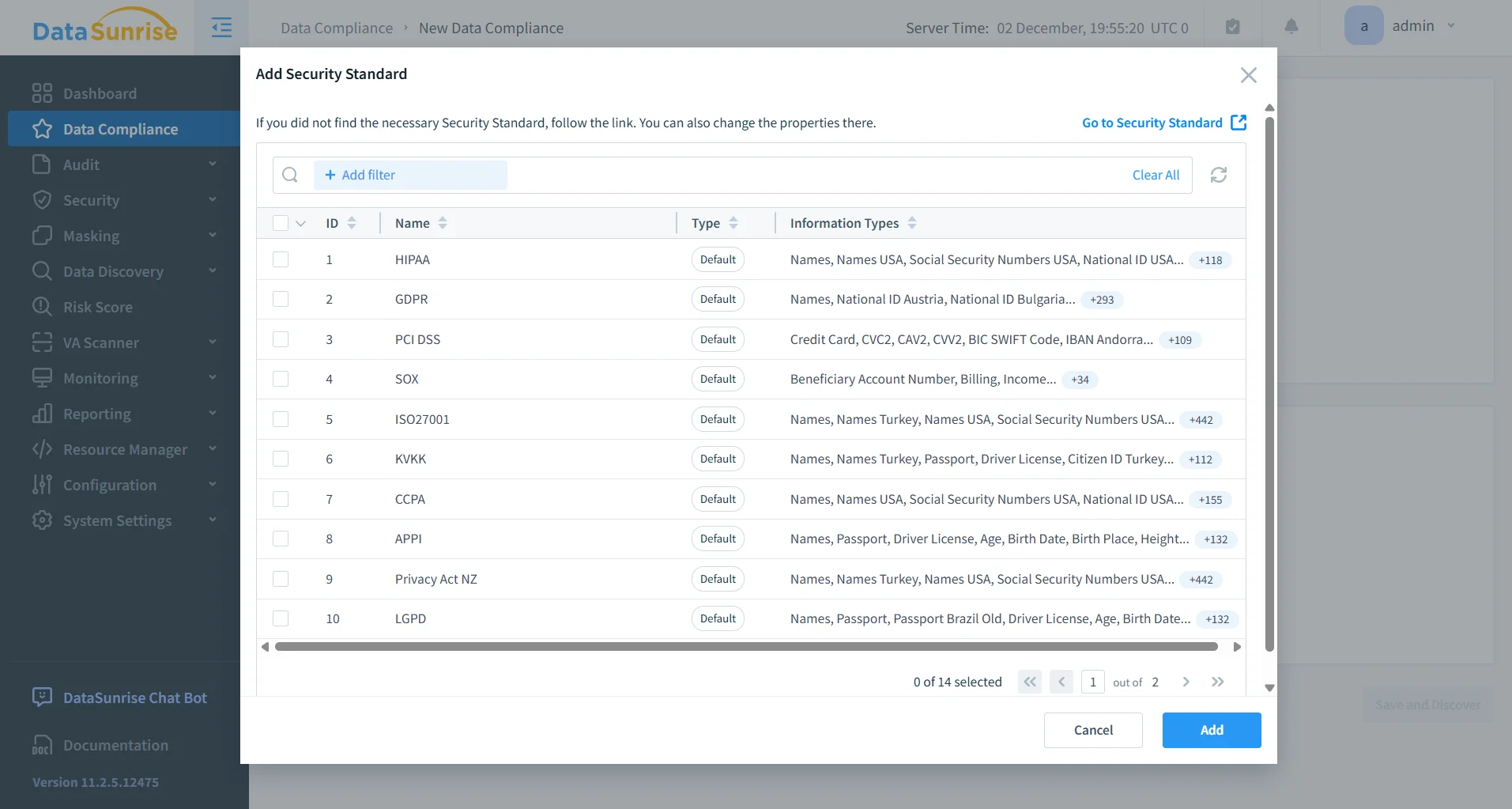
DataSunrise maps Redshift audit activity directly to regulatory frameworks:
These controls are operationalized through Compliance Manager, which automates reporting, evidence collection, and drift detection.
5. Sensitive Data Protection
DataSunrise extends Redshift with dynamic, policy-based masking and zero-trust data enforcement using:
These capabilities ensure that sensitive data exposure remains strictly aligned with business and compliance requirements.
6. Enterprise Deployment Flexibility
DataSunrise supports all Redshift architectures, including Classic, RA3, Serverless, and Spectrum-enhanced deployments.
It can operate via:
- Proxy mode
- Sniffer mode
- Native log trailing
Deployment options are detailed in Deployment Modes.
Organizations can unify Redshift governance with over 40 platforms supported by DataSunrise, as cataloged in Supported Databases.
Business Benefits Table
| Benefit Category | Description |
|---|---|
| Reduced compliance audit effort | Centralized audit history dramatically reduces time needed for regulatory audits and aligns with templates from Automated Compliance Reporting. |
| Faster forensic investigations | Correlated logs shorten incident resolution time by combining STL/SVL activity with insights from Report Generation. |
| Clearer visibility into user behavior | Unified monitoring exposes hidden behavioral anomalies, supported by Behavior Analytics. |
| Lower operational risk | Real-time alerts and security rules—see Security Guide—reduce the probability of unauthorized access. |
| Stronger governance maturity | A hardened audit trail, combined with Data-Inspired Security, lifts enterprise governance to a standardized, enforceable model. |
Conclusion
Redshift generates valuable telemetry, but without consolidation and real-time analysis, it does not form a usable audit trail. System tables, S3 audit files, CloudWatch streams, and Spectrum logs each expose fragments of activity—but none deliver a holistic, governance-grade trail.
DataSunrise brings these components together into a correlated, enriched, and real-time Redshift audit trail that supports masking, alerting, governance automation, and compliance reporting across all environments.
For mission-critical Redshift deployments, this unified audit framework is essential to maintaining control, visibility, and security across your data warehouse.
Protect Your Data with DataSunrise
Secure your data across every layer with DataSunrise. Detect threats in real time with Activity Monitoring, Data Masking, and Database Firewall. Enforce Data Compliance, discover sensitive data, and protect workloads across 50+ supported cloud, on-prem, and AI system data source integrations.
Start protecting your critical data today
Request a Demo Download Now