Amazon S3 Audit Tools

As cloud environments scale, Amazon S3 audit tools become a cornerstone for logging confidential documents and regulated records. Tracking access, detecting anomalies, and proving compliance all require the right set of audit tools—not just raw logs.
This article explores the categories of tools available for auditing S3, from native AWS services to third-party platforms like DataSunrise, and how they fit into a layered visibility stack.
Native Amazon S3 Audit Tools
AWS provides several native tools for monitoring S3 activity:
CloudTrail (Data Events)
Captures object-level API calls (GetObject,PutObject, etc.). Used for forensic audits and long-term tracking. Must be explicitly enabled and configured per bucket. View setup guideAmazon S3 Server Access Logs
Legacy logging that records HTTP-style entries with request type, response code, and user agent. Useful for low-level operations insight, but not structured or user-friendly.Amazon CloudWatch + S3 EventBridge
Can be configured to monitor and alert on specific operations. Works well for operational triggers and volume thresholds.Amazon GuardDuty S3 Protection
Analyzes CloudTrail logs for anomalous activity—such as unusual API call patterns or potential exfiltration attempts.
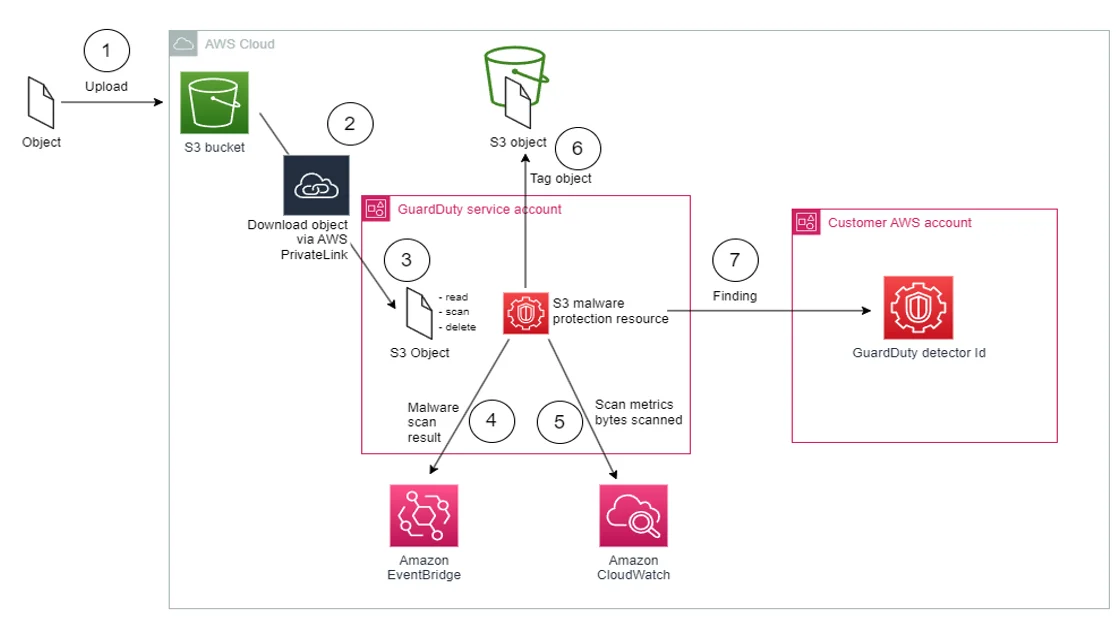
Each tool addresses a different piece of the puzzle—but none provide content awareness, compliance tagging, or policy context out of the box.
Limitations of Native Tools (and How DataSunrise Fills the Gaps)
While AWS tools like CloudTrail, Server Access Logs, and GuardDuty provide basic coverage, they often lack advanced features needed for real-time governance and compliance. This is where DataSunrise comes in, extending visibility, automating classification, and generating enriched audit trails across S3 and other data platforms.
| Feature | CloudTrail | Server Logs | GuardDuty | CloudWatch | DataSunrise |
|---|---|---|---|---|---|
| Object-level API logging | ✅ | ✅ | ➖ | ➖ | ✅ |
| Real-time alerting | ❌ | ❌ | ✅ | ✅ | ✅ |
| Sensitive data tagging | ❌ | ❌ | ❌ | ❌ | ✅ |
| Cross-platform correlation | ❌ | ❌ | ❌ | ❌ | ✅ |
| Built-in compliance reporting | ❌ | ❌ | ❌ | ❌ | ✅ |
With DataSunrise, logs don’t just record what happened—they also answer why it matters, what kind of data was touched, and whether it complied with your internal policies.
Advanced Amazon S3 Audit Tools with DataSunrise
DataSunrise acts as a centralized platform that enhances and extends AWS audit capabilities. It integrates seamlessly with CloudTrail logs and offers powerful features for modern auditing needs:
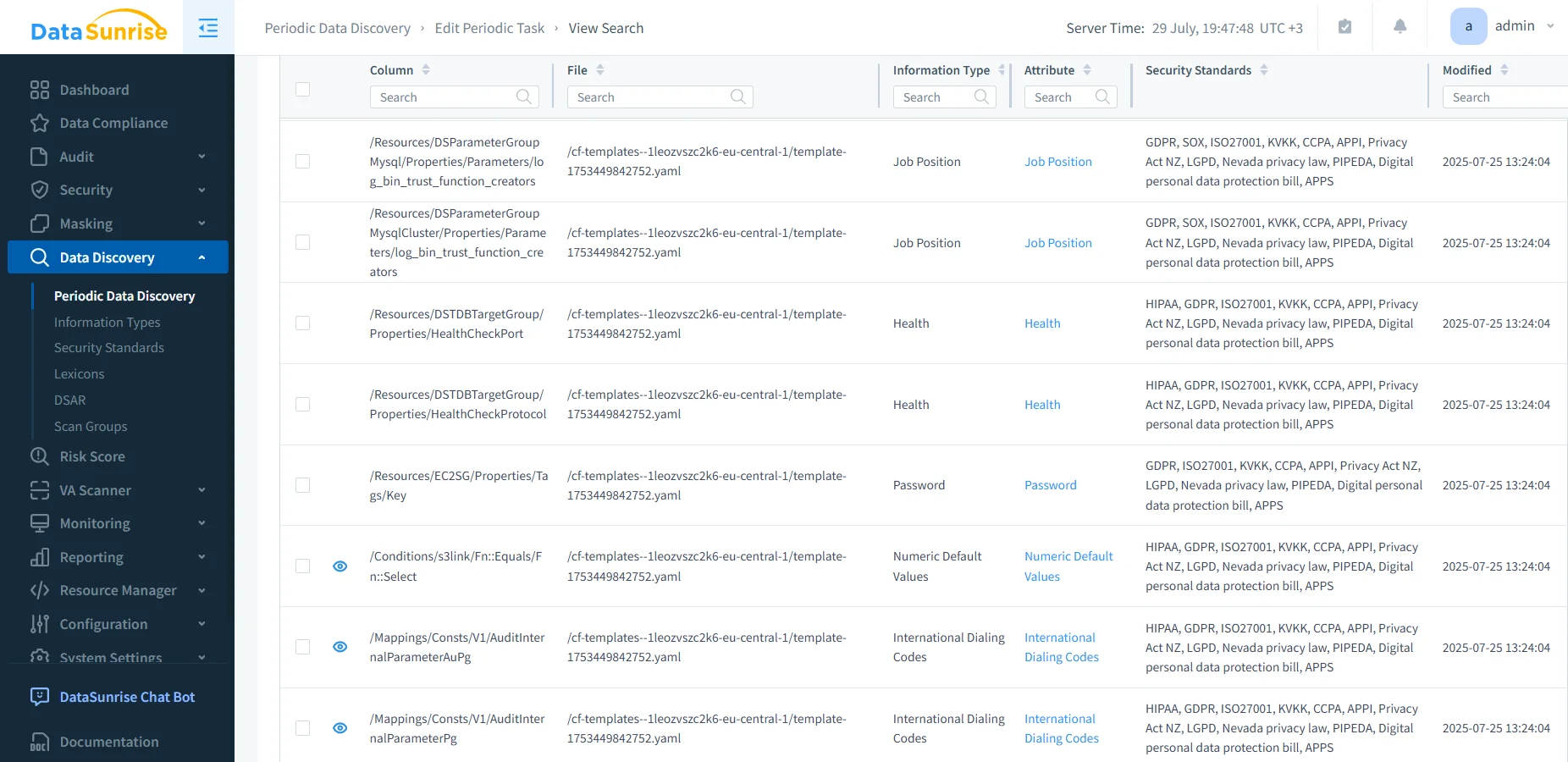
Sensitive Data Discovery
Scans S3 buckets to detect PII, PHI, PCI, and other regulated data formats.Dynamic Data Masking
Applies masking rules during query execution or access review to prevent unnecessary data exposure.Audit Trail Generation
Converts raw CloudTrail logs into structured, policy-aligned audit trails enriched with access context.Behavioral Monitoring
Tracks user/IP patterns and flags anomalies based on usage history or deviation from norm.SIEM Integration & Alerting
Stream alerts to Slack, Teams, or SIEM pipelines for real-time incident response.Compliance Reporting Templates
Built-in templates for GDPR, HIPAA, PCI DSS, SOX, and others. Supports PDF exports and dashboards for auditors.
Sample Query: Audit Events on Sensitive Object Access
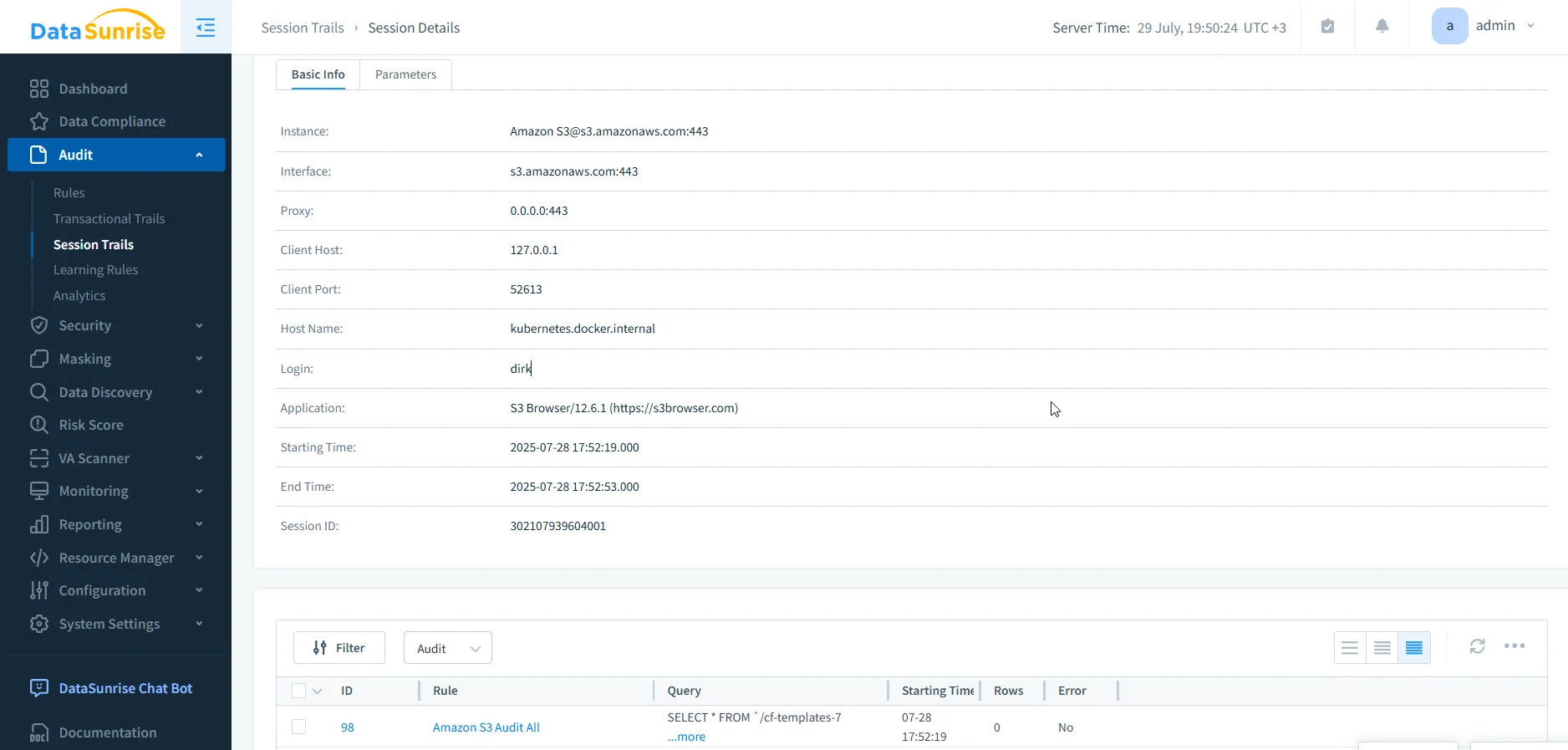
When DataSunrise ingests S3 activity—either directly via proxy or through CloudTrail logs—it enriches each event with metadata tags, masking status, and policy enforcement flags. These enriched logs can be exported to Amazon Athena or OpenSearch for querying.
Below is an example SQL query that identifies recent GetObject events where sensitive data (e.g. PII, PHI) was accessed but the request violated policy (e.g. came from a non-approved role or IP). It also checks whether masking was applied:
SELECT
  event_time,
  user_identity.principalId AS user,
  requestParameters.bucketName AS bucket,
  requestParameters.key AS object_key,
  responseElements.x_amz_request_id AS request_id,
  datasunrise_labels.sensitivity AS data_type,
  datasunrise_flags.masking_applied,
  datasunrise_flags.policy_allowed
FROM
  s3_audit_logs
WHERE
  event_name = 'GetObject'
  AND datasunrise_labels.sensitivity IS NOT NULL
  AND datasunrise_flags.policy_allowed = false
ORDER BY
  event_time DESC
LIMIT 100;
This type of query is valuable for security engineers investigating misconfigurations, non-compliant access, or potential data exfiltration. With DataSunrise’s policy engine, all of this information is available right in the web-dashboard without the need for writing custom Lambda logic.
Use Cases by Team
| Team | Tool Focus |
|---|---|
| Security | Real-time alerts, anomaly detection, masking |
| DevOps | Operational metrics, object history, dashboards |
| Compliance | Audit trails, access maps, regulatory reports |
| Developers | Debugging access issues, bucket monitoring |
DataSunrise serves all these roles from a single UI—without requiring multiple disconnected AWS consoles.
Want to Try It?
You can integrate DataSunrise with your AWS S3 setup in under an hour. Choose between proxy-based deployment or CloudTrail parsing mode, depending on your environment.
Visit the DataSunrise demo page to see the tool in action or check out more guides to learn how to configure and scale your S3 audit workflow.