Couchbase Data Activity History
Monitoring data activity history for NoSQL databases has become essential for modern enterprises. According to Verizon's 2024 Data Breach Investigations Report, organizations with comprehensive NoSQL monitoring detect insider threats 82% faster and reduce incident costs by up to 68%.
Couchbase, an enterprise NoSQL database for high-performance applications, offers native auditing capabilities for JSON documents and administrative operations. The Couchbase auditing framework provides essential monitoring features. However, organizations often require advanced solutions to maintain comprehensive data activity history that satisfies compliance and provides database security intelligence.
This article explores Couchbase's native data activity history features and how DataSunrise enhances visibility for NoSQL environments.
Understanding Couchbase Data Activity History
Couchbase data activity history records all operations in your NoSQL environment, including JSON document modifications, N1QL queries, data access events, and administrative changes. Effective data management requires comprehensive tracking of these activities.
Couchbase's distributed architecture introduces unique monitoring considerations:
Multi-Node Distribution: Operations across cluster nodes require unified activity correlation.
Multiple Access Methods: N1QL queries, Key-Value operations, Full-Text Search, and Analytics generate distinct activity patterns.
Bucket-Level Operations: Document changes across buckets and scopes create complex activity flows.
Scale Dynamics: High-throughput environments generate massive activity volumes requiring intelligent filtering.
Cross-Data Center Replication: XDCR operations span geographic regions, necessitating activity tracking across replication streams.
Native Couchbase Data Activity History Capabilities
Couchbase includes built-in features for tracking data activity history. These capabilities provide visibility through access controls and monitoring mechanisms, forming the foundation for audit rules implementation.
1. Couchbase Auditing Framework
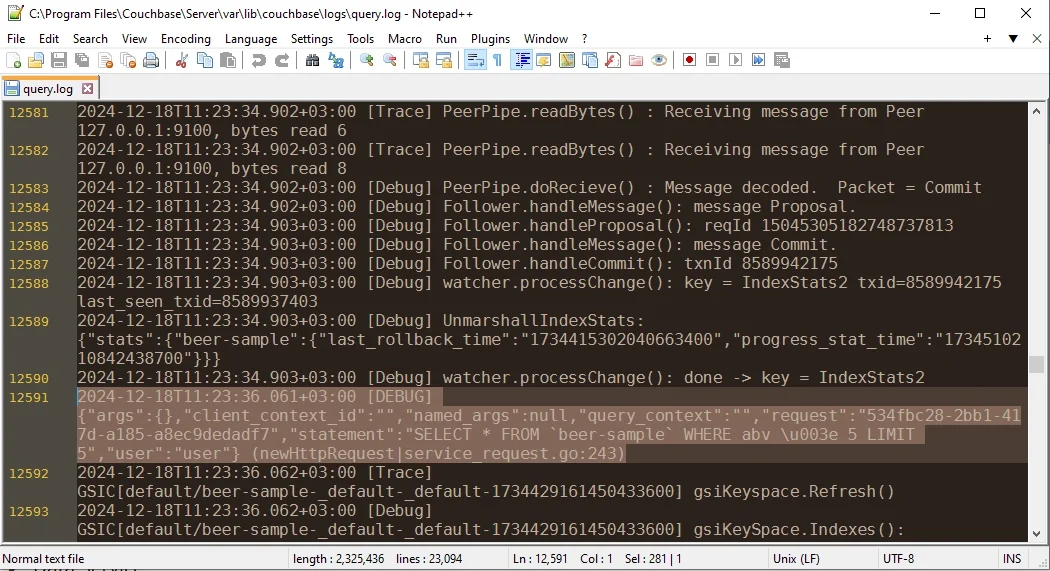
Couchbase provides auditing through its audit daemon, which captures cluster-wide events:
# Enable auditing via REST API
curl -X POST http://localhost:8091/settings/audit \
  -u Administrator:password \
  -d auditdEnabled=true \
  -d rotateInterval=86400 \
  -d logPath=/opt/couchbase/var/lib/couchbase/logs
This configuration enables comprehensive audit capture across authentication, data operations, and administrative actions.
2. Analyzing Couchbase Audit Logs
Examine captured audit logs through the filesystem:
# View recent audit events
cat /opt/couchbase/var/lib/couchbase/logs/audit.log | tail -50

# Filter by user
jq 'select(.real_userid.username == "app_user")' \
  /opt/couchbase/var/lib/couchbase/logs/audit.log
Audit logs are in JSON format for structured analysis.
3. Couchbase Web Console for Activity Review
The Couchbase Web Console provides intuitive access to activity information:
- Security Dashboard: View authentication events and sessions
- Query Workbench: Monitor N1QL query history
- Monitoring Tab: Access cluster metrics and operation counts
- XDCR Dashboard: Track cross-data center replication
While native capabilities provide foundational functionality, organizations with advanced compliance regulations requirements often need enhanced solutions for comprehensive monitoring and automated compliance reporting.
Enhanced Data Activity History with DataSunrise
DataSunrise enhances Couchbase monitoring with Autonomous Compliance Orchestration and sophisticated analytics for NoSQL environments. Unlike basic logging, DataSunrise delivers enterprise-grade database activity monitoring with comprehensive audit trails and advanced data protection capabilities.
Setting Up DataSunrise for Couchbase
1. Connect to Couchbase Cluster
Establish a secure connection between DataSunrise and your Couchbase environment. DataSunrise supports all Couchbase access methods including N1QL, Key-Value operations, and Full-Text Search.
2. Configure NoSQL-Specific Activity Monitoring Rules
Create granular monitoring rules using No-Code Policy Automation to track document fields with PII, apply bucket-based policies, and detect anomalies using ML algorithms.
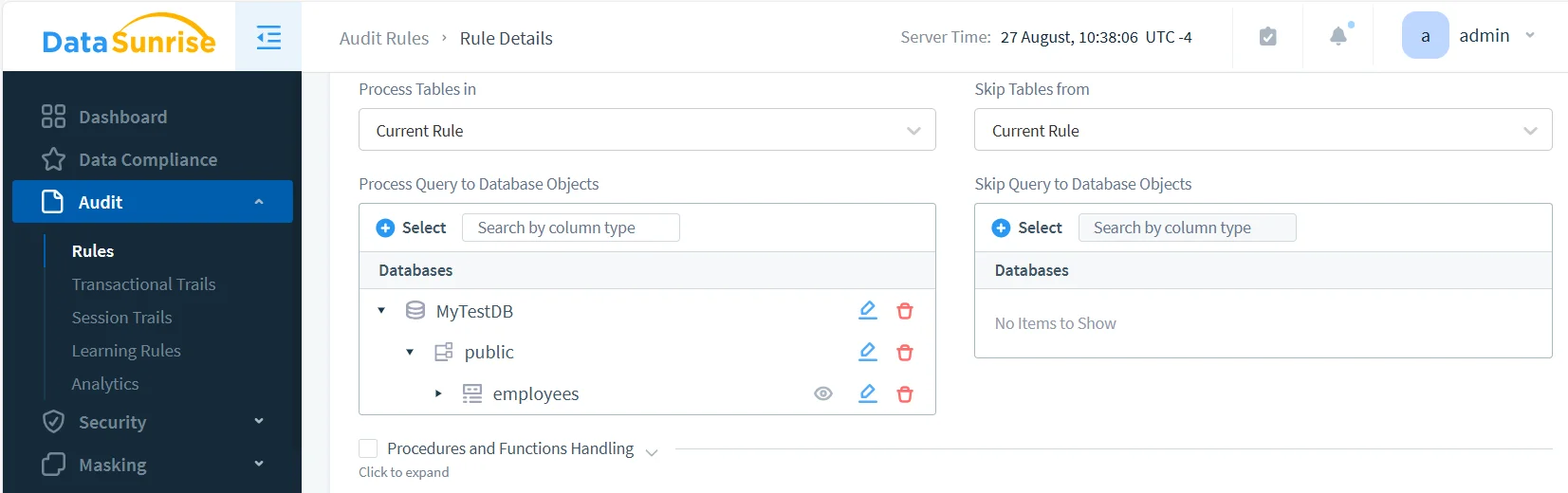
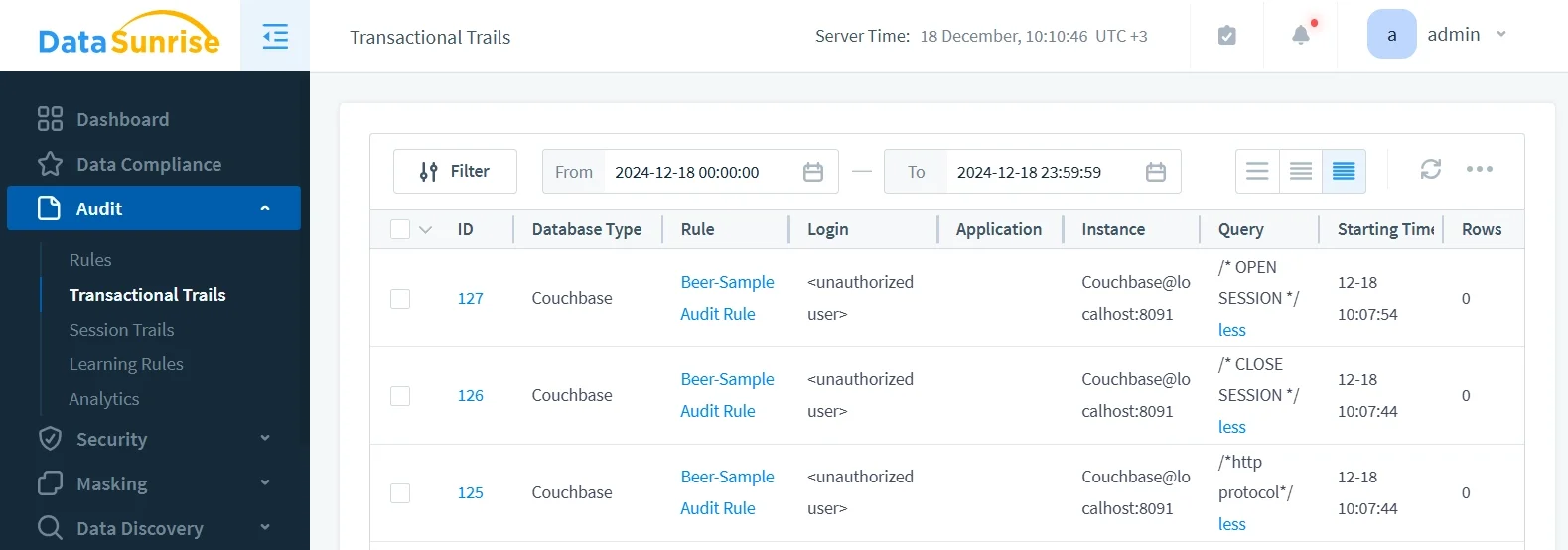
3. Review Comprehensive Data Activity History
Access detailed activity history through DataSunrise's dashboard with advanced filtering, real-time monitoring, and intelligent correlation across all services.
Key Advantages of DataSunrise for Couchbase
Auto-Discover & Mask: Automatically identify sensitive data in JSON documents using NLP and machine learning, ensuring coverage across all document types.
No-Code Policy Automation: Create monitoring policies without complex code, reducing implementation time from weeks to hours.
Real-Time Notifications: Receive immediate alerts for suspicious activities with contextual information.
User Behavior Analysis: Detect anomalies using behavioral analytics that adapt to changing patterns.
Automated Compliance Reporting: Generate compliance reports for GDPR, HIPAA, PCI DSS, and SOX.
Dynamic Data Masking: Protect sensitive fields with dynamic masking while maintaining functionality.
Cross-Platform Visibility: Monitor SQL and NoSQL databases from one console with support for 40+ platforms.
Comprehensive Data Security: Implement robust data security policies across your entire Couchbase infrastructure.
Best Practices for Couchbase Data Activity History
| Best Practice | Description |
|---|---|
| Performance-Optimized Monitoring | Align monitoring with bucket design to minimize performance impact. Apply detailed tracking to critical buckets while using sampling for high-volume operations. |
| Data-Centric Activity Analysis | Focus on buckets with PII, financial data, or regulated information. Monitor complex N1QL queries that might indicate unauthorized activities. |
| Compliance Framework Integration | Map activity collection to compliance requirements like data residency and retention periods. Implement secure storage with encryption for regulatory evidence. |
| Enhanced Monitoring Implementation | Deploy DataSunrise for Intelligent Policy Orchestration and threat detection. Leverage ML to identify anomalous activities across all Couchbase services. Implement database firewall rules for additional protection. |
Conclusion
As organizations rely on Couchbase for business-critical data, implementing robust data activity history is essential for security and compliance. While Couchbase offers foundational monitoring, organizations with complex requirements benefit from enhanced solutions like DataSunrise.
DataSunrise provides Zero-Touch Data Protection with advanced activity tracking, real-time monitoring, and Continuous Compliance Alignment. With flexible deployment modes, DataSunrise transforms Couchbase activity history into strategic security assets.
Protect Your Data with DataSunrise
Secure your data across every layer with DataSunrise. Detect threats in real time with Activity Monitoring, Data Masking, and Database Firewall. Enforce Data Compliance, discover sensitive data, and protect workloads across 50+ supported cloud, on-prem, and AI system data source integrations.
Start protecting your critical data today
Request a Demo Download Now