Data Anonymization in Greenplum
Organizations leveraging Greenplum for analytical workloads face increasing pressure to protect sensitive data while maintaining business intelligence capabilities. According to IBM's 2024 Cost of a Data Breach Report, organizations with comprehensive data anonymization strategies reduce breach-related costs by an average of $2.1 million.
While Greenplum offers native PostgreSQL-based security features, advanced data masking solutions enhance privacy protection and streamline compliance. This article explores Greenplum's masking types and demonstrates how DataSunrise's Zero-Touch Data Masking transforms privacy protection for MPP environments.
Native Greenplum Anonymization Capabilities
Greenplum, built on PostgreSQL, provides several anonymization features through compatible extensions and functions. These native capabilities offer basic data security but often require significant manual configuration:
1. PostgreSQL Anonymization Functions
-- Create anonymization functions
CREATE OR REPLACE FUNCTION mask_email(email TEXT)
RETURNS TEXT AS $$
BEGIN
    RETURN SUBSTRING(email FROM 1 FOR 2) || '***@' || SPLIT_PART(email, '@', 2);
END;
$$ LANGUAGE plpgsql IMMUTABLE;

CREATE OR REPLACE FUNCTION mask_ssn(ssn TEXT)
RETURNS TEXT AS $$
BEGIN
    RETURN '***-**-' || RIGHT(ssn, 4);
END;
$$ LANGUAGE plpgsql IMMUTABLE;
2. Row-Level Security
Greenplum supports row-level security policies for implementing access controls:
-- Enable row-level security for conditional access
ALTER TABLE customer_data ENABLE ROW LEVEL SECURITY;

CREATE POLICY analyst_access ON customer_data
    FOR SELECT TO analyst_role USING (true);

GRANT SELECT ON customer_data_anonymized TO analyst_role;
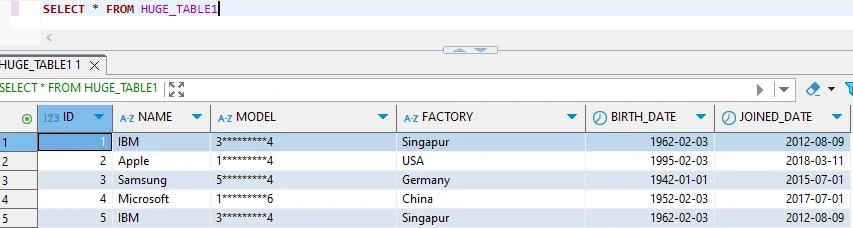
While functional, native Greenplum anonymization has limitations including manual development overhead, limited scalability, no centralized policy management, and time-consuming compliance mapping.
Enhanced Data Anonymization for Greenplum with DataSunrise
DataSunrise delivers Autonomous Compliance Orchestration with Zero-Touch Data Masking designed for MPP analytical environments. Unlike manual approaches, DataSunrise provides enterprise-grade data protection with Surgical Precision Masking that addresses security threats while maintaining analytical accuracy.
Key Advantages of DataSunrise for Greenplum
| Feature | Description |
|---|---|
| Auto-Discover & Mask | Automatically identifies PII within distributed tables using NLP Data Discovery, providing up to 93% greater coverage than manual classification. |
| No-Code Policy Automation | Create dynamic masking policies through an intuitive interface without complex PL/pgSQL functions, reducing implementation time from weeks to hours. |
| Context-Aware Protection | Implements User Behavior Monitoring for role-based anonymization with Zero-Trust Data Access, automatically adjusting masking based on authorization levels. |
| Compliance Autopilot | Continuous Regulatory Calibration monitors GDPR, HIPAA, PCI DSS, and SOX requirements, automatically updating policies. |
| Cross-Platform Support | With support for over 40 platforms, organizations can implement unified strategies across heterogeneous architectures. |
Implementing DataSunrise for Greenplum Anonymization
Step 1: Connect to Greenplum Cluster
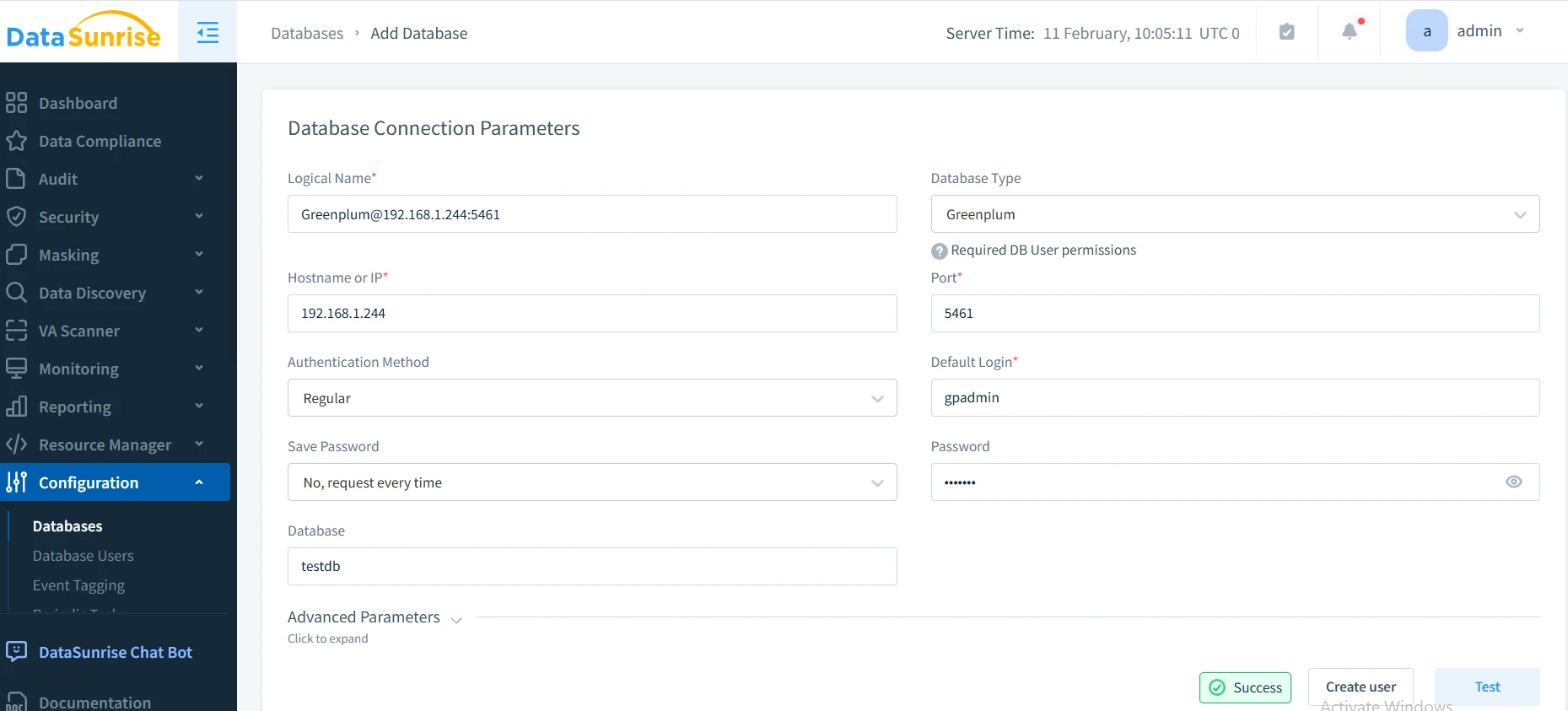
Establish a secure connection to your Greenplum master host through DataSunrise's interface, supporting both standard and SSL-encrypted connections with database encryption.
Step 2: Configure Sensitive Data Discovery
DataSunrise's data discovery engine automatically scans tables across all segments to identify credit cards, SSNs, emails, healthcare data, and financial information.
Step 3: Create Dynamic Masking Rules
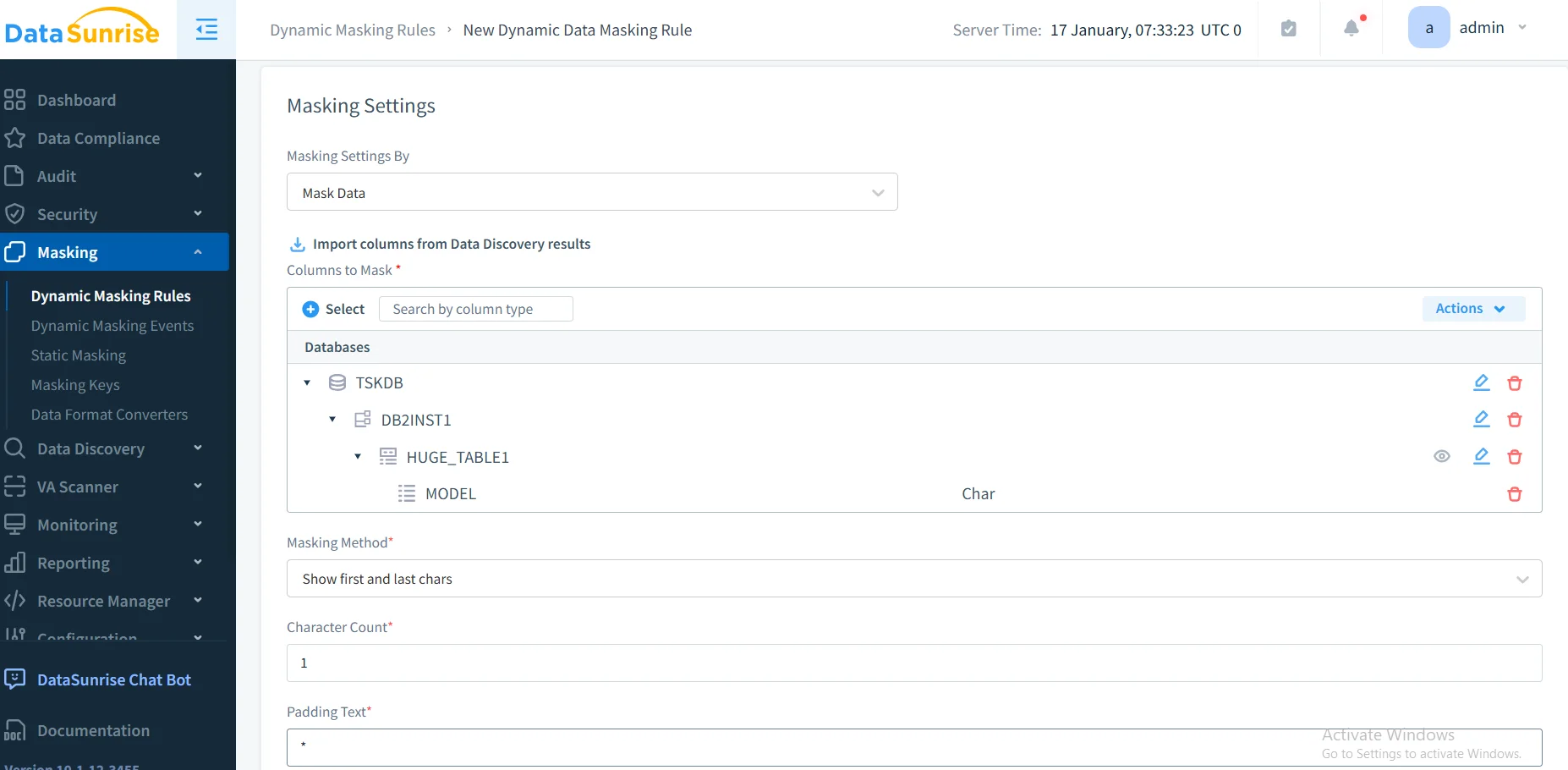
Configure granular masking policies tailored to your requirements. DataSunrise automatically applies context-aware masking based on user roles without manual function creation, implementing role-based access controls.
Step 4: Monitor Anonymization Effectiveness
Access comprehensive audit logs through DataSunrise's dashboard for complete visibility into access patterns, applied rules, and query anomalies.
Best Practices for Greenplum Anonymization Implementation
Tiered Approach: Implement full masking for highly sensitive PII, partial masking for semi-sensitive data, format-preserving for testing, and statistical anonymization for analytical accuracy. Consider using in-place masking for data migration scenarios.
Performance Optimization: Apply anonymization at the application layer, leverage DataSunrise's reverse proxy architecture, use static masking for non-production environments.
Compliance Documentation: Document anonymized tables, map rules to regulatory requirements, preserve audit trails, and schedule regular validation.
Regular Reviews: Conduct periodic re-identification risk assessments, validate analytical accuracy, review access patterns with database activity monitoring, and test through simulated attacks.
Leverage DataSunrise: Implement automated classification with NLP, context-aware masking, data security policy integration, and behavioral analytics.
Conclusion
As organizations increasingly rely on Greenplum for analytical workloads with sensitive data, robust anonymization has become essential for privacy protection and compliance. While Greenplum offers PostgreSQL-based features, organizations with complex requirements benefit significantly from enhanced solutions.
DataSunrise delivers Enterprise-Ready anonymization for MPP environments with Zero-Touch Data Masking, Autonomous Compliance Orchestration, and Comprehensive Sensitive Data Detection. With Flexible Deployment Modes supporting cloud, on-premise, and hybrid architectures, DataSunrise transforms anonymization from a manual burden into an automated strategic asset.
Protect Your Data with DataSunrise
Secure your data across every layer with DataSunrise. Detect threats in real time with Activity Monitoring, Data Masking, and Database Firewall. Enforce Data Compliance, discover sensitive data, and protect workloads across 50+ supported cloud, on-prem, and AI system data source integrations.
Start protecting your critical data today
Request a Demo Download Now