
Data Masking in Sybase
Sybase (SAP ASE) remains a reliable workhorse for transactional systems in finance, telecom, and government sectors. However, while it excels in performance and stability, native support for protecting sensitive data is limited. According to IBM’s Cost of a Data Breach Report, exposure of sensitive data continues to be one of the most expensive security failures for organizations.
This creates a problem: production databases often contain personally identifiable information (PII), financial records, or confidential business data, yet analysts, developers, and third-party tools still require access. Regulatory frameworks such as GDPR impose strict requirements on how such data must be handled and protected.
Data masking solves this by transforming sensitive values into protected formats while preserving usability. In Sybase environments, masking is not optional—it is a requirement for compliance and operational safety. Solutions like Data Masking and Data Compliance tools help enforce consistent protection policies across database environments.
What is Data Masking?
Data masking is the process of replacing sensitive data with obfuscated or transformed values so that unauthorized users cannot see the original information. It plays a critical role in protecting personally identifiable information (PII)
while still allowing data usage across environments.
Unlike encryption, masking keeps data readable and usable for queries, testing, and analytics. For a deeper breakdown of techniques and approaches, see data masking fundamentals.
There are two main approaches:
Static masking — modifies stored data permanently (used in non-production)
Dynamic masking — alters data at query time without changing the source
In Sybase, most implementations rely on SQL logic or external tools, since native masking features are minimal.
Native Data Masking Techniques in Sybase
Sybase ASE does not provide built-in dynamic masking. However, you can approximate masking using SQL functions, views, and access control.
Masking with SQL Expressions
You can transform sensitive fields directly in queries. For example, email addresses and phone numbers can be partially hidden by applying string functions that replace parts of the value with masked characters.
-- Mask sensitive fields directly in query output
SELECT
    user_id,
    name,
    email,
    phone,

    -- Mask email (show first 2 characters only)
    LEFT(email, 2) + '***@***.com' AS masked_email,

    -- Mask phone (keep last 4 digits visible)
    '***-***-' + RIGHT(phone, 4) AS masked_phone

FROM customers;
This approach works, but it relies entirely on query discipline. The moment someone queries the original column directly instead of using the masking logic, the sensitive data is exposed. There is no enforcement layer—just convention, which is about as reliable as you’d expect.
Masking with Views
Views provide a more controlled approach by centralizing masking logic. Instead of rewriting masking rules in every query, you define a view that automatically returns obfuscated values for sensitive columns.
-- Create a masked view to enforce consistent masking logic
CREATE VIEW customers_masked AS
SELECT
    user_id,
    name,

    -- Apply masking inside the view
    LEFT(email, 2) + '***@***.com' AS email_masked,
    '***-***-' + RIGHT(phone, 4) AS phone_masked

FROM customers;
Users then query the masked view instead of the raw table:
-- Query only masked data
SELECT
    user_id,
    name,
    email_masked,
    phone_masked
FROM customers_masked;
This reduces the chance of accidental exposure and keeps masking logic consistent across queries.
However, this only works if access to the underlying table is strictly restricted. If users retain direct access to the base table, they can bypass the view entirely and retrieve unmasked data.
Role-Based Access Control
You can combine masking with role-based access control (RBAC) to enforce usage of masked views. In this setup, direct access to the original table is revoked, and users are granted access only to the masked view.
-- Revoke direct access to raw data
REVOKE SELECT ON customers FROM public;

-- Grant access only to masked view
GRANT SELECT ON customers_masked TO analyst_role;

-- Optional: verify permissions
EXEC sp_helprotect customers;
EXEC sp_helprotect customers_masked;
This forces users into controlled access paths where masking is applied automatically.
That said, this approach is fragile. It depends heavily on correct permission management. If roles are misconfigured, new tables are added without proper restrictions, or access policies drift over time, users can easily regain access to raw data.
Data Masking with DataSunrise for Sybase
This is where things stop being duct tape and start being architecture.
DataSunrise provides a comprehensive data masking framework for Sybase, covering dynamic masking, static masking, and in-place masking. Instead of relying on scattered SQL logic or fragile views, masking policies are defined centrally and enforced consistently across environments.
This allows organizations to protect sensitive data at every stage of its lifecycle—from production access to development and testing workflows.
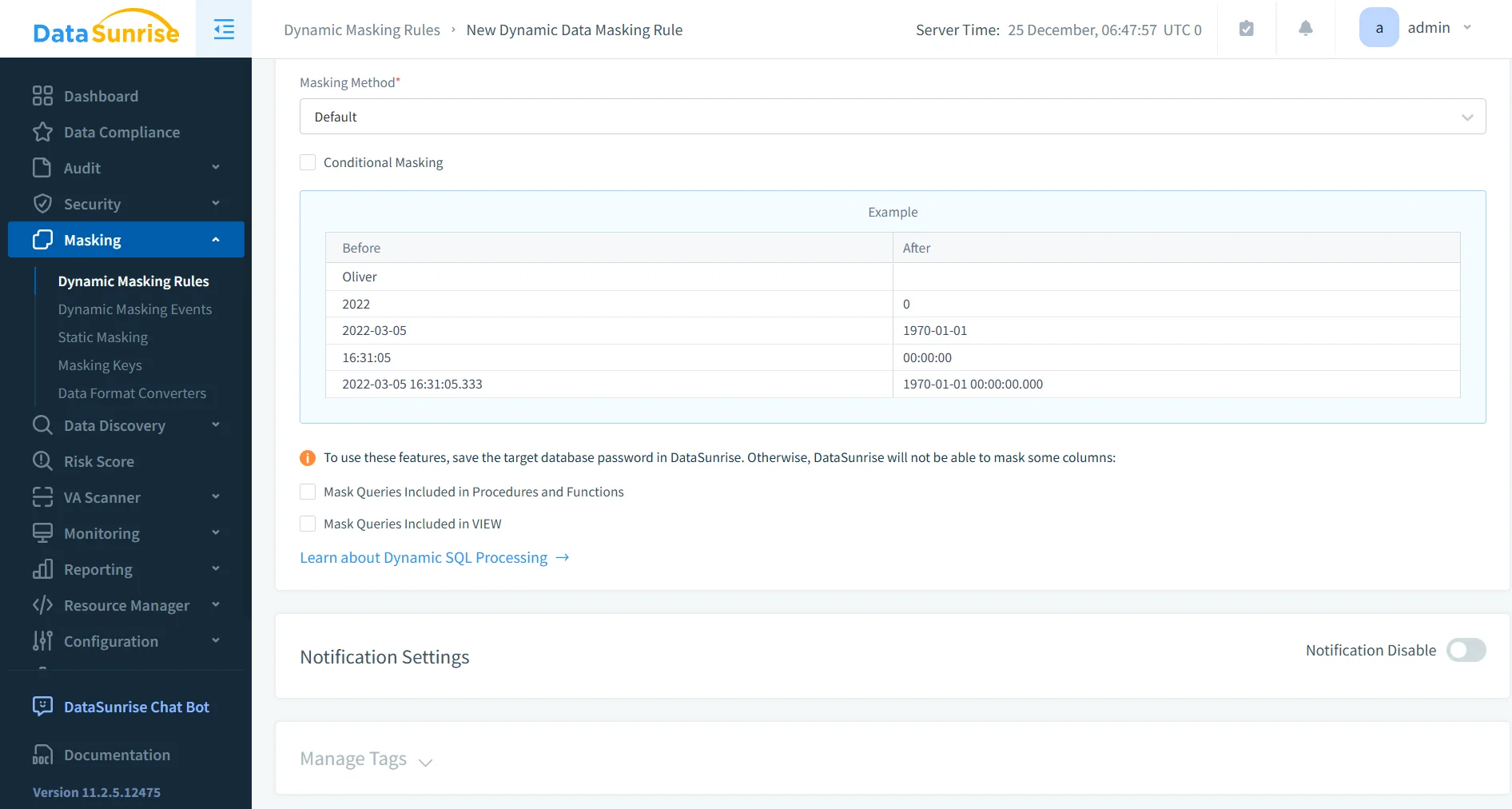
Dynamic Data Masking
Dynamic masking protects sensitive data in real time without modifying the underlying database.
DataSunrise uses a proxy-based approach to intercept queries and apply masking based on user roles and access context before returning results.
This requires no changes to application code and eliminates the need for SQL rewrites or view-based workarounds.
For example, administrators may see full values such as [email protected], while other users receive masked output like jo***@***.com.
Static Data Masking
Static masking is used to create safe copies of production data for non-production environments.
DataSunrise applies masking transformations to sensitive fields before data is exported or replicated. This ensures that development, testing, and analytics teams can work with realistic datasets without exposing confidential information.
Unlike dynamic masking, static masking permanently alters the data in the target dataset, eliminating the risk of accidental exposure outside production systems.
In-Place Masking
In-place masking allows sensitive data to be transformed directly within the database without creating additional copies.
This approach is useful in environments where maintaining multiple datasets is impractical. DataSunrise applies controlled transformations to existing records while preserving data structure and usability.
As a result, sensitive values remain protected even within the primary database environment.
Data Discovery and Classification
Effective masking starts with knowing what to protect.
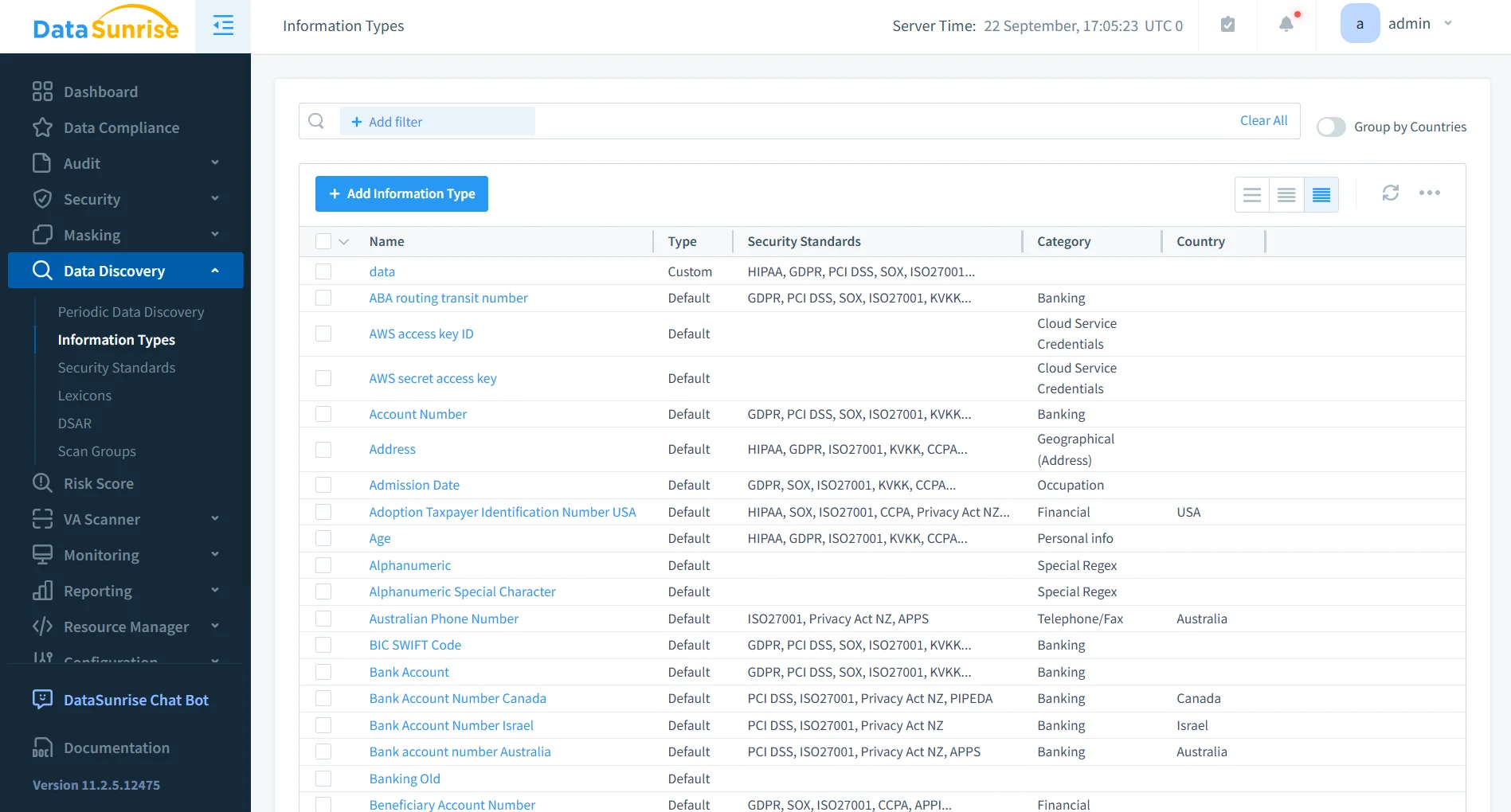
DataSunrise automatically scans Sybase databases to identify and classify sensitive data. This includes personally identifiable information such as names, emails, and identification numbers, as well as financial and healthcare records.
By automating discovery, the platform eliminates the common risk of leaving sensitive columns unprotected due to oversight.
Audit and Monitoring Integration
Masking without visibility is just blind trust.
DataSunrise integrates masking with audit logging to provide full visibility into database activity. This includes tracking who accessed sensitive data, what queries were executed, and whether masking policies were applied.
This level of monitoring supports both operational security and detailed forensic analysis.
Compliance Alignment
Data masking is not just a technical control—it is a compliance requirement.
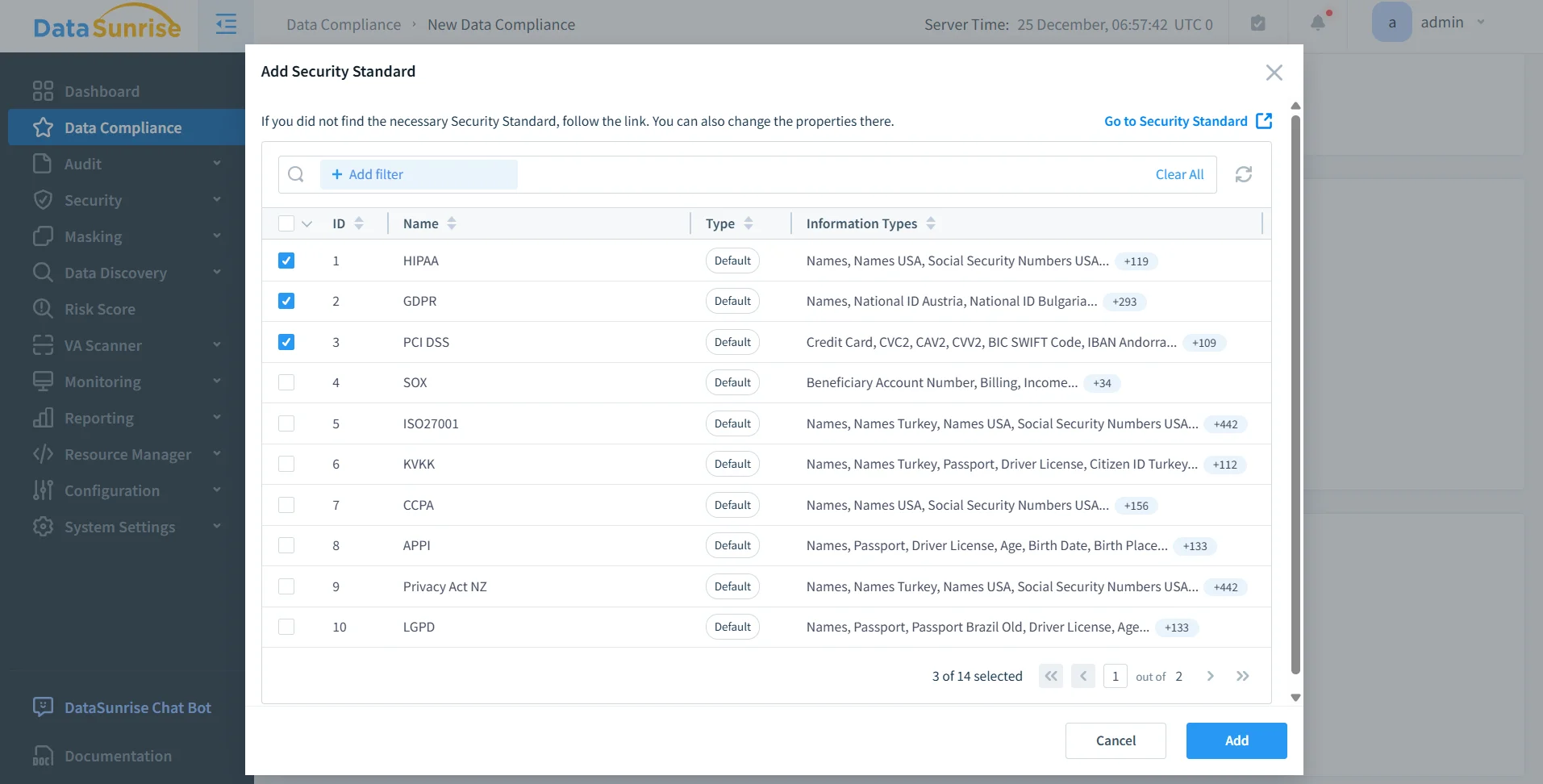
Sybase environments often operate under regulations such as GDPR, HIPAA, PCI DSS, and SOX. Manual masking approaches make it difficult to demonstrate consistent enforcement or produce audit-ready evidence.
DataSunrise addresses this with policy-based enforcement, centralized reporting, and automated compliance alignment. This ensures that masking policies are consistently applied and verifiable during audits.
Business Impact of Data Masking in Sybase
Implementing data masking in Sybase environments delivers measurable operational and security benefits. Beyond basic protection, it improves how organizations handle sensitive data across production and non-production systems. Solutions like data masking combined with data discovery and database activity monitoring enable organizations to enforce consistent security policies and maintain visibility across environments.
| Business Impact | Description |
|---|---|
| Reduced Risk Exposure | Sensitive data remains protected even when users query production systems, minimizing the risk of accidental leaks or insider misuse. |
| Faster Compliance | Automated masking policies simplify adherence to regulations such as GDPR, HIPAA, and PCI DSS, reducing the time required for audits. |
| Safer Data Access | Teams can work with realistic datasets for analytics, development, and testing without exposing confidential information. |
| Operational Efficiency | Centralized masking eliminates scattered SQL logic, reduces maintenance overhead, and ensures consistent policy enforcement. |
| Consistent Data Governance | Unified masking rules across environments help maintain control over sensitive data and prevent policy drift. |
| Improved Audit Readiness | Masking combined with monitoring provides clear evidence of data protection controls for auditors and regulators, supported by tools like audit rules and reporting capabilities. |
Conclusion
Sybase gives you stability and performance. It does not give you modern data protection.
Native masking techniques—SQL expressions, views, and RBAC—can provide basic protection, but they require constant discipline and are easy to bypass. For a deeper look at structured approaches, see data masking
and role-based access control.
At scale, this approach becomes brittle.
DataSunrise replaces fragmented masking logic with centralized, automated, and policy-driven protection. Through features like dynamic data masking, data discovery, and integrated monitoring, it ensures that sensitive data stays protected without breaking workflows or slowing down operations.
If you want masking that actually works in production—not just in theory—you already know which direction to go. Explore the platform capabilities in the DataSunrise overview.
Protect Your Data with DataSunrise
Secure your data across every layer with DataSunrise. Detect threats in real time with Activity Monitoring, Data Masking, and Database Firewall. Enforce Data Compliance, discover sensitive data, and protect workloads across 50+ supported cloud, on-prem, and AI system data source integrations.
Start protecting your critical data today
Request a Demo Download Now