Data Masking Tools and Techniques for Apache Hive
As data volumes grow and regulatory scrutiny intensifies, organizations relying on Apache Hive for large-scale data warehousing face mounting pressure to protect sensitive information without disrupting analytics workflows. Personally identifiable information (PII), financial records, and health data stored in Hive require careful governance — and database security practices must keep pace with both growing data volumes and evolving compliance obligations. According to IBM's 2024 Cost of a Data Breach Report, the average breach now costs $4.88 million — making robust data masking a business imperative rather than an optional practice.
This article covers Apache Hive's native masking capabilities, their limitations, and how DataSunrise extends them with enterprise-grade automation.
Native Apache Hive Data Masking Capabilities
Apache Hive offers three primary approaches to masking sensitive data.
1. Column Masking with Hive Views
The most common approach is creating views that apply transformation functions to sensitive columns, granting users access to the view instead of the underlying table:
CREATE VIEW customers_masked AS
SELECT
    customer_id,
    CONCAT(SUBSTR(full_name, 1, 1), REPEAT('*', LENGTH(full_name) - 1)) AS full_name,
    CONCAT('***-**-', SUBSTR(ssn, 8, 4))                                AS ssn,
    CONCAT('****-****-****-', SUBSTR(credit_card, 16, 4))               AS credit_card
FROM customers;
2. Dynamic Data Masking with Apache Ranger
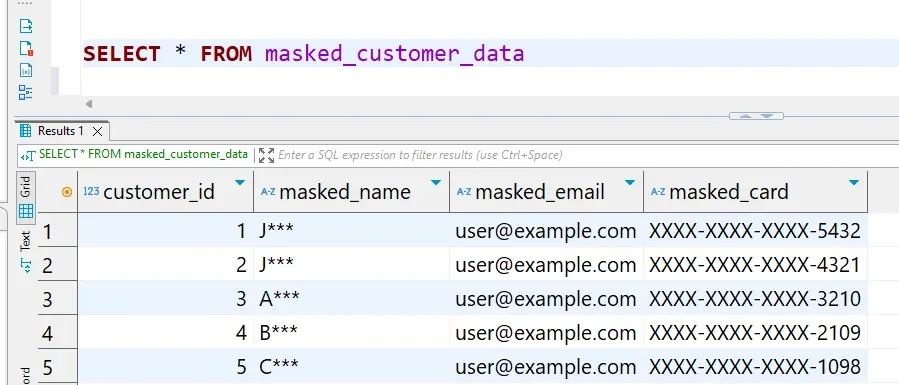
Organizations using Apache Ranger can enforce column-level masking policies centrally based on user roles, without modifying table structure or application queries:
-- Analyst user query:
SELECT customer_id, ssn, email, credit_card FROM customers WHERE customer_id = 1001;

-- Analyst output (masked transparently by Ranger):
-- 1001 | xxxx-xx-6789 | [email protected] | xxxx-xxxx-xxxx-4321
3. Custom UDFs for Masking Logic
For scenarios not covered by built-in functions, Hive supports custom Java-based User-Defined Functions:
ADD JAR /opt/hive/lib/custom-masking-udf.jar;
CREATE TEMPORARY FUNCTION mask_pii AS 'com.example.MaskPIIFunction';

SELECT customer_id, mask_pii(full_name, 'NAME'), mask_pii(ssn, 'SSN') FROM customers;
For details on available built-in functions, refer to the Apache Hive Language Manual.
Advanced Data Masking for Apache Hive with DataSunrise
DataSunrise extends Hive's native capabilities with Zero-Touch Policy Automation, supporting both dynamic data masking — transforming query results in real time based on user roles — and static data masking for generating safe anonymized datasets for development and testing.
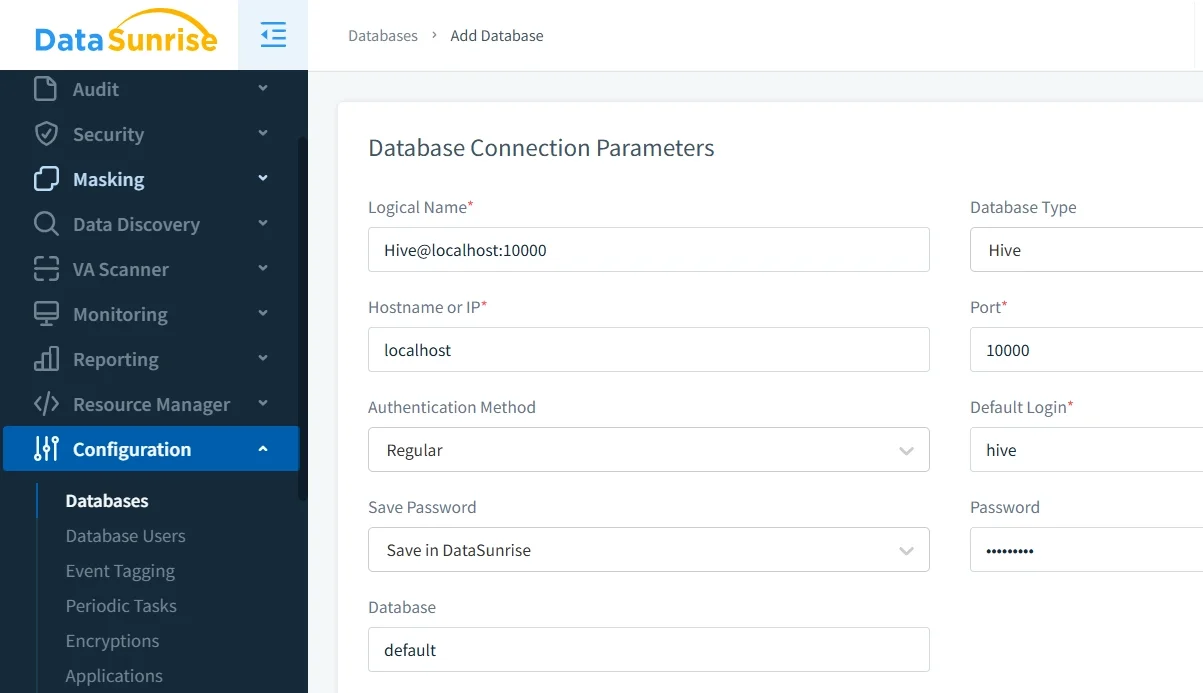
1. Connect Apache Hive to DataSunrise
Connect your HiveServer2 instance through the DataSunrise administrative interface. The proxy connection requires no application-side changes and supports both on-premises and cloud-native deployments.
2. Run Sensitive Data Discovery
DataSunrise's Data Discovery engine automatically scans Hive schemas using NLP and machine learning to classify sensitive columns according to GDPR, HIPAA, PCI DSS, and SOX frameworks — eliminating manual identification.
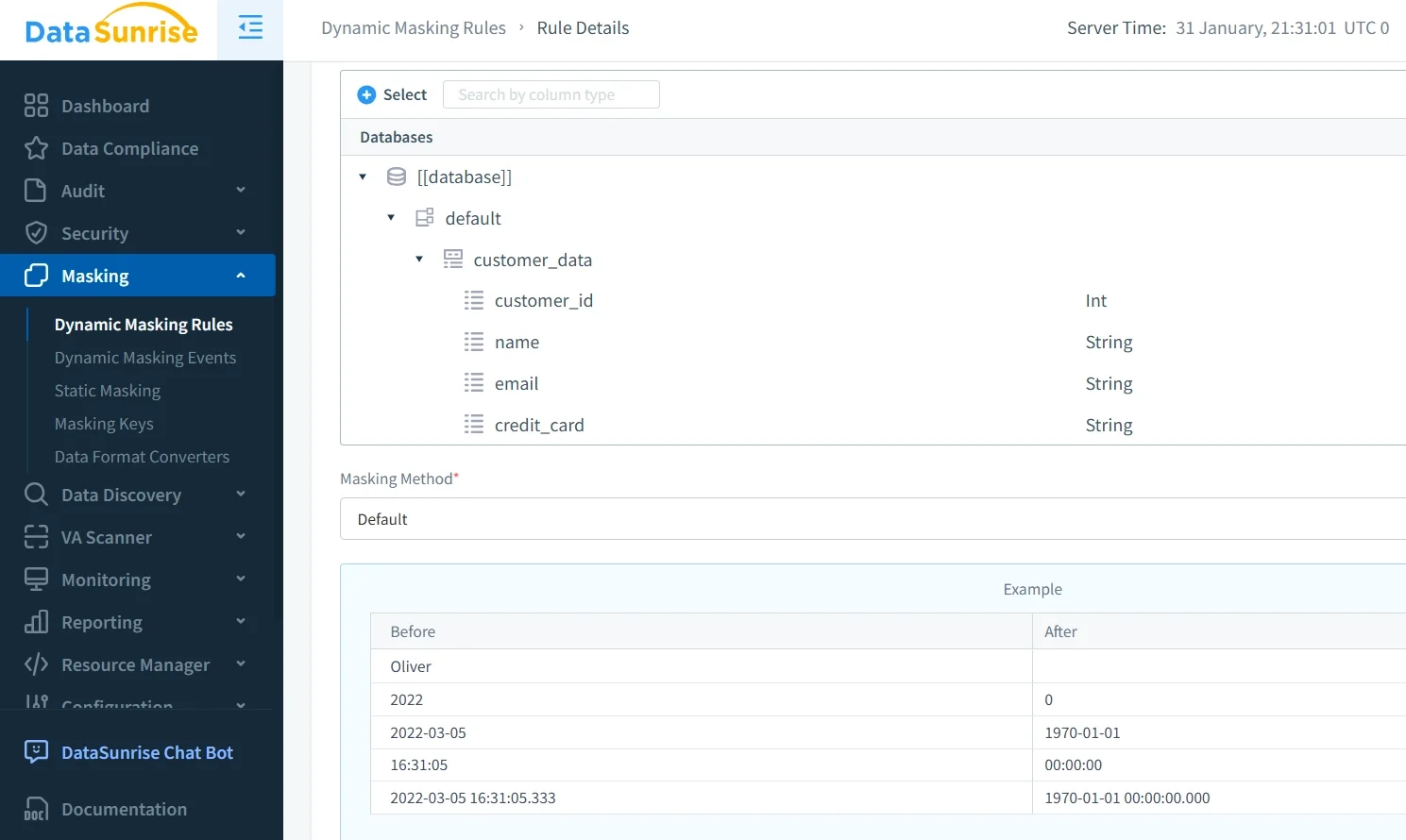
3. Create Masking Rules
Define masking rules through the no-code interface. DataSunrise intercepts queries and returns results masked according to each user's role — analysts see redacted values while privileged users access the full data — all transparently and without schema changes.
4. Apply Static Masking for Test Environments
Schedule automated static masking jobs to generate anonymized copies of production datasets, keeping development environments continuously refreshed without exposing real records.
5. Review Masking Activity and Audit Trails
DataSunrise captures complete audit trails of all masking events — which users queried which tables and which policies were applied — providing the forensic evidence needed for regulatory audits. All activity is accessible through the centralized database activity monitoring dashboard.
Key Advantages of DataSunrise for Apache Hive
- No-Code Policy Automation: Create and deploy masking rules through an intuitive interface with no SQL views or Java UDFs to maintain.
- Role-Based Dynamic Masking: Different users querying the same table receive appropriately masked results transparently, based on role and context.
- Automated Sensitive Data Discovery: Continuously scans schemas to keep masking coverage current as data evolves.
- Automated Compliance Reporting: Pre-configured report templates for GDPR, HIPAA, PCI DSS, and SOX deliver one-click audit evidence.
- Behavioral Analytics: Detects anomalous query patterns and flags potential policy violations, sending real-time notifications via Slack, MS Teams, or email.
- Centralized Multi-Platform Enforcement: Consistent masking policies across 40+ databases — Hive, PostgreSQL, Snowflake, Oracle, and more.
- Flexible Deployment Modes: Proxy, sniffer, and native log trailing — all non-intrusive, supporting on-premises, cloud, and hybrid environments.
Supported Masking Techniques
DataSunrise supports a range of masking types — including in-place masking for direct data transformation — applicable to Hive data:
| Technique | Description | Common Use Case |
|---|---|---|
| Full Redaction | Replaces value with a constant (e.g., XXXX) |
SSNs, account numbers |
| Partial Masking | Preserves leading/trailing characters; obscures the middle | Credit cards, phone numbers |
| Format-Preserving Tokenization | Substitutes realistic synthetic values in the original format | Names, emails in test environments |
| Date Generalization | Reduces date precision to year-month | Date of birth for analytics |
| Hashing | Consistent cryptographic replacement | Join keys across tables |
| Nullification | Replaces value with NULL | Columns irrelevant to a user's role |
Conclusion
Apache Hive's native masking tools — views, Ranger policies, and custom UDFs — require substantial manual effort and specialized expertise that scales poorly in enterprise environments. DataSunrise addresses this gap with automated data discovery, role-based dynamic masking, static masking for test environments, and integrated compliance reporting — delivering continuous data protection without modifying existing applications or data pipelines.
Protect Your Data with DataSunrise
Secure your data across every layer with DataSunrise. Detect threats in real time with Activity Monitoring, Data Masking, and Database Firewall. Enforce Data Compliance, discover sensitive data, and protect workloads across 50+ supported cloud, on-prem, and AI system data source integrations.
Start protecting your critical data today
Request a Demo Download Now