Data Masking Tools and Techniques for IBM Db2
For organizations running IBM Db2, implementing effective data masking tools is one of the most direct ways to reduce exposure of PII, financial records, and protected health data. As a high-performance relational database widely used in banking, healthcare, and government sectors, Db2 frequently stores the most sensitive data an organization holds — making database security a top operational priority. You can learn more about Db2's general architecture and capabilities in the official IBM Db2 documentation.
According to IBM's 2024 Cost of a Data Breach Report, the global average breach cost has surpassed $4.88 million — making clear that native database controls alone are rarely sufficient for organizations operating under GDPR, HIPAA, PCI DSS, or other compliance regulations.
This article walks through IBM Db2's built-in masking capabilities and how DataSunrise can extend them with enterprise-grade dynamic and static masking, No-Code Policy Automation, and Continuous Compliance Alignment.
Native IBM Db2 Data Masking Capabilities
IBM Db2's primary native tool for sensitive data protection is its Row and Column Access Control (RCAC) framework, which operates through two mechanisms: Column Masks and Row Permissions. RCAC complements other continuous data protection controls such as database encryption to form a layered security posture.
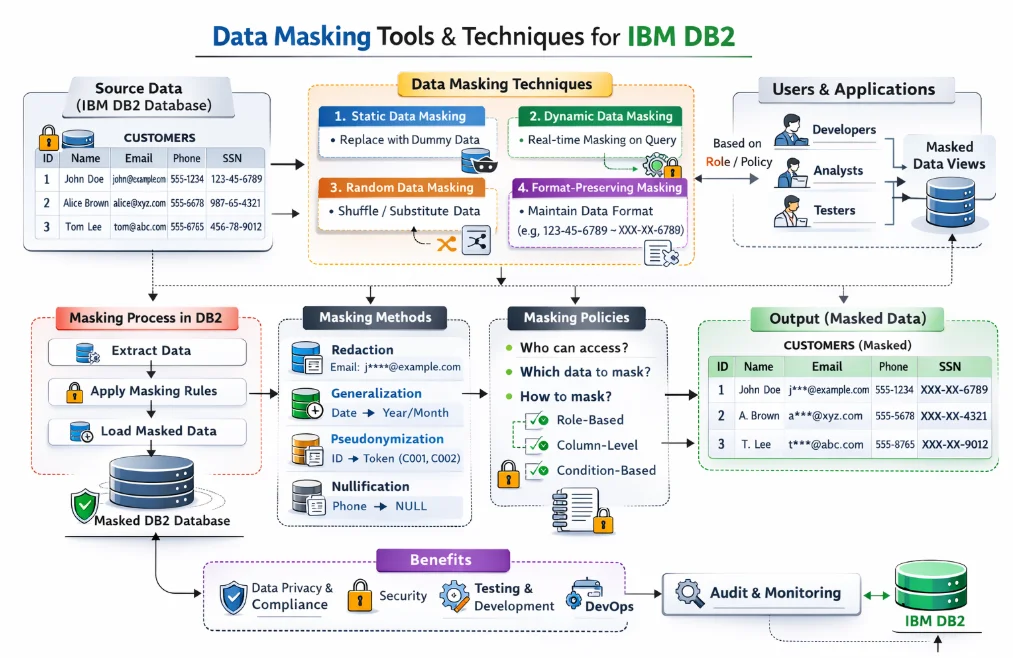
1. Enabling RCAC
Before defining rules, RCAC must be activated on the target table:
ALTER TABLE hr.employees ACTIVATE ROW ACCESS CONTROL;
ALTER TABLE hr.employees ACTIVATE COLUMN ACCESS CONTROL;
2. Defining Column Masks
Column masks return a transformed value based on the querying user's role:
-- Mask salary for non-HR users
CREATE OR REPLACE MASK salary_mask ON hr.employees
FOR COLUMN base_salary
RETURN
  CASE
    WHEN VERIFY_ROLE_FOR_USER(SESSION_USER, 'HR_MANAGER') = 1
      THEN base_salary
    ELSE NULL
  END
ENABLE;

-- Partially mask SSN for unauthorized roles
CREATE OR REPLACE MASK ssn_mask ON hr.employees
FOR COLUMN social_security_number
RETURN
  CASE
    WHEN VERIFY_GROUP_FOR_USER(SESSION_USER, 'COMPLIANCE_TEAM') = 1
      THEN social_security_number
    ELSE 'XXX-XX-' || RIGHT(social_security_number, 4)
  END
ENABLE;
3. Reviewing Active Masks
Use catalog views to inspect currently active masks and permissions:
SELECT TABSCHEMA, TABNAME, COLNAME, MASKNAME, ENABLE
FROM SYSCAT.COLUMNS
WHERE MASKNAME IS NOT NULL
ORDER BY TABSCHEMA, TABNAME;
You can refer to the IBM Db2 RCAC documentation for a full reference on mask syntax and supported functions.
Enhanced Data Masking for IBM Db2 with DataSunrise
DataSunrise deploys Autonomous Compliance Orchestration to deliver Zero-Touch Data Masking for IBM Db2 with minimal performance impact. Unlike native RCAC, DataSunrise provides a No-Code Policy Automation interface where both dynamic and static masking rules are created and deployed in minutes. Its Continuous Compliance Alignment engine auto-discovers newly added PII columns and extends coverage automatically, eliminating compliance drift after schema changes.
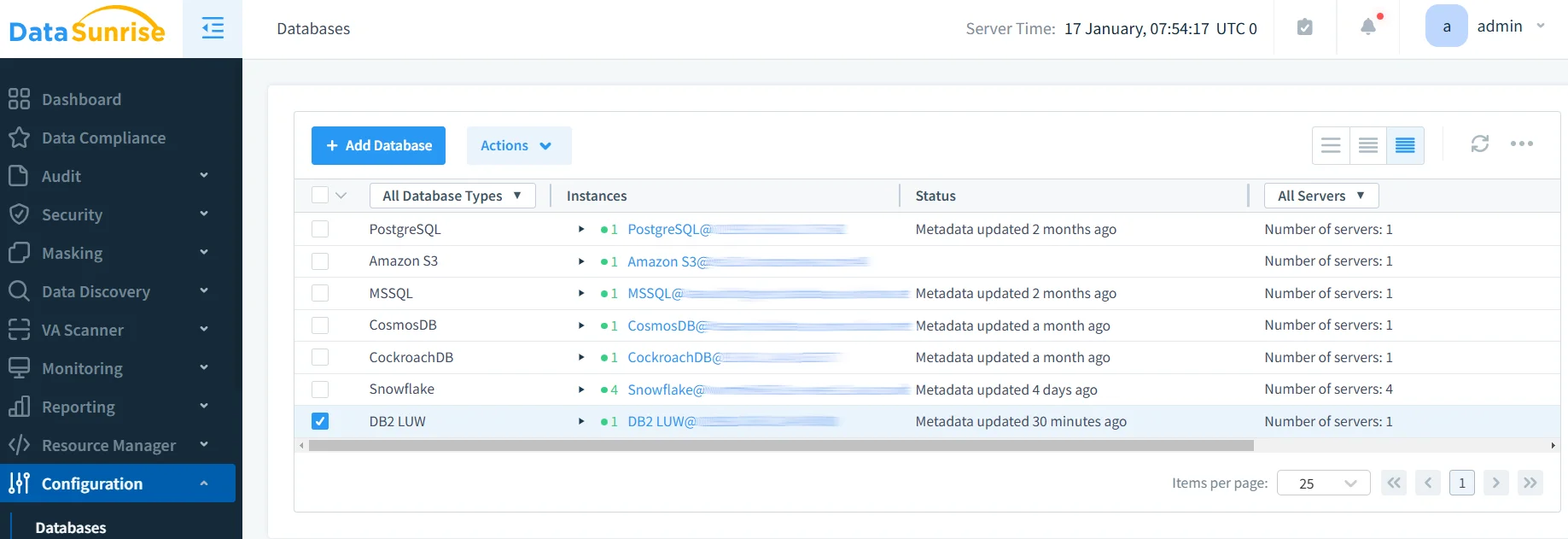
Step 1: Connect Your IBM Db2 Instance to DataSunrise
Connect via the DataSunrise administrative interface by providing your Db2 host, port, and credentials. DataSunrise supports flexible, non-intrusive deployment modes — proxy, sniffer, and native log trailing — requiring no changes to existing application code.
Step 2: Auto-Discover Sensitive Columns
DataSunrise's Data Discovery engine uses NLP and ML tools to scan Db2 schemas and classify sensitive fields — credit card numbers, national IDs, medical identifiers — even when column names are ambiguous.
Step 3: Create Dynamic Masking Rules
Define masking behavior at the column level based on user role, IP range, or access time. For example, full credit card numbers are returned only to PAYMENT_OPS users, while all other sessions receive ****-****-****-4532. Masking operates transparently at the proxy layer — the underlying Db2 data is never modified. This approach is a key pillar of a modern data security strategy, ensuring sensitive values are never unnecessarily exposed.
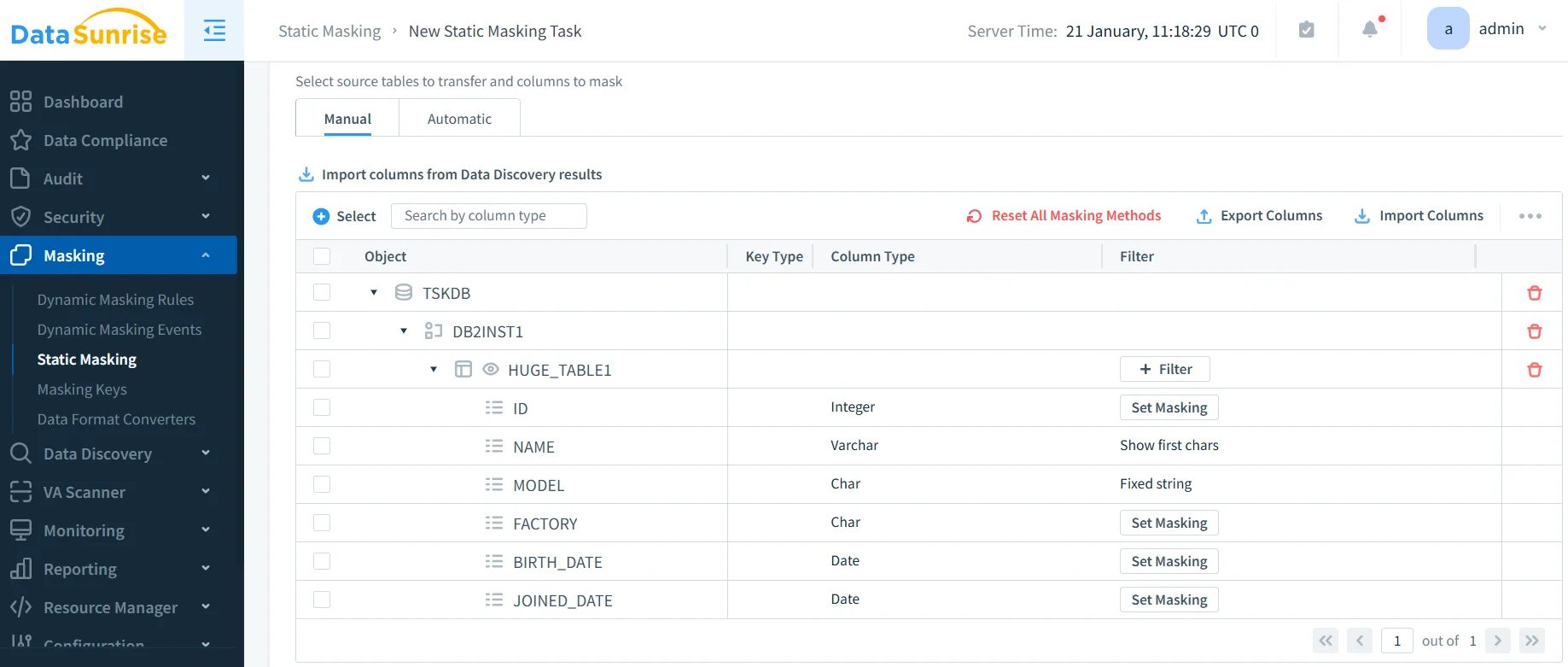
Step 4: Apply Static Masking for Non-Production Environments
For development and QA, DataSunrise's in-place masking permanently transforms sensitive values using substitution, shuffling, randomization, or format-preserving techniques from a range of available masking types, enabling safe dataset sharing without exposing real PII. For teams needing fully fabricated datasets, synthetic data generation is also available as a complementary option.
Step 5: Review and Validate Masking Activity
The unified dashboard shows which columns are masked, which users triggered rules, and whether any access bypassed policies — essential for audit readiness and detecting access control misconfigurations. Detailed report generation capabilities allow security teams to export masking coverage evidence on demand.
Key Advantages of DataSunrise for IBM Db2 Data Masking
| Advantage | Description |
|---|---|
| Dynamic Data Masking | Real-time query interception returns role-appropriate values without touching underlying data, protecting production environments transparently. |
| Static Data Masking | Format-preserving anonymization for test and development copies supports secure test data management and third-party data sharing. |
| Automated Compliance Reporting | One-click reports for GDPR, HIPAA, PCI DSS, and SOX map masking coverage directly to regulatory requirements. |
| Behavioral Analytics | Alerts fire when access patterns deviate from baselines — such as unusual PII queries outside business hours. |
| Real-Time Notifications | Instant alerts via email, Slack, or MS Teams on masking policy violations or suspicious access events. |
| Centralized Platform | Manage IBM Db2 alongside 40+ data storage platforms from a single interface, ensuring consistent policies across your entire data estate. |
| Role-Based Access Controls | Centrally managed user roles replace fragile per-instance SQL mask expressions, ensuring consistent enforcement as roles evolve. |
Conclusion
IBM Db2's native RCAC framework offers a solid starting point for column-level masking and row-level filtering. However, for enterprises managing multiple Db2 instances or operating under strict regulatory requirements, native tooling alone falls short.
DataSunrise bridges this gap with dynamic and static masking, automated data discovery, and cross-platform centralized management — delivering Continuous Compliance Alignment with zero-touch governance across every environment and access pattern.
Protect Your Data with DataSunrise
Secure your data across every layer with DataSunrise. Detect threats in real time with Activity Monitoring, Data Masking, and Database Firewall. Enforce Data Compliance, discover sensitive data, and protect workloads across 50+ supported cloud, on-prem, and AI system data source integrations.
Start protecting your critical data today
Request a Demo Download Now