Database Audit for ClickHouse
ClickHouse is a high-performance analytical database designed for large-scale data processing. Its architecture prioritizes speed and parallel execution, which makes it effective for environments that handle significant workloads. These characteristics also increase the importance of maintaining an audit process capable of tracking how data is accessed and modified.
ClickHouse provides several built-in mechanisms for logging queries and system events. However, these native components are not intended as complete compliance-ready auditing tools. Organizations operating in regulated industries or environments requiring verifiable activity records may need more advanced auditing and governance functionality.
This document outlines native ClickHouse auditing features and describes how DataSunrise enhances them with centralized monitoring and compliance-focused capabilities. For related topics, refer to DataSunrise’s materials on Database Activity Monitoring and the fundamentals of Audit Logs.
Importance of Database Audit
Database auditing provides visibility into how a system is used, which users executed specific queries, and how data was accessed or modified. It supports operational governance, helps detect unauthorized activity, and provides a foundation for structured incident investigation.
Organizations subject to regulatory requirements such as GDPR, HIPAA, PCI DSS, or SOX must maintain comprehensive audit trails. DataSunrise’s guidance on data compliance regulations further explains how audit mechanisms contribute to regulatory preparedness.
Audit trails also connect closely with concepts such as Data Activity History and Database Security, both of which rely on accurate logging and continuous monitoring.
Native Audit Capabilities in ClickHouse
ClickHouse includes several internal logging mechanisms that together provide insight into user queries, authentication attempts, system operations, and background storage events.
Query Log
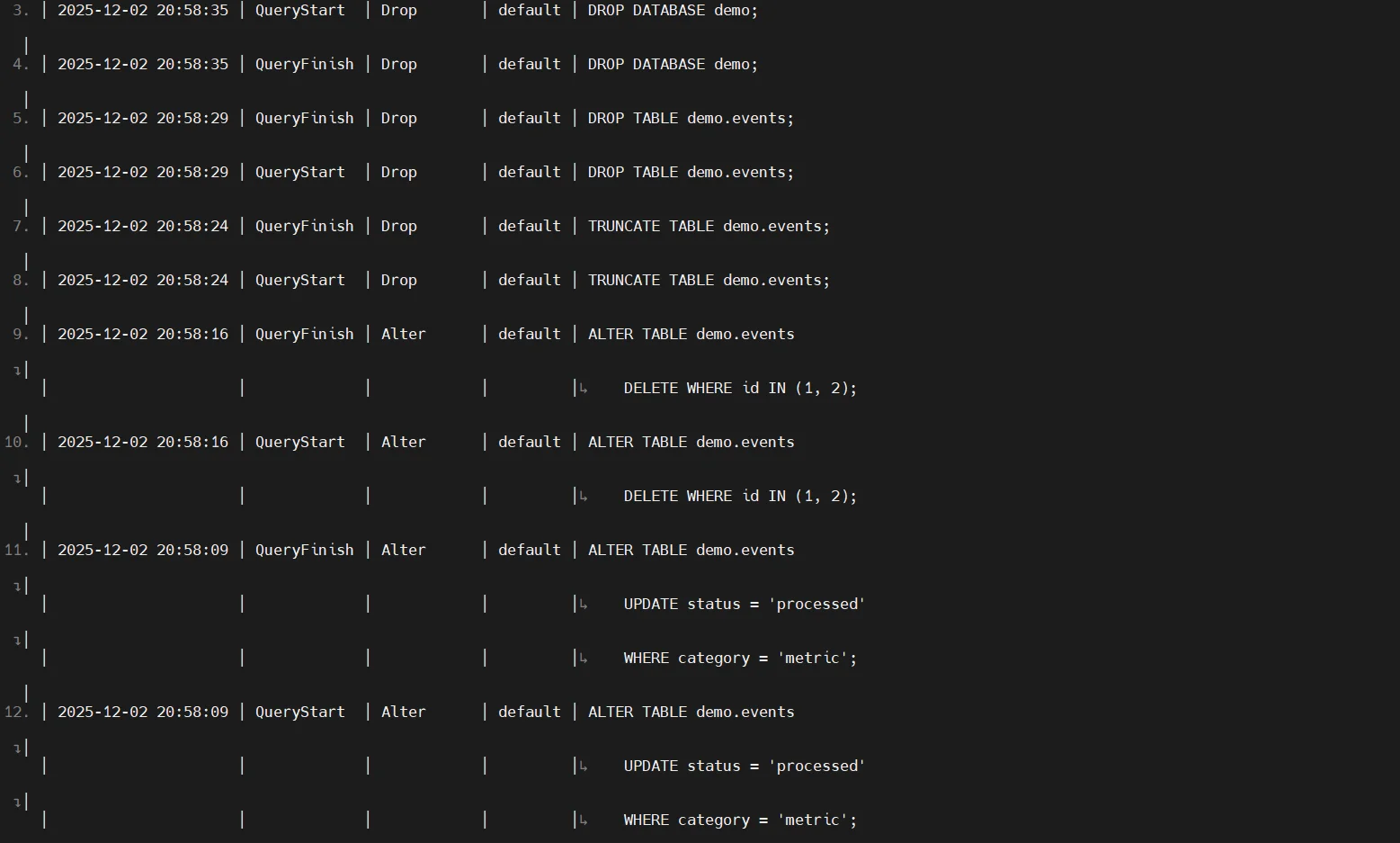
ClickHouse records executed queries in the system.query_log table. This log contains SQL text, user identity, client IP address, execution duration, resource consumption, and additional metadata. For comparison, DataSunrise provides more flexible rule-based auditing in its Audit Guide.
<query_log replace="true">
    <database>system</database>
    <table>query_log</table>
    <flush_interval_milliseconds>1000</flush_interval_milliseconds>
</query_log>
SELECT event_time, type, user, query
FROM system.query_log
ORDER BY event_time DESC
LIMIT 20;
Access Log
Authentication-related events are stored in the system.access_log table, including successful authentication, failed login attempts, and session lifecycle events:
SELECT *
FROM system.access_log
ORDER BY event_time DESC
LIMIT 20;
Authentication behavior is a foundational component in broader security frameworks such as Role-Based Access Control.
Part Log
Storage-level operations such as part creation, merges, deletions, and mutation execution are captured in the system.part_log table:
SELECT event_time, event_type, table, rows
FROM system.part_log
ORDER BY event_time DESC
LIMIT 20;
These operations relate to database change events, which integrate naturally with the principles outlined in Audit Trails.
Server Logs
ClickHouse generates server-level diagnostic logs with traces, warnings, errors, and system messages. These logs are mainly intended for troubleshooting rather than structured auditing.
2024.11.14 12:32:11.452321 [ 12345 ] <Information> TCPHandler: Processed Query: SELECT * FROM events LIMIT 10
2024.11.14 12:32:11.452987 [ 12345 ] <Debug> MemoryTracker: Peak memory usage: 12.34 MiB
2024.11.14 12:32:11.453211 [ 12345 ] <Trace> executeQuery: Query execution finished
2024.11.14 12:32:12.001234 [ 23456 ] <Warning> Connection: Authentication failed for user 'testuser'
For deeper operational analysis, DataSunrise users may also reference features such as Real-Time Notifications.
Capabilities of DataSunrise for ClickHouse
DataSunrise enhances ClickHouse auditing through detailed activity capture, granular rules, masking, behavioral analytics, real-time notifications, compliance reporting, and visibility across heterogeneous environments. These capabilities align closely with DataSunrise’s broader security framework described in the Security Guide.
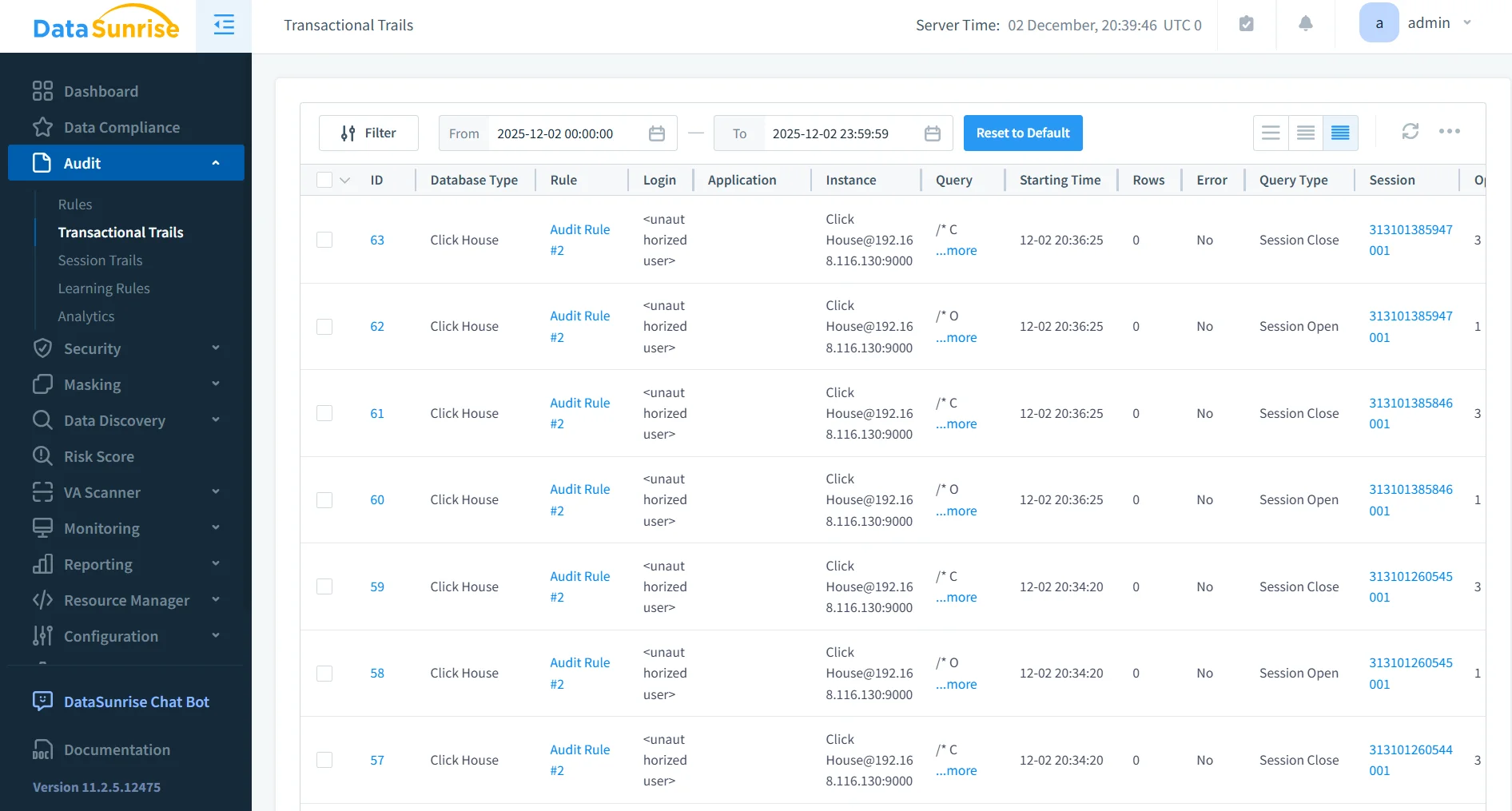
Comprehensive Audit Logging
DataSunrise captures ClickHouse activity such as query execution, schema changes, and data access, storing each event with complete metadata.
- Ensures consistent, structured audit data
- Retains chronological event history for long-term review
- Logs both successful and unsuccessful operations
- Enables detailed forensic analysis
- Complements broader workflows such as Report Generation
Advanced Rule Configuration
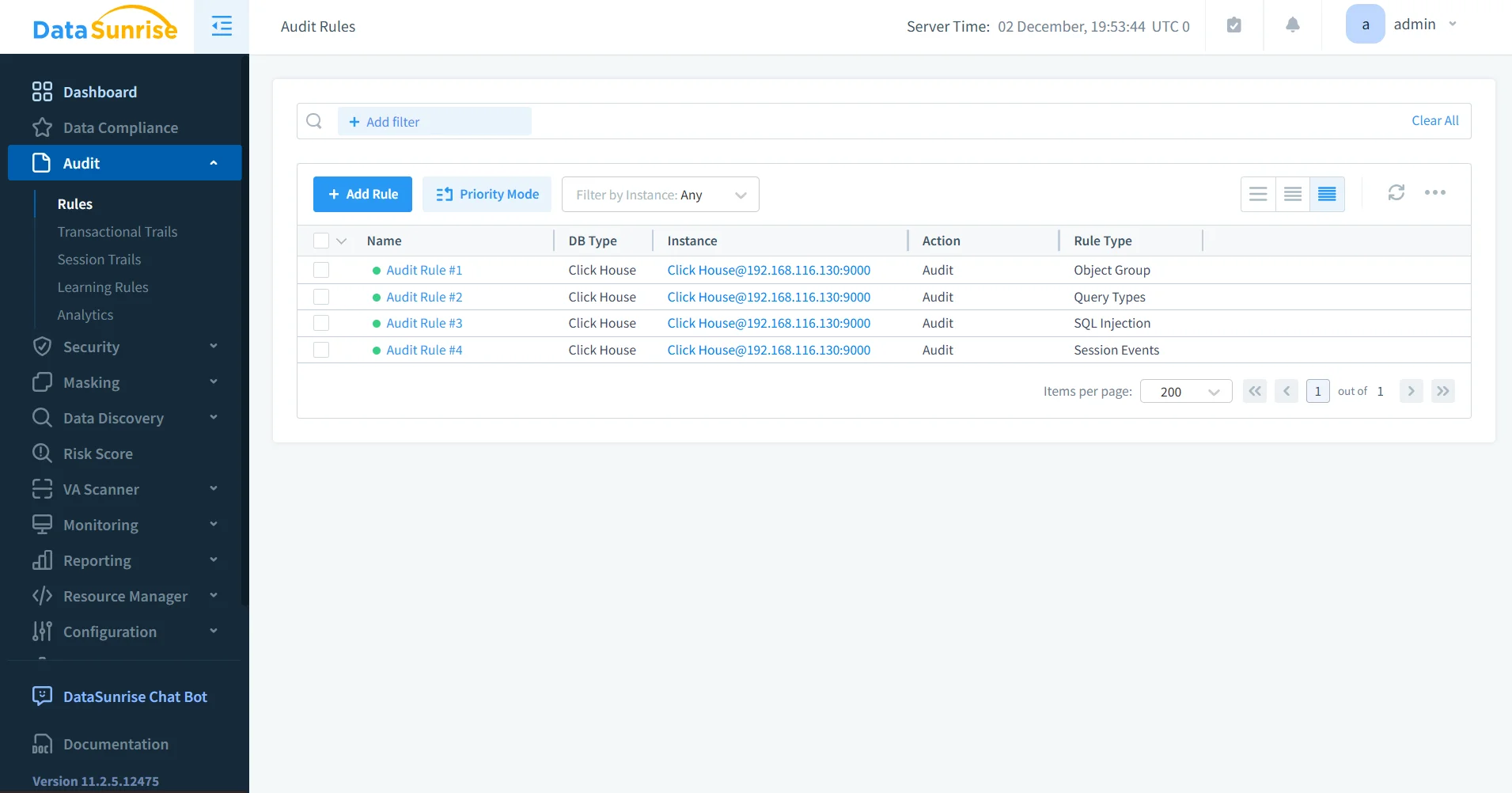
Fine-grained policies can be created to target specific SQL operations, tables, users, or access conditions.
- Supports condition-based rule triggers
- Allows selective auditing for sensitive datasets
- Simplifies policy grouping and organization
- Integrates with Learning Rules and Audit
Sensitive Data Protection
With dynamic data masking and static masking, DataSunrise prevents exposure of sensitive information in audit logs.
- Enforces consistent protection across environments
- Masks sensitive data before storage
- Supports privacy controls for compliance
- Complements Personal Information handling best practices
Real-Time Alerts
Notifications through Slack, Microsoft Teams, email, and webhooks help administrators respond rapidly to critical events.
- Highlights policy violations or anomalies
- Supports escalation chains
- Enables immediate response
- Works alongside Database Firewall protections
Behavioral and Anomaly Analytics
The platform identifies unusual usage patterns and deviations from normal behavior.
- Detects irregular database activity
- Highlights rare or high-risk queries
- Monitors behavior changes over time
- Aligns with User Behavior Analysis
Compliance Reporting
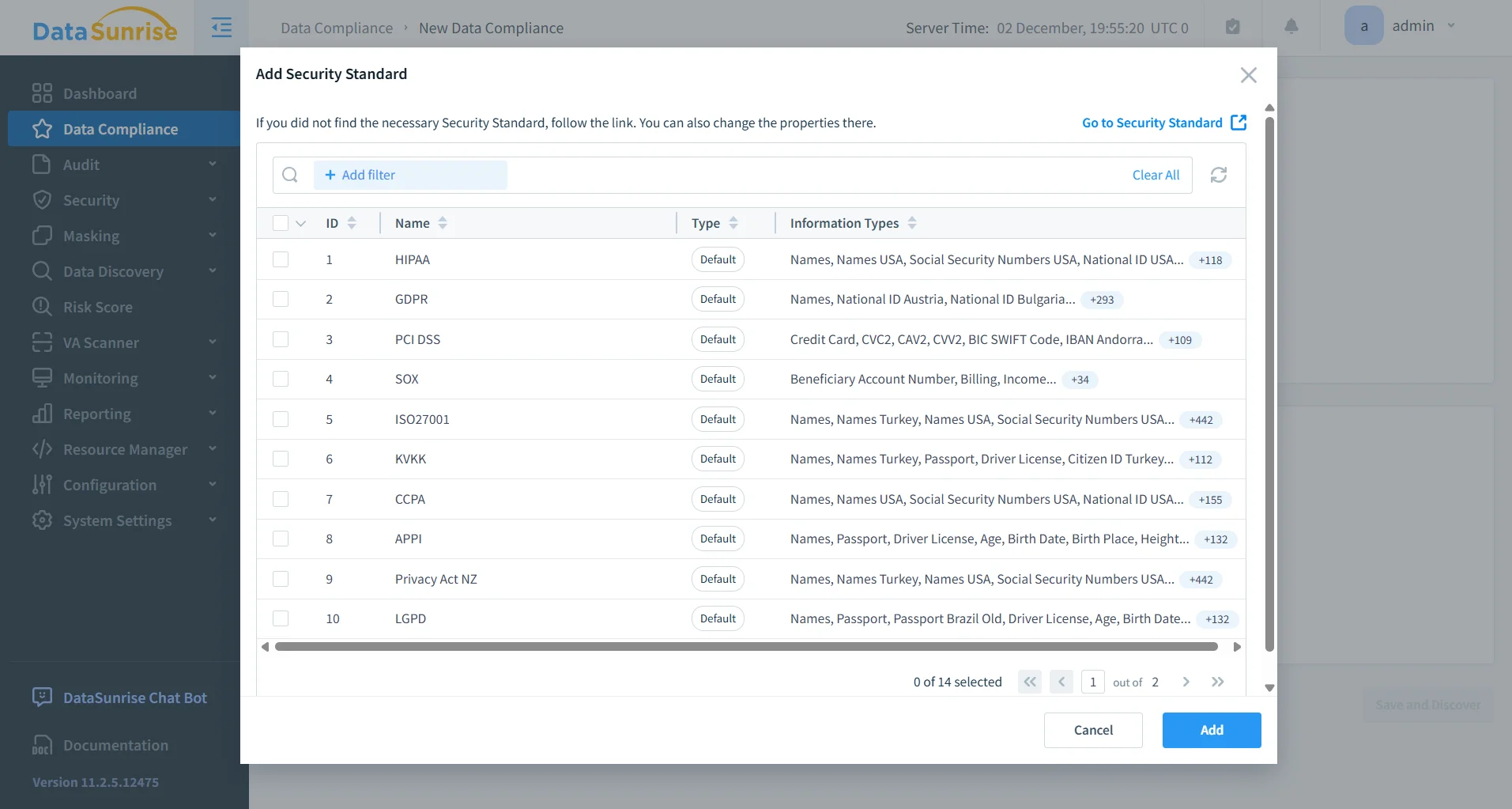
Supports automated reporting aligned with GDPR, HIPAA, PCI DSS, and SOX.
- Reduces manual preparation
- Includes standardized report templates
- Consolidates relevant activity summaries
- Works in conjunction with the Compliance Manager
Comparison: Native ClickHouse Auditing vs. DataSunrise
| Capability | Native ClickHouse Logging | DataSunrise Auditing |
|---|---|---|
| Centralized Audit Repository | No | Yes |
| Rule-Based Auditing | No | Yes |
| Sensitive Data Masking | No | Yes (dynamic & static) |
| Real-Time Alerts | No | Yes |
| Behavioral Analytics | Limited | Yes |
| Compliance Reporting | No | Yes |
| Cross-Platform Visibility | No | Yes (40+ systems) |
| Unified Monitoring Interface | No | Yes |
| Fine-Grained Audit Controls | Limited | Yes |
| Structured Audit Trail | Partial | Full |
Conclusion
ClickHouse provides foundational logging tools that capture key aspects of database activity. However, organizations requiring centralized oversight, sensitive data protection, and compliance-aligned reporting often benefit from enhanced auditing capabilities.
DataSunrise extends ClickHouse auditing through comprehensive logging, granular rule configuration, masking, alerts, behavioral analytics, compliance reporting, and unified visibility across platforms. These capabilities create a complete audit framework suitable for operational, security, and regulatory requirements.
Protect Your Data with DataSunrise
Secure your data across every layer with DataSunrise. Detect threats in real time with Activity Monitoring, Data Masking, and Database Firewall. Enforce Data Compliance, discover sensitive data, and protect workloads across 50+ supported cloud, on-prem, and AI system data source integrations.
Start protecting your critical data today
Request a Demo Download Now