Effortless Data Compliance for Teradata
Modern organizations depend on Teradata for large-scale analytics and decision support, making compliance a critical concern. Sensitive data such as PII, PHI, and financial records flow across multiple Teradata environments, and ensuring regulatory alignment can be challenging without automation.
Growing regulatory complexity — from GDPR in Europe to HIPAA in healthcare and PCI DSS in financial services — forces enterprises to maintain continuous oversight of data flows. Manual compliance management often leads to inconsistencies, audit fatigue, and gaps in security. Teradata’s built-in security controls provide a strong starting point, but enterprise-scale operations demand automation, centralized visibility, and real-time regulatory calibration.
According to the European Commission’s GDPR portal, organizations face strict penalties for data mishandling. In healthcare, the U.S. Department of Health & Human Services enforces HIPAA safeguards to protect patient information. Similarly, in finance, the PCI Security Standards Council defines strict rules for managing cardholder data. Together, these frameworks highlight the importance of adopting advanced compliance solutions for Teradata.
This article explores Teradata’s native compliance support and demonstrates how DataSunrise simplifies governance through features like Sensitive Data Discovery, Compliance Autopilot, and Machine Learning Audit Rules. The goal is effortless, continuous compliance across on-premises and cloud-based Teradata deployments.
What is Data Compliance?
Data compliance refers to the practice of ensuring that sensitive information is collected, processed, and stored in accordance with legal, regulatory, and internal governance requirements. It covers frameworks such as GDPR, HIPAA, PCI DSS, and SOX.
For Teradata users, data compliance ensures that massive volumes of analytics data remain secure, private, and auditable. It provides organizations with:
- Regulatory assurance: Meeting international and industry standards.
- Risk management: Reducing chances of data leaks, insider threats, or non-compliance fines.
- Transparency: Maintaining complete audit trails of data access and modifications.
- Trust: Demonstrating accountability to customers, partners, and regulators.
While Teradata offers native tools to support compliance, automated solutions like DataSunrise extend these capabilities to cover cross-platform environments, unstructured data, and real-time monitoring.
Native Teradata Compliance Features
Teradata provides baseline compliance features that allow administrators to control access, monitor activity, and enforce policies. These include:
1. Access Control
Administrators can define privileges at different levels — schema, table, column, or even row-level security in some cases. This ensures that sensitive datasets, such as financial transactions or patient records, are only accessible to authorized roles. By segmenting permissions, Teradata supports the principle of least privilege, reducing unnecessary exposure.
-- Grant schema-level access
GRANT CREATE TABLE ON DATABASE finance_db TO ROLE finance_admin;

-- Grant table-level access
GRANT SELECT ON finance_db.transactions TO ROLE analyst_role;

-- Grant column-level access
GRANT SELECT (customer_name, account_id) ON finance_db.transactions TO ROLE auditor_role;

-- Example of row-level filtering with views
CREATE VIEW finance_db.secure_view AS
SELECT * FROM finance_db.transactions
WHERE region = SESSION USER;
2. Native Logging and Auditing
Teradata generates system logs that capture authentication events, SQL queries, and administrative actions. These logs allow administrators to review who accessed the system, what operations were performed, and whether any unusual behavior occurred. While logs provide visibility, they often require manual review or third-party integration for advanced analysis.
-- Enable DBQL (Database Query Logging) for a specific user
BEGIN QUERY LOGGING WITH SQL, OBJECTS, STEPINFO ON finance_user;

-- Enable DBQL for an entire account
BEGIN QUERY LOGGING WITH VERBOSE ON ACCOUNT admin_account;

-- Review the query log table
SELECT * FROM DBC.DBQLogTbl
WHERE UserName = 'finance_user';
3. Role-Based Access Control (RBAC)
RBAC in Teradata enables grouping of permissions by job function. For example, analysts may have read-only rights on reporting tables, while DBAs maintain full control over schema management. This alignment with business roles improves compliance consistency and reduces misconfiguration risks.
-- Create roles for different functions
CREATE ROLE analyst_role;
CREATE ROLE dba_role;

-- Assign rights to the roles
GRANT SELECT ON finance_db.reports TO ROLE analyst_role;
GRANT ALL ON DATABASE finance_db TO ROLE dba_role;

-- Assign roles to users
GRANT ROLE analyst_role TO finance_analyst;
GRANT ROLE dba_role TO finance_dba;
4. Encryption and Data Protection Options
Teradata also supports encryption at rest and in transit, helping organizations protect sensitive data while meeting compliance requirements for frameworks like GDPR and PCI DSS. Encryption can be applied at table, column, or disk levels.
-- Example of column-level encryption
CREATE TABLE secure_table (
    customer_id INT,
    card_number VARBYTE(128) ENCRYPT USING 'AES256',
    expiration_date DATE
);

-- Enable TLS for client connections (Teradata CLI or BTEQ config)
.LOGON tdpid/username,password,ENCRYPTION=ON;
5. Limitations
Although these features provide a strong compliance foundation, challenges remain:
- Managing multiple Teradata clusters increases complexity and creates monitoring silos.
- Logs lack real-time correlation and require significant manual effort.
- Native controls focus on the database layer but do not always extend seamlessly to hybrid or multi-cloud environments.
These limitations highlight why many enterprises turn to automated platforms like DataSunrise to achieve continuous compliance with less overhead.
Effortless Compliance with DataSunrise
DataSunrise addresses the complexity by providing an autonomous compliance framework that operates seamlessly across all Teradata environments.
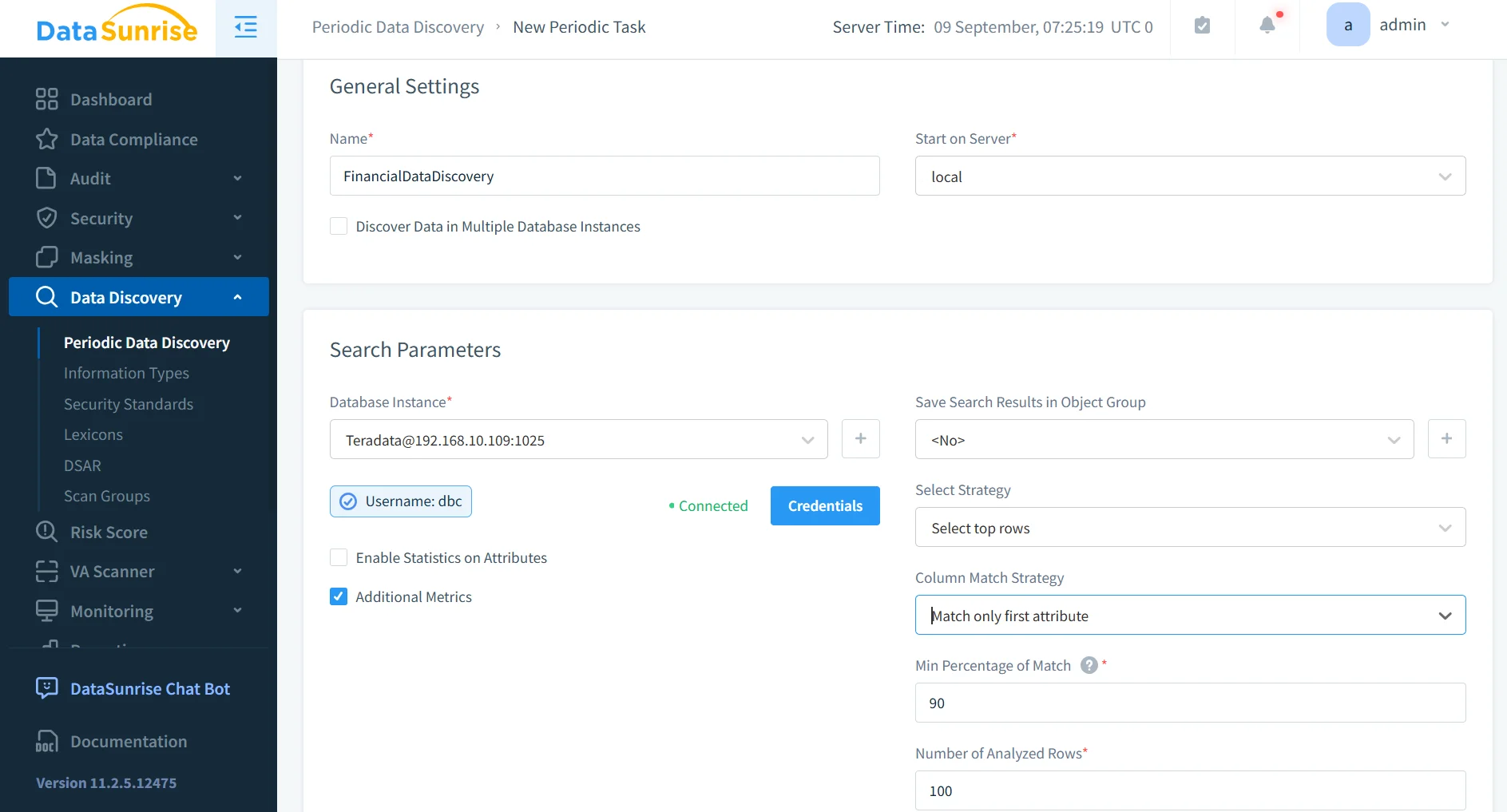
1. Sensitive Data Discovery
DataSunrise automatically identifies regulated data in Teradata:
- Detects PII, PHI, and payment card details using dictionaries, patterns, and contextual analysis.
- Includes OCR-based scanning to locate sensitive data in unstructured documents.
- Integrates with data masking and auditing engines to secure newly discovered objects instantly.
This ensures no sensitive dataset remains hidden or unmanaged.
2. Machine Learning Audit Rules
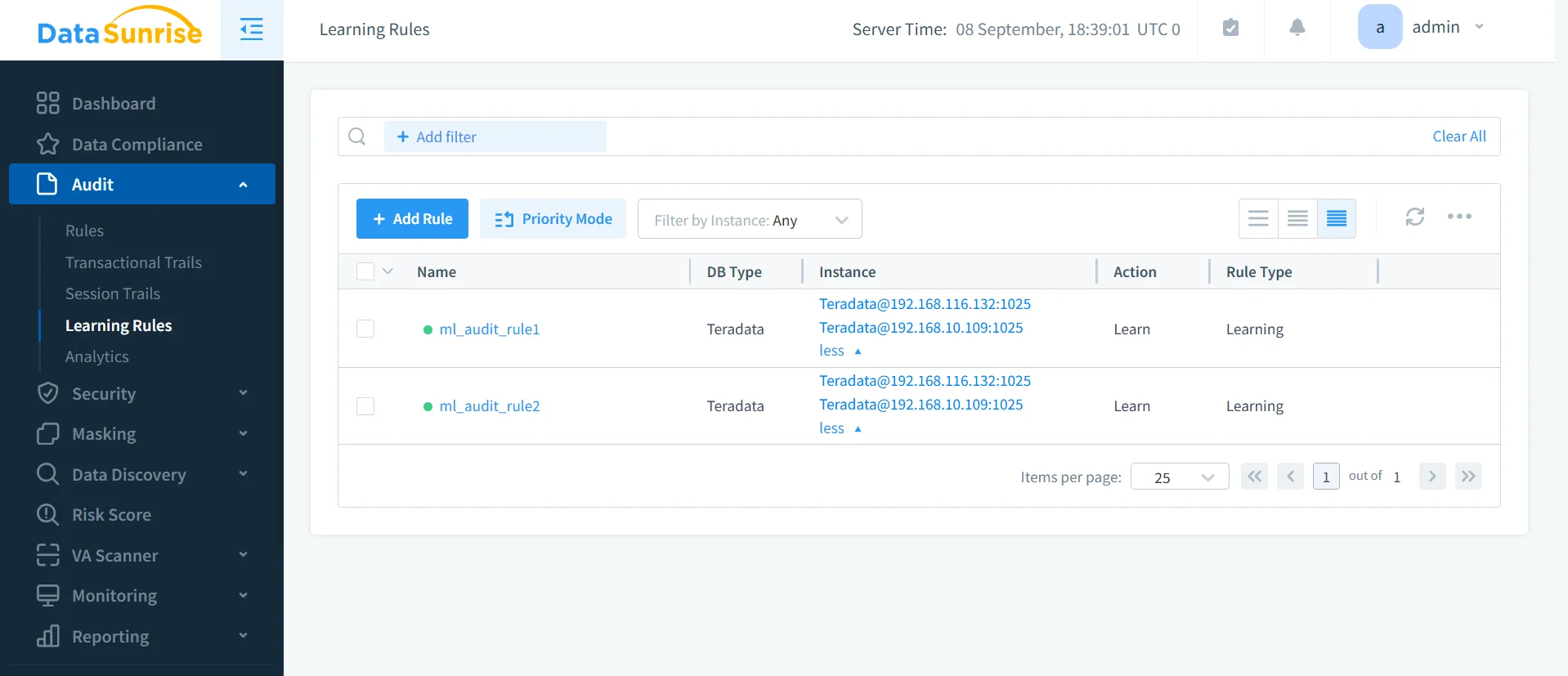
Machine learning introduces adaptive intelligence to Teradata compliance:
- Builds baselines of normal query behavior.
- Identifies anomalies like mass exports or unusual joins.
- Evolves continuously, reducing false positives and alert fatigue.
- Provides deeper insights into insider threats and emerging risks.
This autonomous monitoring enhances both compliance posture and operational security.
3. Centralized Monitoring
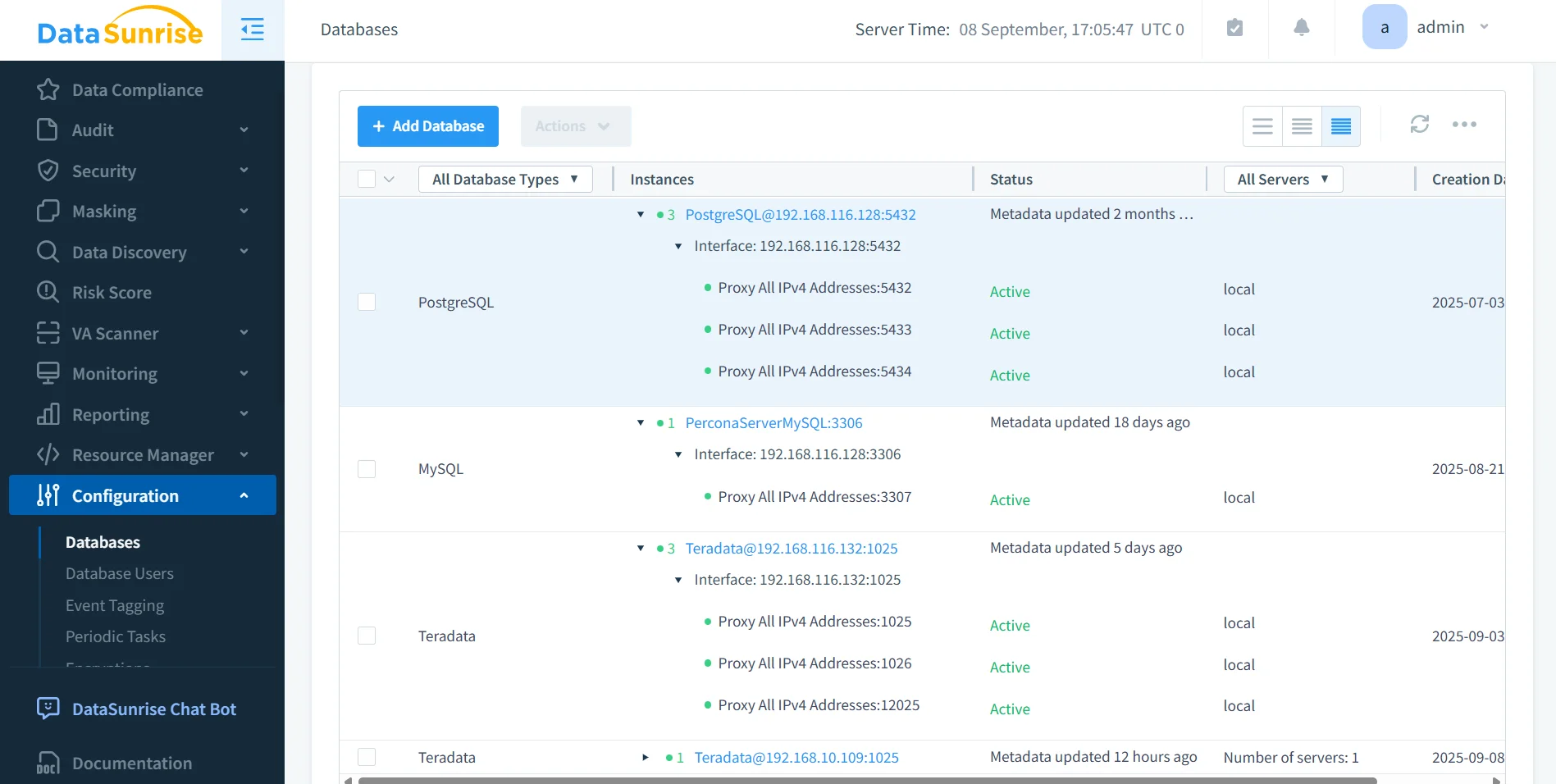
Instead of reviewing each Teradata instance separately, DataSunrise consolidates compliance oversight into one interface:
- Unified dashboards cover Teradata and 40+ supported platforms.
- Correlated alerts highlight suspicious activities across all environments.
- Integration with Database Activity Monitoring ensures real-time oversight.
This single pane of glass reduces administrative burden and speeds incident response.
4. Compliance Autopilot
The Compliance Autopilot feature eliminates repetitive manual adjustments:
- Continuously aligns rules with GDPR, HIPAA, PCI DSS, and SOX.
- Monitors new Teradata users, roles, or tables and applies relevant compliance policies automatically.
- Detects compliance drift and corrects it in real time.
- Produces audit-ready reports tailored for regulatory audits.
With Autopilot, Teradata environments remain aligned with evolving regulatory frameworks without constant administrator involvement.
Beyond automation, Compliance Autopilot also:
- Integrates directly with enterprise identity management systems to enforce policy inheritance.
- Supports multi-environment consistency, ensuring policies apply equally to on-premises, hybrid, and cloud-hosted Teradata systems.
- Uses periodic scans to locate new datasets and automatically apply masking or auditing rules.
- Provides proactive compliance drift detection, alerting administrators before violations escalate.
- Reduces audit preparation time by generating structured evidence packages for regulators, saving weeks of manual effort.
In practice, Autopilot transforms compliance from a reactive, manual process into a proactive, continuous operation.
Business Impact of Effortless Teradata Compliance
| Benefit | Description |
|---|---|
| Risk Reduction | Automated policies minimize the chance of compliance gaps or data leaks. |
| Operational Efficiency | Eliminates manual policy updates and reduces overhead for DBAs. |
| Audit Readiness | Generates one-click evidence for GDPR, HIPAA, PCI DSS, and SOX audits. |
| Cross-Platform Consistency | Applies the same compliance framework across Teradata and other supported platforms. |
| Faster Incident Response | Real-time alerts and ML-based detection shorten investigation times. |
| Scalability | Seamlessly supports enterprise growth, cloud migrations, and hybrid deployments. |
Conclusion
Teradata’s native compliance capabilities provide essential tools for access control and auditing, but they are not sufficient for enterprise-scale regulatory alignment.
By integrating DataSunrise, organizations gain effortless compliance through discovery, masking, ML-driven audit rules, and Compliance Autopilot. With centralized monitoring and real-time alerts, businesses can maintain a continuous compliance posture, minimize risk, and operate with confidence.
Protect Your Data with DataSunrise
Secure your data across every layer with DataSunrise. Detect threats in real time with Activity Monitoring, Data Masking, and Database Firewall. Enforce Data Compliance, discover sensitive data, and protect workloads across 50+ supported cloud, on-prem, and AI system data source integrations.
Start protecting your critical data today
Request a Demo Download Now