How to Apply Dynamic Masking in CockroachDB
Implementing dynamic data masking for CockroachDB has become essential for protecting sensitive information. According to IBM's 2024 Cost of a Data Breach Report, organizations with comprehensive masking reduce breach costs by up to $1.82 million and detect unauthorized access significantly faster.
CockroachDB, a cloud-native distributed SQL database, handles sensitive data across multiple regions. With its strong consistency guarantees and distributed architecture, CockroachDB requires specialized masking approaches. This guide explores CockroachDB's native masking capabilities and demonstrates how DataSunrise enhances protection with Zero-Touch Data Masking and No-Code Policy Automation.
Understanding Dynamic Masking for CockroachDB
Dynamic masking protects sensitive data by automatically obscuring confidential information in query results based on user roles and context. Unlike static masking that permanently alters data, dynamic masking preserves data integrity while controlling runtime visibility.
CockroachDB's distributed architecture introduces unique challenges: multi-region data distribution requiring consistent security policies across geographic regions, horizontal scalability necessitating adaptive masking rules, distributed query execution demanding coordinated protection, and maintaining low-latency performance under masking operations.
Native CockroachDB Masking Capabilities
CockroachDB includes built-in features for data masking through role-based access controls (RBAC) and custom functions. These native capabilities provide foundational access controls for protecting sensitive information.
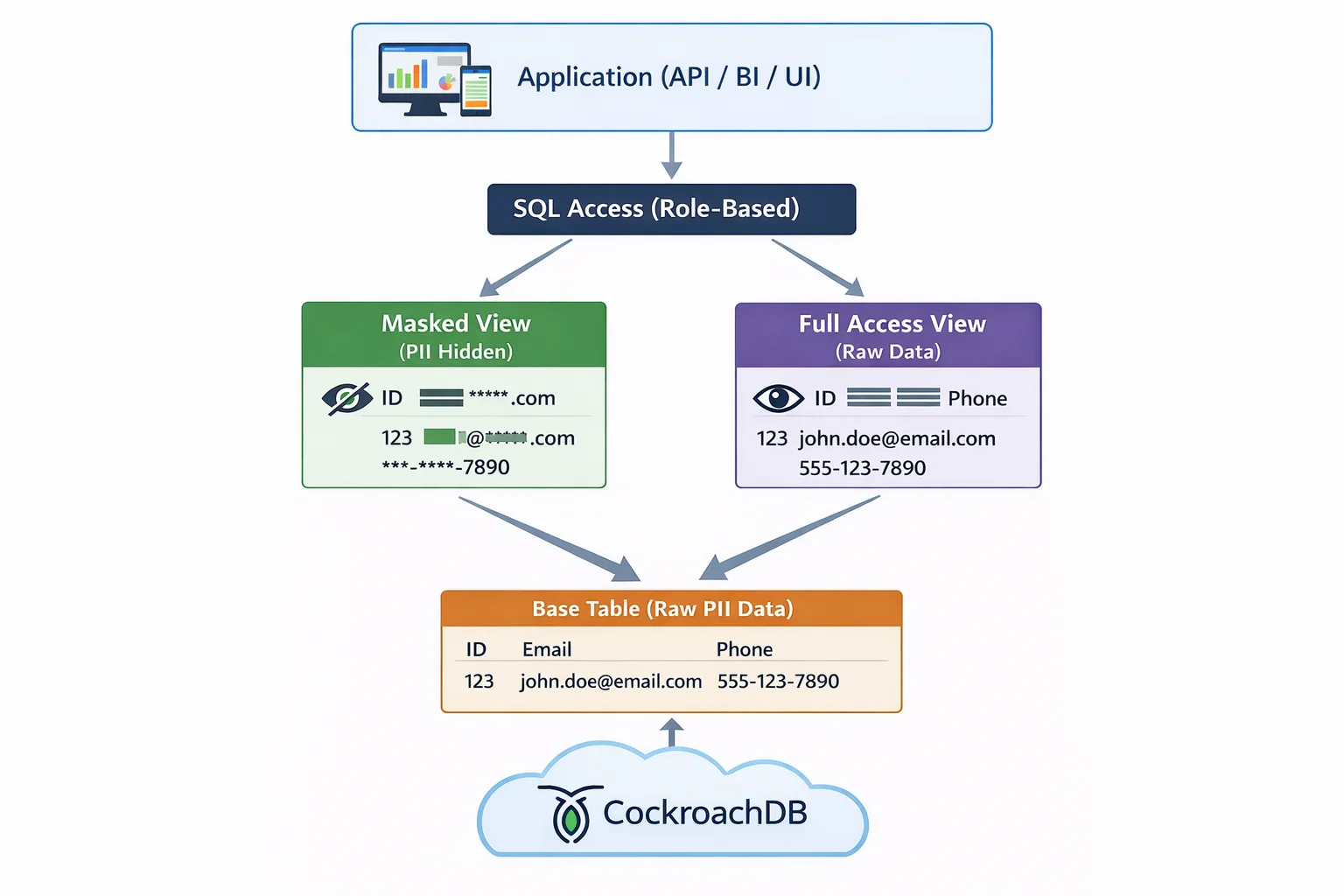
1. Role-Based Access Control Foundation
CockroachDB's RBAC enables column-level access restrictions:
-- Create roles with different access levels
CREATE ROLE finance_analyst;
CREATE ROLE data_scientist;
CREATE ROLE customer_support;

-- Create table with sensitive customer data
CREATE TABLE customers (
    customer_id UUID PRIMARY KEY DEFAULT gen_random_uuid(),
    full_name VARCHAR(100) NOT NULL,
    email VARCHAR(100) NOT NULL,
    phone VARCHAR(20),
    ssn VARCHAR(11),
    credit_card VARCHAR(19),
    account_balance DECIMAL(12,2),
    created_at TIMESTAMP DEFAULT current_timestamp()
);

-- Grant selective column access to roles
GRANT SELECT (customer_id, full_name, email, account_balance)
    ON customers TO finance_analyst;

GRANT SELECT (customer_id, full_name, email)
    ON customers TO customer_support;
2. Testing Masking Implementation
-- Insert test data
INSERT INTO customers (full_name, email, phone, ssn, credit_card, account_balance)
VALUES
    ('Jennifer Thompson', '[email protected]', '555-0123', '123-45-6789', '4532-1234-5678-9012', 15000.00);

-- Test masked view
SET ROLE customer_support;
SELECT * FROM customers_masked_support;

-- Expected output shows masked sensitive fields
3. CockroachDB Web UI for Monitoring
CockroachDB's web-based DB Console provides an intuitive interface for monitoring database activity and verifying masking implementation:
- SQL Activity: Navigate to the SQL Activity page to view recent queries and their execution details
- Databases: Access the Databases section to review table structures and access permissions
- Sessions: Monitor active user sessions and their current activities
- Metrics: Track database performance and resource utilization patterns
The DB Console allows administrators to verify that masked views are being used correctly and monitor access patterns without requiring direct SQL queries. This web interface complements role-based masking by providing visibility into who accesses what data and when, supporting comprehensive database security monitoring.
Enhanced Dynamic Masking with DataSunrise
DataSunrise enhances CockroachDB's native capabilities through Autonomous Compliance Orchestration and Auto-Discover & Mask functionality with intelligent policy orchestration.
Setting Up DataSunrise for CockroachDB Dynamic Masking
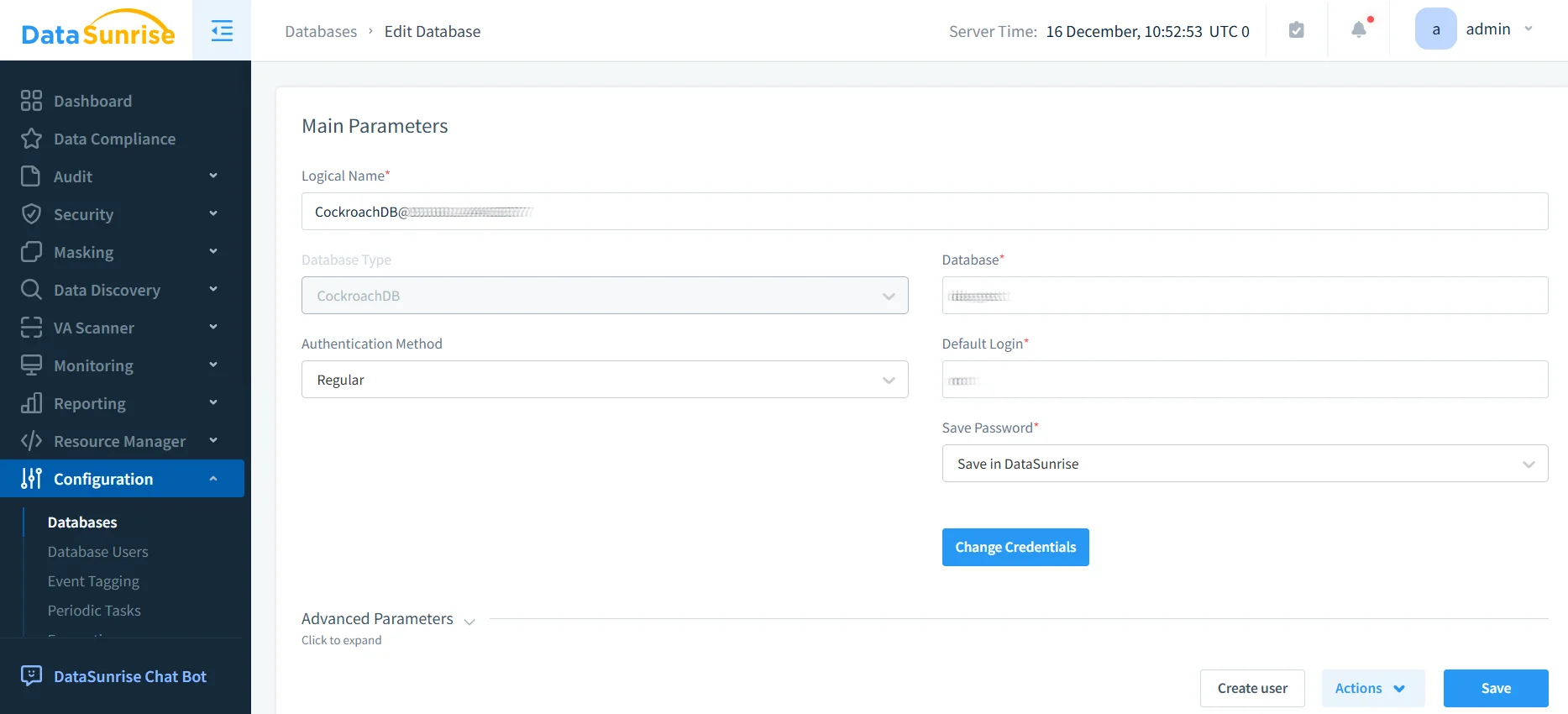
1. Connect to CockroachDB: Establish a secure connection to your CockroachDB environment with support for single-region and multi-region deployments across AWS, GCP, and Azure.
2. Auto-Discover Sensitive Data: DataSunrise's NLP algorithms automatically identify PII, financial data, healthcare information, and credentials across your tables.
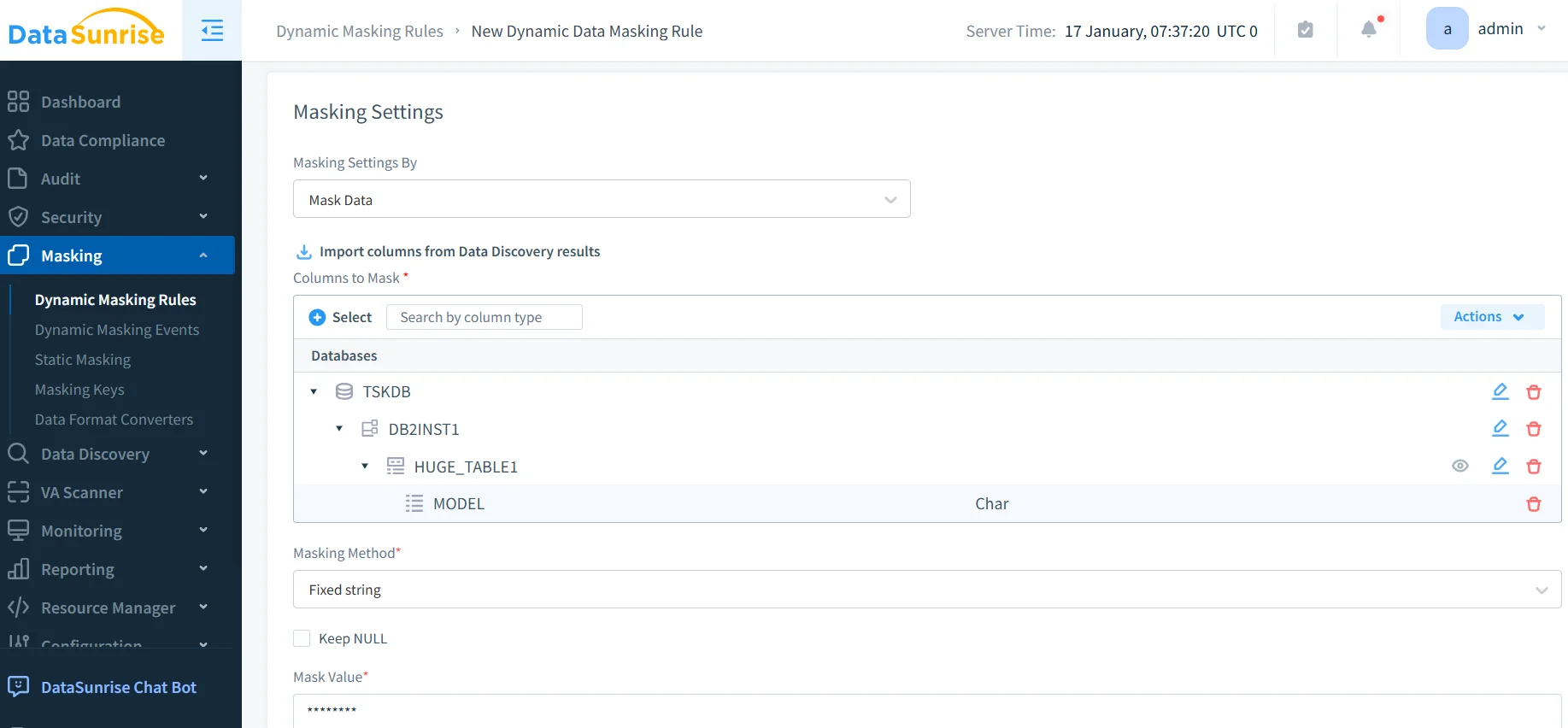
3. Create Masking Rules: Configure granular policies through the No-Code interface with column-level masking, role-based policies, and contextual rules.
4. Monitor and Refine: Access analytics through the dashboard with real-time notifications and correlation capabilities.
Key Advantages of DataSunrise for CockroachDB
- Zero-Touch Implementation: Deploy without modifying application code or schemas
- Auto-Discover & Mask: Automatically identify and protect sensitive data using NLP
- Surgical Precision Masking: Fine-grained controls at column, row, and field level
- Context-Aware Protection: Adaptive rules based on user behavior and query context
- User Behavior Analytics: Detect anomalous activities indicating threats
- Compliance Autopilot: Automated policies for GDPR, HIPAA, PCI DSS, SOX
- Centralized Management: Unified console for over 40 platforms
- Performance Optimization: Minimal impact on CockroachDB's low-latency operations
Business Benefits of Dynamic Masking for CockroachDB
| Benefit | Impact |
|---|---|
| Enhanced Security | Reduce breach costs by $1.82M and detect unauthorized access faster |
| Streamlined Compliance | Accelerate time-to-compliance with Compliance Manager |
| Operational Efficiency | Reduce development delays with realistic masked test data |
| Risk Mitigation | Minimize regulatory fines through consistent data protection |
Conclusion
As organizations adopt CockroachDB for distributed SQL workloads, implementing robust dynamic masking is essential for protecting sensitive data. While CockroachDB offers native masking through custom functions and views, DataSunrise provides comprehensive security with Zero-Touch Data Masking, Auto-Discover & Mask capabilities, and Compliance Autopilot features.
With flexible deployment modes and No-Code Policy Automation, DataSunrise delivers Autonomous Compliance Orchestration that adapts dynamically without ongoing administrative overhead.
Protect Your Data with DataSunrise
Secure your data across every layer with DataSunrise. Detect threats in real time with Activity Monitoring, Data Masking, and Database Firewall. Enforce Data Compliance, discover sensitive data, and protect workloads across 50+ supported cloud, on-prem, and AI system data source integrations.
Start protecting your critical data today
Request a Demo Download Now