How to Apply Dynamic Masking in Greenplum
In today's data-driven landscape, protecting sensitive information in analytical databases has become critical. According to IBM's 2024 Cost of a Data Breach Report, organizations with comprehensive data protection strategies reduce breach costs by an average of $1.76 million. For enterprises using Greenplum, an open-source massively parallel processing (MPP) database built on PostgreSQL, implementing dynamic data masking provides essential protection while maintaining analytical capabilities.
This guide explores implementing dynamic masking in Greenplum through native capabilities and enhanced solutions that deliver Zero-Touch Data Protection with Surgical Precision Masking.
Understanding Dynamic Masking in Greenplum
Dynamic masking obscures sensitive data in real-time based on user permissions and access controls without changing stored values. Unlike static masking, it protects data during query execution, ensuring compliance with GDPR, HIPAA, PCI DSS, and SOX while maintaining data utility for analytics. This approach is essential for protecting personally identifiable information in production environments.
Native Greenplum Approaches to Dynamic Masking
While Greenplum lacks built-in dynamic masking, PostgreSQL features can implement basic protection through database security mechanisms:
1. View-Based Masking
Create views with conditional logic to mask data based on current user and implement role-based access control:
-- Create table with sensitive data
CREATE TABLE customers (
    customer_id SERIAL PRIMARY KEY,
    full_name VARCHAR(100),
    ssn VARCHAR(11),
    credit_card VARCHAR(19),
    account_balance DECIMAL(15,2)
) DISTRIBUTED BY (customer_id);

-- Create masked view
CREATE OR REPLACE VIEW customers_masked AS
SELECT
    customer_id,
    full_name,
    CASE
        WHEN pg_has_role(current_user, 'data_admin', 'MEMBER') THEN ssn
        ELSE 'XXX-XX-' || substring(ssn from 8)
    END AS ssn,
    CASE
        WHEN pg_has_role(current_user, 'finance_team', 'MEMBER') THEN credit_card
        ELSE 'XXXX-XXXX-XXXX-' || substring(credit_card from 16)
    END AS credit_card
FROM customers;
2. Row-Level Security Combined with Functions
-- Enable row-level security
ALTER TABLE customers ENABLE ROW LEVEL SECURITY;

-- Create masking function
CREATE OR REPLACE FUNCTION mask_ssn(ssn VARCHAR)
RETURNS VARCHAR AS $$
BEGIN
    IF pg_has_role(current_user, 'data_admin', 'MEMBER') THEN
        RETURN ssn;
    ELSE
        RETURN 'XXX-XX-' || substring(ssn from 8);
    END IF;
END;
$$ LANGUAGE plpgsql SECURITY DEFINER;
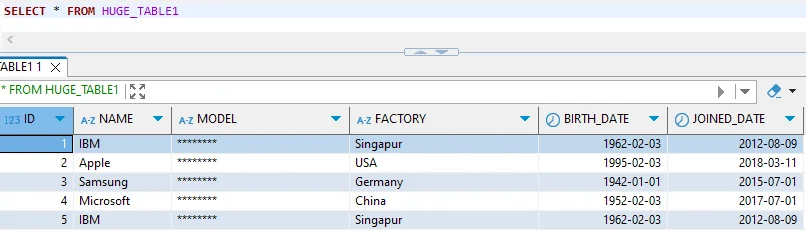
Limitations of Native Greenplum Masking
| Limitation | Impact |
|---|---|
| Manual Configuration | High implementation costs, extensive SQL scripting required |
| Performance Overhead | Complex CASE statements slow analytical processing |
| Limited Algorithms | Basic string manipulation only |
| No Centralized Management | Inconsistent protection across environments |
| Static Rules | Cannot adapt to new sensitive fields automatically |
| Limited Audit | No comprehensive logging for compliance regulations |
For production environments requiring comprehensive data protection, these limitations make advanced solutions necessary.
Enhanced Dynamic Masking for Greenplum with DataSunrise
DataSunrise delivers enterprise-grade dynamic masking with Auto-Discover & Mask capabilities and No-Code Policy Automation, providing Zero-Touch Data Protection specifically designed for MPP databases like Greenplum.
Implementing DataSunrise for Greenplum Dynamic Masking
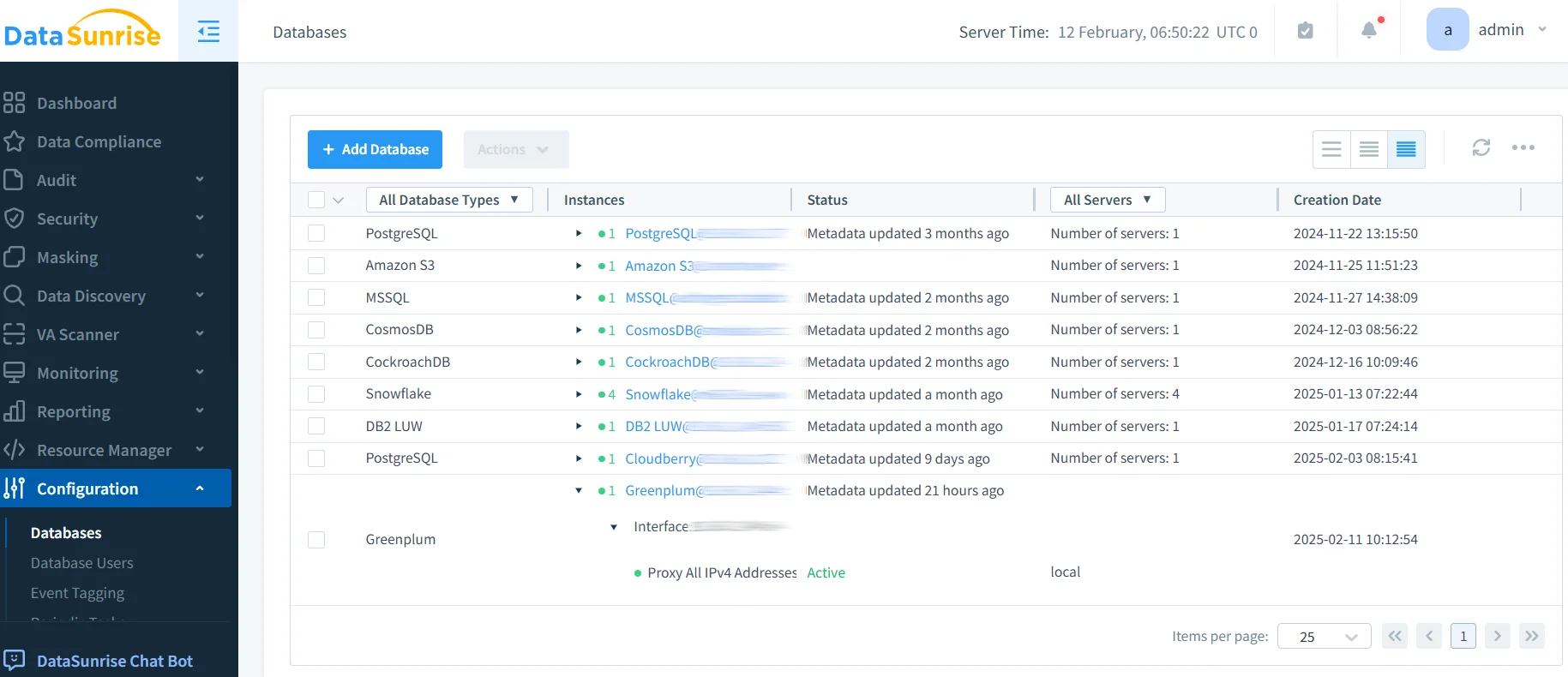
Step 1: Connect Greenplum to DataSunrise
Establish a secure connection through the web interface. DataSunrise supports various deployment modes including proxy, sniffer, and native log trailing—all non-intrusive approaches requiring no application changes.
Step 2: Configure Sensitive Data Discovery
DataSunrise's Comprehensive Sensitive Data Detection automatically scans your Greenplum environment using machine learning and NLP techniques to identify sensitive fields including SSNs, credit cards, emails, and medical identifiers.
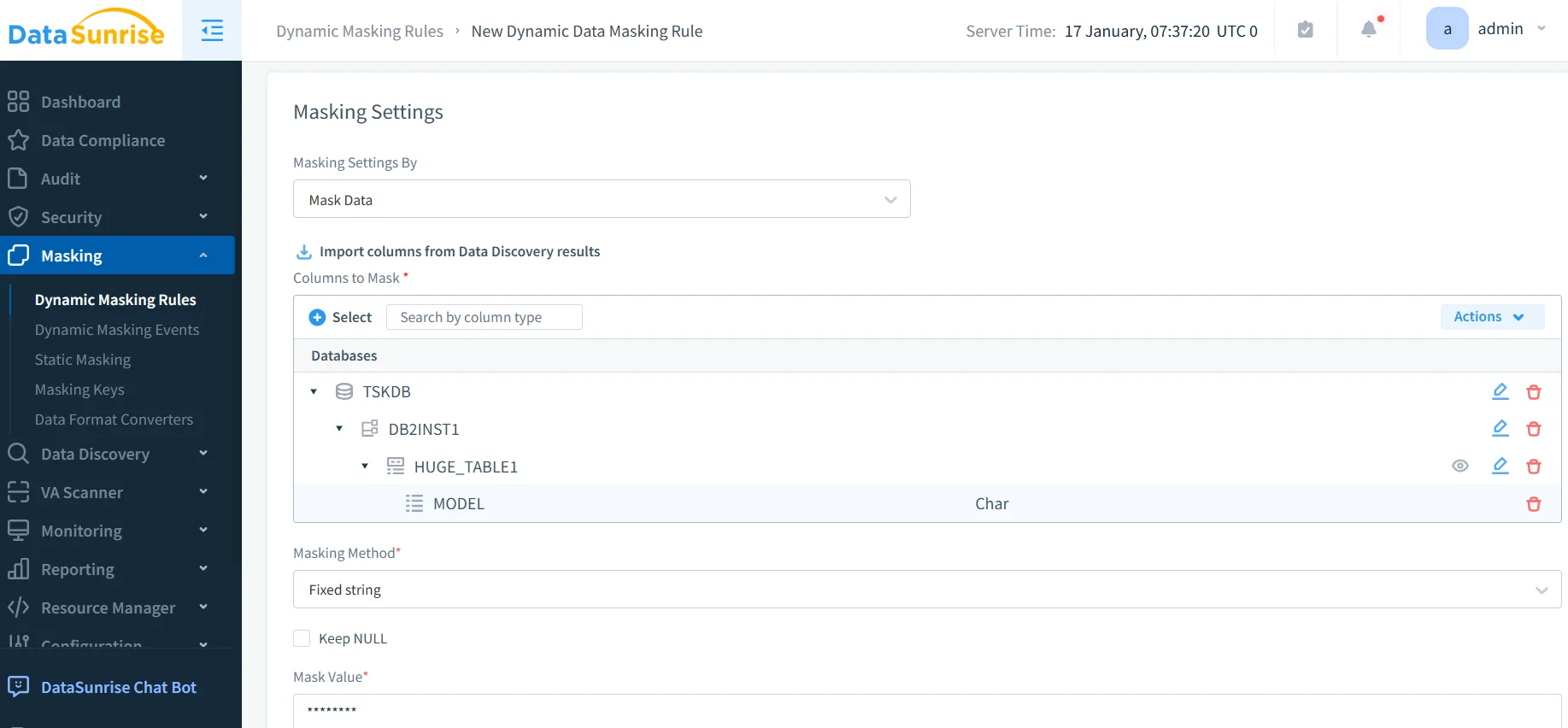
Step 3: Create Dynamic Masking Rules
Configure sophisticated masking policies without SQL code. DataSunrise provides multiple masking algorithms including full masking, partial masking, randomization, hashing, nullification, and date shifting—each designed to maintain data utility while protecting sensitive information.
Step 4: Monitor Masking Operations
DataSunrise provides comprehensive audit trails and database activity monitoring with real-time alerts and automated compliance reports for GDPR, HIPAA, PCI DSS, and SOX.
Key Advantages of DataSunrise for Greenplum
Autonomous Compliance Orchestration
DataSunrise provides Compliance Autopilot with pre-configured templates for GDPR, HIPAA, PCI DSS, and SOX. Continuous Regulatory Calibration automatically updates masking policies as regulations evolve, enabling organizations to comply with SOX, PCI DSS, and HIPAA requirements seamlessly.
Intelligent Policy Orchestration
Unlike solutions requiring constant tuning, DataSunrise delivers Automatic Policy Generation through machine learning that identifies new sensitive data, uses NLP algorithms for classification, and adapts algorithms based on usage patterns. This data masking approach ensures comprehensive protection across all masking types.
Performance-Optimized Masking
DataSunrise's architecture addresses MPP database requirements with segment-aware processing, query optimization, and minimal overhead—typically less than 5% query time increase even for complex analytical queries.
Centralized Multi-Database Management
With support for over 40 data storage platforms, DataSunrise provides a Unified Security Framework with consistent policies across Greenplum, PostgreSQL, Oracle, and other databases. The database firewall capabilities further enhance protection against security threats.
Conclusion
As organizations increasingly rely on Greenplum for analytics on sensitive data, implementing robust dynamic masking has become essential for security and compliance. While Greenplum's native PostgreSQL features provide basic masking through views and functions, these approaches require significant manual effort and struggle to scale in production environments.
DataSunrise provides comprehensive dynamic masking specifically designed for MPP databases, delivering Zero-Touch Data Protection with Auto-Discover & Mask capabilities and No-Code Policy Automation. With support for GDPR, HIPAA, PCI DSS, SOX, and other regulatory frameworks, DataSunrise ensures the highest standards of data protection while preserving analytical capabilities.
The platform's Centralized Data Compliance Platform supports over 40 database types with flexible deployment options for on-premise, cloud, and hybrid architectures.
Protect Your Data with DataSunrise
Secure your data across every layer with DataSunrise. Detect threats in real time with Activity Monitoring, Data Masking, and Database Firewall. Enforce Data Compliance, discover sensitive data, and protect workloads across 50+ supported cloud, on-prem, and AI system data source integrations.
Start protecting your critical data today
Request a Demo Download Now