How to Apply Static Masking in Greenplum
Protecting sensitive information while maintaining data utility for development and testing has become critical for organizations using Greenplum, the open-source massively parallel processing (MPP) database. Static data masking creates sanitized copies of production data that teams can safely use without exposing confidential information.
According to Ponemon Institute's 2024 Cost of Insider Threats Report, organizations implementing comprehensive data masking reduce breach costs by up to 58%. This guide explores Greenplum's native masking capabilities and demonstrates how DataSunrise enhances implementation with Zero-Touch Data Masking and Auto-Discover & Mask for enterprise-grade data protection.
Understanding Static Masking in Greenplum
Static masking permanently transforms sensitive data in database copies, creating realistic but fictitious values that maintain referential integrity. Unlike dynamic data masking which masks data in real-time, static masking creates permanently masked datasets ideal for development environments, quality assurance testing, analytics, and meeting GDPR, HIPAA, PCI DSS compliance regulations.
Greenplum's MPP architecture distributes data across multiple segments, requiring coordinated masking across all nodes while maintaining partition key integrity and leveraging parallel processing capabilities for efficient operations.
Native Greenplum Approaches to Static Masking
While Greenplum lacks dedicated masking utilities, administrators can implement masking through SQL transformations. Greenplum's PostgreSQL-based architecture supports various SQL functions that can be leveraged for data masking. Here's a streamlined approach:
1. Preparing the Masking Environment
-- Create schema for masked data
CREATE SCHEMA masked_data;
GRANT USAGE ON SCHEMA masked_data TO dev_team;
2. Implementing Basic Masking Transformations
-- Create masked customer data
CREATE TABLE masked_data.customers AS
SELECT
    customer_id,
    REGEXP_REPLACE(email, '@.*$', '@masked-domain.com') AS email,
    'Customer_' || customer_id AS full_name,
    'XXX-XXX-' || SUBSTRING(phone FROM 8 FOR 4) AS phone,
    'XXXX-XXXX-XXXX-' || SUBSTRING(credit_card FROM 13 FOR 4) AS credit_card,
    registration_date,
    account_status
FROM production.customers
DISTRIBUTED BY (customer_id);
Limitations of Native Greenplum Masking
Native approaches have significant limitations: time-consuming manual development, no automated sensitive data discovery, limited masking algorithms producing unrealistic data, difficult consistency management across environments, and significant performance overhead on large tables.
Enhanced Static Masking with DataSunrise
DataSunrise transforms Greenplum static masking through Auto-Discover & Mask capabilities and No-Code Policy Automation. Unlike manual SQL approaches, DataSunrise delivers enterprise-grade static data masking with Surgical Precision Masking across distributed environments.
Implementing DataSunrise for Greenplum Static Masking
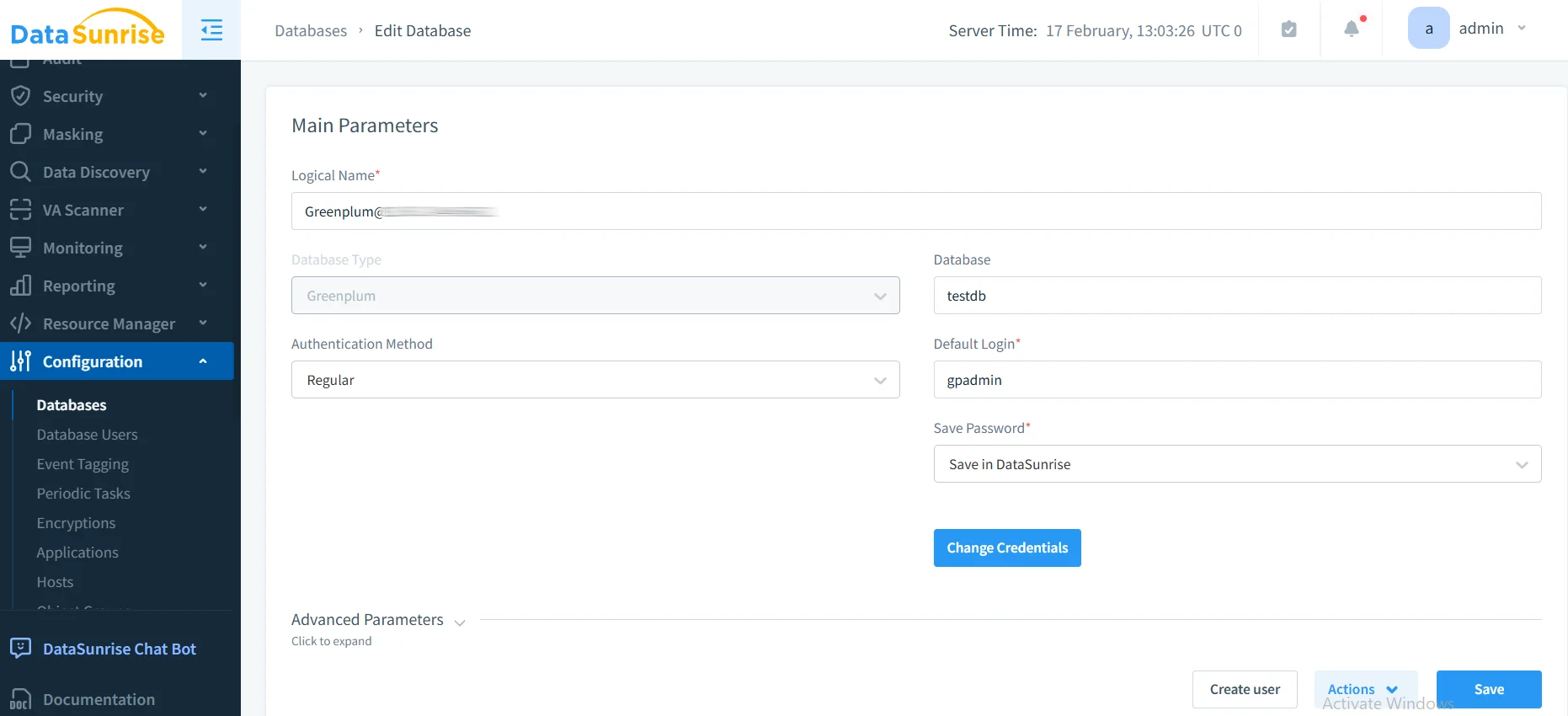
1. Connect to Greenplum Database
Establish a secure connection between DataSunrise and your Greenplum instance. DataSunrise automatically detects MPP architecture and configures optimal connection parameters.
2. Discover and Classify Sensitive Data
DataSunrise's Data Discovery engine automatically scans your database using NLP algorithms to identify PII, financial data, and regulated information, automatically tagging data according to GDPR, HIPAA, PCI DSS requirements.
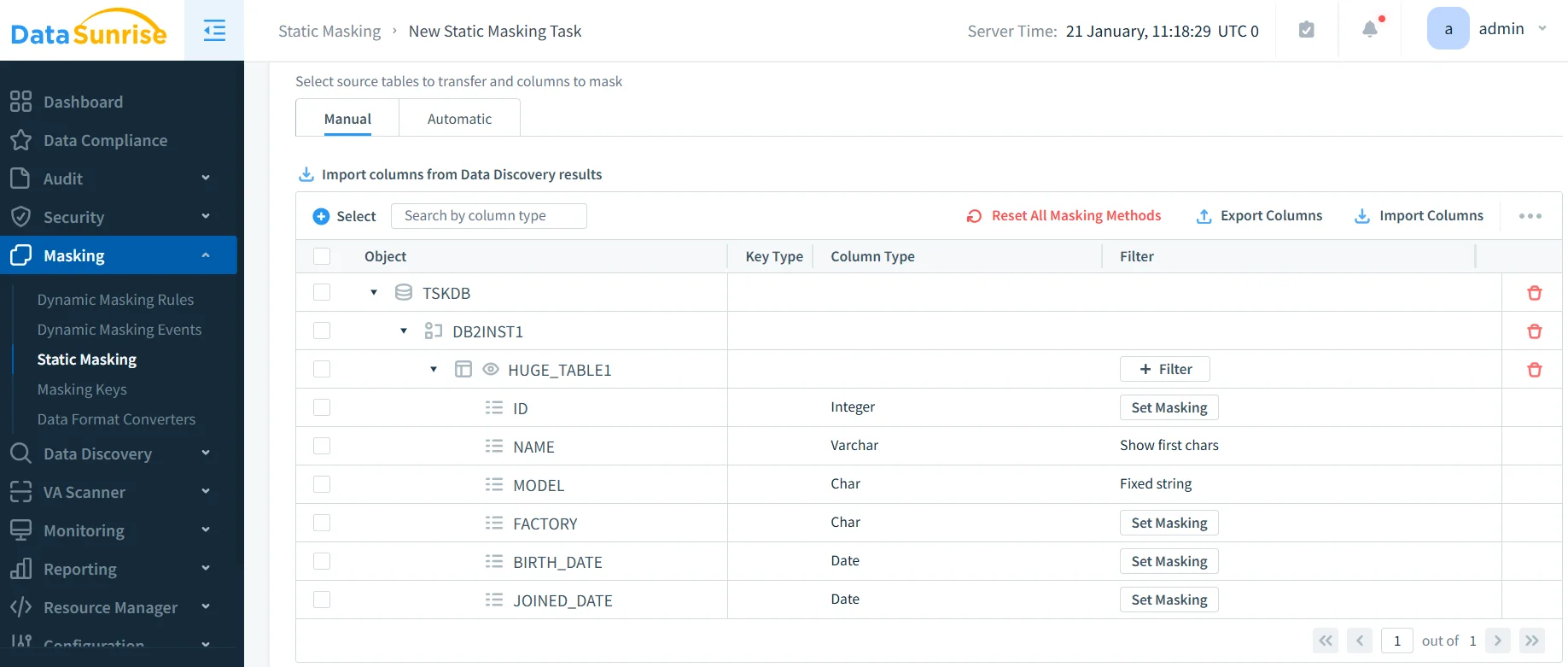
3. Configure Static Masking Rules
Create masking policies through DataSunrise's intuitive interface with multiple algorithms including format-preserving email masking, SSN tokenization, PCI-compliant credit card masking, and realistic address generation.
4. Execute Static Masking Process
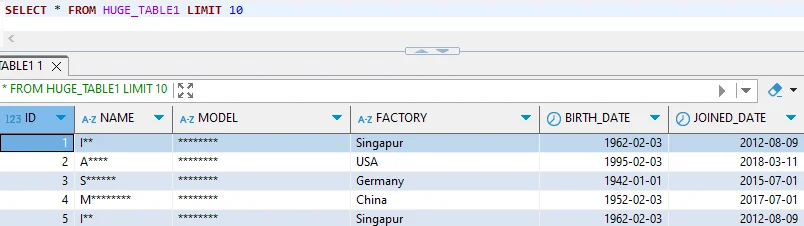
Initiate masking with parallel processing across all Greenplum segments while maintaining referential integrity and leveraging MPP for optimal speed.
5. Verify Masked Data Quality
Review comprehensive results including masking coverage percentage, data quality metrics, referential integrity validation, and compliance verification.
Key Advantages of DataSunrise for Greenplum Static Masking
Auto-Discover & Classify: Automatically identify sensitive data using NLP Data Discovery and machine learning, eliminating manual efforts and ensuring comprehensive coverage.
No-Code Policy Automation: Create masking policies through an intuitive interface without complex SQL, reducing implementation time from weeks to days.
Surgical Precision Masking: Apply context-aware masking preserving data relationships, referential integrity, and statistical properties essential for testing.
MPP-Optimized Performance: Leverage Greenplum's distributed architecture for parallel masking operations, dramatically reducing processing time.
Audit-Ready Reporting: Comprehensive documentation providing one-click compliance evidence for GDPR, HIPAA, and PCI DSS audits through automated compliance reporting.
Cross-Platform Consistency: Apply consistent security policies across Greenplum and over 40 data storage platforms, ensuring standardized protection in heterogeneous environments.
Best Practices for Static Masking in Greenplum
| Practice Area | Recommendation |
|---|---|
| Data Classification Strategy | Conduct thorough sensitive data discovery and categorize by sensitivity level (high, medium, low) with appropriate masking algorithms |
| Masking Algorithm Selection | Select algorithms maintaining data utility for intended use cases while providing adequate protection and consistency across tables |
| Performance Optimization | Design masking operations leveraging Greenplum's parallel processing capabilities and implement incremental masking for regularly refreshed environments |
| Environment Management | Maintain separate schemas for different scenarios with automated refresh schedules and version-controlled configurations |
| Implementing DataSunrise | Deploy DataSunrise's comprehensive solution for integrated database security, centralized policy management, and continuous improvement through user behavior analytics |
Conclusion
As organizations increasingly rely on Greenplum for data warehousing, implementing robust static masking has become essential for balancing data utility with security and compliance. While native SQL approaches provide basic functionality, they lack the automation and enterprise features required for comprehensive protection.
DataSunrise provides a comprehensive solution designed for MPP databases, offering Zero-Touch Data Masking with Auto-Discover & Mask capabilities and Centralized Policy Management. With flexible deployment modes, DataSunrise transforms static masking into an automated, enterprise-grade capability.
Protect Your Data with DataSunrise
Secure your data across every layer with DataSunrise. Detect threats in real time with Activity Monitoring, Data Masking, and Database Firewall. Enforce Data Compliance, discover sensitive data, and protect workloads across 50+ supported cloud, on-prem, and AI system data source integrations.
Start protecting your critical data today
Request a Demo Download Now