How to Apply Dynamic Masking in IBM Db2
As organizations depend on enterprise databases to store sensitive information, controlling who sees what data has become a core data security requirement. IBM Db2 handles vast amounts of PII, financial records, and protected health data daily. According to IBM's 2024 Cost of a Data Breach Report, the average breach cost reached $4.88 million, with inadequate access controls cited as a leading factor.
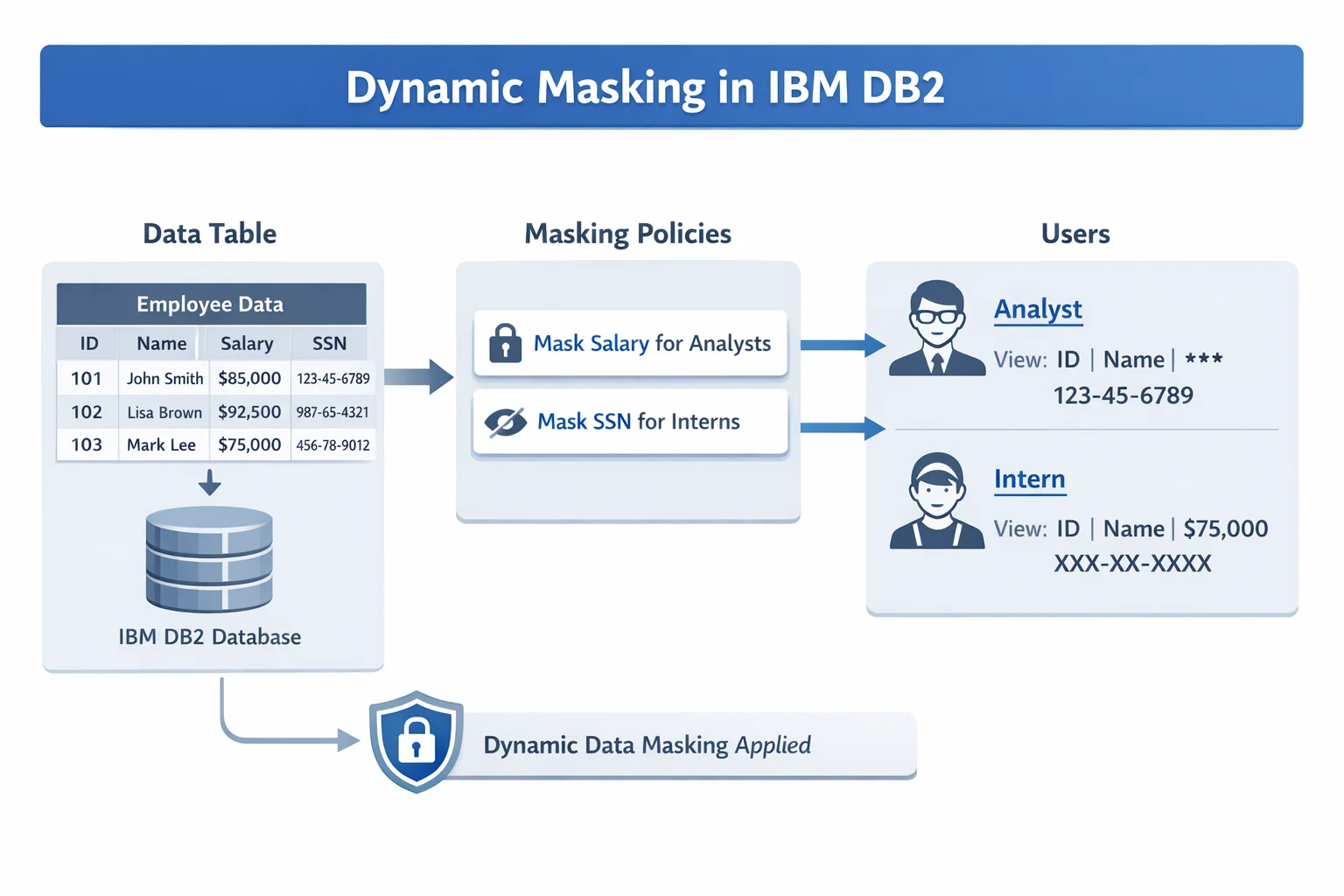
Dynamic data masking obscures sensitive data in real time as it is queried, without altering stored values. This article walks through Db2's native masking capabilities—documented in the IBM Db2 documentation—and demonstrates how DataSunrise can extend them with no-code automation and centralized compliance management.
Dynamic Data Masking in IBM Db2: Native Capabilities
IBM Db2 provides native masking through its Row and Column Access Control (RCAC) framework. Administrators define Column Masks and Row Permissions at the engine level, intercepting SELECT queries and substituting sensitive values before results reach the caller—without any application changes. This approach forms a key part of a broader database security strategy and supports role-based access controls across the database.
Step 1: Create a Sample Table with Sensitive Data
CREATE TABLE customer_data (
    customer_id     INT NOT NULL,
    full_name       VARCHAR(100),
    ssn             CHAR(11),
    credit_card     CHAR(19),
    account_balance DECIMAL(12, 2)
);

INSERT INTO customer_data VALUES (1, 'Alice Johnson', '123-45-6789', '4111-1111-1111-1111', 15000.00);
Step 2: Activate Row and Column Access Control
ALTER TABLE customer_data ACTIVATE COLUMN ACCESS CONTROL;
ALTER TABLE customer_data ACTIVATE ROW ACCESS CONTROL;
Defining Column Masks for Sensitive Fields
CREATE MASK ssn_mask ON customer_data
  FOR COLUMN ssn
  RETURN
    CASE
      WHEN VERIFY_ROLE_FOR_USER(SESSION_USER, 'ANALYST') = 1 THEN ssn
      ELSE 'XXX-XX-' || SUBSTR(ssn, 8, 4)
    END
  ENABLE;
Apply the same pattern to other sensitive columns such as credit_card or account_balance, adjusting the role condition and substitution expression as needed.
Step 3: Verify Masking Behavior
SELECT customer_id, full_name, ssn, credit_card, account_balance
FROM customer_data;
-- Non-privileged session returns: XXX-XX-6789, XXXX-XXXX-XXXX-1111, 0.00
You can refer to the IBM Db2 RCAC documentation for the full list of available configuration options.
Extended Dynamic Masking for IBM Db2 with DataSunrise
While Db2's RCAC is a solid starting point, enterprises at scale need a more centralized and compliance-ready approach. DataSunrise extends Db2 with Zero-Touch Data Masking and No-Code Policy Automation across 40+ database platforms, without modifying application code or stored data.
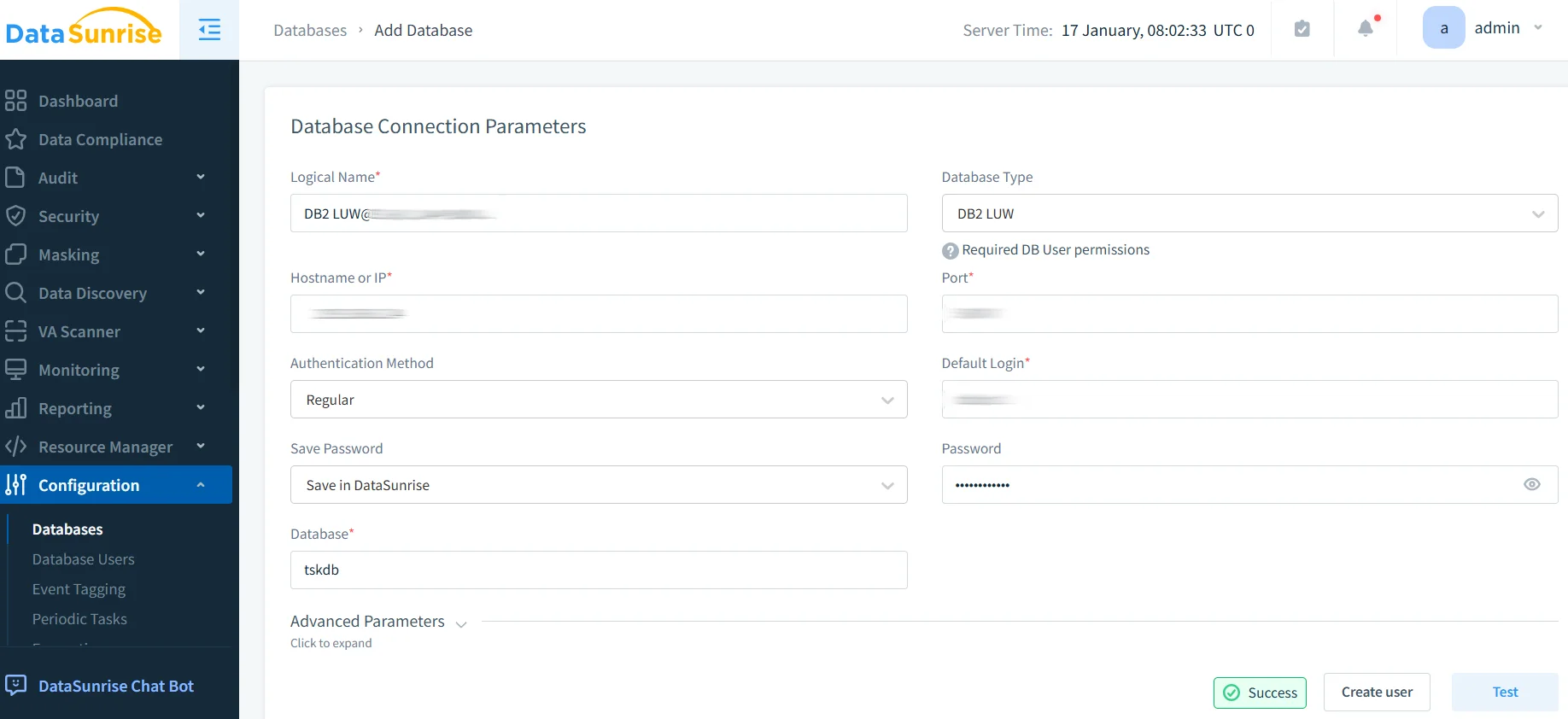
Step 1: Connect IBM Db2 to DataSunrise
Connect your Db2 instance via DataSunrise's administrative console. All deployment modes—proxy, sniffer, and native log trailing—are non-intrusive and require no application-side changes.
Step 2: Auto-Discover Sensitive Data
DataSunrise's Data Discovery engine scans your Db2 schema automatically, classifying sensitive columns using NLP and ML against GDPR, HIPAA, and PCI DSS frameworks—eliminating the manual inventory that native RCAC demands.
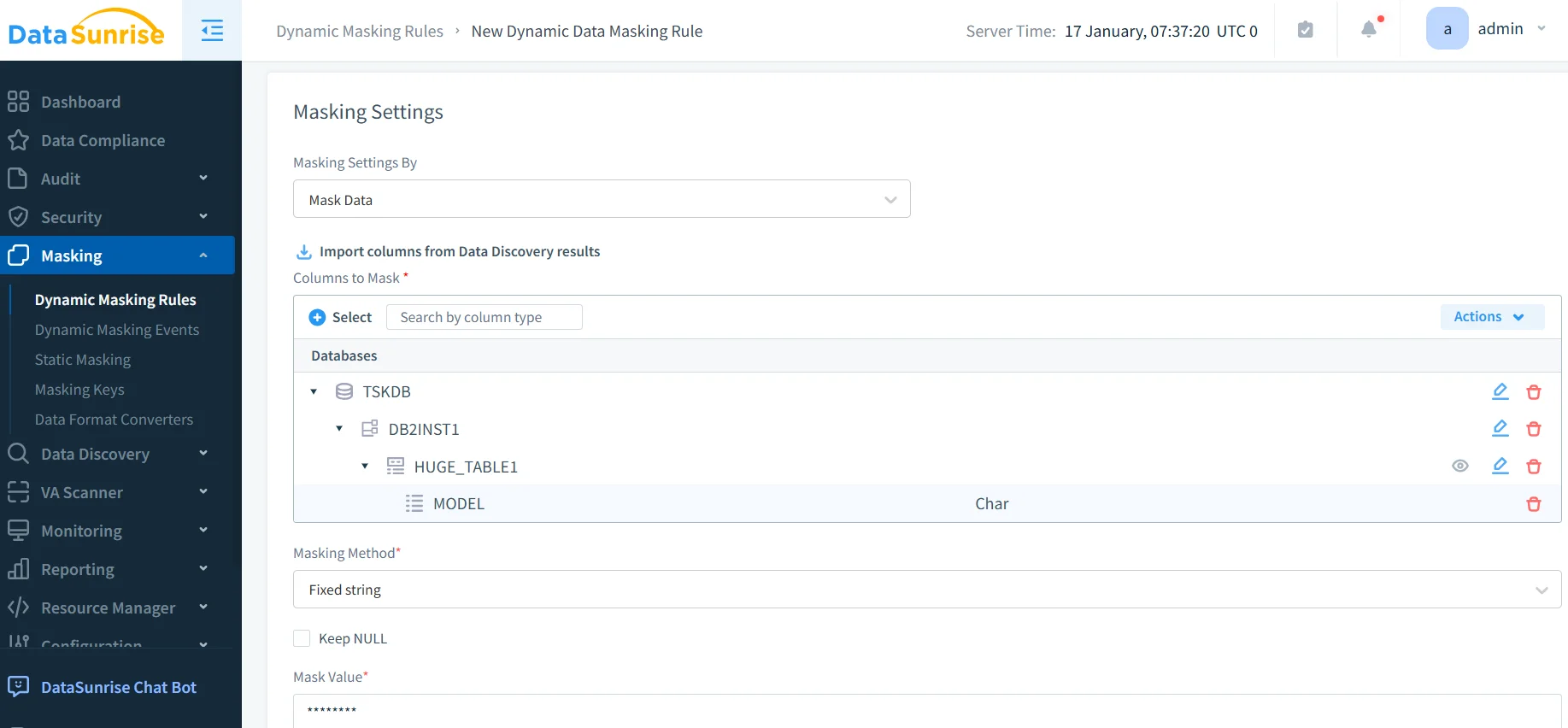
Step 3: Create Dynamic Masking Rules
Create dynamic masking rules through a no-code interface, scoped by table, user, role, IP range, or time of day. Choose from full redaction, partial masking, format-preserving masking, or substitution. For use cases requiring permanent data transformation, DataSunrise also supports static masking as a complementary option.
Step 4: View Transactional Trails
DataSunrise captures every query that triggered a masking rule in comprehensive audit logs, including user identity, timestamp, SQL statement, and masked fields—forming a complete audit trail ready for compliance review.
Key Advantages of DataSunrise for IBM Db2
- Centralized Policy Management: Manage Db2 masking rules alongside 40+ other platforms from a single console, enabling consistent data protection across your entire environment.
- Auto-Discover & Mask: NLP-driven data discovery ensures new sensitive columns are never left unmasked.
- Real-Time Notifications: Instant alerts when suspicious queries trigger masking rules.
- User Behavior Analytics: Anomaly detection flags unusual access to sensitive columns as potential security threats.
- Automated Compliance Reporting: One-click reports pre-mapped to GDPR, HIPAA, PCI DSS, and SOX.
IBM Db2 RCAC vs. DataSunrise: Feature Comparison
| Capability | Native Db2 RCAC | DataSunrise |
|---|---|---|
| Masking rule creation | SQL DDL (CREATE MASK) | No-code GUI + API |
| Sensitive data discovery | Manual | Automated (NLP + ML) |
| Real-time alerting | Not available | Included |
| Compliance reporting | Manual / custom scripts | Automated (GDPR, HIPAA, PCI DSS, SOX) |
| Deployment impact | Schema-level changes required | Non-intrusive proxy/sniffer modes |
Conclusion
IBM Db2's native RCAC provides a meaningful SQL-based foundation for dynamic data masking. However, as environments grow and compliance regulations multiply, native tooling alone falls short. DataSunrise fills those gaps with automated discovery, no-code policy management, real-time alerting, and automated compliance reporting—all from a single platform covering Db2 and dozens of other data stores.
Protect Your Data with DataSunrise
Secure your data across every layer with DataSunrise. Detect threats in real time with Activity Monitoring, Data Masking, and Database Firewall. Enforce Data Compliance, discover sensitive data, and protect workloads across 50+ supported cloud, on-prem, and AI system data source integrations.
Start protecting your critical data today
Request a Demo Download Now