How to Apply Dynamic Masking in Snowflake
In today's data-driven landscape, protecting sensitive information while maintaining data accessibility has become critical for organizations using cloud data platforms. According to IBM's 2024 Cost of a Data Breach Report, organizations implementing comprehensive data masking solutions reduce breach costs by up to 62%. With breach costs reaching $4.88 million on average, implementing dynamic masking for Snowflake environments has become a business necessity.
Dynamic masking protects PII, financial data, and sensitive content without altering underlying data structures. This ensures authorized access while preventing unauthorized exposure—essential for GDPR, HIPAA, PCI DSS, and SOX compliance.
This guide explores implementing dynamic masking in Snowflake using native capabilities and enhanced solutions for enterprise-grade data protection. For more information on Snowflake's native masking features, refer to the official Snowflake documentation on Dynamic Data Masking.
Understanding Dynamic Masking for Snowflake
Dynamic masking is a real-time data obfuscation technique that displays masked values to unauthorized users while preserving original data. Unlike static masking, it applies transformations on-the-fly during query execution.
Key advantages include real-time protection during data retrieval, seamless application integration, role-based access controls, simplified compliance, and minimal performance impact.
Native Snowflake Dynamic Masking Capabilities
Snowflake provides built-in dynamic masking through masking policies that transform sensitive data based on user context. These native masking types enable organizations to implement data security measures without complex configurations.
1. Enabling Dynamic Masking with Masking Policies
Snowflake's native masking uses policy objects that define transformation rules. For detailed configuration options, see the Snowflake masking policy documentation:
-- Create a masking policy for email addresses
CREATE OR REPLACE MASKING POLICY email_mask AS (val STRING)
RETURNS STRING ->
  CASE
    WHEN CURRENT_ROLE() IN ('ANALYST', 'DATA_SCIENTIST') THEN val
    WHEN CURRENT_ROLE() IN ('SUPPORT', 'MARKETING') THEN REGEXP_REPLACE(val, '.+\@', '****@')
    ELSE '***MASKED***'
  END;

-- Apply the masking policy to a column
ALTER TABLE customers MODIFY COLUMN email SET MASKING POLICY email_mask;
2. Reviewing Masking Policy Application
Monitor applied masking policies:
-- View all masking policies
SHOW MASKING POLICIES;

-- Check which columns have masking applied
SELECT table_schema, table_name, column_name, masking_policy_name
FROM information_schema.columns
WHERE masking_policy_name IS NOT NULL;
3. Snowflake Web UI for Masking Management
The Snowflake web interface provides an intuitive way to manage masking policies without writing SQL:
- Navigate to Data > Databases to view your database objects
- Select a specific table and click on the column to view applied masking policies
- Use Activity > Query History to monitor queries affected by masking
- Access Admin > Security to review all masking policies and their assignments
- Configure role-based access through the Admin > Users & Roles interface
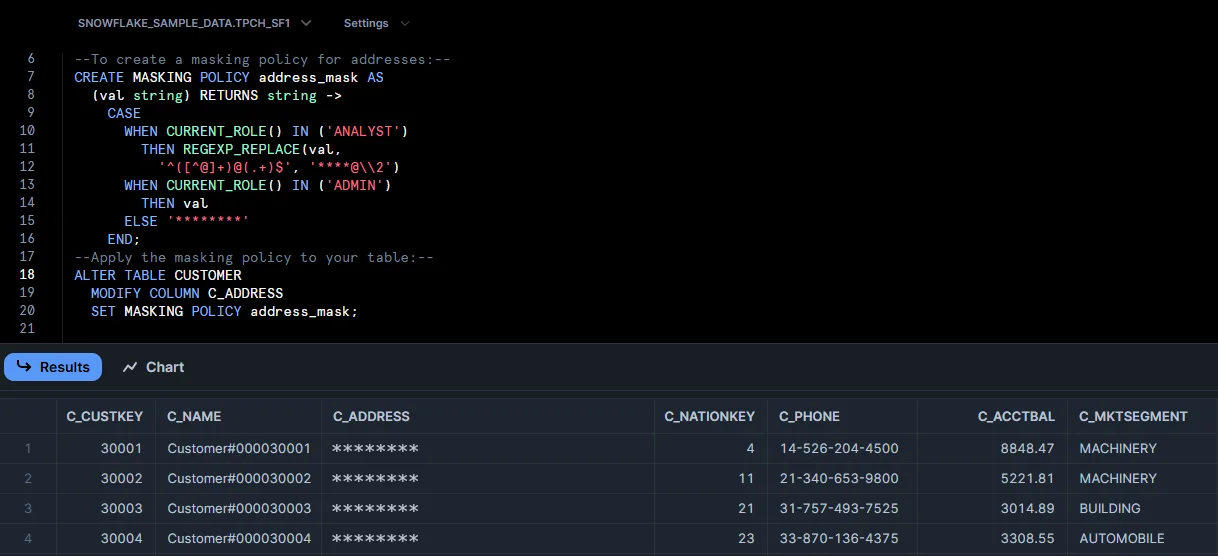 Shows the Snowflake Web UI for creating a dynamic masking policy on an address field and a note to apply the policy to a table, illustrating role-based masking setup.
This web-based interface makes it easier for administrators and security teams to manage dynamic masking configurations without specialized SQL expertise.
Enhanced Dynamic Masking with DataSunrise
DataSunrise significantly enhances data protection through Zero-Touch Data Masking and Autonomous Compliance Orchestration, addressing native solution limitations while providing enterprise-grade database security capabilities. With comprehensive security policies, DataSunrise delivers advanced protection beyond basic masking.
Setting Up DataSunrise for Snowflake Dynamic Masking
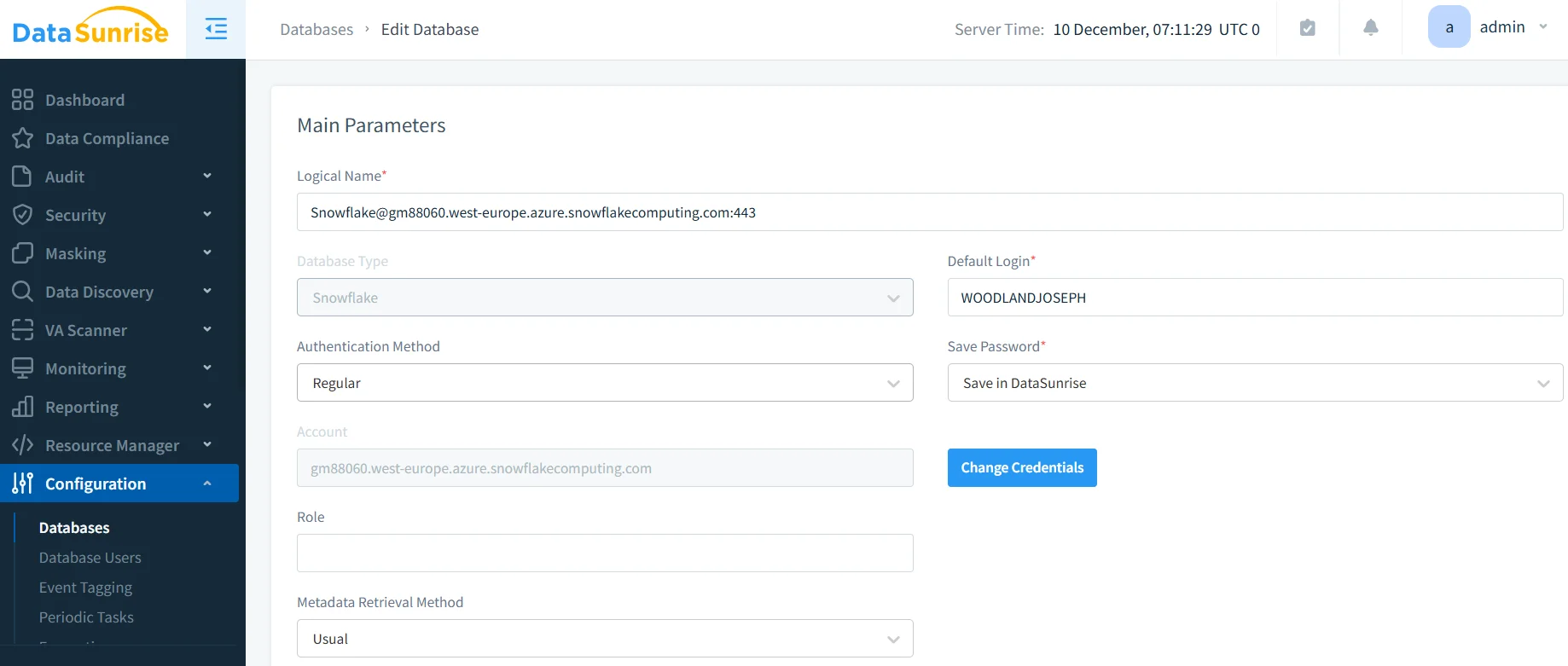
1. Connect to Snowflake Instance
Establish a secure connection between DataSunrise and your Snowflake environment through the administrative interface. DataSunrise supports various deployment modes for Non-Intrusive Integration.
2. Auto-Discover Sensitive Data
DataSunrise automatically identifies sensitive data using NLP Data Discovery and machine learning to find PII, financial data, health information, credentials, and custom patterns—providing Comprehensive Sensitive Data Detection across your Snowflake environment. This data discovery capability eliminates manual classification efforts.
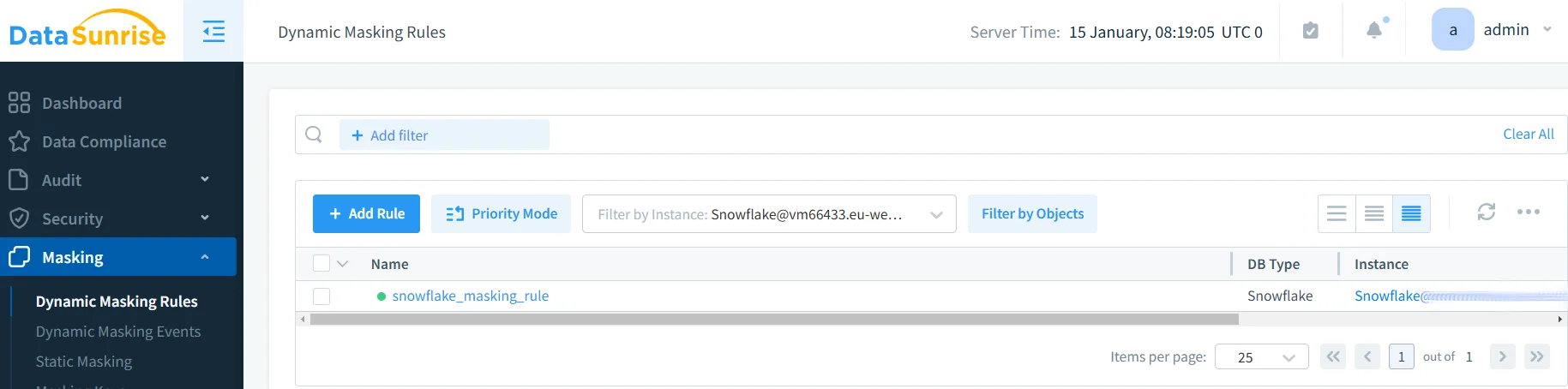
3. Create Dynamic Masking Rules with No-Code Interface
Configure masking rules through DataSunrise's No-Code Policy Automation without complex SQL. Available Surgical Precision Masking algorithms include substitution, shuffling, number variance, partial masking, hashing, nullification, and custom algorithms. Learn more about in-place masking techniques for production environments.
4. Configure Context-Aware Protection
Enable fine-grained control based on user identity, role membership, application source, time windows, IP ranges, and query patterns for Context-Aware Protection. This approach leverages the principle of least privilege for optimal security.
5. Monitor Masking Activity
Access comprehensive visibility into masking operations through database activity monitoring, tracking masked vs. unmasked access, policy enforcement, performance impact, and behavioral anomalies.
Key Advantages of DataSunrise for Snowflake
Auto-Discover & Mask: Automatically scan and classify sensitive data according to regulatory frameworks, eliminating weeks of manual work with 95% greater coverage. This comprehensive approach to data management ensures no sensitive information is overlooked.
Intelligent Policy Orchestration: Create sophisticated policies through intuitive interfaces, reducing implementation time from weeks to hours with Continuous Compliance Alignment.
Surgical Precision Masking: Context-aware masking adapts to user roles, access levels, and data sensitivity, ensuring appropriate access while maintaining data utility. This advanced approach prevents data breaches through proactive protection.
Real-Time Threat Detection: Monitor violations with immediate real-time alerts and user behavior analysis for anomaly detection. Enhanced threat detection capabilities identify suspicious patterns before they escalate.
Automated Compliance Reporting: Generate pre-configured reports for GDPR compliance, HIPAA compliance, PCI DSS compliance, and SOX compliance with the Compliance Manager. Streamline compliance regulations adherence with automated workflows.
Cross-Platform Visibility: Ensure consistent masking across heterogeneous environments with support for over 40 data storage platforms through a Unified Security Framework.
Best Practices for Dynamic Masking Implementation
To maximize effectiveness of your Snowflake dynamic masking implementation, consider these strategic practices:
| Best Practice | Key Actions |
|---|---|
| Data-Centric Masking Strategy | Implement tiered masking based on sensitivity: complete masking for critical data (SSN, credit cards, health records), partial masking for moderate data (emails, phone numbers), and context-based masking for low-sensitivity data |
| Performance Optimization | Balance masking with query performance through column-level masking, efficient algorithms, caching strategies, and resource monitoring to minimize warehouse consumption impact |
| Compliance Alignment | Map masking to regulatory requirements: GDPR (mask personal data, document policies), HIPAA (protect PHI, maintain audit logs), PCI DSS (mask PANs, implement access controls) |
| Testing and Validation | Establish rigorous testing: validate policies with different roles, verify coverage of sensitive columns, test for bypass prevention, measure performance impact, conduct regular compliance audits |
| Implementing DataSunrise | Deploy DataSunrise for rapid implementation with automated discovery, policy templates, continuous monitoring, and cross-platform extension for consistent masking across all databases |
Conclusion
As organizations increasingly rely on Snowflake for business-critical operations, implementing robust dynamic masking has become essential for data security and regulatory compliance. While Snowflake's native capabilities provide valuable functionality, organizations with complex requirements benefit significantly from enhanced solutions.
Unlike solutions requiring constant tuning, DataSunrise delivers Autonomous Protection through Zero-Touch Data Masking, No-Code Policy Automation, and Continuous Regulatory Calibration. DataSunrise's Enterprise-Ready masking provides Surgical Precision Masking with Context-Aware Protection that adapts to user roles and regulatory requirements, while Centralized Policy Management ensures consistent security across heterogeneous environments.
Protect Your Data with DataSunrise
Secure your data across every layer with DataSunrise. Detect threats in real time with Activity Monitoring, Data Masking, and Database Firewall. Enforce Data Compliance, discover sensitive data, and protect workloads across 50+ supported cloud, on-prem, and AI system data source integrations.
Start protecting your critical data today
Request a Demo Download Now