How to Audit Apache Impala

Apache Impala is built for fast SQL analytics on massive datasets. However, with great power comes the responsibility to monitor access and actions—especially in environments handling regulated data. Auditing ensures every interaction with your data warehouse is traceable, helping meet compliance requirements and uncover suspicious behavior.
This guide walks through how to audit Apache Impala using both native tools and enhanced methods with DataSunrise, a centralized security and compliance platform.
Why Auditing Impala Matters
Audit trails capture the who, what, when, and how of every database interaction. For Impala, this means logging:
- User logins
- Query execution
- Metadata access
- Failed operations
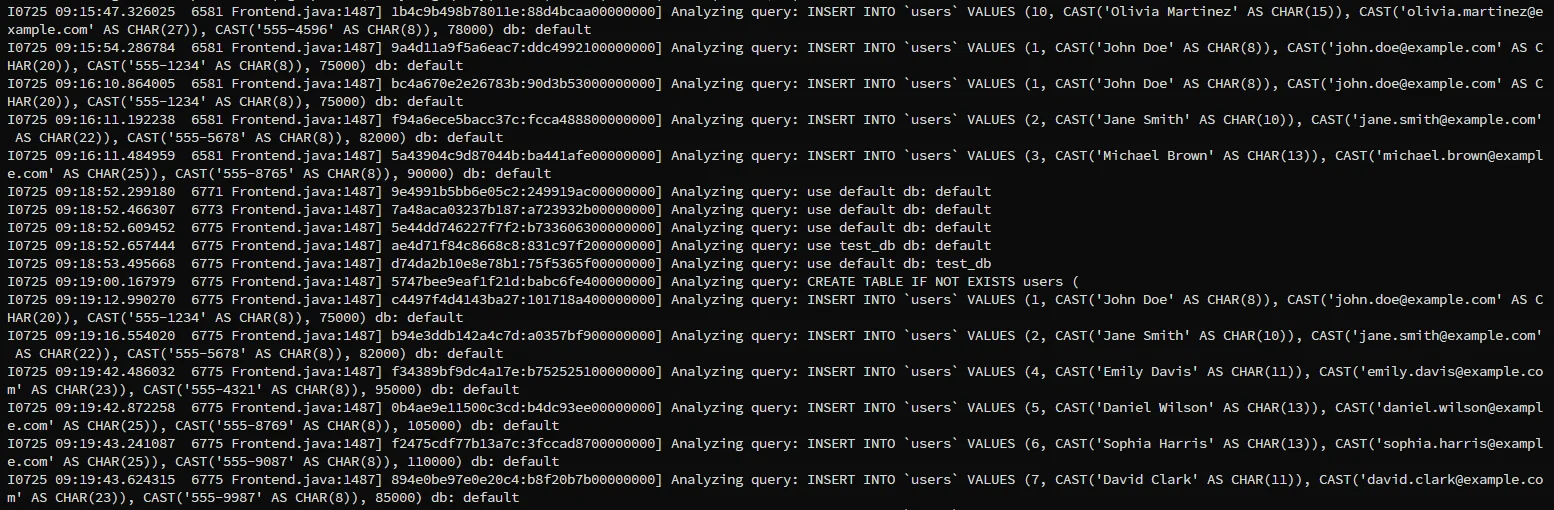
This traceability is critical for proving compliance with GDPR, HIPAA, SOX, and PCI DSS.
How to Audit Apache Impala with Native Tools
Impala provides basic auditing via the impalad daemon. You can enable audit logging by setting the following configuration in the impalad startup flags:
--audit_event_log_dir=/var/log/impala/audit
--audit_event_log_file_size=104857600
--audit_event_log_num_files=10
This creates rolling JSON-formatted logs with records like:
{
  "event_type": "QUERY",
  "user": "admin",
  "timestamp": "2025-07-25T09:24:00Z",
  "statement": "SELECT * FROM sensitive_table",
  "network_address": "10.0.0.25"
}
Note: Impala does not provide built-in features such as data masking, data discovery, detailed reporting, or advanced compliance controls. These capabilities can be delivered through integration with tools like DataSunrise.
Limitations of Native Audit Logging
| Capability | Native Support |
|---|---|
| Real-time alerts | ❌ No |
| User-specific policies | ❌ No |
| Column-level masking | ❌ No |
| Centralized multi-node view | ❌ No |
| SIEM integration (native) | ❌ No |
| Audit log export formats | JSON only |
While audit logs are helpful for basic review, they're not enough for enterprise-level data governance.
Advanced Auditing with DataSunrise
DataSunrise expands data auditing beyond Impala’s local logs by offering real-time capture, centralized management, and dynamic policy enforcement.
Key features include:
- Custom audit rules for tracking queries by user, IP, table, or schema
- Dynamic data masking of sensitive fields during audits
- Automated compliance reports for SOX, HIPAA, GDPR, and PCI DSS
- User behavior analysis with anomaly detection
- Live notifications via email, Slack, or Teams when violations occur
DataSunrise supports over 50 data platforms, and integrates easily into hybrid environments.
How to Audit Apache Impala with DataSunrise in 3 easy steps
Once your Impala instance is connected to DataSunrise via proxy mode you can:
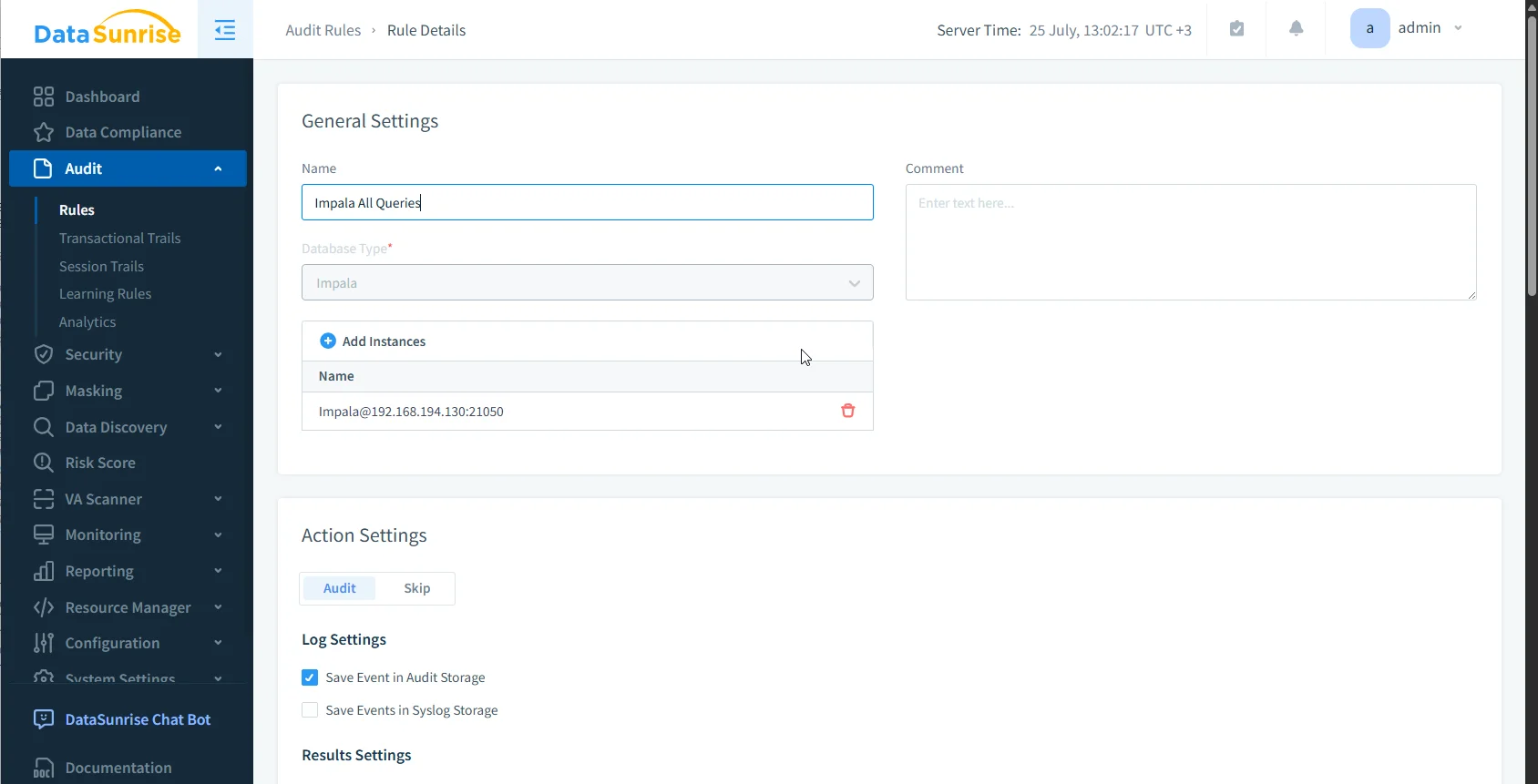
- Go to the Audit section. and Click Create Rule and define your target
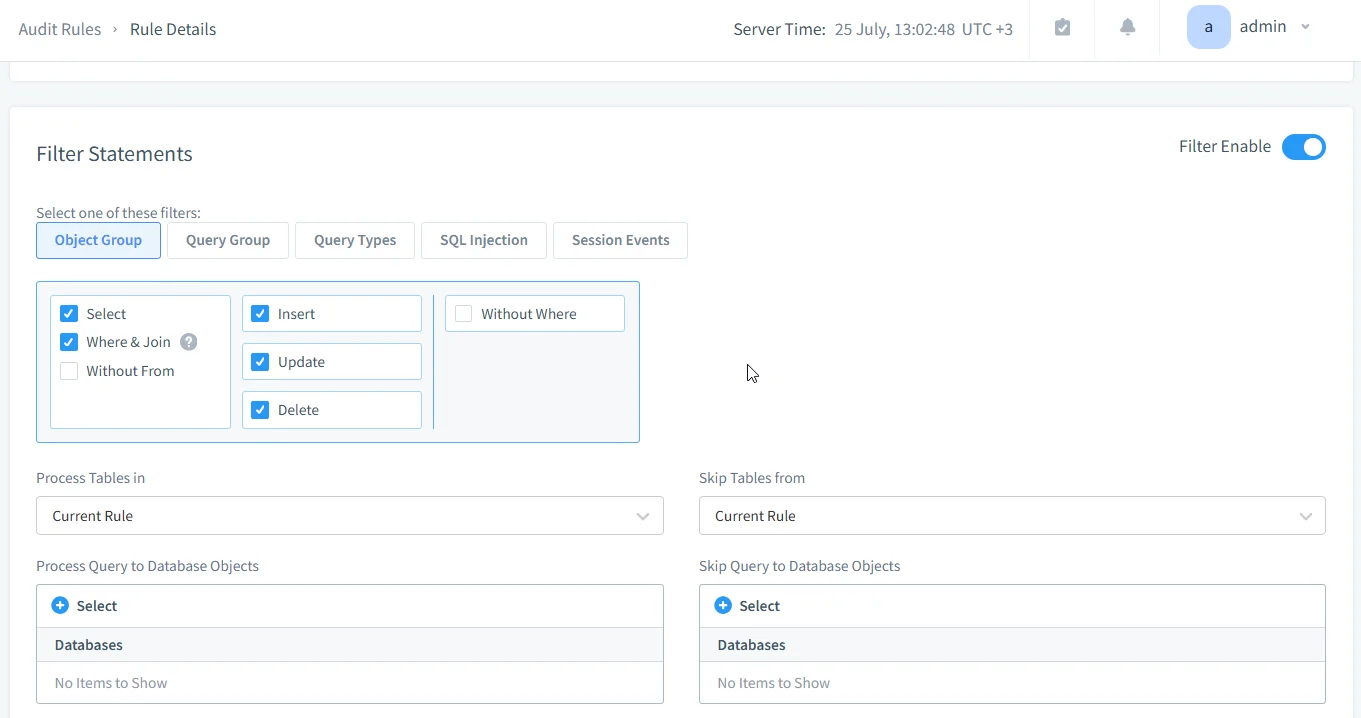
- Set query conditions in Filter Statement (e.g.,
SELECT,UPDATE), and other filters if necessary, and click Save to apply the changes to the rule
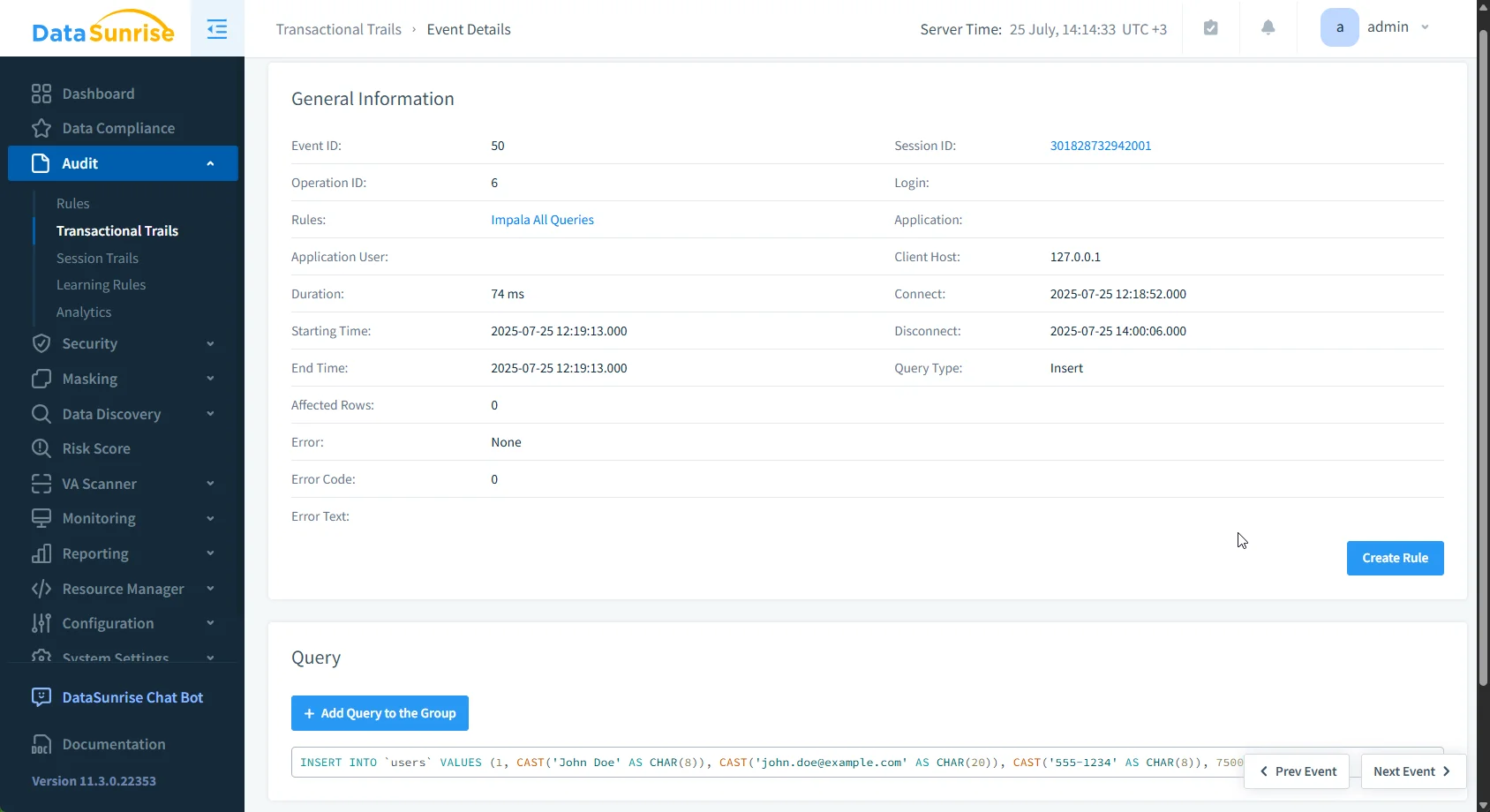
- Once the rule is active, run some queries and navigate to Transactional Trails to see your audit trail for Apache Impala queries and actions
DataSunrise will be now tracking every matching event for you to monitor and analyze the detailed information on each event
Compliance and Business Value
Auditing with DataSunrise delivers far more than just technical logs—it brings measurable business outcomes:
- Streamlined compliance workflows through automated reporting
- Faster investigation of insider threats using data activity history
- Minimized audit prep time with centralized audit-ready dashboards
By enforcing rules at the proxy level, organizations ensure consistent coverage across all nodes and user sessions—without needing to modify the Impala configuration.
Conclusion
Native Impala auditing gives you a starting point. But for modern enterprises dealing with complex access policies and evolving compliance needs, DataSunrise fills in the gaps—offering real-time visibility, granular control, and full compliance orchestration.
Protect Your Data with DataSunrise
Secure your data across every layer with DataSunrise. Detect threats in real time with Activity Monitoring, Data Masking, and Database Firewall. Enforce Data Compliance, discover sensitive data, and protect workloads across 50+ supported cloud, on-prem, and AI system data source integrations.
Start protecting your critical data today
Request a Demo Download Now