How to Audit PostgreSQL
In today's data-driven landscape, implementing robust audit trails for PostgreSQL has become essential for maintaining security and compliance. According to Verizon's 2024 Data Breach Investigation Report, ransomware and extortion techniques were involved in 32% of all breaches, with a median loss of $46,000 per breach. The report analyzed a record-high 30,458 security incidents and 10,626 confirmed breaches in 2023—a two-fold increase over 2022. With comprehensive audit systems becoming crucial for early threat detection, establishing thorough PostgreSQL audit capabilities is no longer optional.
PostgreSQL, one of the world's most advanced open-source relational databases, provides native auditing capabilities, but organizations often require more sophisticated solutions to meet stringent compliance requirements and protect sensitive data effectively.
Native PostgreSQL Auditing Capabilities
PostgreSQL offers several built-in mechanisms for implementing database security auditing that provide essential monitoring capabilities for database activities, user actions, and system changes. The key components include:
1. PostgreSQL Logging Configuration
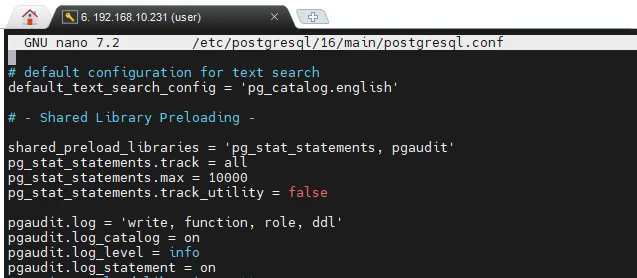
Configure PostgreSQL's built-in logging through the postgresql.conf file:
# Enable comprehensive logging
log_statement = 'all'          # Log all SQL statements
log_connections = on           # Log connection attempts
log_disconnections = on        # Log disconnections
log_duration = on              # Log statement duration
log_line_prefix = '%m [%p] %q%u@%d '  # Include timestamp, PID, user, database
2. PostgreSQL pgAudit Extension
For advanced auditing, use the pgAudit extension:
-- Enable pgAudit extension
CREATE EXTENSION IF NOT EXISTS pgaudit;

-- Configure audit settings
ALTER SYSTEM SET pgaudit.log = 'write,ddl';
ALTER SYSTEM SET pgaudit.log_parameter = on;
SELECT pg_reload_conf();
3. Testing with Sample Operations
Execute test queries to generate audit logs:
-- Create test table
CREATE TABLE audit_test (
    id SERIAL PRIMARY KEY,
    customer_name VARCHAR(100),
    balance DECIMAL(10,2)
);

-- Insert and query data
INSERT INTO audit_test (customer_name, balance) VALUES ('John Smith', 15000.00);
SELECT * FROM audit_test WHERE balance > 10000;
UPDATE audit_test SET balance = 16500.00 WHERE customer_name = 'John Smith';
DROP TABLE audit_test;
4. Reviewing PostgreSQL Audit Logs
View audit logs using standard system tools:
# View recent audit logs
sudo tail -f /var/log/postgresql/postgresql-*.log

# Search for specific activities
sudo grep "audit" /var/log/postgresql/postgresql-*.log
While PostgreSQL's native capabilities provide essential functionality, they have limitations including manual setup requirements, basic logging without behavioral analysis, and no native real-time alerting for security threats.
Enhanced PostgreSQL Auditing with DataSunrise
DataSunrise significantly enhances PostgreSQL audit implementation through comprehensive Database Activity Monitoring and Automated Compliance Reporting. DataSunrise delivers Zero-Touch Data Protection with No-Code Policy Automation.
Setting Up DataSunrise for PostgreSQL Auditing
1. Connect to PostgreSQL Database: Establish connection through DataSunrise's intuitive interface with your PostgreSQL instance details.
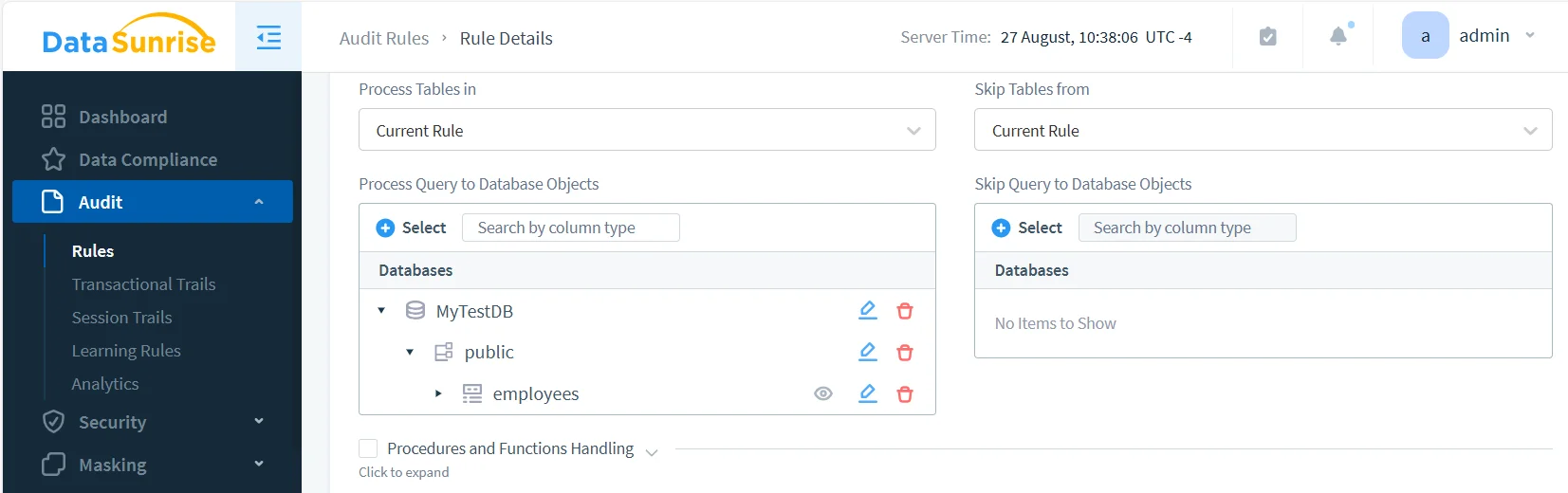
2. Create Comprehensive Audit Rules: Configure detailed audit rules using DataSunrise's No-Code Policy Automation interface for specific objects, users, and activities.
3. Execute Sample Queries: Run test operations to verify audit rule functionality across your PostgreSQL environment.
4. Review Comprehensive Audit Trails: Access detailed audit information through DataSunrise's unified dashboard with advanced filtering and real-time monitoring.
Key Advantages of DataSunrise for PostgreSQL
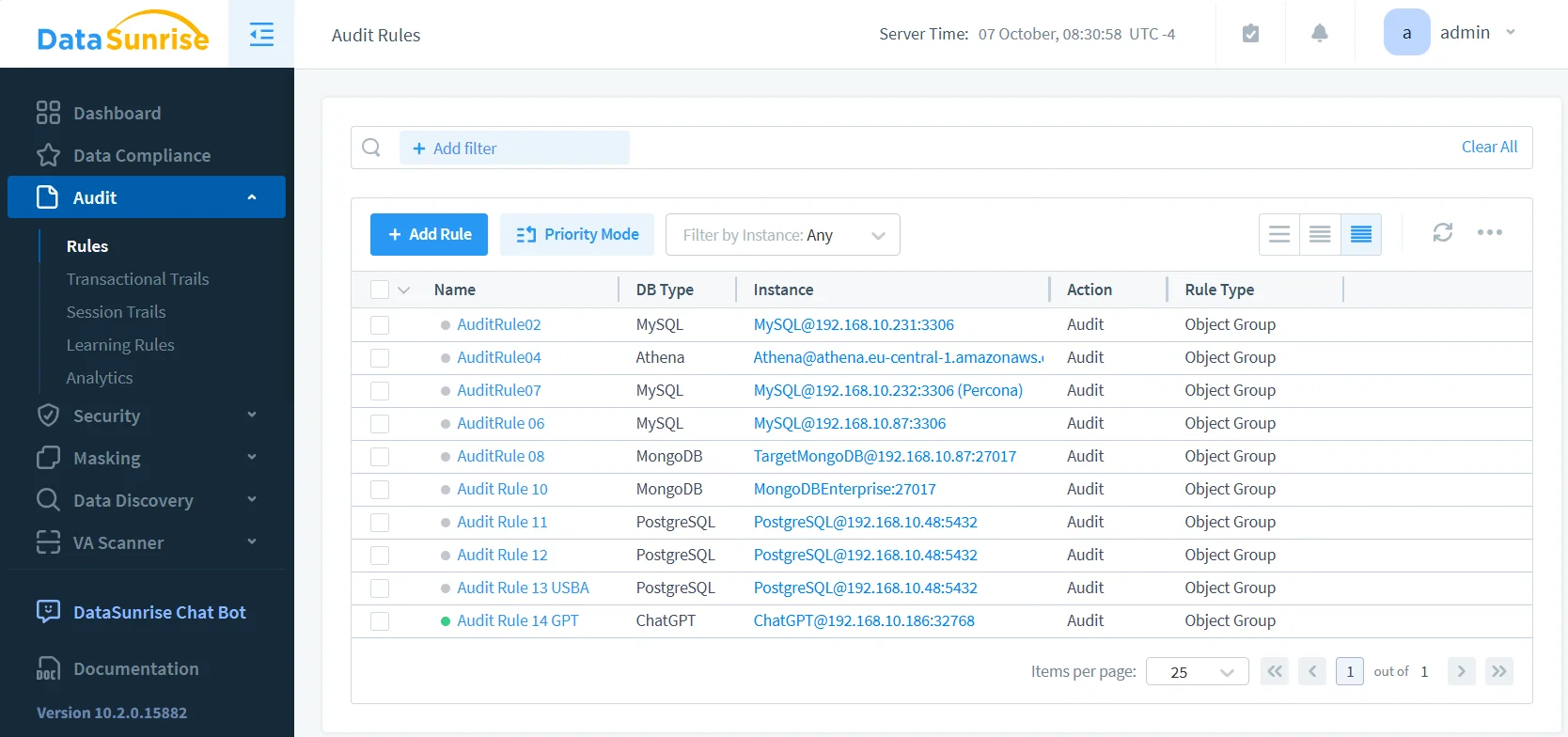
Comprehensive Audit Rules: Create granular audit policies with extensive customization options for specific PostgreSQL database objects.
Real-Time Monitoring and Alerts: Receive immediate notifications through configurable channels including email, Slack, and Microsoft Teams.
Advanced User Behavior Analytics: Identify unusual patterns and potential security incidents based on historical user activity.
Automated Compliance Reporting: Generate pre-configured reports for GDPR, HIPAA, PCI DSS, and SOX.
Dynamic Data Masking: Protect sensitive PostgreSQL data in real-time while maintaining application functionality and user productivity.
Cross-Platform Consistency: Apply uniform audit policies across PostgreSQL and over 40 other database platforms.
Best Practices for PostgreSQL Audit Implementation
| Best Practice | Description |
|---|---|
| Strategic Planning | Define clear objectives based on security risks and compliance requirements |
| Tiered Monitoring | Apply different audit levels based on data sensitivity and user roles |
| Performance Optimization | Balance comprehensive coverage with database performance considerations |
| Retention Management | Establish clear policies with automated log rotation for cost-effective storage |
| DataSunrise Integration | Deploy comprehensive security suite for advanced threat detection |
| Behavioral Analytics | Leverage ML algorithms for access controls anomaly detection |
Conclusion
As organizations increasingly rely on PostgreSQL for business-critical data operations, implementing robust audit logs mechanisms becomes essential for security and compliance. While PostgreSQL's native capabilities provide valuable functionality, organizations with complex requirements benefit significantly from enhanced solutions like DataSunrise.
DataSunrise offers comprehensive security that extends PostgreSQL's native capabilities with Zero-Touch Compliance Automation, advanced behavioral analytics, and automated compliance reporting. With flexible deployment modes, DataSunrise transforms PostgreSQL auditing into strategic security assets.
Protect Your Data with DataSunrise
Secure your data across every layer with DataSunrise. Detect threats in real time with Activity Monitoring, Data Masking, and Database Firewall. Enforce Data Compliance, discover sensitive data, and protect workloads across 50+ supported cloud, on-prem, and AI system data source integrations.
Start protecting your critical data today
Request a Demo Download Now