How to Automate Data Compliance for Elasticsearch
Elasticsearch powers search, analytics, log processing, and observability across modern applications. Its distributed nature and flexible JSON document model enable fast indexing and real-time insights, but these same strengths introduce compliance challenges. New fields appear without warning, mappings evolve dynamically, and indices can spread across clusters in seconds. Sensitive information may be stored inconsistently, and manual controls often fail to keep pace with rapidly changing data structures.
Automating data compliance in Elasticsearch is essential for maintaining security, privacy, and regulatory alignment. This article explains how automated tools streamline compliance workflows, what native Elasticsearch features provide, and how DataSunrise extends these capabilities with discovery, masking, auditing, and centralized governance.
What is Data Compliance?
Data compliance is the practice of protecting sensitive information according to legal, regulatory, and organizational requirements. It ensures that personal, financial, medical, and confidential business data is collected, processed, and stored securely.
Regulations such as GDPR, HIPAA, SOX, and PCI DSS define strict rules for access control, reporting, retention, and auditing. In Elasticsearch, maintaining compliance is complex because JSON documents and mappings evolve constantly. Automation ensures these standards are applied consistently across all indices and environments.
Organizations often rely on centralized tools such as the DataSunrise Compliance Manager to evaluate risks, detect violations, and maintain regulatory alignment.
Native Compliance Capabilities in Elasticsearch
Elasticsearch includes several built-in features that support compliance, though they require careful configuration and lack automated adaptation to evolving data. Additional guidance is often derived from resources like the DataSunrise Data Discovery knowledge base and the Security Guide.
Audit Logging
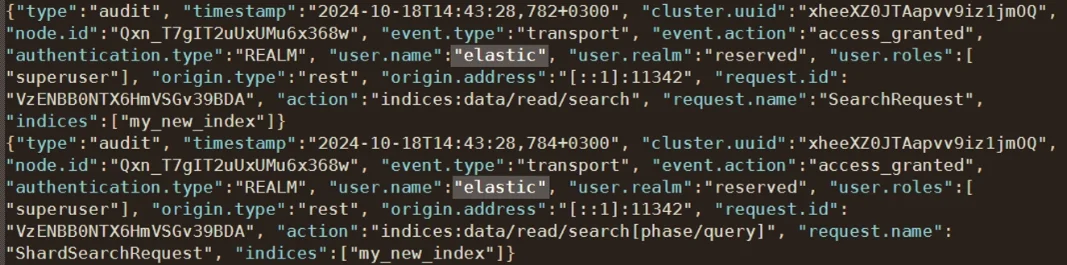
Elasticsearch can track access activity, index updates, authentication attempts, and administrative actions. Audit logging allows administrators to capture detailed information about who accessed what, when, and how.
Many organizations also use monitoring systems informed by the DataSunrise Audit Guide and the Audit Logs documentation to ensure consistency across environments.
Example: enabling X-Pack audit logging
xpack.security.audit.enabled: true
xpack.security.audit.logfile.events.include:
  - access_granted
  - access_denied
  - authentication_success
  - authentication_failed
xpack.security.audit.outputs: [ logfile ]
While audit logs help track user behavior and identify suspicious patterns, they do not automatically classify sensitive information, detect structural changes, or enforce compliance rules. Complementary technologies such as the Data Audit Trail module help close these gaps.
Role-Based Access Controls
Elasticsearch supports field-level and document-level restrictions using RBAC, Document-Level Security (DLS), and Field-Level Security (FLS). These mechanisms enforce least-privilege principles. Many teams enhance this with the RBAC Policy reference and Data Security Policy guidance.
Example: restricting access to sensitive fields
{
  "indices": [
    {
      "names": [ "customer*" ],
      "privileges": [ "read" ],
      "field_security": {
        "grant": [ "name", "email" ],
        "except": [ "ssn", "credit_card_number" ]
      },
      "query": {
        "term": { "active": true }
      }
    }
  ]
}
RBAC alone does not classify sensitive fields, detect new data types, or apply masking when structures evolve. Organizations often integrate these controls with systems such as the Database Security framework and the Rules Priority engine to maintain consistent, automated enforcement.
Index Templates and Schemas
Index templates allow defining mappings, settings, and naming patterns that help enforce structural consistency across indices. Templates help standardize how sensitive fields are indexed, especially in log-heavy or user-data-driven clusters.
To support these processes, teams often combine index templates with monitoring practices referenced in the Database Activity Monitoring guide.
Example: template with predefined sensitive field structure
{
  "index_patterns": [ "customer-*" ],
  "template": {
    "mappings": {
      "properties": {
        "ssn": { "type": "keyword" },
        "email": { "type": "keyword" },
        "name": { "type": "text" }
      }
    }
  }
}
To further ensure consistent governance, organizations may also rely on resources such as the DataSunrise Overview and Data Security fundamentals to build resilient compliance architectures.
Automating Elasticsearch Compliance with DataSunrise
DataSunrise expands Elasticsearch’s native capabilities with automated discovery, masking, auditing, and centralized governance. This eliminates manual oversight and ensures consistent protection across dynamic clusters.
Zero-Touch Discovery
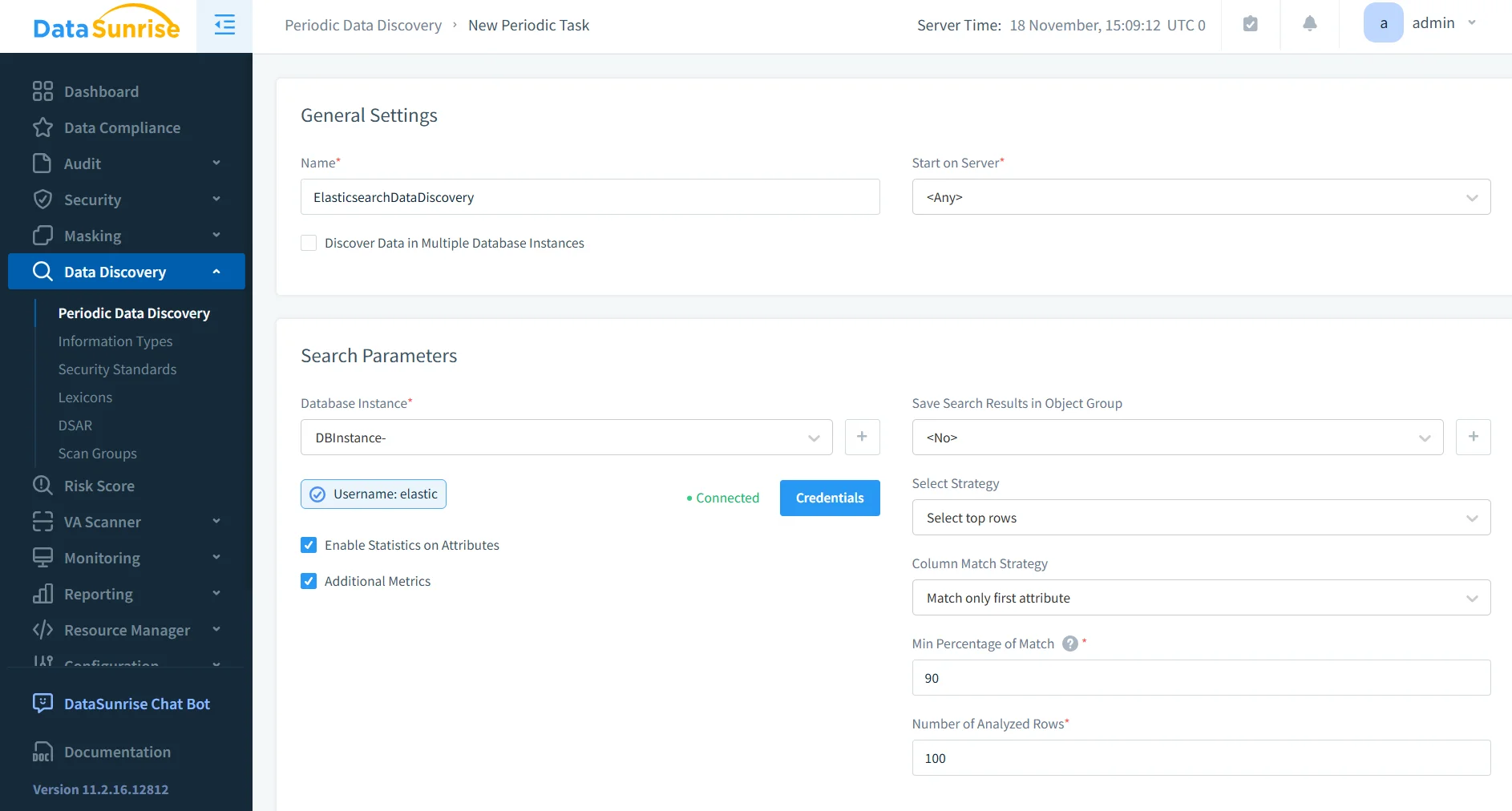
DataSunrise continuously scans Elasticsearch traffic and index structures to identify sensitive data without requiring manual setup. It uses ML models, pattern classifiers, and NLP techniques to analyze nested JSON objects and detect personal, financial, and medical information.
This capability integrates seamlessly with the DataSunrise Discovery Engine, ensuring sensitive fields are recognized the moment they appear.
As clusters evolve, DataSunrise automatically analyzes new indices and fields to maintain an accurate compliance map.
Dynamic Masking
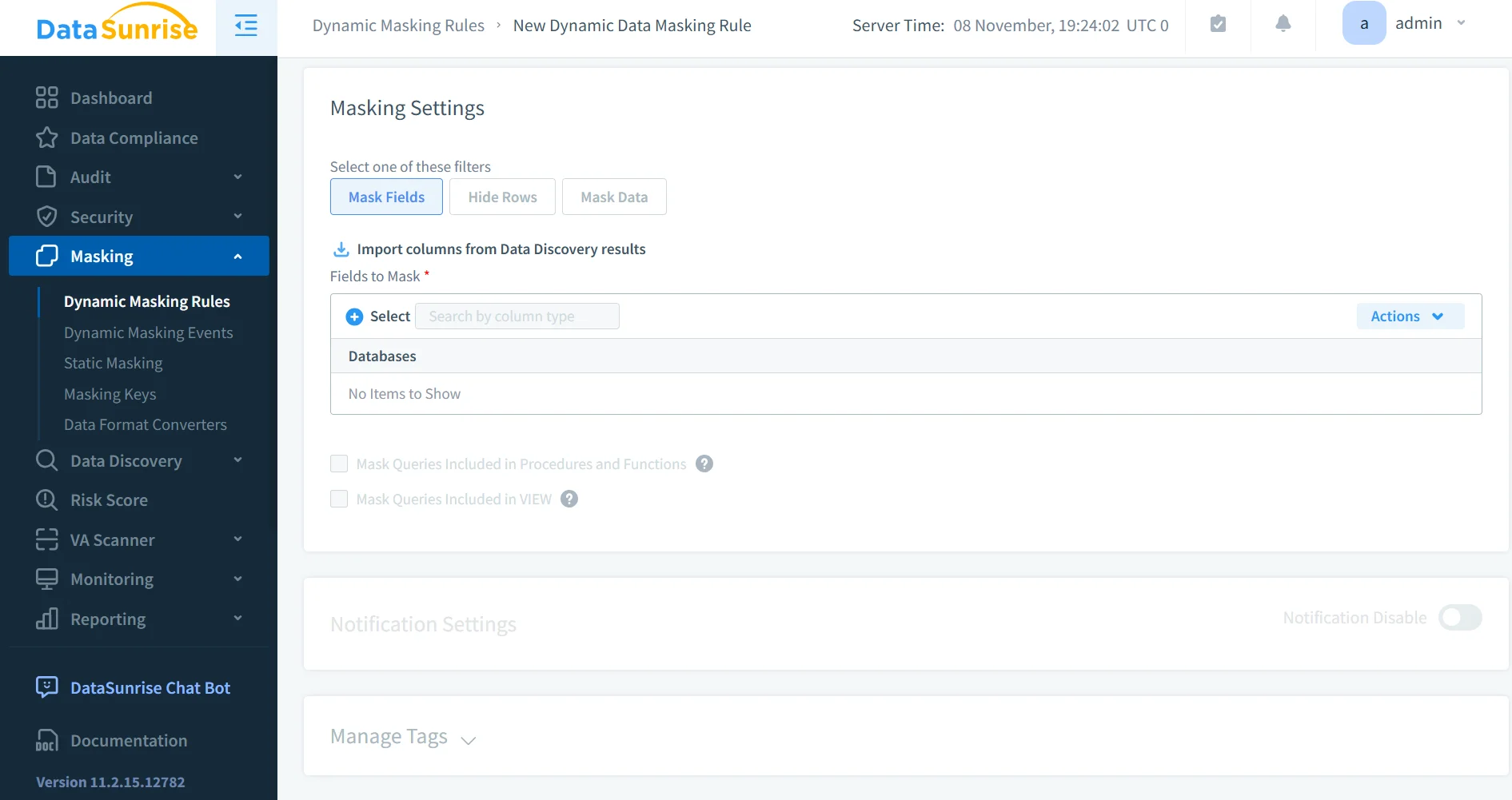
Dynamic masking protects sensitive information by applying transformations to Elasticsearch query responses in real time. Instead of altering stored data, the DataSunrise proxy masks fields based on user roles and access permissions.
This technique follows the principles documented in the Dynamic Data Masking reference, ensuring dashboards, APIs, and applications continue functioning without exposing regulated values.
Continuous Regulatory Alignment
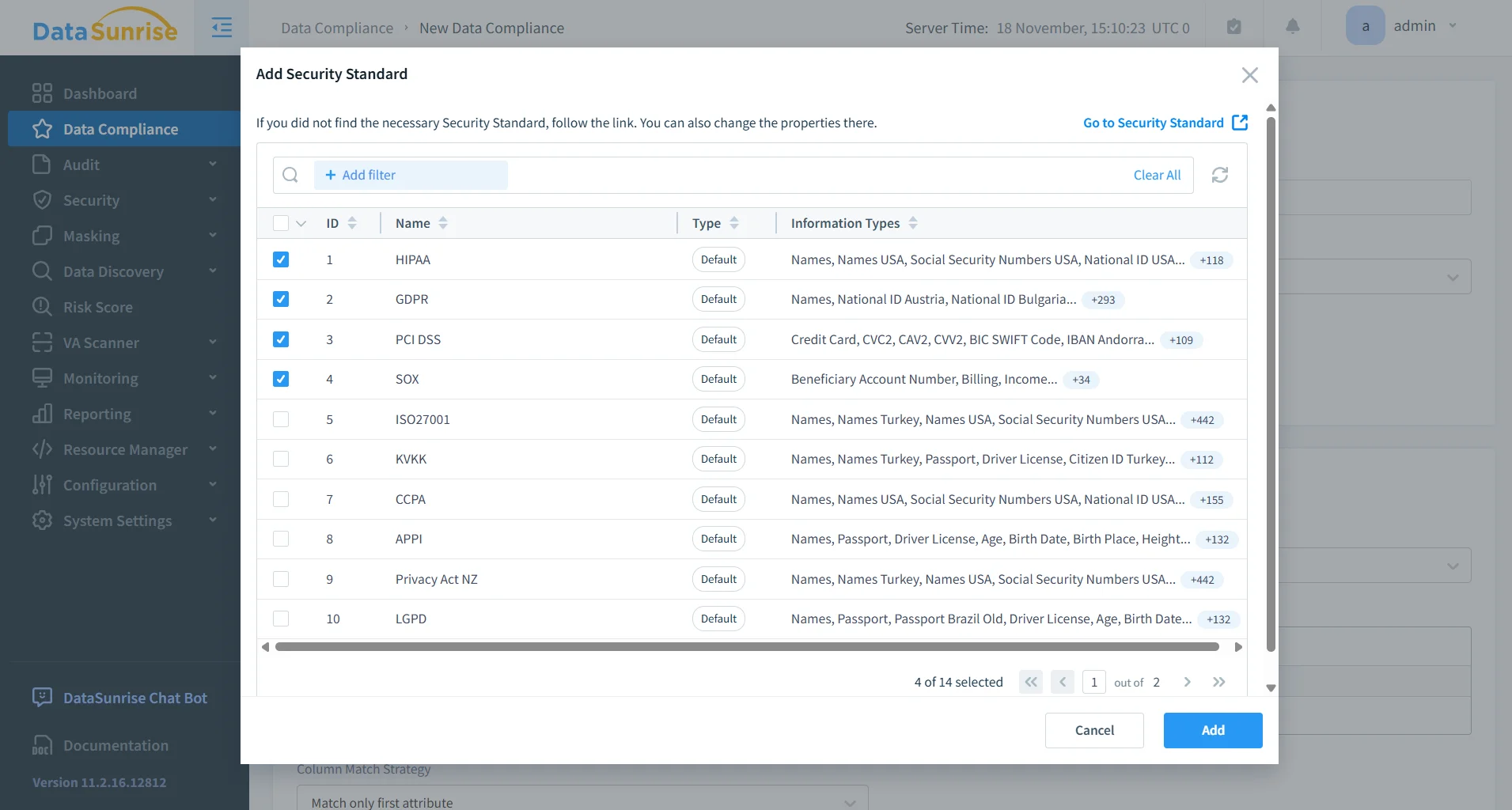
DataSunrise evaluates Elasticsearch data, access patterns, and field structures to maintain compliance with GDPR, HIPAA, PCI DSS, and SOX.
It leverages intelligence from the Compliance Management Platform to identify violations, recommend masking or access rules, and detect drift as new fields appear.
This reduces manual review and ensures ongoing alignment with regulatory frameworks.
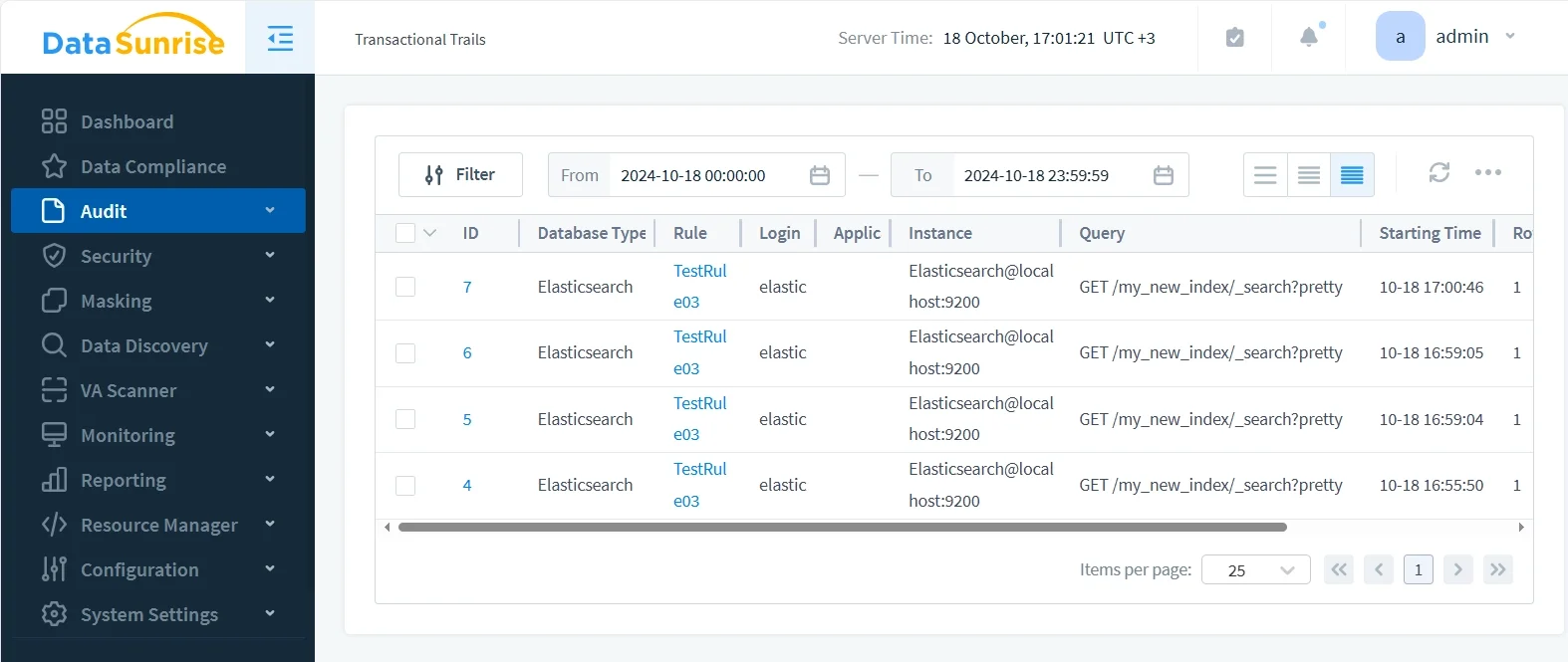
Automated Audit Trails
Each request passing through DataSunrise is recorded as a detailed audit event, providing unified visibility into how Elasticsearch data is accessed and modified.
Organizations commonly extend this functionality using references like the Audit Logs documentation and the Data Audit Trails article to meet regulatory obligations and maintain long-term audit records.
Unified Enforcement Across Environments
Compliance rules, masking configurations, and audit settings can be synchronized across development, testing, staging, and production infrastructures.
This governance approach is often paired with broader frameworks such as the Security Guide and the Database Security documentation to achieve coherent, multi-environment enforcement.
Key Benefits of Automated Compliance
| Benefit | Description |
|---|---|
| Reduced Manual Effort | Automated discovery and policy generation eliminate time-consuming rule maintenance and reduce the chance of misconfiguration. |
| Stronger Data Protection | Dynamic masking and sensitive data isolation ensure that regulated fields remain protected even as clusters scale or new documents appear. |
| Consistent Governance | Centralized controls create a uniform compliance posture across all environments, reducing gaps caused by configuration drift. |
| Faster Audits | Unified activity records and pre-built templates simplify reporting for internal audits and regulatory obligations. |
| Support for Hybrid Architectures | Automation supports cloud, on-prem, and containerized deployments, reducing complexity for distributed Elasticsearch footprints. |
Conclusion
Elasticsearch’s flexibility enables fast indexing, analytics, and search, but it also introduces compliance risks when data structures shift rapidly. While native tools provide foundational security controls, they are not sufficient for regulated or fast-changing environments.
DataSunrise automates discovery, masking, audit trails, and regulatory alignment without requiring modifications to Elasticsearch itself. With continuous compliance powered by intelligent analysis and automated rule enforcement, organizations can maintain strong protection with minimal operational effort.
Protect Your Data with DataSunrise
Secure your data across every layer with DataSunrise. Detect threats in real time with Activity Monitoring, Data Masking, and Database Firewall. Enforce Data Compliance, discover sensitive data, and protect workloads across 50+ supported cloud, on-prem, and AI system data source integrations.
Start protecting your critical data today
Request a Demo Download Now