How to Automate Data Compliance for MongoDB
MongoDB is one of the most popular NoSQL databases, widely adopted for modern applications that require flexibility and scalability. From powering e-commerce platforms to AI-driven applications, its document-oriented model provides unmatched adaptability. However, as organizations store sensitive data within MongoDB collections, compliance with frameworks such as GDPR, HIPAA, PCI DSS, and SOX becomes a critical responsibility.
Global regulations are evolving quickly, and failure to comply can result in significant penalties and reputational damage. According to ISO/IEC 27001 guidance, data protection and audit controls must be implemented across all environments to ensure organizations remain secure and audit-ready. While MongoDB includes some native auditing and security features, fully automated compliance across multi-cloud and hybrid deployments requires advanced tools.
This article explains MongoDB’s native options and demonstrates how DataSunrise automates compliance, reduces manual overhead, and strengthens security.
What is Data Compliance?
Data compliance refers to the practice of ensuring that data storage, access, and processing align with regulatory requirements and industry standards. For MongoDB environments, this means protecting sensitive collections, enforcing access restrictions, and maintaining an auditable record of user actions.
Organizations must comply with frameworks such as:
- GDPR for protecting personal data of EU residents.
- HIPAA for safeguarding health-related information.
- PCI DSS for securing cardholder data.
- SOX for ensuring financial data integrity.
Beyond meeting these standards, compliance also enhances organizational trust and reduces legal and reputational risks. For further reading, the NIST Cybersecurity Framework provides practical guidance on aligning security and compliance strategies.
Native MongoDB Compliance Features
MongoDB provides a set of native security and auditing features that serve as the foundation for compliance. Each one plays a role in ensuring sensitive data is properly managed.
Audit Logs
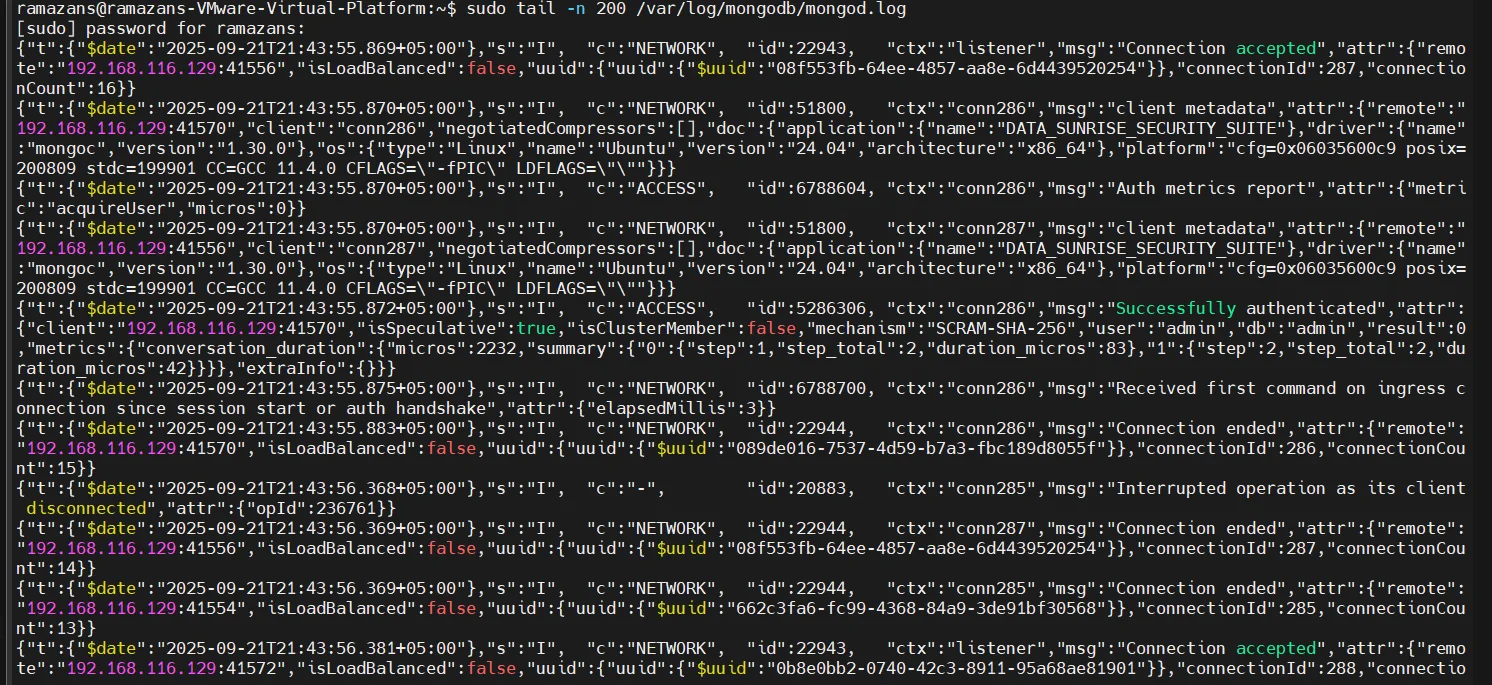
MongoDB’s auditLog parameter enables detailed recording of user operations, schema changes, and authentication attempts. This feature provides visibility into what actions are performed and by whom.
Learn more about audit logs and how they contribute to a complete audit trail.
Configuration example in mongod.conf:
auditLog:
  destination: file
  format: JSON
  path: /var/log/mongodb/auditLog.json
Role-Based Access Control (RBAC)
MongoDB uses roles to control user access. Administrators can assign privileges for specific actions, databases, or collections. RBAC is an essential part of role-based access control in modern databases.
Create a user with restricted access:
use admin
db.createUser({
  user: "complianceUser",
  pwd: "StrongPass123",
  roles: [
    { role: "readWrite", db: "finance" }
  ]
})
Check assigned roles:
db.getUser("complianceUser")
RBAC ensures that only authorized users can read or modify sensitive data, reducing compliance risks.
Encryption
MongoDB supports TLS/SSL encryption for data in transit and field-level encryption for sensitive information stored in collections. Encryption is also a critical part of database security and data protection.
Enable TLS in mongod.conf:
net:
  ssl:
    mode: requireSSL
    PEMKeyFile: /etc/ssl/mongodb.pem
Field-level encryption example:
{
  "bsonType": "object",
  "properties": {
    "creditCard": {
      "encrypt": {
        "bsonType": "string",
        "algorithm": "AEAD_AES_256_CBC_HMAC_SHA_512-Deterministic"
      }
    }
  }
}
This prevents unauthorized exposure of sensitive data even if raw documents are accessed.
Activity Tracking
Administrators can track activity through system logs and queries against the system.profile collection, which records slow and high-impact operations. Proper tracking also contributes to data activity history and database activity monitoring.
Enable profiling:
db.setProfilingLevel(2, { slowms: 50 })
Query recent activity:
db.system.profile.find().sort({ ts: -1 }).limit(5).pretty()
This provides insights into what operations are performed, by which users, and with what performance impact — crucial for compliance audits.
Automating Compliance with DataSunrise
DataSunrise extends MongoDB’s native features by introducing advanced automation mechanisms that reduce manual oversight and ensure continuous regulatory alignment. It complements data audit and database firewall with compliance-driven controls.
Compliance Autopilot
The Compliance Autopilot automatically enforces rules across MongoDB clusters. Whenever a new user, collection, or role is created, predefined compliance policies are applied instantly. This prevents configuration drift and ensures that every object remains aligned with frameworks like GDPR, HIPAA, PCI DSS, and SOX.
It integrates seamlessly with the Compliance Manager for ongoing regulatory calibration.
- Zero-Touch Policy Enforcement: New users and collections inherit security and compliance rules without manual updates.
- Continuous Drift Detection: Identifies unauthorized changes to roles, schemas, or privileges that may create compliance gaps.
- Framework-Specific Templates: Preloaded templates for GDPR, HIPAA, PCI DSS, and SOX accelerate deployment.
- Cross-Cluster Consistency: Ensures that compliance controls remain uniform across multiple MongoDB clusters.
Automated Compliance Reporting
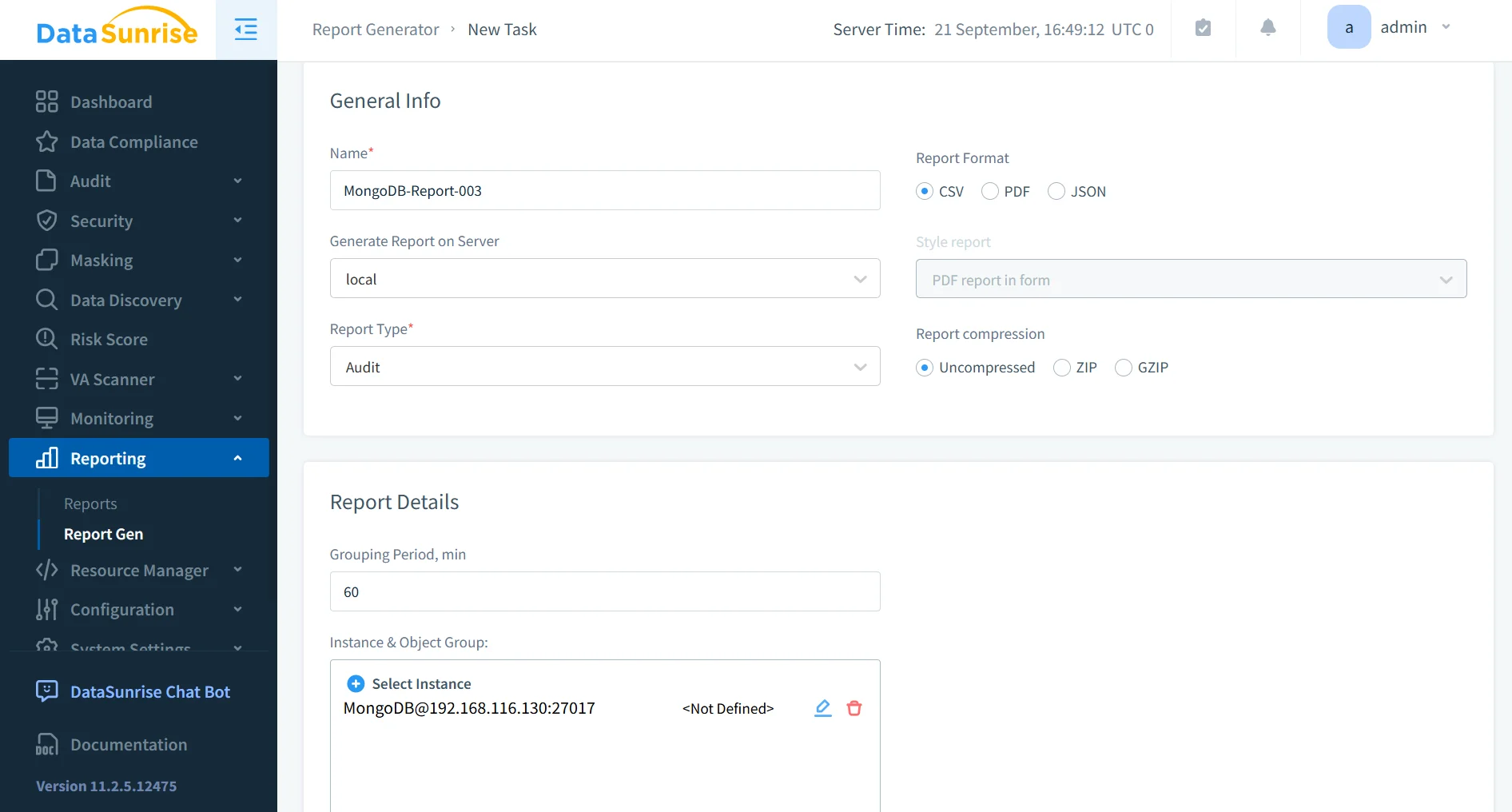
DataSunrise simplifies auditor interactions with automated reporting. Reports can be scheduled daily, weekly, or on demand, and they include detailed logs of access, masking activity, and security events. Reports can export to PDF or HTML, ensuring regulator-ready evidence with minimal effort.
The system’s report generation integrates with automated compliance reporting to align with GDPR, HIPAA, PCI DSS, and SOX audits.
Dynamic Data Masking
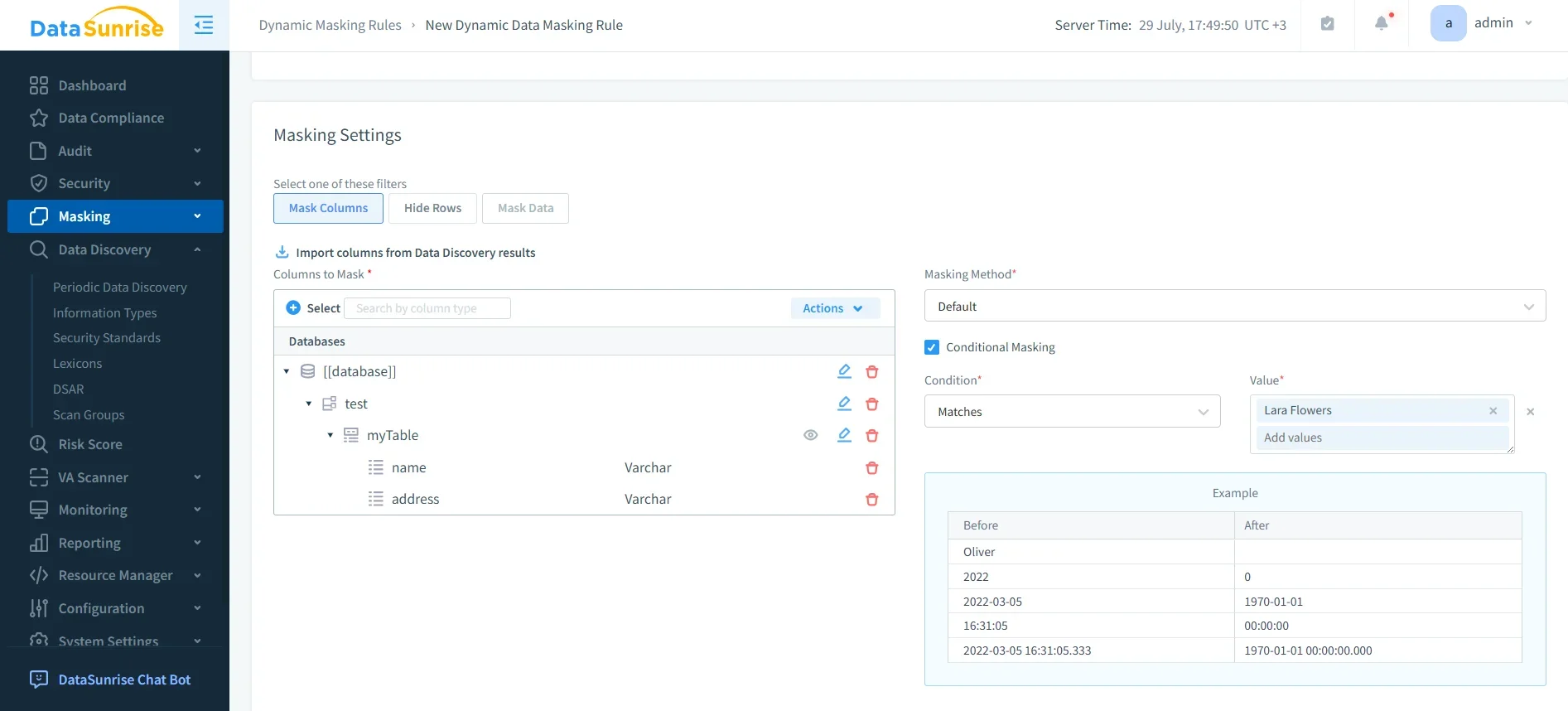
With dynamic masking, MongoDB fields containing sensitive data (like credit card numbers or patient IDs) can be masked in real time. Authorized users see the true values, while others see anonymized outputs (e.g., ****-****-****-4321).
This approach ensures that sensitive data remains protected during queries, analytics, or reporting, aligning with privacy requirements while still supporting business operations. See also data masking and static masking for broader use cases.
Centralized Monitoring
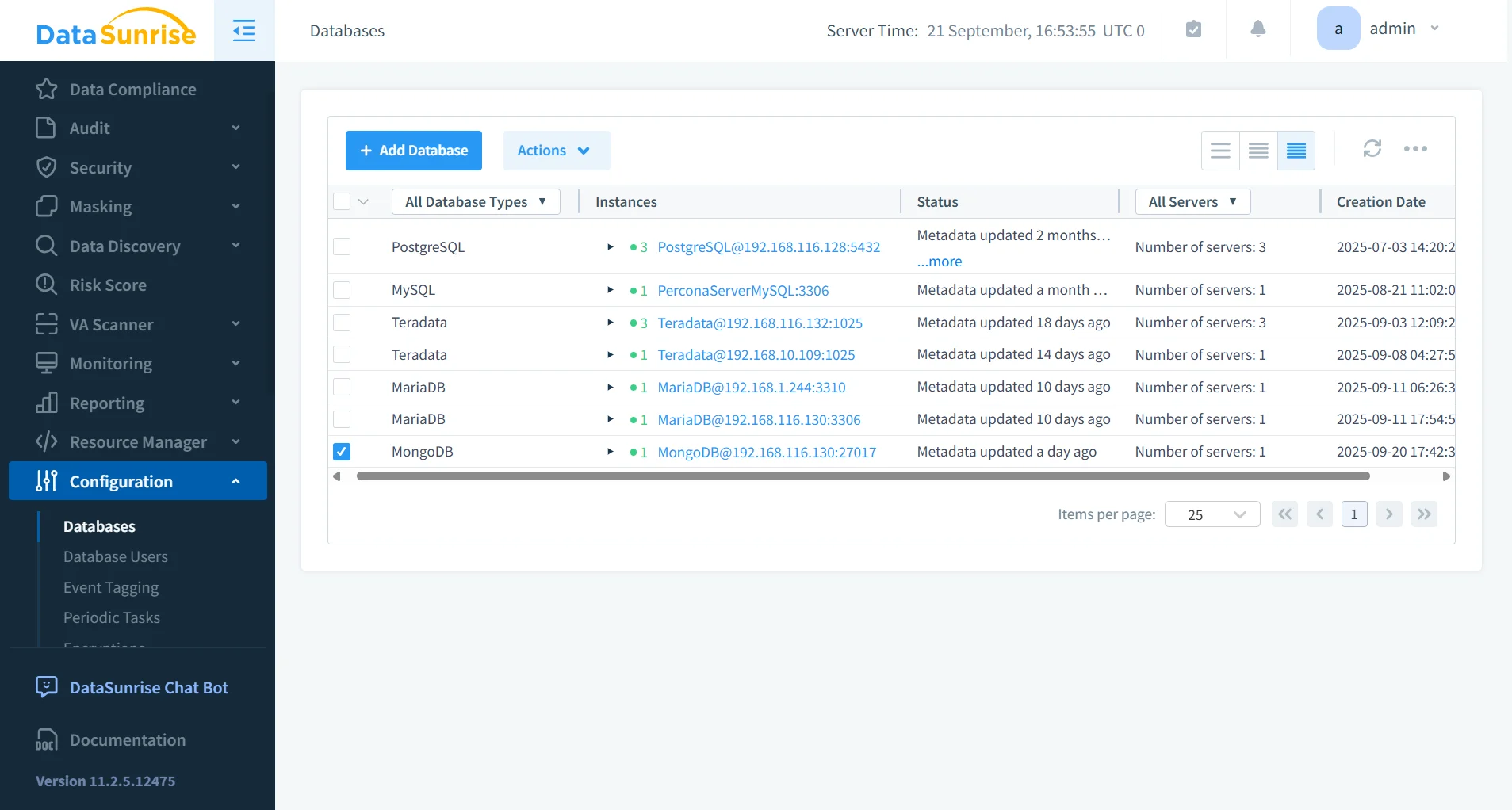
DataSunrise consolidates oversight across MongoDB and 40+ supported platforms. Through database activity history, administrators view all compliance-relevant activity in one place.
This unified approach ensures consistent security policies across SQL, NoSQL, and cloud environments — something MongoDB’s local-only tools cannot achieve. Dashboards and alerts provide quick visibility into suspicious or non-compliant activity across the enterprise, supporting stronger security policies.
Behavior Analytics
Beyond basic auditing, DataSunrise employs behavior analytics to detect insider threats or compromised accounts. By analyzing query frequency, geographic access patterns, and anomalies in usage, the system can identify suspicious behavior early.
More details are available in user behavior analysis, which applies machine learning and anomaly detection to compliance management.
- Anomaly Detection: Identifies unusual access spikes, query bursts, or off-hour activity.
- Geographic Risk Alerts: Flags connections from unexpected or blacklisted regions.
- User Profiling: Builds behavioral baselines for accounts and detects deviations.
- Insider Threat Prevention: Recognizes abnormal access patterns that indicate misuse of legitimate credentials.
Comparison Table
| Feature | MongoDB Native Tools | DataSunrise |
|---|---|---|
| Audit Logs | Basic BSON logs requiring manual parsing | Centralized, customizable audit trails |
| Reporting | Manual log review | Automated compliance reports (GDPR, HIPAA, PCI DSS, SOX) |
| Policy Management | Static RBAC roles | Compliance Autopilot with dynamic adjustment |
| Data Protection | Field-level encryption only | Dynamic Data Masking and fine-grained controls |
| Multi-Database Coverage | MongoDB only | 40+ SQL, NoSQL, and cloud platforms |
| Threat Detection | None | Behavior Analytics and security rules |
Conclusion
While MongoDB provides fundamental tools for managing compliance, organizations dealing with sensitive data at scale need more robust automation. DataSunrise introduces real-time compliance alignment, dynamic data masking, centralized monitoring, and audit-ready reporting that transform MongoDB into a compliance-first environment.
By automating compliance with DataSunrise, businesses not only meet regulatory demands but also reduce operational overhead and enhance trust with regulators, customers, and stakeholders.
Protect Your Data with DataSunrise
Secure your data across every layer with DataSunrise. Detect threats in real time with Activity Monitoring, Data Masking, and Database Firewall. Enforce Data Compliance, discover sensitive data, and protect workloads across 50+ supported cloud, on-prem, and AI system data source integrations.
Start protecting your critical data today
Request a Demo Download Now