How to Automate Data Compliance for ScyllaDB
ScyllaDB, known for its high performance and low latency, is widely used in modern distributed systems to manage large volumes of real-time data. However, as data grows, so do the compliance risks—particularly for organizations operating under GDPR, HIPAA, PCI DSS, and SOX regulations.
Manual compliance workflows often fail to scale with ScyllaDB’s speed and distributed nature. This is where DataSunrise brings automation, intelligence, and precision. Its Compliance Autopilot enables continuous monitoring, discovery, and enforcement across clusters, ensuring no data object or transaction escapes regulatory coverage.
DataSunrise complements ScyllaDB’s performance-driven architecture with Database Security, Audit Trail Management, and Compliance Management System integration, helping organizations achieve compliance at scale.
Importance of Data Compliance
Data compliance ensures that sensitive and regulated information within ScyllaDB environments is handled, stored, and processed according to legal and organizational requirements. In a distributed database, data often resides across multiple nodes and data centers, increasing the risk of unauthorized access or accidental exposure.
Non-compliance can result in severe financial penalties, reputational damage, and data breaches. For instance, GDPR Compliance violations can lead to fines of up to 4% of annual global turnover, while HIPAA Compliance violations may cause multimillion-dollar penalties for healthcare organizations.
Beyond penalties, compliance plays a critical role in maintaining data integrity, customer trust, and operational transparency. It allows organizations to:
- Demonstrate accountability in managing personal and financial information.
- Establish clear audit trails for investigations and reporting.
- Maintain visibility across distributed environments where manual oversight is impractical.
With ScyllaDB’s distributed architecture, manual compliance tracking becomes nearly impossible at scale. Automating compliance processes not only reduces human error but also ensures that data protection remains consistent across every node and transaction.
For broader regulatory alignment, administrators can use DataSunrise’s Compliance Regulations Overview to map ScyllaDB policies to frameworks such as ISO 27001 and NIST.
Native ScyllaDB Compliance Capabilities
While ScyllaDB does not include a built-in compliance module, administrators can establish a foundational compliance process using audit logging, access controls, and data encryption.
Audit Logging
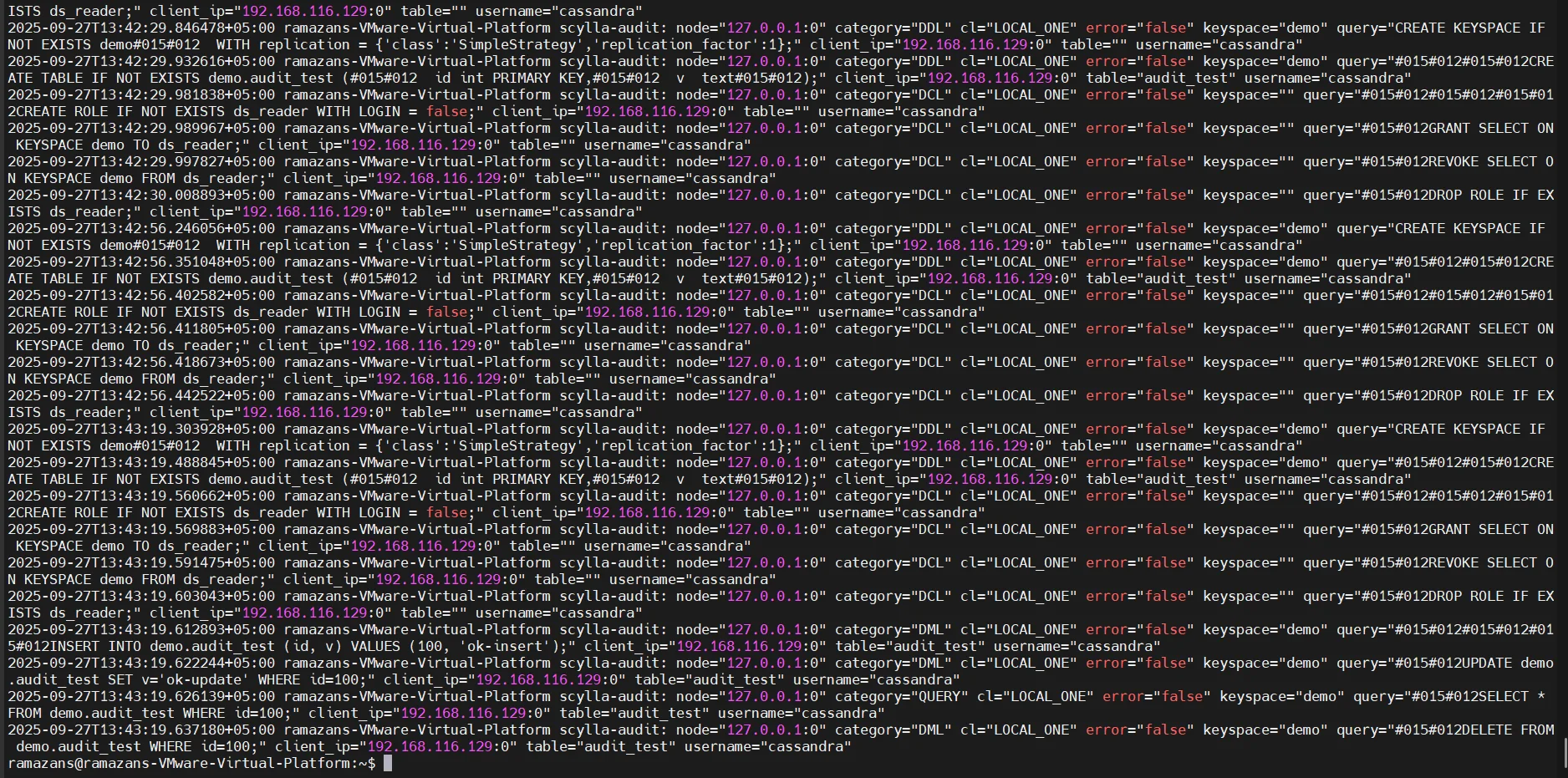
ScyllaDB’s audit logging extension provides visibility into database operations by capturing user queries, DDL (schema) changes, and connection attempts across all nodes.
Administrators can configure audit logging in the scylla.yaml file to specify which events should be recorded and how logs are stored. These logs can then be redirected to syslog, file-based storage, or external monitoring systems such as Database Activity Monitoring or SIEM for centralized analysis.
Configuration Example:
audit_log_enabled: true
audit_log_dir: /var/lib/scylla/audit
audit_log_max_queue_weight: 512
audit_log_max_log_size: 104857600   # 100 MB
audit_log_rotation_age: 86400       # Rotate every 24h
audit_log_sessions: true
Audit logs are crucial for identifying unauthorized access attempts, tracking privilege misuse, and ensuring accountability for administrative actions. To expand visibility, DataSunrise provides real-time audit monitoring and integration with Data Audit for centralized evidence collection.
Access Management
Access control in ScyllaDB is based on Role-Based Access Control (RBAC). It enables administrators to assign specific privileges to roles and users, minimizing the risk of unauthorized access to sensitive keyspaces and tables.
Using the CREATE ROLE and GRANT commands, compliance administrators can build tiered permission structures that follow the principle of least privilege.
Example:
-- Create a role for compliance auditors
CREATE ROLE compliance_auditor WITH LOGIN = true;

-- Grant read-only access to financial data
GRANT SELECT ON KEYSPACE finance TO compliance_auditor;

-- Create a restricted analyst role
CREATE ROLE data_analyst WITH LOGIN = true;
GRANT SELECT ON KEYSPACE marketing TO data_analyst;

-- Revoke unnecessary modification privileges
REVOKE MODIFY ON KEYSPACE marketing FROM data_analyst;
Administrators can later inspect role assignments using:
LIST ROLES;
DESCRIBE ROLE compliance_auditor;
This granular control ensures that only authorized users can view or manipulate sensitive data, an essential requirement under GDPR and PCI DSS Compliance.
To complement RBAC, DataSunrise offers role-based masking, policy automation, and security rule configuration for ScyllaDB environments.
Encryption
ScyllaDB supports encryption at rest and encryption in transit, ensuring that data remains protected both during storage and while being transferred between clients and nodes.
1. Encryption at Rest
This feature encrypts data files and commit logs on disk using AES-256. Administrators can enable it in the scylla.yaml configuration:
server_encryption_options:
    internode_encryption: all
    keystore: /etc/scylla/keystore.jks
    keystore_password: "YourKeystorePassword"
ScyllaDB can use SSL/TLS certificates generated internally or through enterprise tools like HashiCorp Vault or AWS KMS. To enhance encryption governance, DataSunrise integrates Continuous Data Protection, Database Encryption, and Vulnerability Assessment.
2. Encryption in Transit
To ensure secure connections between nodes and client applications, ScyllaDB supports TLS encryption through CQLSH and drivers.
Example CQLSH Connection:
cqlsh --ssl --request-timeout=10 --username compliance_auditor --password "StrongPass123"
This setup guarantees that all transmitted data—such as queries, credentials, and responses—is encrypted, preventing interception or tampering.
Together, encryption, RBAC, and audit logging form the foundation of ScyllaDB’s native compliance capabilities. However, these mechanisms operate independently, and managing them manually across multiple clusters can lead to gaps in visibility and consistency.
For this reason, integrating DataSunrise creates a unified, automated compliance management layer that continuously enforces security and regulatory policies across your ScyllaDB environment.
Automating ScyllaDB Compliance with DataSunrise
1. Zero-Touch Discovery and Policy Generation
Once connected to ScyllaDB, DataSunrise automatically scans keyspaces and tables to identify sensitive data such as PII, PHI, and PCI fields using NLP and pattern recognition.
- Detects sensitive data in structured and semi-structured formats, including JSON.
- Classifies data by sensitivity level and category.
- Generates baseline compliance rules for discovery, masking, and auditing.
Administrators can customize detection dictionaries—for example, to identify healthcare IDs or internal account numbers. Regular automated scans ensure continuous regulatory alignment as new objects appear in ScyllaDB clusters.
Learn more about Data Discovery and Sensitive Data Classification.
2. Dynamic Data Masking and Rule Automation
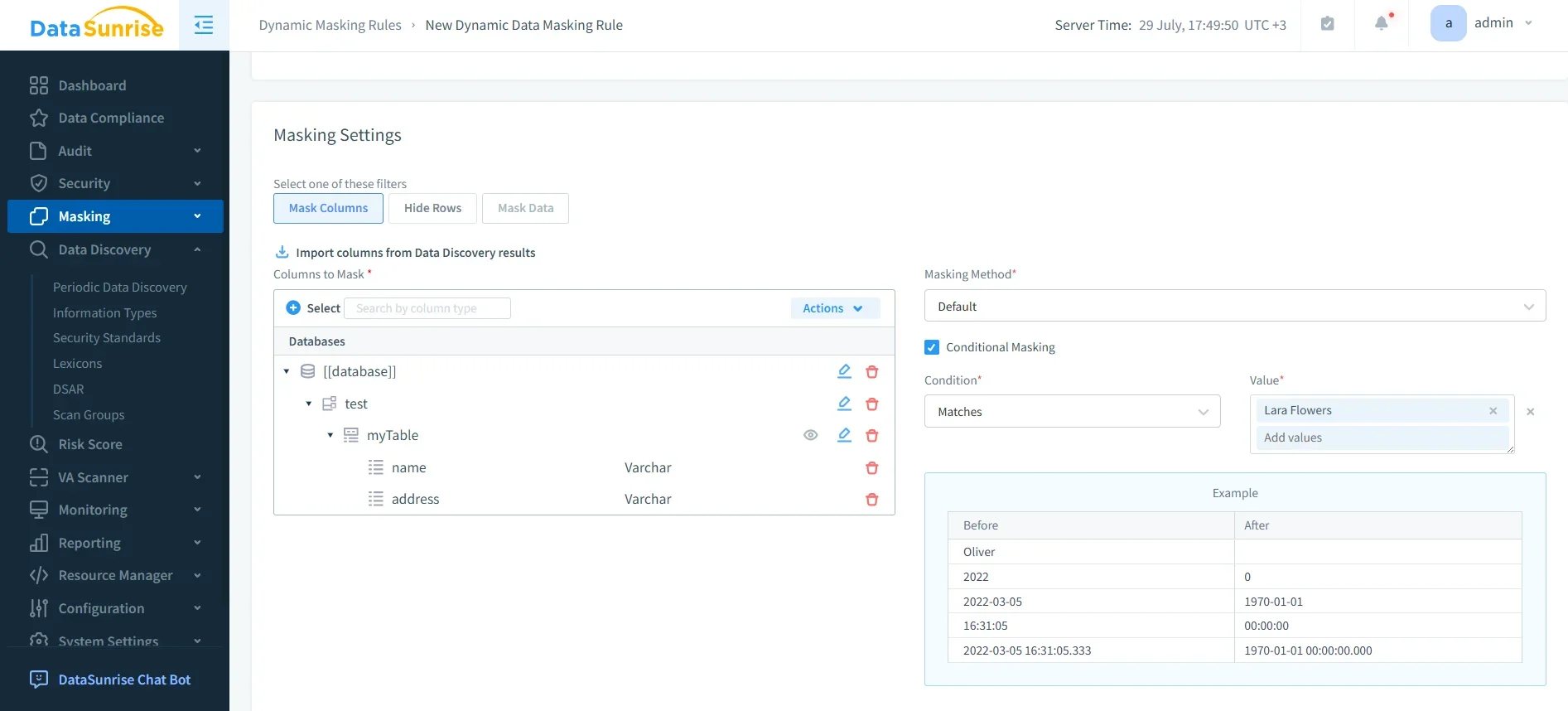
Dynamic Data Masking replaces sensitive values in real time without altering stored data. Unauthorized users see only masked results, preserving data utility for analytics while maintaining compliance.
- Apply role-based masking for users like analysts or QA engineers.
- Mask fields dynamically during query execution.
- Protect PII, PHI, PCI data across distributed clusters.
You can combine masking with DataSunrise Security Policies, Behavior Analytics, and Test Data Management to strengthen security across the entire data lifecycle.
3. Centralized Activity Monitoring and Audit History
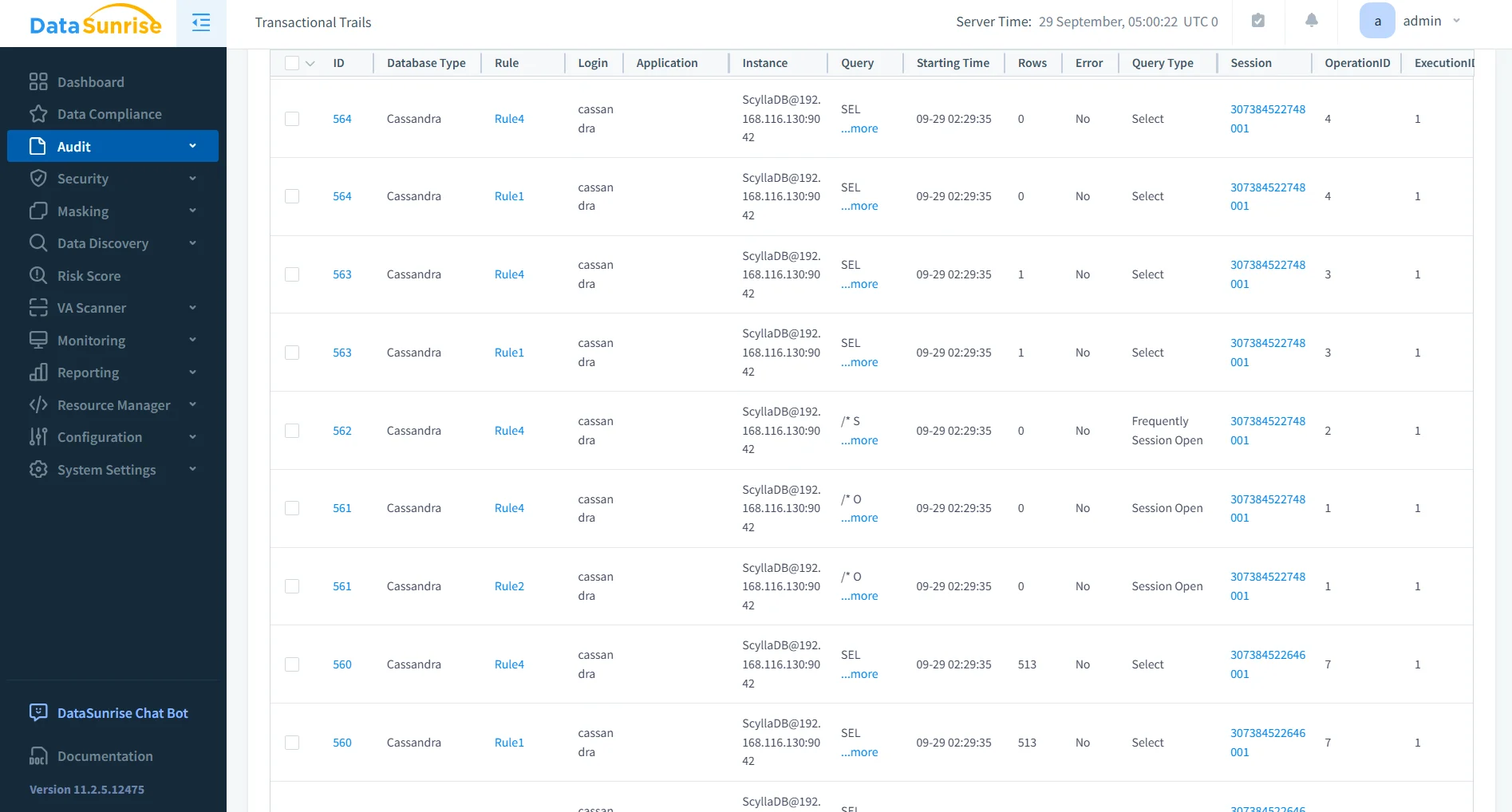
Centralized Monitoring consolidates audit trails from all ScyllaDB nodes into one interface. Administrators can filter by user, keyspace, or operation, reducing time spent manually reviewing distributed logs.
- Real-time visibility into queries, schema changes, and access events.
- Long-term storage of Audit Logs for forensic analysis.
- Integration with Data Activity History and SIEM tools for external correlation.
This unified dashboard ensures compliance evidence is available for auditors at any time. Reports can also integrate with Database Firewall for anomaly detection.
4. Automated Compliance Reporting
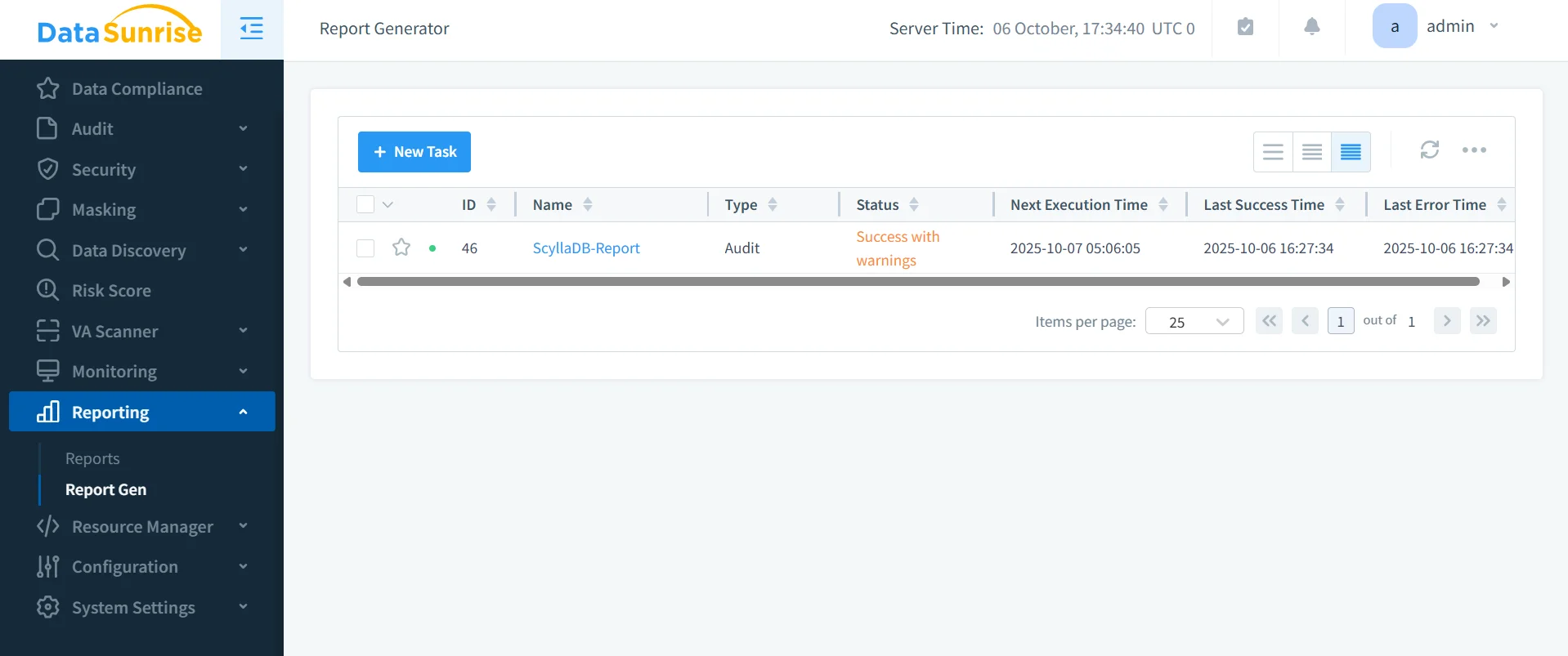
DataSunrise’s Compliance Manager provides one-click generation of auditor-ready reports for GDPR, HIPAA, and PCI DSS. Reports include discovered sensitive fields, audit rule configurations, and detected anomalies.
- Supports export to PDF, XLSX, or JSON.
- Schedules recurring compliance checks.
- Integrates directly with Report Generation.
By automating documentation, organizations eliminate the burden of manual compliance evidence preparation. For even faster response, combine it with Real-Time Notifications and MS Teams Notifications.
5. Continuous Regulatory Calibration
DataSunrise continuously validates ScyllaDB’s compliance posture against frameworks such as GDPR, SOX, HIPAA, and PCI DSS. Its Machine Learning Audit Rules adapt automatically as schema or access patterns change, ensuring ongoing alignment.
- Detects compliance drift and misconfigured rules.
- Recommends corrective actions in real time.
- Keeps pace with regulatory updates through Compliance Autopilot.
For extended visibility, administrators can use Vulnerability Assessment and LLM and ML Tools to enhance compliance intelligence.
Comparison Table
| Capability | Native ScyllaDB Features | DataSunrise Enhancement |
|---|---|---|
| Data Discovery | Manual schema review and pattern-based searches | Automated sensitive data discovery with NLP and classification |
| Audit Logging | Node-level logging with limited filtering | Centralized monitoring with analytics and correlation |
| Access Management | Manual RBAC setup | Dynamic role enforcement and automation |
| Data Masking | Not available natively | Real-time Dynamic Data Masking with context-aware rules |
| Encryption | AES-256 and TLS support | Integrated with Continuous Data Protection and policy synchronization |
| Reporting & Compliance | Manual report generation | Automated compliance reports for GDPR, HIPAA, and PCI DSS |
Conclusion
Manual compliance management for distributed databases like ScyllaDB is complex and error-prone. DataSunrise transforms this process with autonomous policy orchestration, continuous monitoring, and real-time masking—delivering compliance at scale without added complexity.
With intelligent automation, centralized visibility, and flexible deployment, DataSunrise ensures your ScyllaDB environment remains secure, auditable, and compliant across every node.
Protect Your Data with DataSunrise
Secure your data across every layer with DataSunrise. Detect threats in real time with Activity Monitoring, Data Masking, and Database Firewall. Enforce Data Compliance, discover sensitive data, and protect workloads across 50+ supported cloud, on-prem, and AI system data source integrations.
Start protecting your critical data today
Request a Demo Download Now