How to Ensure Compliance for Azure Cloud Storage
In today's cloud-first enterprise landscape, ensuring compliance for Azure Cloud Storage has become a critical business requirement. According to IBM's 2024 Data Breach Report, organizations with comprehensive cloud compliance systems reduce regulatory violation costs by up to 68% and identify potential security threats 91% faster than those relying on manual approaches.
With cloud storage breaches costing an average of $4.88 million in 2024 and regulatory frameworks like GDPR, HIPAA, and PCI DSS imposing stricter requirements, traditional manual compliance approaches are no longer sufficient. Microsoft Azure Cloud Storage provides native compliance tools, but organizations often require more sophisticated solutions to satisfy stringent compliance requirements.
This guide explores Azure Cloud Storage's native compliance features and demonstrates how DataSunrise can enhance your cloud security with Zero-Touch Compliance Automation.
Native Azure Cloud Storage Compliance Capabilities
Microsoft Azure Cloud Storage includes several built-in features for implementing compliance monitoring that track data access, storage configurations, and administrative activities.
1. Azure Policy for Compliance Governance
Azure Policy enables organizations to enforce compliance standards across storage accounts:
# Create a policy to enforce encryption at rest
$policyDefinition = New-AzPolicyDefinition `
  -Name "Require-Storage-Encryption" `
  -DisplayName "Require encryption for Azure Storage accounts" `
  -Policy '{
    "if": {
      "field": "type",
      "equals": "Microsoft.Storage/storageAccounts"
    },
    "then": {
      "effect": "deny"
    }
  }'
2. Testing Compliance Configurations
Execute sample operations to validate compliance monitoring:
# Create a storage account with compliance configurations
$storageAccount = New-AzStorageAccount `
  -ResourceGroupName "ComplianceRG" `
  -Name "complianceteststrg" `
  -Location "East US" `
  -SkuName "Standard_LRS" `
  -EnableHttpsTrafficOnly $true `
  -MinimumTlsVersion "TLS1_2"

# Configure blob public access prevention
Set-AzStorageAccount `
  -AllowBlobPublicAccess $false
3. Azure Portal Web Interface for Compliance Management
The Azure Portal provides an intuitive interface for managing compliance without requiring specialized command-line expertise:
- Security Center Dashboard: Navigate to Security Center to view compliance posture across all storage accounts with regulatory framework assessments
- Storage Account Compliance: Access individual storage account settings to review encryption status, access policies, and security configurations
- Activity Log: Monitor administrative changes and configuration modifications with built-in filtering capabilities
- Policy Compliance: Review Azure Policy assignments and compliance status with detailed violation reports
- Metrics and Alerts: Configure automated notifications for compliance threshold breaches and security incidents
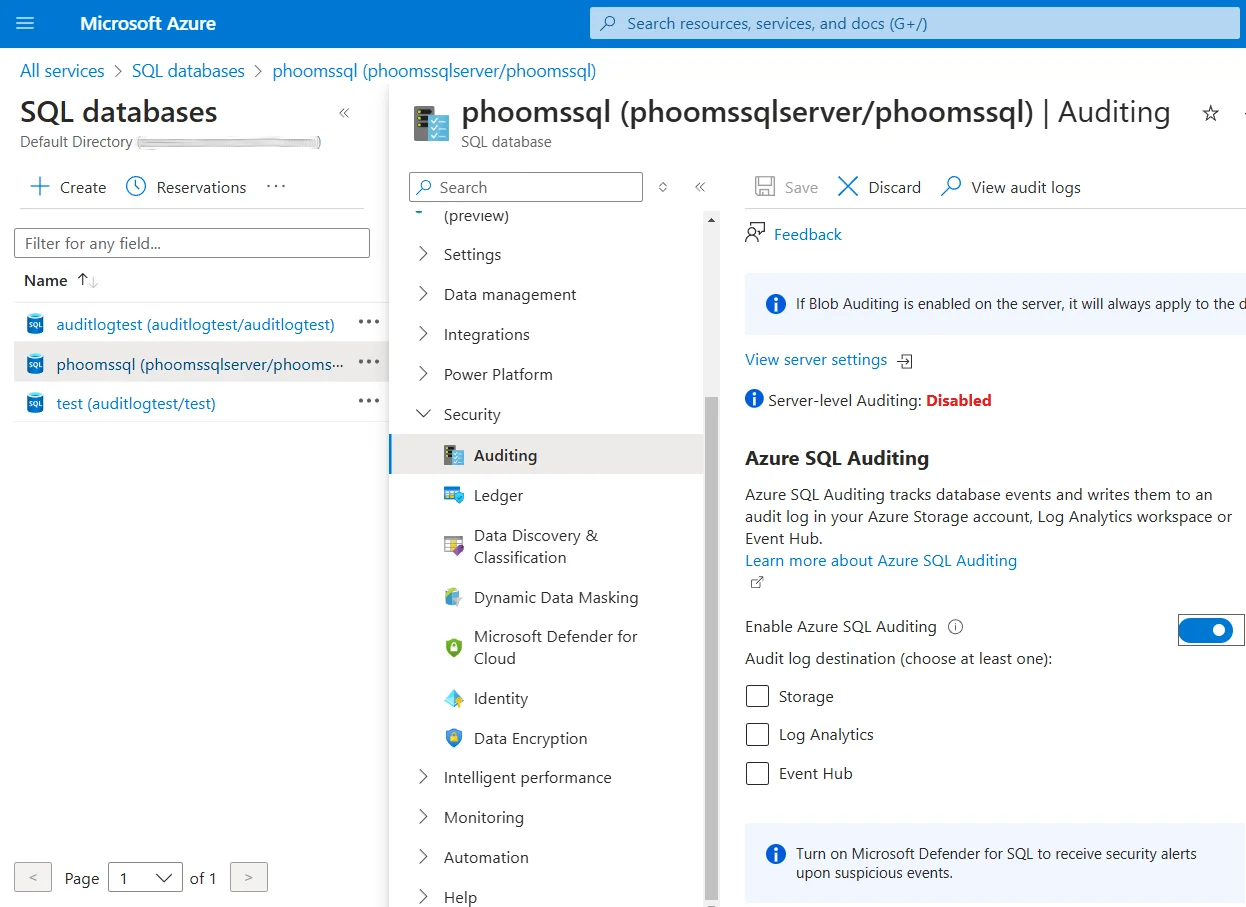
While these native capabilities provide essential functionality, organizations with advanced compliance requirements often encounter limitations including limited real-time enforcement, basic compliance mapping, and manual report generation.
Enhanced Azure Cloud Storage Compliance with DataSunrise
DataSunrise significantly enhances cloud security monitoring through Autonomous Compliance Orchestration designed specifically for cloud storage environments. Unlike basic policy enforcement approaches, DataSunrise delivers enterprise-grade data protection with comprehensive compliance automation.
Setting Up DataSunrise for Azure Cloud Storage Compliance
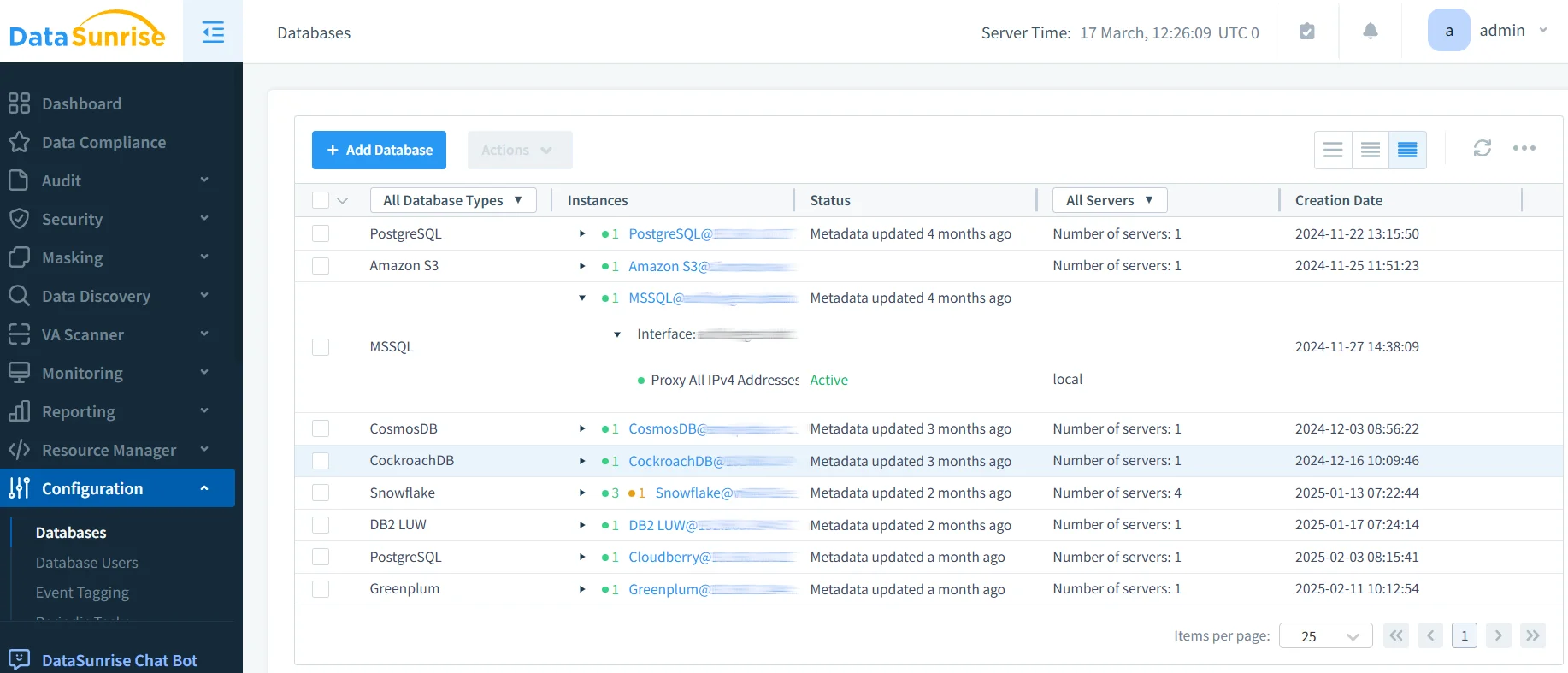
1. Connect to Azure Cloud Storage Environment
Establish a secure connection between DataSunrise and your Azure Storage environment through the intuitive administrative interface. DataSunrise supports comprehensive monitoring across Azure Blob Storage, Azure Files, Azure Queue Storage, and Azure Table Storage.
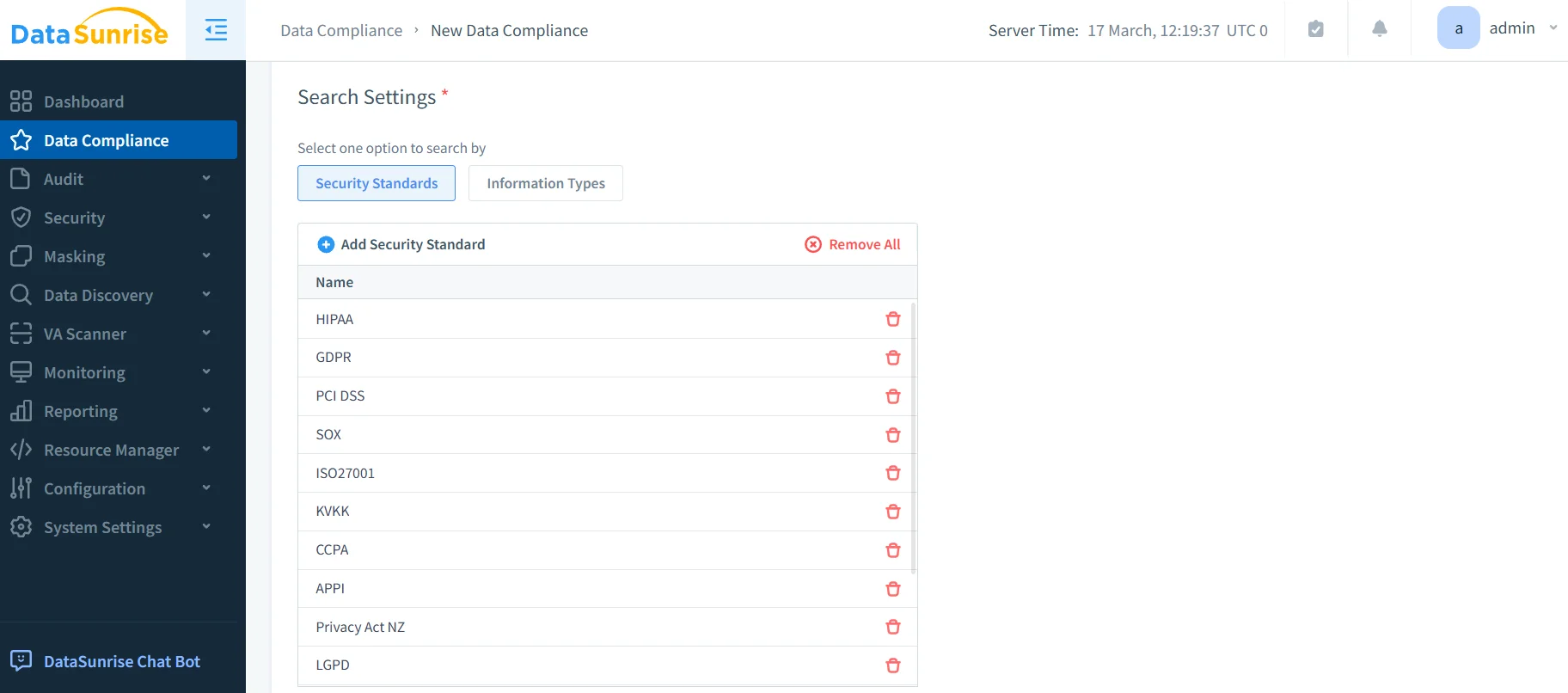
2. Configure Compliance-Specific Monitoring Rules
Create customized monitoring rules based on your regulatory requirements and data sensitivity levels through DataSunrise's intuitive interface.
3. Implement Auto-Discover & Classify Engine
DataSunrise automatically scans your Azure Storage environment to identify sensitive data according to regulatory frameworks with sensitive data discovery and OCR-driven detection.
Key Advantages of DataSunrise for Azure Cloud Storage
| Feature | Description |
|---|---|
| Zero-Touch Compliance Automation | Automatically align storage configurations with regulatory requirements |
| No-Code Policy Automation | Create sophisticated compliance policies through an intuitive interface |
| Real-Time Compliance Monitoring | Receive immediate alerts for compliance violations |
| Behavioral Analytics | Detect anomalies that might indicate compliance violations |
| Automated Compliance Reporting | Generate pre-configured reports for GDPR, HIPAA, PCI DSS, and SOX |
| Dynamic Data Masking | Protect sensitive data in real-time |
| Cross-Platform Integration | Monitor compliance across 50+ data storage platforms |
Best Practices for Azure Cloud Storage Compliance
1. Data Classification and Sensitivity Mapping
Implement comprehensive data classification using DataSunrise's automated discovery to identify and tag sensitive data with consistent labeling across all storage accounts.
2. Access Control and Privilege Management
Establish role-based access controls with privileged access monitoring and regular access reviews.
3. Encryption and Data Protection
Ensure comprehensive encryption coverage with customer-managed keys and mandatory TLS 1.2 for all data transmission.
4. Continuous Monitoring and Alerting
Deploy intelligent monitoring with real-time notifications and behavioral baselines to detect anomalies.
5. Enhanced Compliance Implementation
Deploy DataSunrise for unified compliance management across hybrid environments with automated policy enforcement and comprehensive audit trails.
Conclusion
As organizations increasingly rely on Azure Cloud Storage for business-critical data, ensuring comprehensive compliance has become essential for regulatory adherence and security. While Azure provides foundational compliance capabilities, organizations with complex requirements benefit significantly from enhanced solutions like DataSunrise.
DataSunrise provides comprehensive compliance designed for cloud storage environments, offering Zero-Touch Compliance Automation and automated reporting. With flexible deployment modes, DataSunrise transforms Azure Cloud Storage compliance from a resource-intensive burden into a strategic business asset.
Protect Your Data with DataSunrise
Secure your data across every layer with DataSunrise. Detect threats in real time with Activity Monitoring, Data Masking, and Database Firewall. Enforce Data Compliance, discover sensitive data, and protect workloads across 50+ supported cloud, on-prem, and AI system data source integrations.
Start protecting your critical data today
Request a Demo Download Now