How to Mask Sensitive Data in Microsoft SQL Server
Sensitive data does not politely sit in one place waiting to be protected. It leaks through queries, reports, test environments, and overly curious users. That’s why masking exists—not as a “nice-to-have,” but as damage control before your auditors (or attackers) show up.
In Microsoft SQL Server, masking is primarily handled at the query level. It limits exposure without breaking applications. However, like most “native” features, it does the bare minimum and calls it a day. So let’s walk through how to actually mask sensitive data properly—first with built-in tools, then with something that doesn’t tap out under real-world pressure.
For a deeper look at native capabilities, see Dynamic Data Masking in the official Microsoft documentation, as well as guidance on data masking fundamentals from industry sources.
If you want to understand how masking fits into a broader protection strategy, check Data Discovery and Dynamic Data Masking, which expand masking beyond basic column-level controls.
Why Mask Sensitive Data in SQL Server
Data masking in Microsoft SQL Server is used to control the exposure of sensitive information at query time without modifying the underlying stored values. Unlike encryption, which protects data at rest or in transit, masking operates at the presentation layer, ensuring that query results are dynamically obfuscated based on access policies.
This distinction is critical in environments where full data access is not required but operational continuity must be preserved.
Masking is typically applied in the following scenarios:
-
Protection of personally identifiable information in shared environments
Ensures that sensitive fields such as names, emails, or financial identifiers are not exposed to unauthorized users. -
Access control in reporting and analytics systems
Limits visibility of confidential data while allowing aggregate queries and business intelligence operations to function without disruption. -
Secure use of production data in development and testing
Enables realistic datasets without introducing compliance risks associated with exposing raw sensitive data. See also test data management practices. -
Regulatory compliance enforcement
Supports adherence to frameworks such as General Data Protection Regulation, Health Insurance Portability and Accountability Act, and Payment Card Industry Data Security Standard by restricting unauthorized data visibility.
In practice, masking enforces the principle of least privilege at the data presentation level. Users retrieve only the subset of information necessary for their role, reducing the risk of accidental or unauthorized data exposure.
Native Data Masking in Microsoft SQL Server
Microsoft SQL Server provides Dynamic Data Masking (DDM) as a native feature for controlling data exposure at query time. Masking rules are defined at the schema level and enforced dynamically during query execution, without altering the underlying stored data.
DDM operates at the presentation layer and is applied automatically based on user permissions.
1. Create a Table with Masked Columns
Masking rules are defined directly in the table schema using the MASKED WITH clause:
CREATE TABLE Customers (
    CustomerID INT PRIMARY KEY,
    FullName NVARCHAR(100),

    Email NVARCHAR(100)
        MASKED WITH (FUNCTION = 'email()'),

    Phone NVARCHAR(20)
        MASKED WITH (FUNCTION = 'partial(2,"XXXXXXX",2)'),

    CreditCard NVARCHAR(20)
        MASKED WITH (FUNCTION = 'default()')
);
Supported masking functions include:
email()— Obfuscates email addresses while preserving formatpartial(prefix, padding, suffix)— Reveals only selected parts of the valuedefault()— Applies a generic mask (e.g.,XXXX)random(start, end)— Generates a random numeric value within a defined range
These functions define how data is transformed in query results while leaving the original values intact in storage.
2. Insert and Query Data
Insert sample data into the masked table:
INSERT INTO Customers (CustomerID, FullName, Email, Phone, CreditCard)
VALUES
    (1, 'Alice Johnson', '[email protected]', '1234567890', '4111111111111111');
Execute a query as a user without elevated privileges:
SELECT
    CustomerID,
    FullName,
    Email,
    Phone,
    CreditCard
FROM Customers;
Result (masked output):
| CustomerID | FullName | Phone | CreditCard | |
|---|---|---|---|---|
| 1 | Alice Johnson | [email protected] | 12XXXXXX90 | XXXX |
Masking is applied dynamically at runtime based on the user’s access level.
3. Grant or Restrict Access to Unmasked Data
Access to unmasked data is controlled via the UNMASK permission. Users without this permission will receive masked results.
-- Grant read access with masking enforced
GRANT SELECT ON Customers TO analyst_user;

-- Grant permission to bypass masking
GRANT UNMASK TO admin_user;
analyst_user→ receives masked dataadmin_user→ receives original, unmasked values
This permission model introduces a critical control point: any user with UNMASK can bypass all masking rules defined at the column level.
How DataSunrise Masks Sensitive Data in SQL Server
This is where native capabilities stop being sufficient and a centralized approach becomes necessary.
DataSunrise deploys Zero-Touch Data Masking with No-Code Policy Automation to deliver dynamic protection without modifying database schemas or application logic. Instead of operating at the column level, it functions as a Centralized Data Compliance Platform, enforcing masking policies across environments and access paths.
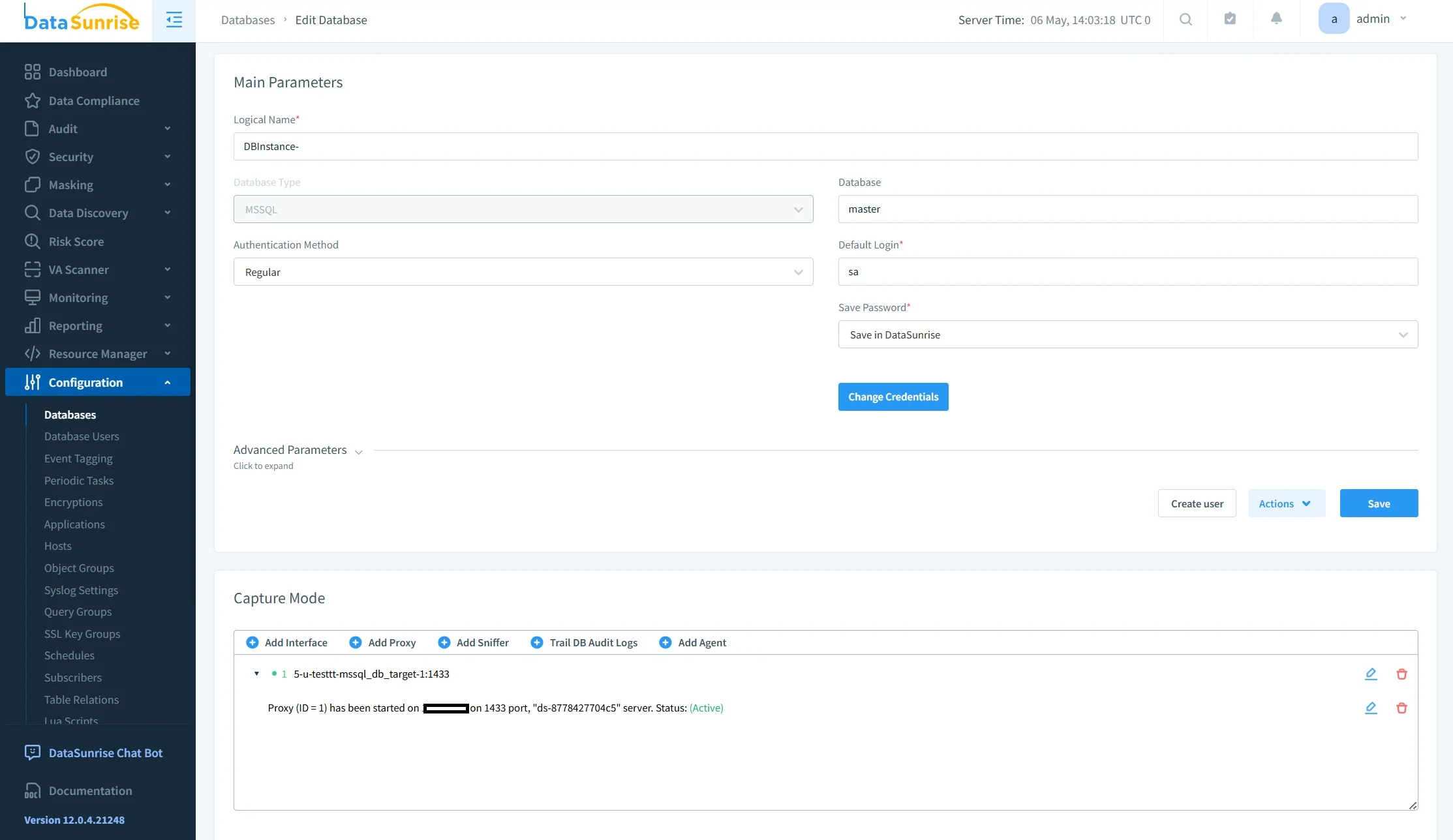
Step 1: Connect SQL Server to DataSunrise
Integration with Microsoft SQL Server is performed using non-intrusive deployment modes such as proxy, sniffer, or log-based monitoring.
This architecture allows the system to intercept and control database traffic externally, eliminating the need for direct changes to the database or application layer. As a result, implementation does not require schema modifications, code refactoring, or service interruptions.
Step 2: Auto-Discover Sensitive Data
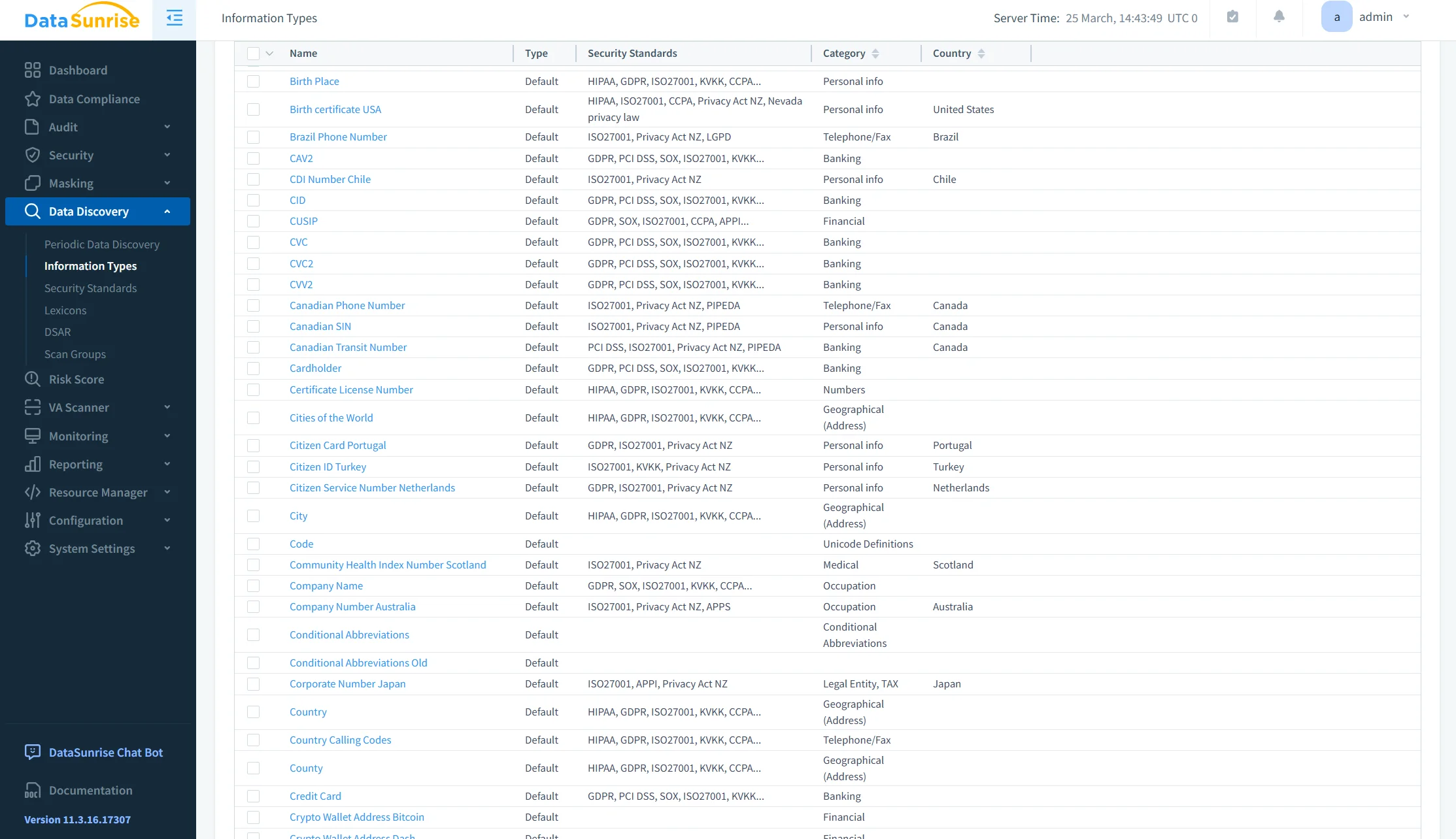
Rather than relying on manual identification of sensitive columns, DataSunrise performs automated Sensitive Data Discovery.
The system scans databases to identify personally identifiable information (PII), financial data and payment records, healthcare-related information, and custom-defined patterns based on organizational policies. This discovery process supports structured and semi-structured data formats, enabling consistent classification across heterogeneous data environments.
Step 3: Create Masking Rules
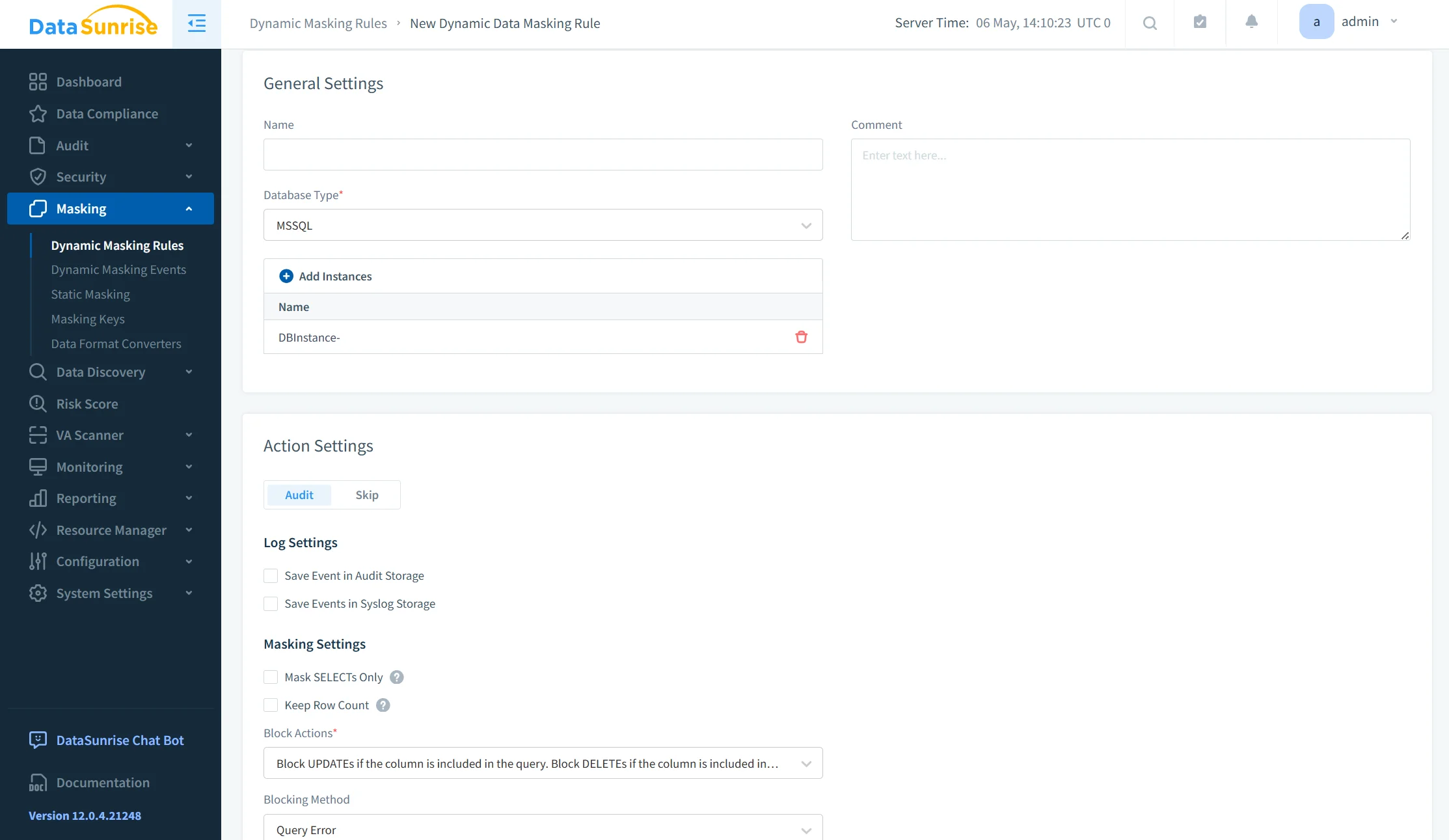
Masking policies are defined with granular control based on multiple contextual parameters.
Policies can be configured according to user roles and privileges, query types and access methods, application sources, and data classification results. This approach shifts masking from static column-level rules to context-aware exposure control. For example, developers may receive fully masked datasets, analysts may access partially masked values, and administrative users may retrieve original data with full audit traceability.
Step 4: Enforce Real-Time Masking
Masking is applied dynamically at query execution time, without altering the stored data.
DataSunrise integrates masking with complementary controls, including dynamic data masking policies, audit rule enforcement, and user behavior analytics. This combination enables real-time, context-aware protection that adapts to user behavior and access patterns, rather than relying on predefined static rules.
Why This Approach Wins
| Capability | Native SQL Server Masking | DataSunrise |
|---|---|---|
| Compliance Alignment | Manual implementation required | Compliance Autopilot aligned with GDPR, HIPAA, PCI DSS |
| Architecture Scope | Limited to database-level masking | Unified Security Framework across databases and cloud storage |
| Policy Management | Static rules, manual updates | Continuous Regulatory Calibration with automated policy updates |
| Platform Coverage | SQL Server only | Cross-platform (SQL, NoSQL, cloud, files) |
| Enforcement & Visibility | Basic masking, limited audit context | Real-time enforcement with full audit visibility |
Conclusion
Masking sensitive data in Microsoft SQL Server is straightforward to implement at a basic level but does not scale effectively in complex environments.
Native Dynamic Data Masking provides a foundational mechanism for controlling data exposure at query time. It is suitable for isolated use cases with limited user roles and minimal compliance requirements. However, in distributed architectures with multiple data sources, users, and regulatory constraints, its limitations become apparent—particularly in policy management, cross-platform enforcement, and access control granularity. For a broader view of masking approaches, refer to Data Masking.
DataSunrise addresses these gaps by implementing a policy-driven masking framework with centralized governance. It enables consistent enforcement of masking rules across environments while integrating with complementary controls such as Data Discovery, Audit Logs, and Database Activity Monitoring. This approach ensures that masking is applied dynamically, based on context and access patterns, without modifying the underlying data.
Relying solely on column-level masking restricts visibility but does not provide comprehensive data protection. A centralized and context-aware masking strategy is required to maintain security, enforce compliance, and ensure controlled data access across modern data infrastructures.
Protect Your Data with DataSunrise
Secure your data across every layer with DataSunrise. Detect threats in real time with Activity Monitoring, Data Masking, and Database Firewall. Enforce Data Compliance, discover sensitive data, and protect workloads across 50+ supported cloud, on-prem, and AI system data source integrations.
Start protecting your critical data today
Request a Demo Download Now