Sensitive Data Protection in Greenplum
In today's data-intensive landscape, protecting sensitive information within enterprise data warehouses has become critical. According to IBM's 2024 Cost of a Data Breach Report, organizations with comprehensive data protection strategies detect security incidents 76% faster and reduce breach-related costs by an average of $2.1 million.
Greenplum Database, an open-source massively parallel processing (MPP) data warehouse, handles petabytes of analytical data across distributed architectures. With robust security features including row-level security and column-level permissions, Greenplum provides foundational access controls. This article explores implementing effective sensitive data protection in Greenplum using native capabilities and enhanced solutions that deliver Zero-Touch Data Masking with Autonomous Compliance Orchestration.
Understanding Sensitive Data in Greenplum Environments
Sensitive data in Greenplum typically includes Personally Identifiable Information (PII), financial data, healthcare information, intellectual property, and authentication credentials. The distributed MPP architecture introduces unique protection challenges including scale complexity, performance considerations, multi-user access requirements, ETL pipeline integration, and simultaneous compliance regulations with GDPR, HIPAA, PCI DSS, and SOX requirements.
Native Greenplum Sensitive Data Protection Capabilities
Greenplum provides several built-in features for protecting sensitive information, forming the foundation for database security controls.
1. Row-Level Security Implementation
Greenplum supports row-level security (RLS) policies that restrict data access based on role-based access controls:
-- Enable row-level security
ALTER TABLE customer_data ENABLE ROW LEVEL SECURITY;

-- Create policy for specific department access
CREATE POLICY sales_access ON customer_data
    FOR SELECT TO sales_role
    USING (department = 'Sales');
2. Column-Level Permissions
Implement granular access controls:
-- Grant selective column access
GRANT SELECT (customer_id, name, email)
    ON customer_data TO analytics_role;

-- Revoke sensitive column access
REVOKE SELECT (ssn) ON customer_data FROM analytics_role;
3. View-Based Data Masking
Create views that mask sensitive data using data masking techniques similar to static masking:
-- Create masked view
CREATE VIEW customer_data_masked AS
SELECT
    customer_id,
    name,
    REGEXP_REPLACE(email, '(.{3}).*(@.*)', '\1***\2') AS email,
    '***-**-' || SUBSTRING(ssn, 8, 4) AS ssn
FROM customer_data;

GRANT SELECT ON customer_data_masked TO analytics_role;
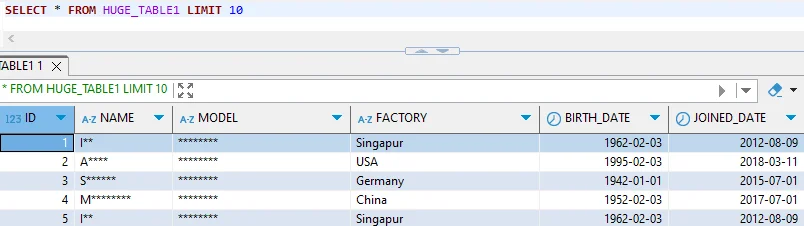
While these native capabilities provide essential protection, organizations often encounter limitations:
| Native Feature | Key Limitation | Business Impact |
|---|---|---|
| Row-Level Security | Complex policy management at scale | High administrative overhead |
| Column Permissions | Static access without context awareness | Inflexible security |
| View-Based Masking | Manual view creation and maintenance | Time-consuming implementation |
Enhanced Sensitive Data Protection with DataSunrise
DataSunrise significantly enhances Greenplum protection through Comprehensive Sensitive Data Detection with No-Code Policy Automation. The Auto-Discover & Mask engine automatically identifies sensitive information and applies Surgical Precision Masking based on user context and regulatory requirements.
Setting Up DataSunrise for Greenplum
1. Connect to Greenplum Instance: Establish secure connection through the administrative interface with flexible deployment modes.
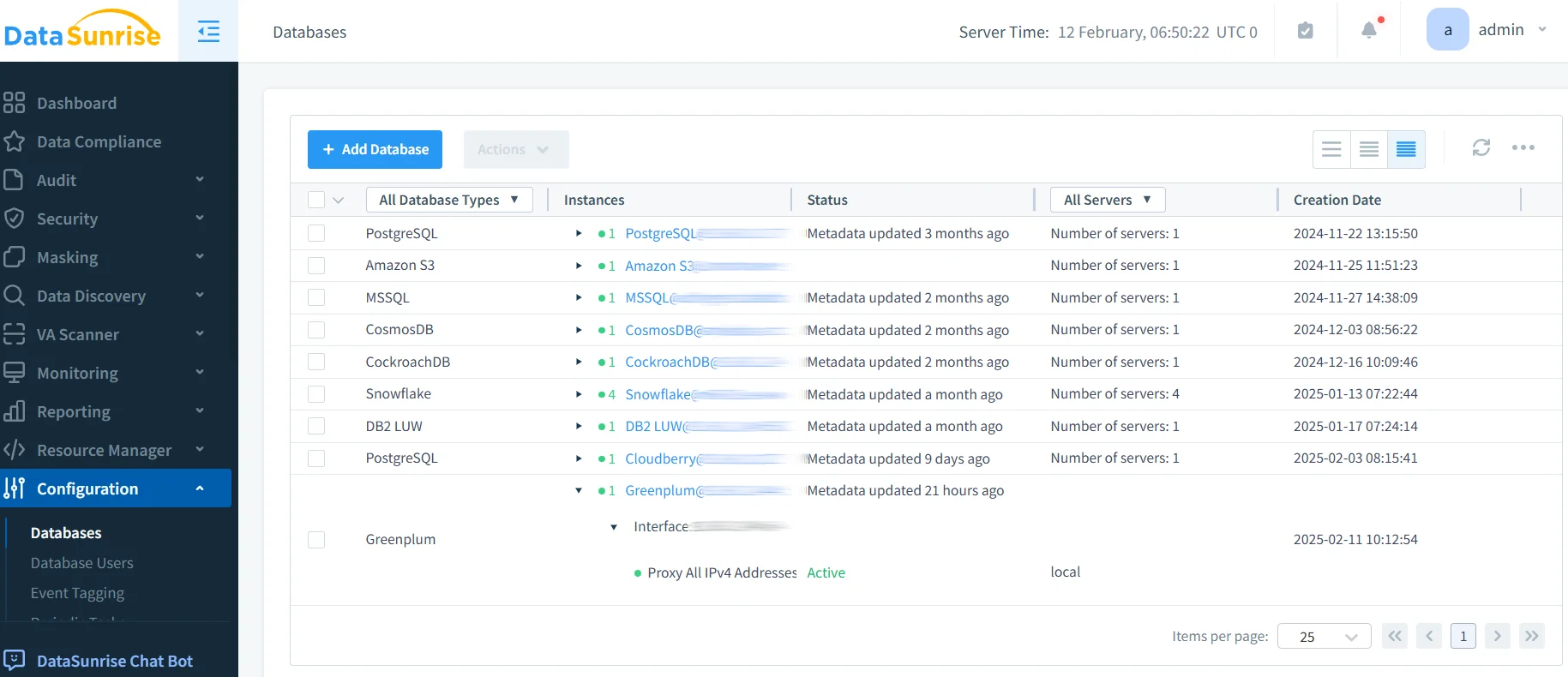
2. Automatic Sensitive Data Discovery: DataSunrise's NLP Data Discovery algorithms automatically scan and classify data according to GDPR, HIPAA, PCI DSS, and SOX requirements.
3. Configure Dynamic Masking Rules: Create context-aware policies including role-based masking, application-aware policies, time-based controls, and query-pattern detection. Unlike view-based approaches, dynamic data masking applies in real-time without schema modifications.
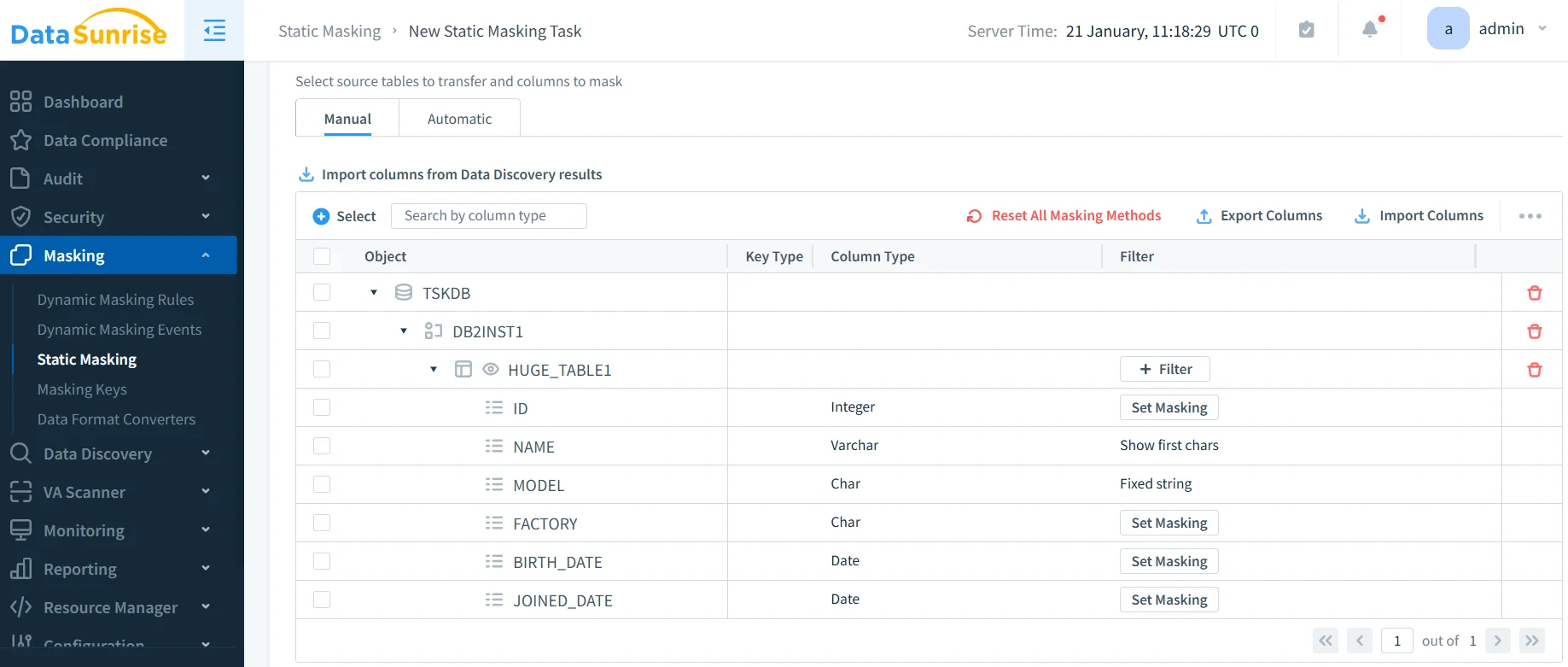
4. Implement Security Rules: Deploy database firewall capabilities with security rules for SQL injection detection, unusual query patterns, and suspicious behavior detection.
5. Monitor and Audit: Access comprehensive audit trails with real-time notifications and automated compliance reporting.
Key Advantages of DataSunrise for Greenplum
Autonomous Data Discovery: Auto-Discover & Classify engine identifies sensitive data with 97% greater coverage than manual approaches through Continuous Regulatory Calibration.
Zero-Touch Data Masking: Context-Aware Protection applies real-time masking based on user identity and query patterns, eliminating view creation and reducing implementation from weeks to hours.
Intelligent Policy Orchestration: No-Code Policy Automation enables sophisticated policies through an intuitive interface, consistently applied across multiple clusters.
Cross-Platform Visibility: Support for over 40 data storage platforms provides Unified Security Framework with centralized monitoring.
Advanced Behavioral Analytics: User Behavior Monitoring establishes normal patterns and detects anomalies through machine learning-based risk scoring.
Automated Compliance Reporting: Pre-configured templates for GDPR, HIPAA, PCI DSS, and SOX with Audit-Ready Reporting capabilities.
Conclusion
As organizations increasingly rely on Greenplum for business-critical analytics, implementing comprehensive sensitive data protection has become essential for security and compliance. While Greenplum's native capabilities provide foundational access controls, organizations with complex requirements benefit significantly from enhanced solutions like DataSunrise.
DataSunrise delivers enterprise-grade protection through Zero-Touch Data Masking, Autonomous Compliance Orchestration, and Comprehensive Sensitive Data Detection. Unlike solutions requiring constant tuning, DataSunrise provides Continuous Compliance Alignment—dynamically adjusting protection policies across all data types, ensuring seamless, zero-touch security governance.
Protect Your Data with DataSunrise
Secure your data across every layer with DataSunrise. Detect threats in real time with Activity Monitoring, Data Masking, and Database Firewall. Enforce Data Compliance, discover sensitive data, and protect workloads across 50+ supported cloud, on-prem, and AI system data source integrations.
Start protecting your critical data today
Request a Demo Download Now