
Teradata Audit Log
Teradata is a high-performance analytics platform widely used for enterprise-scale data warehousing and business intelligence. As organizations expand their data ecosystems, maintaining accountability and transparency becomes critical. A well-configured Teradata audit log ensures that every query, access attempt, and modification is recorded for security and compliance.
Native Teradata tools provide built-in mechanisms to track user actions, but when paired with advanced solutions like DataSunrise, these logs evolve into a unified monitoring and compliance framework. Together, they allow enterprises to meet data protection regulations such as GDPR, HIPAA, and PCI DSS.
What is Audit Log?
An audit log is a chronological record of all database actions, showing who accessed the system, what operations they performed, and when those actions occurred. It provides visibility into every interaction with data, which helps detect unauthorized access, policy violations, and operational errors.
In the context of Teradata, the audit log captures SQL statements, authentication attempts, and administrative activities. Each event is stored with metadata such as timestamps, user identifiers, and object names, ensuring complete traceability.
Audit logs play a key role in ensuring data integrity, maintaining accountability, and proving compliance during internal or external reviews. By preserving a transparent history of user and system activity, they help organizations quickly identify and mitigate security incidents.
Understanding the Native Teradata Audit Log
Teradata’s audit logging mechanism records database events, user activities, and system-level operations. Administrators can configure the Database Query Log (DBQL) and the Security Event Log to capture authentication events, session actions, and query details.
These logs form the foundation of Teradata’s audit trail, helping organizations trace incidents and analyze user behavior.
Enabling Teradata Audit Logging
To activate the audit log, administrators can issue SQL commands within Teradata SQL Assistant or BTEQ:
BEGIN LOGGING WITH TEXT ON ALL;
This command enables auditing for all users and captures executed SQL statements in plain text format. For a more selective setup, administrators may log specific users or objects:
BEGIN LOGGING ON USERS HR_USER, FIN_USER;
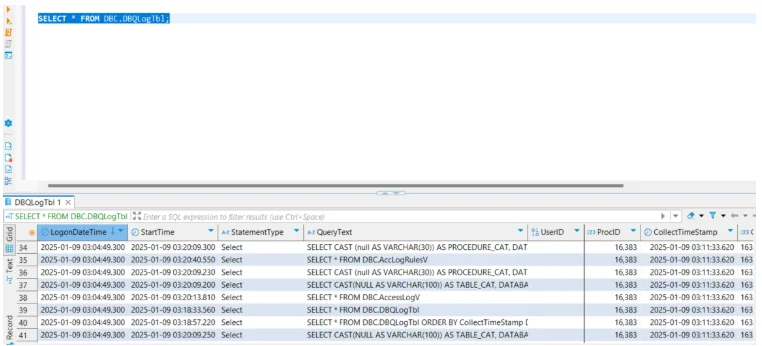
Once activated, Teradata stores these records in system tables such as DBC.DBQLogTbl and DBC.AuditTrail.
For more detailed configuration, refer to Teradata Database Logging Reference.
Analyzing Audit Logs
Audit logs can be queried directly from system tables to monitor database activity. For example:
SELECT UserName, StartTime, StatementText
FROM DBC.DBQLogTbl
WHERE StartTime > CURRENT_DATE - 1;
This query retrieves statements executed in the last 24 hours.
Administrators can further refine analysis using filters for specific users, statement types, or sessions. The output provides critical insight into database performance, access frequency, and potential anomalies.
Extending Teradata Audit Log Capabilities with DataSunrise
DataSunrise enhances Teradata’s auditing by centralizing log collection, visualization, and compliance automation. Through its Compliance Manager, DataSunrise transforms basic log data into actionable insights while maintaining real-time visibility across distributed environments.
It also works as part of a Data Security Platform designed to ensure consistency and cross-database correlation.
Unified Audit Management
DataSunrise consolidates Teradata logs with activity records from other databases—such as Oracle, PostgreSQL, and MySQL—into a single interface. This unified approach simplifies oversight and ensures consistency in policy enforcement.
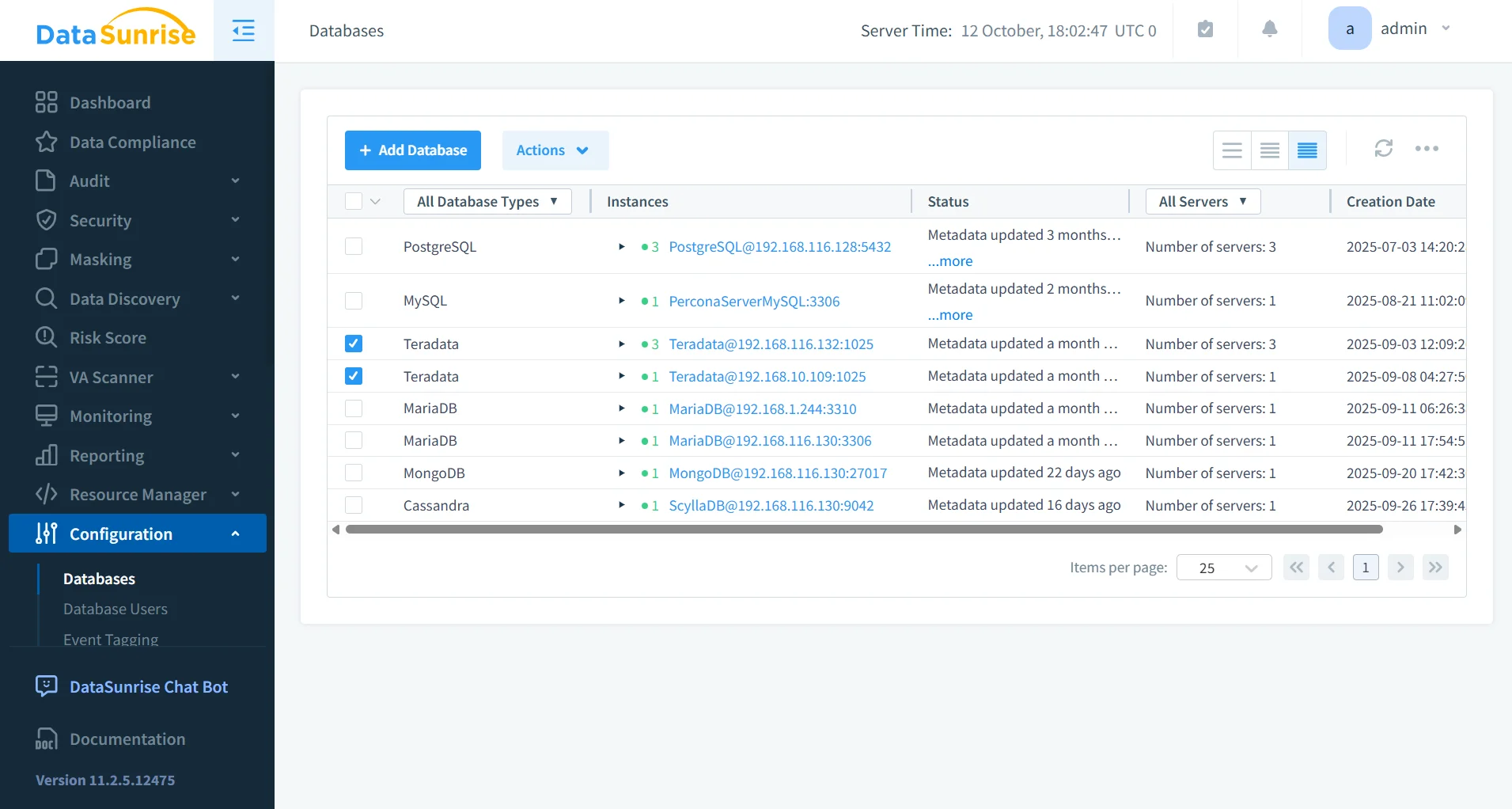
You can learn more about multi-database visibility in Activity Monitoring.
Automated Audit Rules
With DataSunrise, administrators can define granular audit rules that monitor specific objects, users, or operations. Rules can trigger alerts or actions when anomalies occur, eliminating manual log review and accelerating incident response.
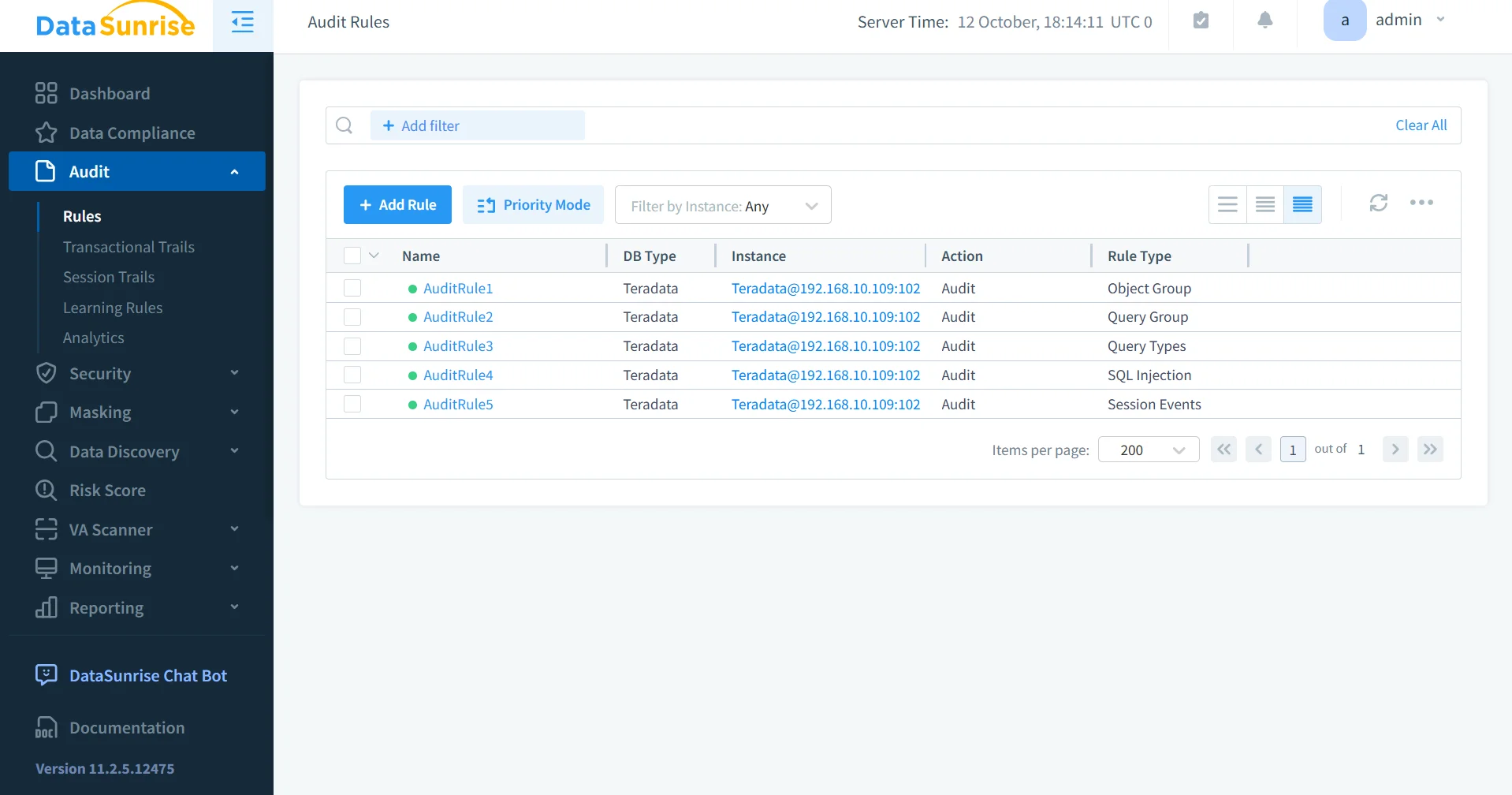
Automated rules can also integrate with Real-Time Notifications and Behavior Analytics to increase the precision of incident detection.
Compliance and Risk Management
DataSunrise automatically generates audit-ready reports aligned with major compliance frameworks, including SOX, GDPR, and HIPAA. Through Machine Learning Audit Rules, it identifies unusual access patterns and potential policy violations, enabling proactive risk mitigation.
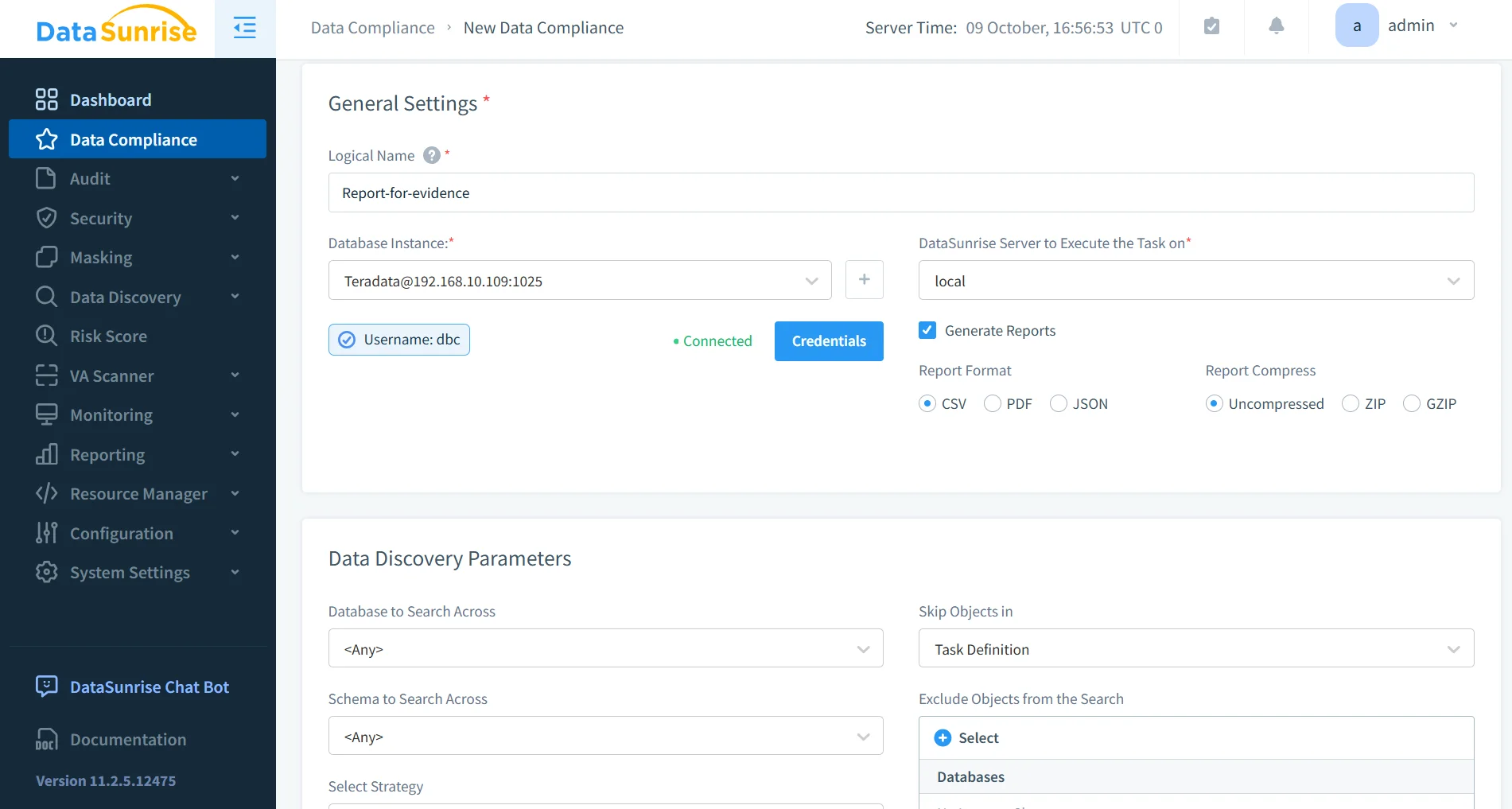
For related reading, see Complying with SOX, PCI DSS, and HIPAA Requirements.
Comparison: Native vs DataSunrise
| Feature | Teradata Native Audit | DataSunrise |
|---|---|---|
| Log Storage | Distributed across multiple system tables | Centralized in unified repository |
| Real-Time Alerts | Not available | Instant notifications and ML-based anomaly detection |
| Cross-Platform Correlation | Limited | Supports 40+ platforms |
| Report Generation | Manual SQL queries | Automated compliance reports |
| Sensitive Data Handling | Plain-text logs | Integrated Dynamic Data Masking |
| Deployment | On-premises only | Cloud, on-premises, and hybrid |
Conclusion
The Teradata audit log provides the backbone for activity tracking and accountability, but when integrated with DataSunrise, it becomes a comprehensive compliance and security framework.
Through its Compliance Autopilot, Zero-Touch Policy Automation, and Unified Security Framework, DataSunrise extends Teradata’s auditing from passive recording to active defense — eliminating compliance gaps while reducing manual oversight.
Protect Your Data with DataSunrise
Secure your data across every layer with DataSunrise. Detect threats in real time with Activity Monitoring, Data Masking, and Database Firewall. Enforce Data Compliance, discover sensitive data, and protect workloads across 50+ supported cloud, on-prem, and AI system data source integrations.
Start protecting your critical data today
Request a Demo Download Now