AlloyDB for PostgreSQL Compliance Management
Implementing comprehensive compliance management for AlloyDB for PostgreSQL has become essential for organizations handling sensitive data. According to IBM's 2024 Cost of a Data Breach Report, with data breach costs averaging $4.88 million in 2024, establishing robust compliance frameworks for cloud-native PostgreSQL environments is a business imperative.
AlloyDB for PostgreSQL, Google Cloud's fully managed PostgreSQL-compatible database service, provides native security features and integration with Google Cloud's compliance tools. However, organizations in regulated industries often require more sophisticated solutions to satisfy stringent requirements across GDPR, HIPAA, PCI DSS, SOX, and other regulatory frameworks.
This article explores AlloyDB's native compliance capabilities and demonstrates how DataSunrise enhances compliance management with Zero-Touch Compliance Automation.
Native AlloyDB for PostgreSQL Compliance Capabilities
AlloyDB for PostgreSQL includes several built-in features that support compliance initiatives through Google Cloud Platform's comprehensive database security and monitoring ecosystem.
1. Google Cloud Audit Logs Integration
AlloyDB automatically integrates with Google Cloud's audit logging system to capture administrative activities and data access events:
# Enable Data Access audit logs for AlloyDB via gcloud CLI
gcloud projects get-iam-policy PROJECT_ID \
  --format json > policy.json

# Edit policy.json to add audit log config for AlloyDB
{
  "auditConfigs": [
    {
      "service": "alloydb.googleapis.com",
      "auditLogConfigs": [
        {
          "logType": "ADMIN_READ"
        },
        {
          "logType": "DATA_READ"
        },
        {
          "logType": "DATA_WRITE"
        }
      ]
    }
  ]
}

# Apply the updated policy
gcloud projects set-iam-policy PROJECT_ID policy.json
These audit logs capture essential compliance-relevant activities including authentication attempts, configuration changes, and data access patterns.
2. AlloyDB Studio for Compliance Monitoring
AlloyDB Studio provides a web-based interface for database management and compliance monitoring:
- Query History Tracking: Review executed queries with timestamps, user information, and execution details
- Session Management: Monitor active database connections and user sessions for compliance oversight
- Performance Insights: Access query performance metrics that support compliance auditing requirements
- Visual Schema Explorer: Identify tables containing sensitive data requiring compliance controls
- Built-in Query Editor: Execute compliance validation queries directly through the web interface
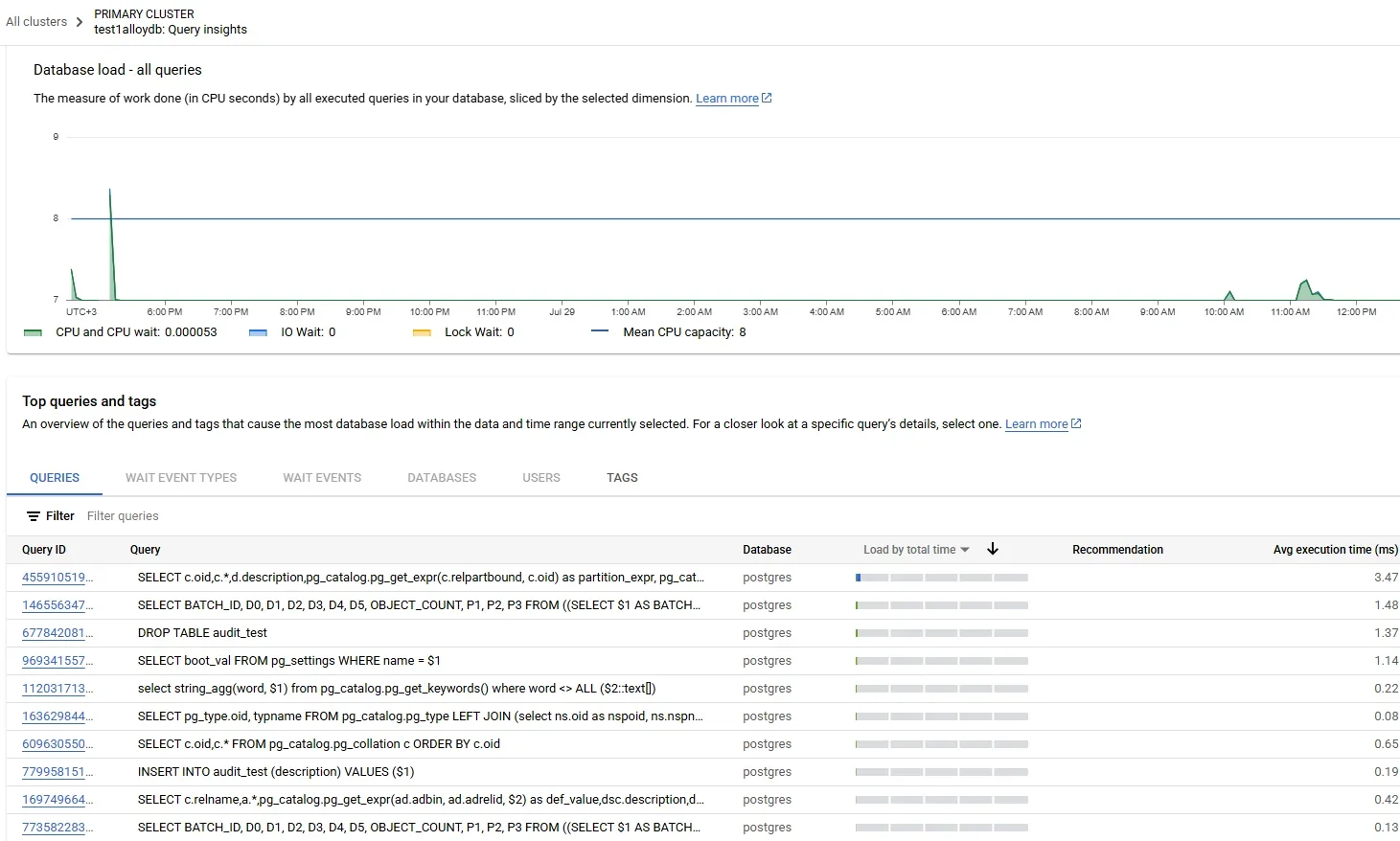
AlloyDB Studio simplifies compliance monitoring by providing intuitive access to database activities without requiring command-line expertise, making it easier for compliance officers to review database operations.
3. Reviewing Compliance-Relevant Logs
Access audit logs through Google Cloud Console or using Cloud Logging queries:
# Query AlloyDB audit logs using gcloud CLI
gcloud logging read "resource.type=alloydb.googleapis.com/Instance
  AND protoPayload.methodName:\"ExecuteSql\"
  AND timestamp>=\"2024-01-01T00:00:00Z\"" \
  --limit 100 \
  --format json
The Cloud Console provides a user-friendly interface for accessing compliance information:
- Navigate to Logging > Logs Explorer in Google Cloud Console
- Filter by resource type:
alloydb.googleapis.com/Instance - Apply time ranges and query filters for compliance periods
- Export logs to Cloud Storage or BigQuery for long-term retention
- Configure log sinks for compliance archival requirements
Enhanced AlloyDB Compliance Management with DataSunrise
While AlloyDB provides foundational compliance capabilities, DataSunrise significantly enhances regulatory adherence through Autonomous Compliance Orchestration and sophisticated automation designed specifically for cloud-native PostgreSQL environments. Unlike basic logging approaches, DataSunrise delivers enterprise-grade database activity monitoring with comprehensive audit trail capabilities.
Setting Up DataSunrise for AlloyDB Compliance Management
Step 1: Connect to AlloyDB Instance
Begin by establishing a secure connection between DataSunrise and your AlloyDB cluster through the intuitive administrative interface. DataSunrise supports both AlloyDB Primary and Read Pool instances for comprehensive compliance coverage across your database topology.
Step 2: Configure Compliance-Driven Audit Rules
Create audit rules tailored to your regulatory requirements using No-Code Policy Automation. DataSunrise provides pre-configured templates for GDPR, HIPAA, PCI DSS, SOX, and other frameworks, allowing you to implement compliance monitoring in minutes rather than weeks.
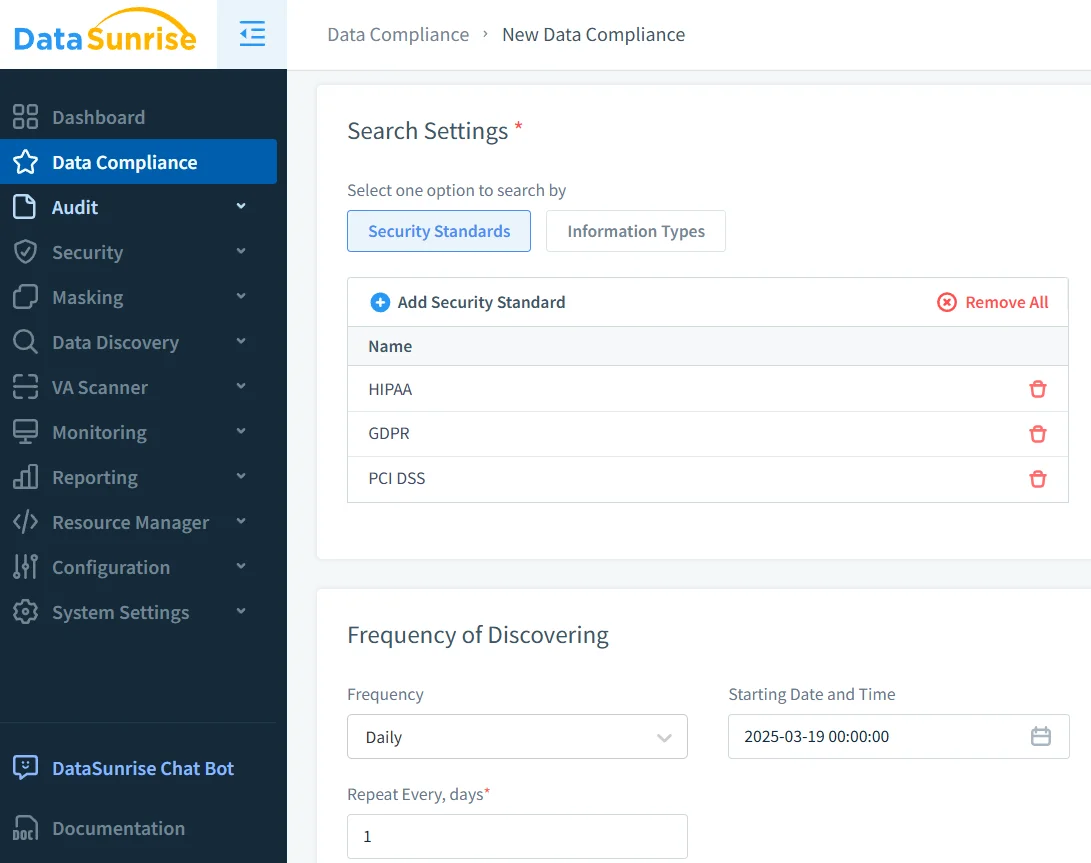
Step 3: Review Compliance Activity Trails
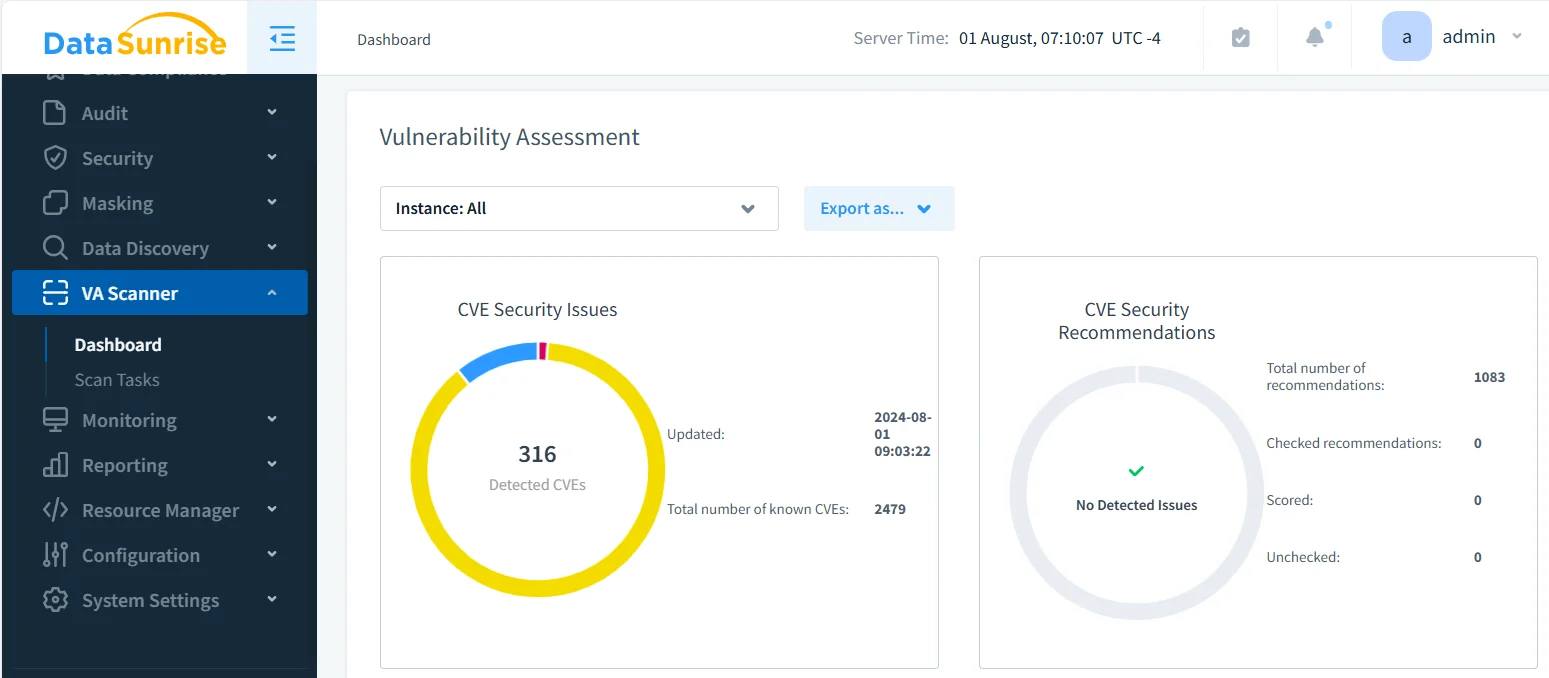
Access comprehensive compliance-focused audit trails through DataSunrise's dashboard with automated compliance mapping and evidence collection.
Key Features of DataSunrise for AlloyDB Compliance Management
Automated Compliance Reporting
Generate pre-configured compliance reports for major regulatory frameworks with one-click automation. DataSunrise's Compliance Manager automatically maps audit data to specific requirements for GDPR, HIPAA, PCI DSS, SOX, and CCPA, dramatically reducing audit preparation time.
Auto-Discover & Classify Sensitive Data
Automatically scan your AlloyDB databases to identify and classify sensitive data according to regulatory frameworks, including OCR-driven discovery of sensitive information in stored images.
Continuous Compliance Alignment
The Continuous Regulatory Calibration engine monitors regulatory changes and automatically updates compliance policies without manual intervention.
Dynamic Data Masking for Compliance
Protect sensitive data in real-time while maintaining compliance with data security regulations through context-aware masking based on user roles.
User Behavior Analytics
Establish baselines for normal access patterns and automatically detect anomalies using machine learning algorithms.
Real-Time Compliance Alerts
Receive immediate notifications when compliance violations occur through multiple channels including email, Slack, and MS Teams.
Cross-Platform Compliance Management
Apply consistent compliance policies across AlloyDB and over 40 other data storage platforms through a unified interface.
Best Practices for AlloyDB Compliance Management
1. Risk-Based Compliance Strategy
Implement tiered compliance monitoring based on data sensitivity. Focus comprehensive auditing on PII, PHI, payment card data, or financial information while applying standard monitoring to operational data.
2. Automated Policy Enforcement
Utilize DataSunrise's No-Code Automation to create sophisticated compliance policies, significantly reducing implementation time while ensuring consistent enforcement.
3. Comprehensive Documentation Strategy
Maintain compliance evidence repositories, architecture documentation, and compliance runbooks. Preserve detailed audit logs and policy documentation in secure, tamper-evident repositories.
4. Retention and Archival Management
Establish clear data retention periods aligned with regulatory requirements. HIPAA requires 6 years, SOX requires 7 years, and GDPR varies by data type.
5. Regular Compliance Validation
Conduct periodic compliance reviews, gap analysis, and mock audits to identify weaknesses before formal audits.
Business Benefits of Comprehensive Compliance Management
| Benefit | Description |
|---|---|
| Risk Mitigation | Proactively identify compliance gaps before violations occur |
| Audit Efficiency | Dramatically reduce audit preparation time with automated reporting |
| Regulatory Confidence | Demonstrate continuous compliance with comprehensive audit trails |
| Cost Reduction | Minimize compliance costs through automation |
| Competitive Advantage | Differentiate through demonstrated data protection commitment |
| Operational Excellence | Streamline processes, freeing resources for strategic initiatives |
Conclusion
As organizations increasingly rely on AlloyDB for PostgreSQL for business-critical applications, robust compliance management has become essential. While AlloyDB offers foundational capabilities through Google Cloud's security ecosystem, organizations with complex regulatory requirements benefit significantly from enhanced solutions like DataSunrise.
DataSunrise provides comprehensive compliance management designed for cloud-native PostgreSQL environments, offering Zero-Touch Compliance Automation with advanced monitoring and intelligent policy orchestration. With flexible deployment modes, DataSunrise transforms AlloyDB compliance management into an efficient, automated framework.
Protect Your Data with DataSunrise
Secure your data across every layer with DataSunrise. Detect threats in real time with Activity Monitoring, Data Masking, and Database Firewall. Enforce Data Compliance, discover sensitive data, and protect workloads across 50+ supported cloud, on-prem, and AI system data source integrations.
Start protecting your critical data today
Request a Demo Download Now