
What is Apache Impala Audit Trail?

Apache Impala is a powerful tool for real-time, SQL-based analytics on massive datasets distributed across Hadoop. While its speed and scalability are highly valued, ensuring secure and compliant access to sensitive data demands more than performance—it requires a well-structured audit trail.
An Apache Impala audit trail provides a clear, chronological record of database activity. It enables organizations to track who accessed what data, when, and under what conditions—crucial for compliance with GDPR, HIPAA, PCI DSS, and SOX regulations. This article explains the basics of audit trails in Impala, outlines native limitations, and shows how platforms like DataSunrise enhance compliance and security at scale.
Understanding the Impala Audit Trail
Impala generates audit logs via its impalad\ daemon. These logs capture a range of events including user logins, executed queries, and metadata operations. Each entry contains timestamped actions, client IPs, and session-level identifiers, providing basic traceability.
By default, audit logging is enabled through the --audit\_event\_log\_dir\ parameter. Administrators can control log rotation and verbosity, but extending this to monitor and mask specific users, columns, or access patterns usually requires external tooling.
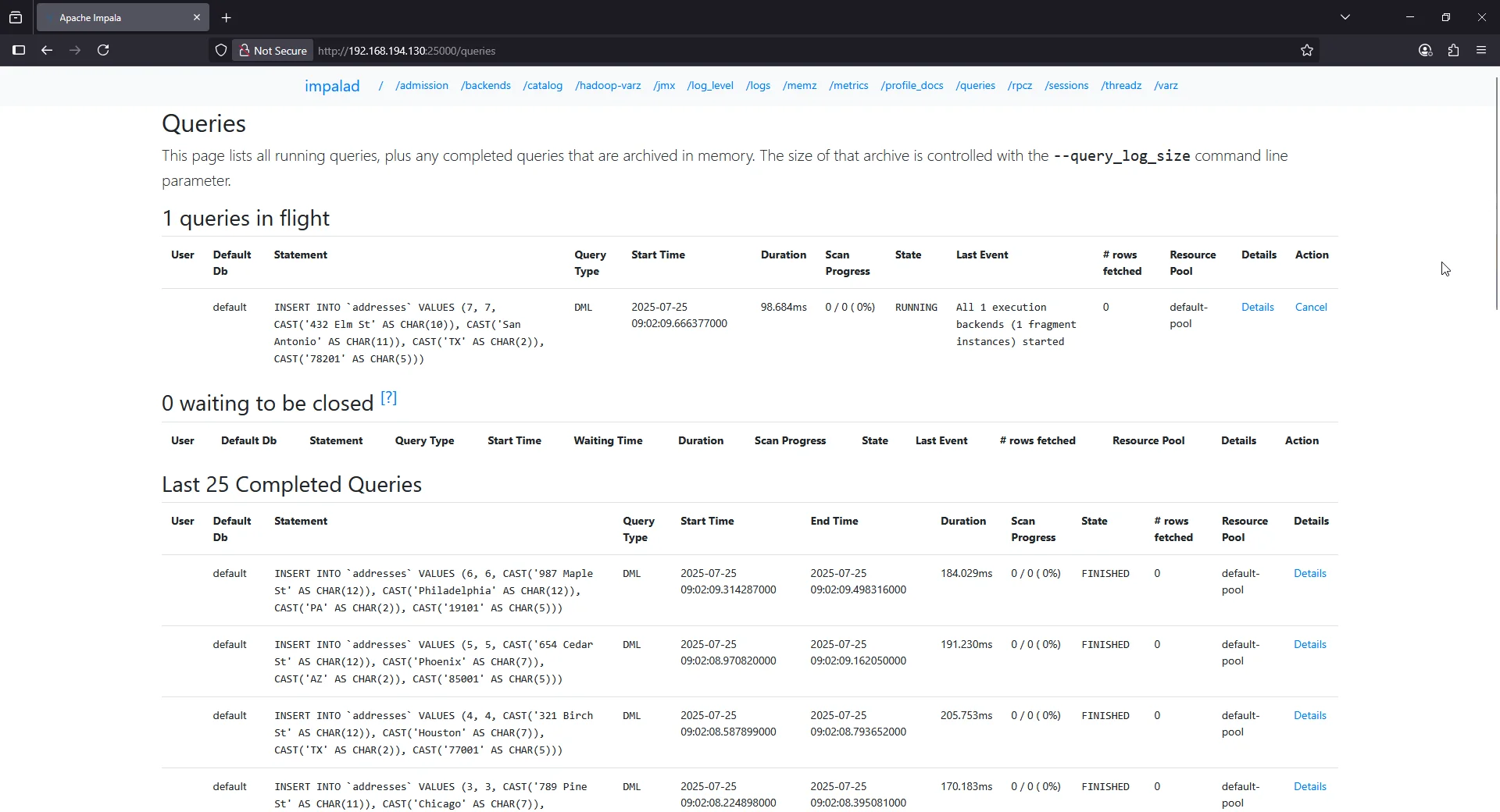
Example Impala query:
INSERT INTO employee_info VALUES (10, 'HR', 'HR Manager', 78000);
Example Impala audit log snippet:
I0725 09:02:06.768169  1349 coordinator.cc:1141] Release admission control resources for query_id=3240c31bf9d06c75:06897a7f00000000
I0725 09:02:06.907810   769 impala-server.cc:998] Found local timezone "UTC".
I0725 09:02:06.916579   769 Frontend.java:1487] 2b4509a7ba46c6f0:54b408de00000000] Analyzing query: INSERT INTO `employee_info` VALUES (10, CAST('HR' AS CHAR(2)), CAST('HR Manager' AS CHAR(10)), 78000) db: default
I0725 09:02:06.939527   769 Frontend.java:1529] 2b4509a7ba46c6f0:54b408de00000000] Analysis and authorization finished.
Impala’s audit logs are stored as flat JSON files on disk, lacking native support for centralized correlation or live monitoring across clusters. While sufficient for simple compliance checks, modern enterprises face challenges integrating these logs into broader Database Activity Monitoring workflows.
Limitations of Native Impala Auditing
| Feature | Limitation |
|---|---|
| Storage | Local disk storage—no auto-forwarding |
| Correlation | No built-in user behavior linking |
| Alerts | No alerting or live stream support |
| Access Granularity | No masking or row-level filtering |
| Multi-node visibility | No centralized log aggregation |
Organizations attempting to achieve full compliance must often write custom scripts to extract, parse, and analyze these logs or integrate with external SIEM systems manually. This increases operational burden and makes it difficult to respond quickly to threats or violations.
How DataSunrise Enhances Apache Impala Audit Trails
DataSunrise extends Impala’s native capabilities with a centralized data audit engine built for real-time monitoring, fine-grained policy enforcement, and enterprise-grade security. Through proxy-based traffic analysis, DataSunrise captures all database activity—including data activity history—without altering the database configuration.
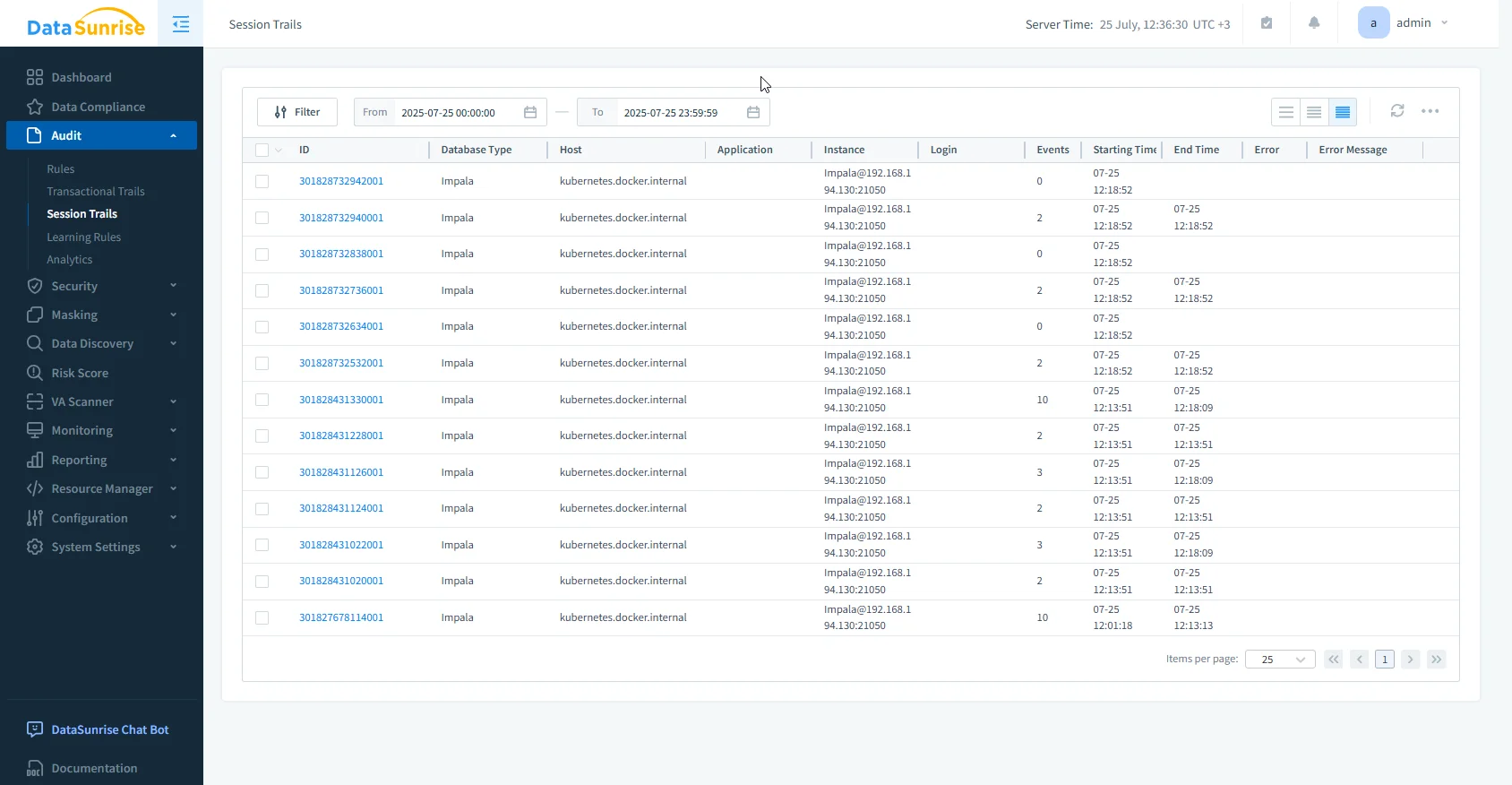
With no-code policy automation and zero-touch deployment modes, the platform integrates seamlessly into cloud, on-prem, or hybrid environments. Impala deployments benefit from auto-discovery of sensitive data, real-time alerting, and flexible audit trails that can be exported or streamed into third-party systems.
Key advantages include:
- Fine-grained audit rules that log queries by user, object, action type, or data sensitivity
- Dynamic masking of confidential fields to enforce privacy in real time
- Live notifications via Slack, Teams, Webhook, or Email when suspicious patterns arise
- Unified cross-platform visibility for Impala and over 50 supported data systems
- Automated compliance reporting for GDPR, SOX, PCI DSS, HIPAA
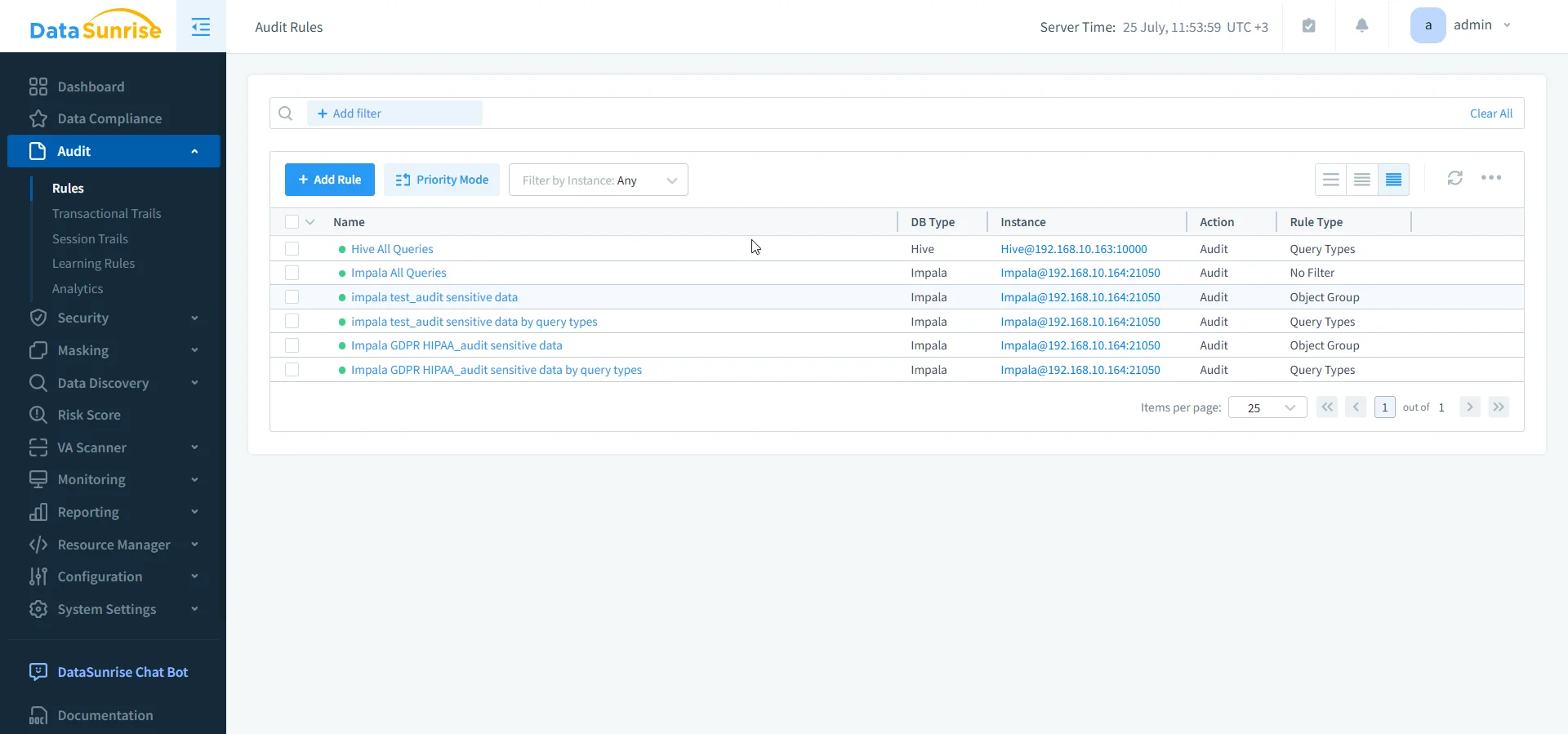
This architecture supports real-time regulatory alignment and continuous compliance posture—eliminating manual oversight and accelerating time-to-compliance. Unlike native tools, DataSunrise enables audit log enrichment with behavior analytics and context-aware protection, making it easier to track intent and flag anomalies.
Business Impact of Full Impala Audit Trails
Investing in a robust audit trail for Apache Impala brings clear operational and compliance benefits:
- Eliminates compliance gaps across complex data pipelines
- Reduces time-to-audit with centralized reporting tools
- Supports forensic investigations with tamper-resistant logs
- Improves incident response with live user activity feeds
- Helps enforce role-based access control and zero-trust policies
DataSunrise delivers what native Impala cannot: autonomous security, continuous calibration of compliance rules, and frictionless integration into hybrid data ecosystems.
Conclusion
While Apache Impala includes essential auditing features, scaling compliance in production requires a broader view. Native audit logs provide the foundation, but tools like DataSunrise turn those logs into actionable intelligence. With enterprise-grade data security, audit-ready reporting, and real-time database activity monitoring, DataSunrise empowers organizations to meet evolving regulatory demands without sacrificing performance or productivity.
Protect Your Data with DataSunrise
Secure your data across every layer with DataSunrise. Detect threats in real time with Activity Monitoring, Data Masking, and Database Firewall. Enforce Data Compliance, discover sensitive data, and protect workloads across 50+ supported cloud, on-prem, and AI system data source integrations.
Start protecting your critical data today
Request a Demo Download Now