Azure Cloud Storage Audit Log
In today's cloud-first data landscape, implementing robust audit log systems for cloud storage has become a fundamental security requirement. According to recent cybersecurity statistics, cloud storage environments experience 42% more security incidents than traditional on-premises storage, with inadequate audit logging identified as a primary vulnerability factor.
Azure Cloud Storage, Microsoft's scalable cloud storage solution encompassing Blob Storage, File Storage, Queue Storage, and Table Storage, provides native audit logging capabilities that enable tracking of data access, modifications, and administrative operations. However, organizations with complex compliance requirements often need enhanced functionality to ensure comprehensive data security.
This article explores Azure Cloud Storage's built-in audit log capabilities and demonstrates how DataSunrise can enhance these features to provide enterprise-grade audit logs for improved security and compliance monitoring.
Native Azure Cloud Storage Audit Log Capabilities
Azure Cloud Storage includes several built-in features for generating and accessing audit logs that capture storage operations, data access patterns, and administrative activities. These native capabilities provide essential database activity monitoring for cloud storage environments.
1. Azure Storage Analytics Logging
Azure Storage Analytics provides detailed logging for Blob, Queue, and Table services:
# Enable storage analytics logging for Blob service
az storage logging update \
  --account-name "enterprisestorage" \
  --account-key "{storage-account-key}" \
  --services "b" \
  --log "rwd" \
  --retention 90
2. Azure Monitor Integration
Configure comprehensive audit logging through Azure Monitor diagnostic settings:
# Enable diagnostic settings for Azure Storage Account
az monitor diagnostic-settings create \
  --name "Storage-Audit-Logs" \
  --resource "/subscriptions/{subscription-id}/resourceGroups/{resource-group}/providers/Microsoft.Storage/storageAccounts/{storage-account}" \
  --logs '[{"category": "StorageRead", "enabled": true}, {"category": "StorageWrite", "enabled": true}]' \
  --workspace "/subscriptions/{subscription-id}/resourceGroups/{resource-group}/providers/Microsoft.OperationalInsights/workspaces/{workspace-name}"
3. Azure Portal Interface for Audit Review
The Azure Portal provides an intuitive interface for accessing audit log information without requiring specialized query language expertise:
- Navigate to your Storage Account and select "Monitoring" under the Monitoring section
- Use "Metrics" to view real-time performance data and operation statistics
- Access "Logs" to run custom KQL queries against audit data with filtering capabilities
- Configure "Alerts" for automated notifications of suspicious activities
- Review "Activity log" for administrative operations and configuration changes
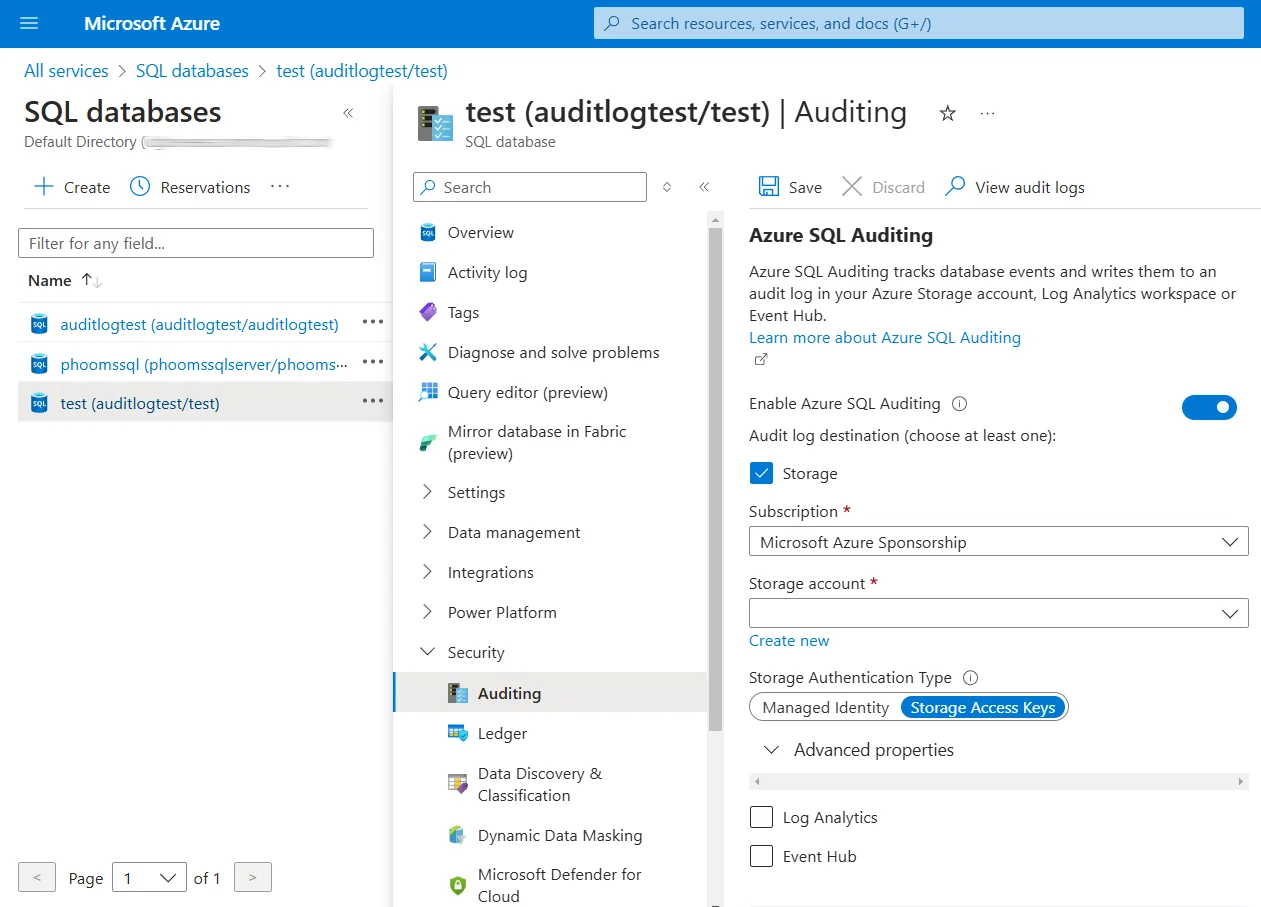
This web-based interface makes it easier for security analysts and compliance officers to monitor cloud storage activities without specialized technical expertise.
4. Reviewing Audit Logs
Access logs through Azure Monitor using KQL:
StorageBlobLogs
| where TimeGenerated > ago(24h)
| project TimeGenerated, OperationName, CallerIpAddress, ObjectKey, StatusCode
| order by TimeGenerated desc
Limitations of Native Azure Cloud Storage Audit Logging
While Azure Cloud Storage's native audit logging provides essential functionality, organizations with advanced security requirements encounter several limitations that may impact their security policies:
| Limitation | Impact |
|---|---|
| Limited real-time alerting | Delayed detection of security incidents |
| Manual sensitive data classification | Critical information might remain unidentified |
| Basic reporting functionality | Challenges in demonstrating compliance |
| High storage costs for long-term retention | Significant expenses for comprehensive logging |
| Limited behavioral analytics | Difficulty detecting sophisticated attack patterns |
Enhanced Cloud Storage Audit Logging with DataSunrise
DataSunrise significantly extends Azure Cloud Storage's native functionality with advanced features designed for organizations with complex security and compliance regulations requirements.
Setting Up DataSunrise for Azure Cloud Storage Audit Logging
Connect to Azure Cloud Storage: Establish a secure connection between DataSunrise and your Azure Storage environment through the intuitive administrative interface.
Configure Cloud Storage Audit Rules: Create customized audit rules to track specific activities and data access patterns. Define which containers and files require monitoring based on data accessibility requirements.
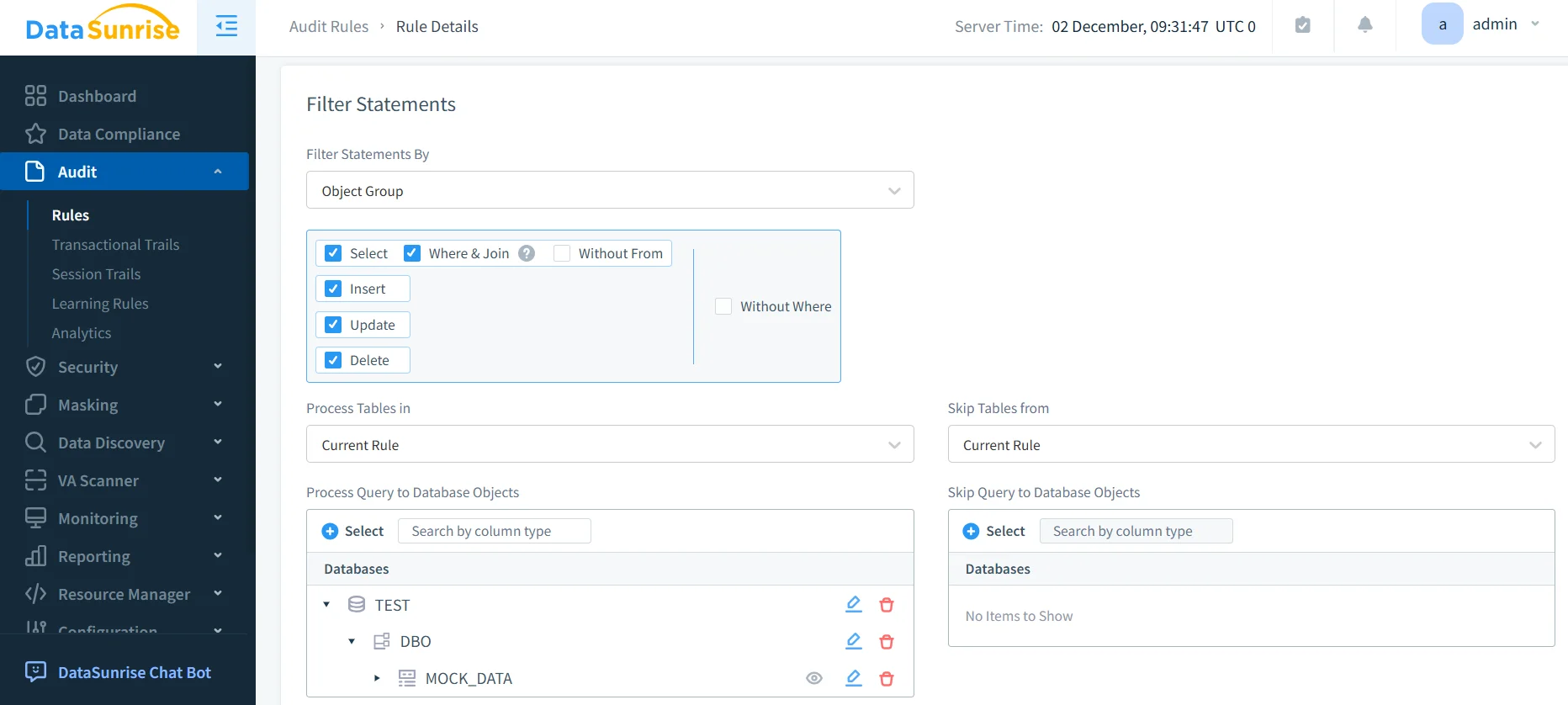
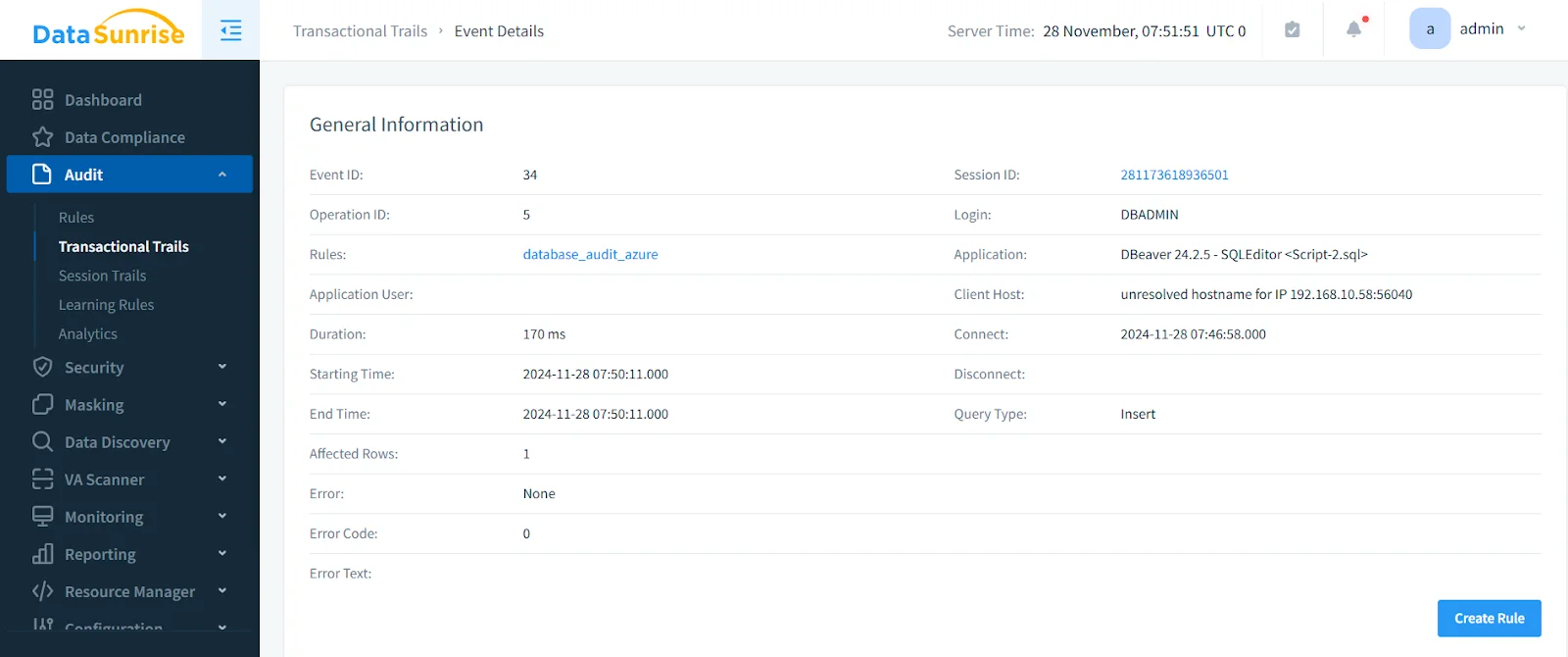
- Monitor Cloud Storage Activities: Use the DataSunrise dashboard to view and analyze comprehensive audit logs with detailed information about user activities and security events.
Key Benefits of DataSunrise for Azure Cloud Storage
Comprehensive Audit Trails: Capture detailed information about all storage activities with complete forensic-level detail.
Real-Time Monitoring and Alerting: Receive immediate notifications about suspicious activities, enabling quick response to potential threats.
User Behavior Analysis: Identify unusual patterns or potential security threats based on historical user behavior.
Automated Compliance Reporting: Generate pre-configured reports for GDPR, HIPAA, PCI DSS, and SOX with automated compliance mapping.
Cross-Platform Consistency: Apply uniform audit policies across multiple cloud storage platforms through DataSunrise's support for over 40 data storage platforms.
Implementation Best Practices for Azure Cloud Storage Audit Logging
To maximize the effectiveness of your Azure Cloud Storage audit logging implementation:
Define Clear Audit Objectives: Determine what activities and data require auditing based on security risks and compliance regulations.
Implement Tiered Logging Strategy: Apply different levels of audit detail based on data sensitivity and user roles.
Establish Retention Policies: Define appropriate retention periods for audit logs based on regulatory requirements.
Automate Log Analysis: Implement automated tools and alerts to identify suspicious activities and potential security threats.
Enhanced Protection with DataSunrise: Deploy DataSunrise's comprehensive security suite for advanced audit capabilities beyond native features, including dynamic data masking for sensitive information protection.
Business Benefits of Robust Azure Cloud Storage Audit Logging
| Benefit | Description |
|---|---|
| Risk Mitigation | Proactively identify suspicious activities before they result in data breaches |
| Regulatory Compliance | Meet data protection regulation requirements with detailed audit trails |
| Operational Visibility | Gain insights into storage usage patterns for optimization |
| Forensic Capabilities | Maintain detailed records for security investigations |
Conclusion
As organizations increasingly rely on Azure Cloud Storage for business-critical data operations, implementing robust audit logging becomes essential for security and compliance. While Azure Cloud Storage's native audit capabilities provide valuable functionality, organizations with complex requirements benefit significantly from enhanced solutions like DataSunrise.
DataSunrise provides comprehensive security designed for cloud environments, offering advanced audit logging, real-time monitoring, and automated compliance reporting. With flexible deployment modes, DataSunrise transforms Azure Cloud Storage audit logs from basic activity tracking into strategic security assets.
Protect Your Data with DataSunrise
Secure your data across every layer with DataSunrise. Detect threats in real time with Activity Monitoring, Data Masking, and Database Firewall. Enforce Data Compliance, discover sensitive data, and protect workloads across 50+ supported cloud, on-prem, and AI system data source integrations.
Start protecting your critical data today
Request a Demo Download Now