Azure CosmosDB for NoSQL Audit Trail
In today's data-driven world, implementing robust audit trails for NoSQL databases has become a critical security requirement for modern enterprises. According to recent cybersecurity statistics, organizations with comprehensive audit trail systems can identify potential security threats up to 80% faster and reduce breach-related costs by as much as 62%. With the average cost of a data breach reaching $4.88 million in 2024, establishing proper audit capabilities for NoSQL databases like Azure CosmosDB is essential for both security and compliance.
Azure CosmosDB, Microsoft's globally distributed, multi-model database service, offers native auditing capabilities that provide a foundation for tracking database activities, user actions, and system changes. However, organizations operating in regulated industries often require more sophisticated audit solutions to satisfy stringent compliance requirements and protect sensitive data effectively.
This article explores Azure CosmosDB's native audit trail features and demonstrates how implementing advanced audit solutions like DataSunrise can enhance security monitoring and streamline compliance efforts for your NoSQL environments.
Native Azure CosmosDB Audit Trail Capabilities
Azure CosmosDB includes several built-in features for monitoring and auditing database activities. These native capabilities provide essential visibility into your NoSQL database environment:
1. Azure Diagnostic Settings
To enable basic auditing for CosmosDB, you can configure diagnostic settings through the Azure portal:
# Enable diagnostic settings via Azure CLI
az monitor diagnostic-settings create \
  --name "CosmosDB-Audit" \
  --resource "/subscriptions/{subscription-id}/resourceGroups/{resource-group}/providers/Microsoft.DocumentDB/databaseAccounts/{account-name}" \
  --logs '[{"category": "DataPlaneRequests", "enabled": true}, {"category": "MongoRequests", "enabled": true}, {"category": "QueryRuntimeStatistics", "enabled": true}]' \
  --workspace "/subscriptions/{subscription-id}/resourceGroups/{resource-group}/providers/Microsoft.OperationalInsights/workspaces/{workspace-name}"
These diagnostic settings can route logs to Azure Storage, Log Analytics workspace, or Event Hub for further analysis and retention.
2. Reviewing Audit Logs
Once your operations are complete, examine the captured audit logs through Azure Monitor using Kusto Query Language (KQL):
-- Query CosmosDB operation logs for the past hour
AzureDiagnostics
| where ResourceProvider == "MICROSOFT.DOCUMENTDB"
| where Category == "DataPlaneRequests"
| where TimeGenerated > ago(1h)
| project TimeGenerated, OperationName, ResourceId,
    StatusCode, RequestCharge, RequestLength,
    ResponseLength, ClientIpAddress, Duration
| order by TimeGenerated desc
These logs provide insights into:
- Operation types (create, read, update, delete)
- Client IP addresses and request details
- Resource consumption metrics (request units)
- Status codes and duration
- Response lengths and payload sizes
3. Azure Portal Web UI for Monitoring
The Azure portal provides a user-friendly interface for accessing and analyzing CosmosDB audit information without writing complex queries:
- Navigate to your CosmosDB account in the Azure portal
- Select "Metrics" under the Monitoring section to view real-time performance data
- Use "Logs" to run custom Kusto queries against diagnostic data
- Access "Activity log" to review administrative operations performed on the CosmosDB account
- Configure alerts and action groups for automated notifications of suspicious activities
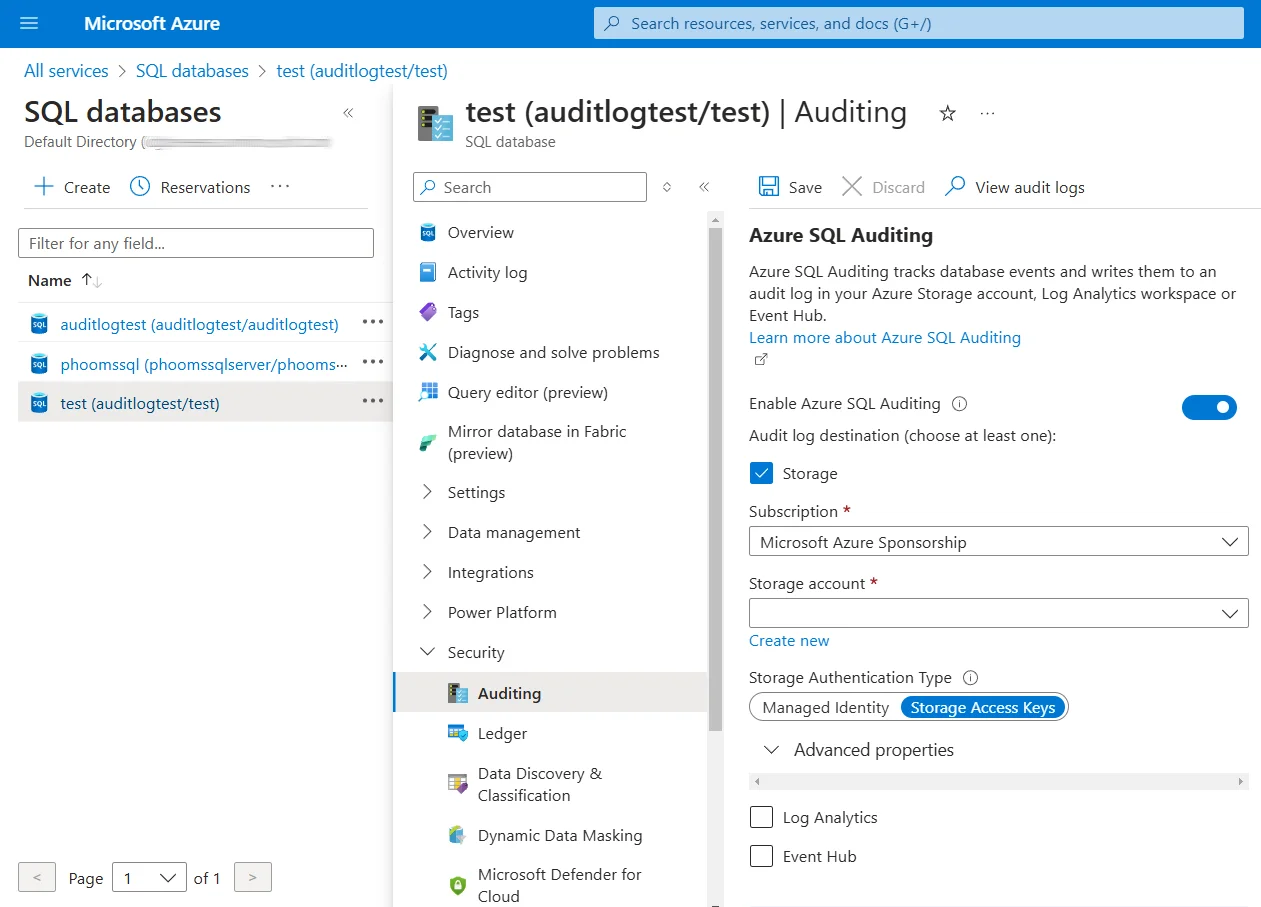
This intuitive web interface makes it easier for administrators and security teams to monitor database activities without specialized query language expertise.
Limitations of Azure CosmosDB for NoSQL Native Audit Trails
While Azure CosmosDB's native audit capabilities provide a foundation for monitoring, they have several limitations for organizations with advanced security and compliance requirements:
| Native Feature | Key Limitation | Business Impact |
|---|---|---|
| Diagnostic Logs | Limited contextual information | Challenging to establish user intent |
| Log Retention | Azure Monitor constraints | May not satisfy long-term compliance needs |
| Alert Mechanisms | Basic threshold-based alerting | Delayed response to sophisticated threats |
| Access Controls | Complex configuration required | Increased administrative overhead |
| Compliance Mapping | No automated regulatory reporting | Time-consuming audit preparation |
For organizations with stringent security requirements, these limitations can pose significant challenges in maintaining comprehensive audit trails and demonstrating regulatory compliance.
Enhanced NoSQL Audit Trails with DataSunrise
DataSunrise Database Security Suite significantly extends Azure CosmosDB's native audit capabilities by providing a comprehensive security solution with Zero-Touch Compliance Automation and sophisticated monitoring features. Unlike basic logging approaches, DataSunrise delivers enterprise-grade database activity monitoring with robust audit trails.
Setting Up DataSunrise for Azure CosmosDB Audit
1. Connect to Azure CosmosDB
Begin by connecting DataSunrise to your Azure CosmosDB instance through the intuitive interface. Provide the necessary connection details including your CosmosDB endpoint, access keys, and preferred authentication method.
2. Create NoSQL-Specific Audit Rules
Configure granular audit rules tailored to the unique structure of NoSQL data. You can define which collections to monitor, which operations to track, and set specific conditions based on document properties or user identities.
3. Monitor NoSQL Data Activity History
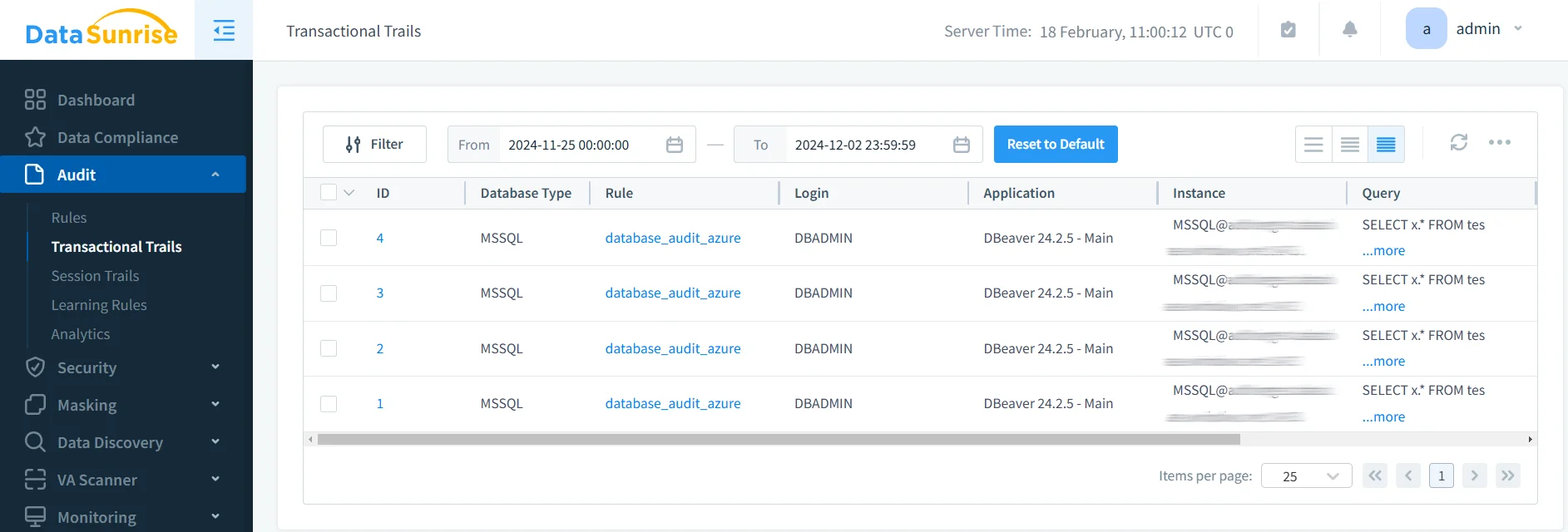
Access comprehensive audit trails with detailed information about all CosmosDB operations through the DataSunrise dashboard, which provides filtering capabilities, real-time monitoring, and detailed event analysis.
Key Advantages of DataSunrise for Azure CosmosDB
DataSunrise offers several significant advantages over Azure CosmosDB's native audit capabilities:
Comprehensive Audit Rules: Create granular audit policies specifically designed for NoSQL data structures, including document collections, key-value pairs, and graph relationships.
Real-Time Monitoring and Alerts: Receive immediate notifications when suspicious activities occur, enabling rapid response to potential security incidents.
Automated Compliance Reporting: Generate pre-configured reports for regulatory frameworks like GDPR, HIPAA, PCI DSS, and SOX with automated compliance mapping.
Advanced User Behavior Analytics: Identify abnormal access patterns and potential threats using machine learning algorithms that establish baselines and detect anomalies.
NoSQL-Specific Security Controls: Implement context-aware protection tailored to the unique characteristics of NoSQL databases, including document-level security policies.
Unified Multi-Database Monitoring: Apply consistent audit policies across heterogeneous environments that include both SQL and NoSQL databases.
Best Practices for Azure CosmosDB Audit Trails
To maximize the effectiveness of your Azure CosmosDB audit implementation, consider these best practices:
1. Strategic Audit Planning
- Identify Critical NoSQL Collections: Focus detailed auditing on collections containing sensitive or regulated data.
- Define Audit Objectives: Clearly establish what activities and data require monitoring based on risk assessments.
- Document Audit Architecture: Maintain comprehensive documentation of audit configurations, review processes, and compliance mapping.
2. Implementation Approach
- Deploy in Phases: Start with critical collections and expand coverage incrementally.
- Validate Audit Coverage: Test audit rules to verify they capture all required activities.
- Optimize Performance Impact: Balance comprehensive auditing with query performance considerations.
3. Implement DataSunrise for Enhanced Security
- Deploy DataSunrise Security Suite: Implement DataSunrise to extend beyond native audit capabilities with automated policy enforcement and advanced monitoring.
- Leverage No-Code Policy Automation: Utilize DataSunrise's intuitive interface to create sophisticated audit rules without writing complex code.
- Enable Cross-Database Visibility: Take advantage of DataSunrise's ability to monitor heterogeneous database environments from a single console.
4. Operational Management
- Establish Review Procedures: Schedule regular audit log reviews with defined responsibilities.
- Configure Intelligent Alerting: Implement alert thresholds that minimize false positives while capturing critical events.
- Manage Audit Storage: Define appropriate retention periods and implement efficient storage strategies.
5. Compliance Mapping
- Create Regulatory Frameworks: Map audit activities to specific compliance requirements.
- Maintain Evidence Repository: Preserve audit logs and reports in a secure, accessible repository.
- Conduct Regular Validation: Periodically verify that audit coverage meets current regulatory requirements.
Conclusion
As NoSQL databases like Azure CosmosDB increasingly store business-critical and sensitive information, implementing robust audit trails has become essential for security and compliance. While Azure CosmosDB offers native audit capabilities, organizations with complex requirements benefit significantly from enhanced solutions like DataSunrise.
As NoSQL databases like Azure CosmosDB increasingly store business-critical and sensitive information, implementing robust audit trails has become essential for security and compliance. While Azure CosmosDB offers native audit capabilities, organizations with complex requirements benefit significantly from enhanced solutions like DataSunrise.
DataSunrise provides a comprehensive security framework for Azure CosmosDB, offering advanced audit trails, real-time monitoring, behavioral analytics, and automated compliance reporting. With flexible deployment options and intuitive management interfaces, DataSunrise transforms CosmosDB audit trails from basic logging into strategic security assets.
Protect Your Data with DataSunrise
Secure your data across every layer with DataSunrise. Detect threats in real time with Activity Monitoring, Data Masking, and Database Firewall. Enforce Data Compliance, discover sensitive data, and protect workloads across 50+ supported cloud, on-prem, and AI system data source integrations.
Start protecting your critical data today
Request a Demo Download Now