ClickHouse Audit Tools
ClickHouse has earned its reputation as a high-performance analytical engine, but that speed comes at a governance price. Distributed execution, columnar shards, and denormalized pipelines often scatter telemetry across system tables and server logs — making it frustratingly easy for critical audit evidence to fragment across nodes. As organizations increasingly adopt ClickHouse for large-scale analytics, the need for robust auditing becomes even more essential.
Regulated organizations (SOX, HIPAA, GDPR, PCI DSS) can’t rely on partial visibility. They need consistent, centralized, and contextualized auditing tools capable of tracking how data is accessed, transformed, and exposed across a rapidly changing analytical environment. This demand aligns closely with principles described in Data Activity History and Audit Trails.
Native ClickHouse audit signals are powerful but not integrated enough for enterprise-grade compliance. This guide breaks down the native auditing stack, explains its strengths and limits, and shows how modern platforms like DataSunrise, supported by capabilities outlined in Database Activity Monitoring, unify, enrich, and operationalize audit data across large ClickHouse fleets.
Importance of Audit Tools
Audit tools are a foundational requirement for any organization operating ClickHouse in regulated, high-sensitivity, or large-scale analytical environments. Because ClickHouse distributes workloads across nodes, performs asynchronous merges, and executes queries through parallel pipelines, traditional log inspection cannot reliably determine who accessed what data, when the access occurred, or why a particular action was taken. Proper audit implementations mirror the objectives discussed in Audit Goals and Compliance Regulations.
A mature audit system supports complete forensic traceability during security incidents or data-handling disputes, offering a chronological reconstruction of both expected and anomalous activities. This principle reflects best practices from Database Security and complements governance models described in Role-Based Access Controls. It also restores governance clarity in distributed deployments where logs, metrics, and metadata would otherwise remain fragmented and inconsistent — similar to challenges addressed in Data Compliance.
Native ClickHouse Audit Tools Overview
1. System Query Logging
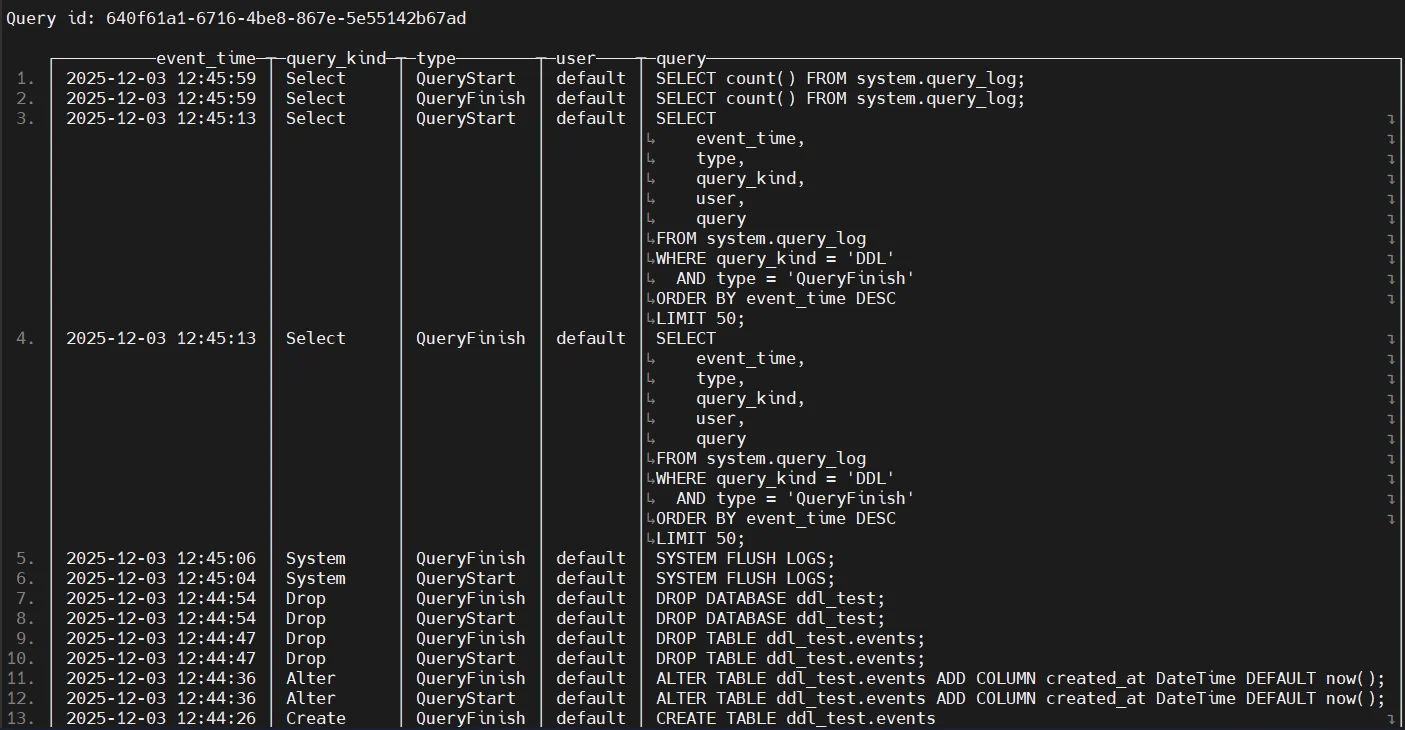
ClickHouse provides several native auditing components that capture operational and user-driven activity across the cluster. System query logging resembles foundational audit concepts seen in Audit Logs. The system.query_log, system.query_thread_log, and system.part_log tables contain telemetry about executed queries, CPU usage, read/write operations, and more. Administrators commonly query these tables to reconstruct user behavior or determine how data was accessed. For example:
SELECT event_time, query_kind, query, read_rows, written_rows, user
FROM system.query_log
WHERE event_date = today()
ORDER BY event_time DESC;
2. Authentication & Access Signals
Authentication and access activity in ClickHouse are equivalent to identity monitoring patterns described in User Behavior Analysis. These signals appear in system.asynchronous_metric_log, system.query_log, and system.events, capturing login failures, role resolution issues, and authentication metadata:
SELECT event_time, event_type, value
FROM system.events
WHERE event_type LIKE '%Authentication%';
3. Configuration & DDL Audit Signals
DDL operations are critical for structural governance and align with change-monitoring concepts covered in Database Activity History. ClickHouse logs CREATE, ALTER, DROP, replication flows, and mutations:
SELECT event_date, query, query_kind, user
FROM system.query_log
WHERE query_kind LIKE '%DDL%';
4. Server Logs (Operational Audit Layer)
Server logs serve as diagnostic telemetry but lack the structure of compliance-grade audit evidence. This gap is very similar to what DataSunrise Audit Guide aims to resolve through enrichment and consolidation.
# View ClickHouse server log entries
sudo tail -n 50 /var/log/clickhouse-server/clickhouse-server.log

# Example output snippet:
# 2025.01.18 12:44:55.123456 [ 12345 ] <Information> Application: Ready for connections.
# 2025.01.18 12:45:01.789012 [ 12348 ] <Debug> ZooKeeper: Session established.
# 2025.01.18 12:45:05.456789 [ 12350 ] <Trace> MergeTree: Merging parts 20250118_12_12_0.
# 2025.01.18 12:45:07.321654 [ 12352 ] <Warning> Authentication: Failed login attempt for user 'analytics'.
Enterprise-Grade ClickHouse Auditing with DataSunrise
DataSunrise significantly extends ClickHouse native auditing with enterprise-class controls, echoing capabilities from Data Audit and Security Rules.
1. Centralized ClickHouse Audit Rule Framework
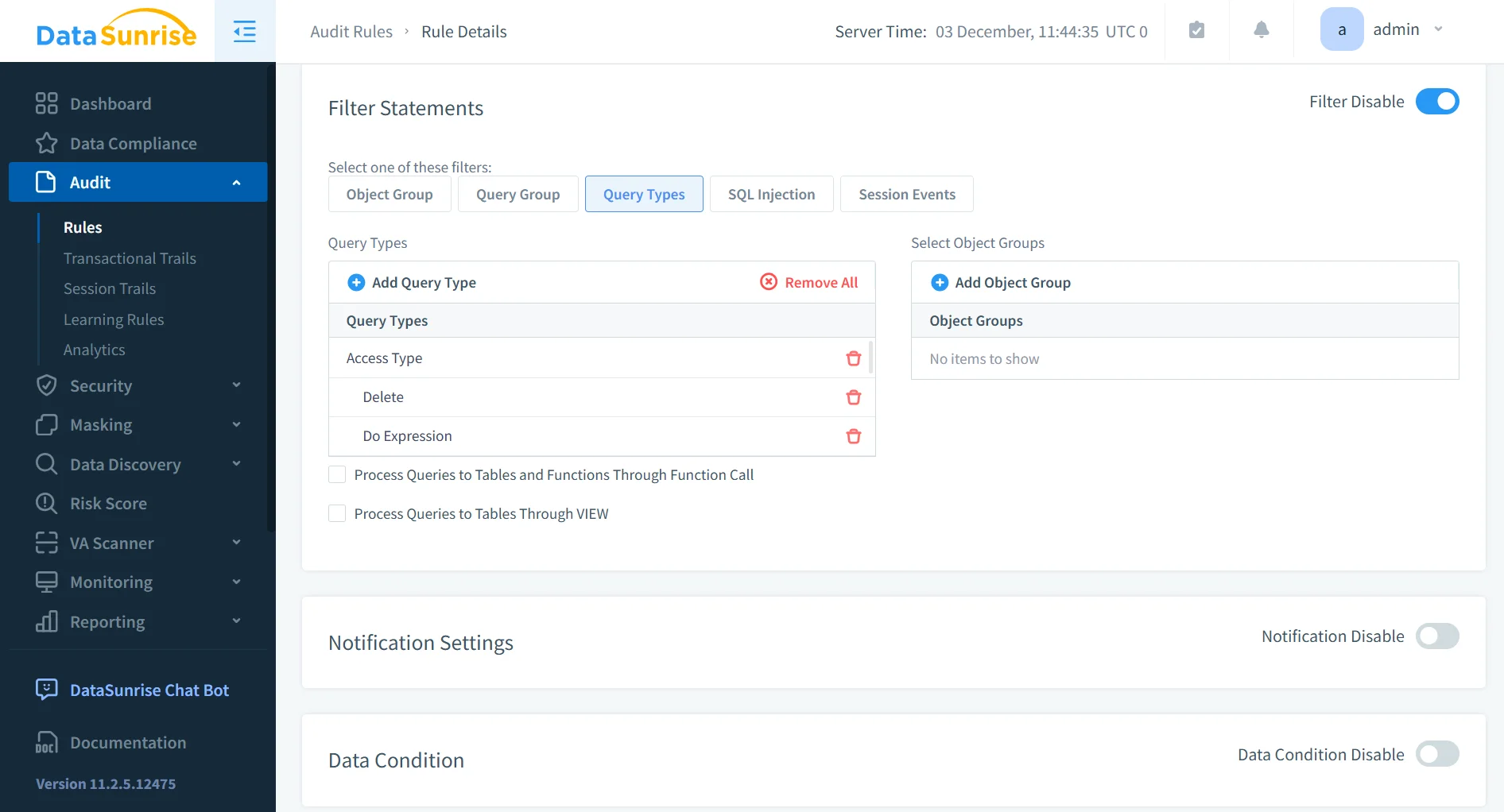
The ClickHouse Audit Rule Framework in DataSunrise supports rule-driven auditing across SELECT, INSERT, ALTER, DROP, and more. Its design reflects principles seen in Rules Priority and Learning Rules and Audit.
- Enables full lifecycle audit policy management
- Supports granular rule scoping for sensitive datasets
- Provides consistent audit logic across distributed ClickHouse clusters
- Reduces manual effort by centralizing all audit rule administration
2. Real-Time Event Correlation & Behavioral Context
DataSunrise enriches ClickHouse signals using behavior analytics similar to Security Threats and risk modeling found in Behavior Analytics.
- Detects unusual access patterns or privilege misuse
- Correlates events across nodes for complete behavioral visibility
- Identifies deviations from normal workloads
- Helps security teams respond faster to emerging threats
3. Unified Data Activity History for ClickHouse
DataSunrise aggregates all ClickHouse actions into a unified timeline aligned with Continuous Data Protection. This consolidation is essential for auditors and investigators.
- Provides a single source of truth for audit investigations
- Supports impact assessment for regulatory inquiries
- Improves traceability for data lifecycle management
- Enhances clarity during forensic reconstruction of incidents
4. Security Enforcement Layer
DataSunrise activates real-time protection, complementing ClickHouse with capabilities also seen in Database Firewall and SQL Injection Detection.
- Blocks exploitation attempts before execution
- Prevents unauthorized access to sensitive data
- Enforces least-privilege access automatically
- Protects ClickHouse workloads without modifying applications
5. Automated Compliance Reporting for ClickHouse
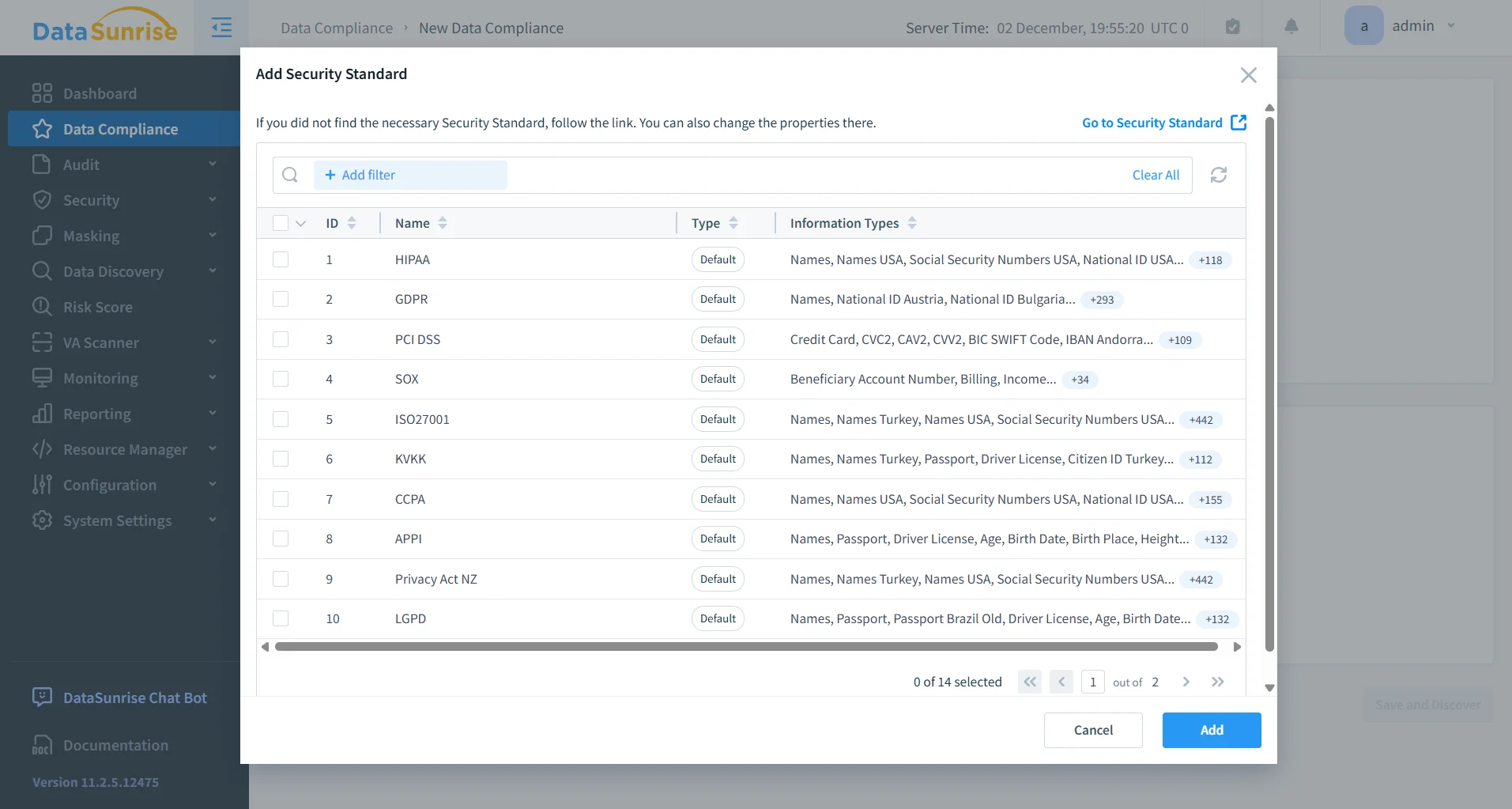
DataSunrise automates audit evidence collection in line with major regulatory frameworks, mirroring the automation features in Compliance Manager.
- Generates auditor-ready reports automatically
- Reduces manual compliance workload
- Ensures consistent evidence collection across environments
- Helps organizations maintain continuous compliance posture
Business Impact of Centralized ClickHouse Audit Tools
| Benefit | Description |
|---|---|
| Regulatory readiness | Audit data normalized, protected, and verifiable |
| Risk reduction | Real-time detection and blocking of harmful activity |
| Operational transparency | Full lineage reconstruction across distributed clusters |
| Unified governance | One audit layer supporting over 40 data platforms |
Conclusion
ClickHouse’s native logs provide raw insights, but they are too fragmented for compliance-heavy environments. DataSunrise resolves this by unifying audit data, adding context, enforcing policies in real time, and automating regulatory reporting. This fully aligns with enterprise expectations outlined in Data-Inspired Security.
With centralized audit rules, enriched activity history, advanced analytics, and compliance automation, DataSunrise transforms ClickHouse into a fully governed, audit-ready analytical platform built for modern enterprise demands.
Protect Your Data with DataSunrise
Secure your data across every layer with DataSunrise. Detect threats in real time with Activity Monitoring, Data Masking, and Database Firewall. Enforce Data Compliance, discover sensitive data, and protect workloads across 50+ supported cloud, on-prem, and AI system data source integrations.
Start protecting your critical data today
Request a Demo Download Now