Couchbase Audit Tools
Implementing comprehensive audit tools for Couchbase has become essential for modern enterprises. According to Gartner's 2024 Security Analytics Report, organizations with robust NoSQL audit solutions detect potential compliance violations 92% faster and reduce security incidents by up to 68%.
Couchbase, a distributed NoSQL database designed for interactive applications, offers native auditing capabilities. However, organizations often require more sophisticated audit tools to satisfy compliance requirements and protect sensitive data effectively.
This article explores native Couchbase audit tools and demonstrates how DataSunrise can enhance your audit capabilities with Zero-Touch Compliance Automation and intelligent security controls for NoSQL environments.
Native Couchbase Audit Tools
Couchbase provides built-in audit mechanisms for database activity monitoring, user access controls, and system changes.
1. Couchbase Auditing Framework
Enable auditing through the Web Console or REST API:
# Enable auditing via REST API
curl -X POST http://localhost:8091/settings/audit \
  -u Administrator:password \
  -d auditdEnabled=true \
  -d logPath=/opt/couchbase/var/lib/couchbase/logs

# Configure specific audit events
curl -X POST http://localhost:8091/settings/audit/descriptors \
  -u Administrator:password \
  -d disabled=8243,8255,8257
Key audit categories include authentication events, authorization changes, data access operations, administrative actions, and security modifications.
2. Audit Log Analysis with cbaudit Tool
# View audit events from the past 24 hours
cbaudit --log-path /opt/couchbase/var/lib/couchbase/logs/audit.log \
        --event-id 8243 \
        --start "2024-12-09 00:00:00"

# Export audit data for compliance
cbaudit --log-path /opt/couchbase/var/lib/couchbase/logs/audit.log \
        --start "2024-11-01" --end "2024-11-30" \
        --format csv --output monthly_audit_report.csv
3. Web Console Monitoring Interface
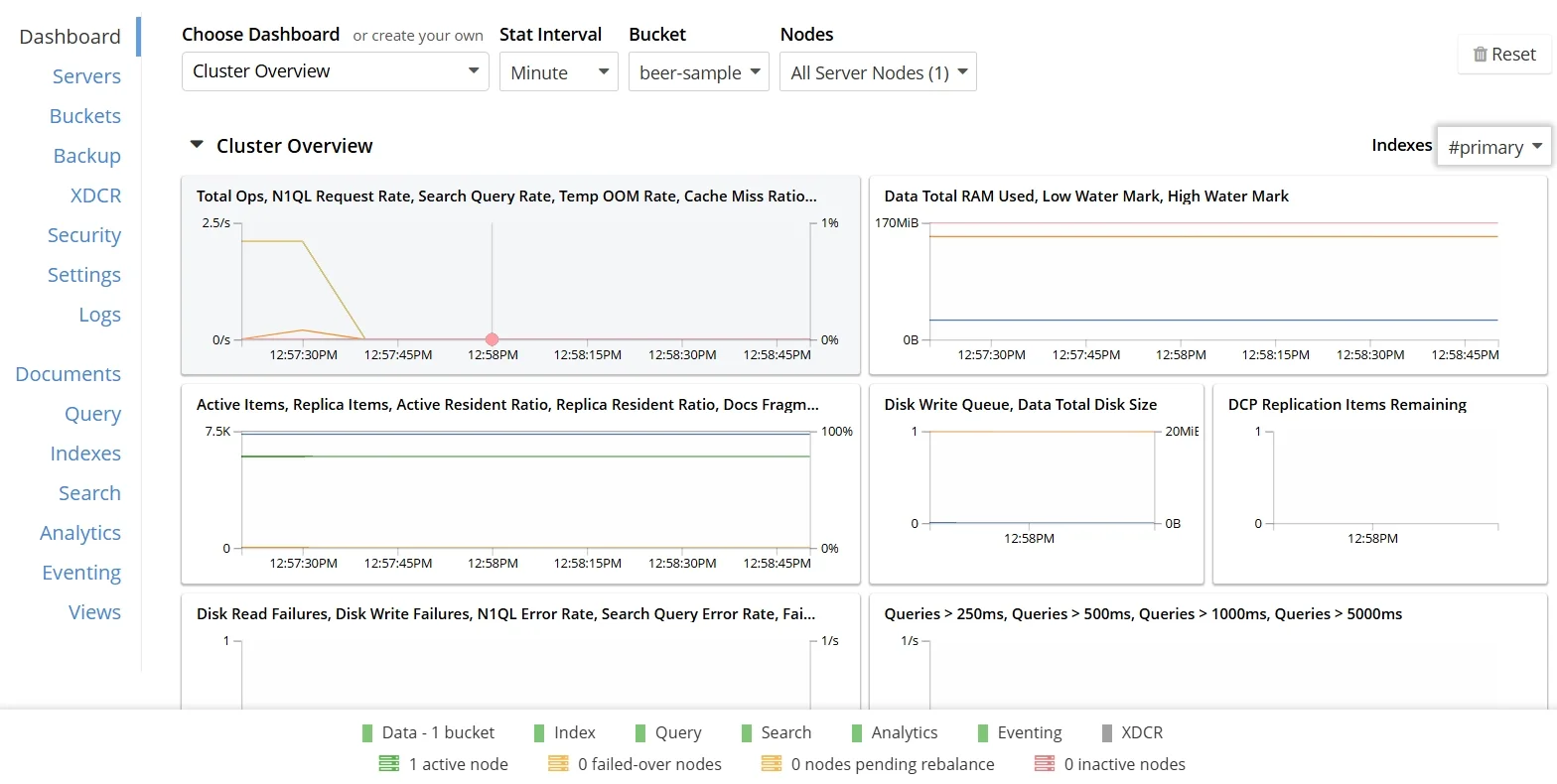
Couchbase's web console provides intuitive access to audit information through the Security Tab, Query Workbench, Logs Section, and Statistics Dashboard.
While these native tools provide valuable functionality, they have limitations for maintaining comprehensive audit trails:
| Native Feature | Key Limitation | Business Impact |
|---|---|---|
| Audit Logs | Limited retention and manual rotation | May not satisfy long-term compliance |
| Event Filtering | Basic configuration without context | Difficulty identifying attack patterns |
| Query Monitoring | No automated anomaly detection | Delayed response to threats |
| Compliance Reporting | No automated regulatory mapping | Time-consuming audit preparation |
Enhanced Couchbase Audit Tools with DataSunrise
DataSunrise's Database Security Suite significantly enhances Couchbase's native audit capabilities with Autonomous Compliance Orchestration designed for NoSQL platforms.
Key Capabilities
Auto-Discovery and Classification Engine
DataSunrise automatically scans your Couchbase environment to identify and classify sensitive data according to regulatory frameworks, eliminating manual classification work.
Intelligent Policy Orchestration
Create sophisticated audit policies through No-Code Policy Automation, reducing implementation time from weeks to hours with consistent enforcement across clusters.
Comprehensive Audit Trail
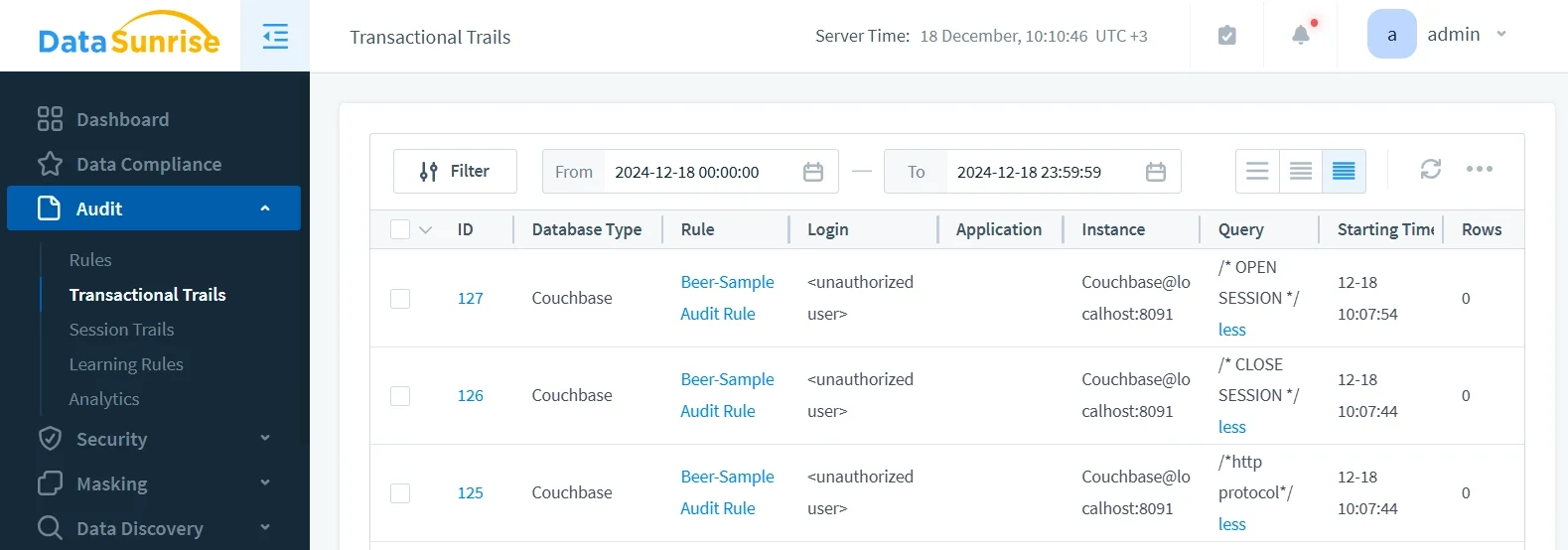
DataSunrise captures detailed data activity history including N1QL queries, document modifications, authentication events, and administrative actions.
Behavioral Analytics
DataSunrise implements User Behavior Analysis to establish baselines and identify anomalous patterns through ML Suspicious Behavior Detection.
Cross-Platform Monitoring
With support for over 40 data storage platforms, DataSunrise provides a Unified Security Framework across heterogeneous environments.
Compliance Autopilot
Continuous Regulatory Calibration automatically updates audit policies for ongoing compliance with GDPR, HIPAA, PCI DSS, and SOX.
Implementing Advanced Audit Tools for Couchbase
Setting up DataSunrise's audit tools for Couchbase follows a streamlined process:
1. Connect to Couchbase Cluster
Establish a secure connection between DataSunrise and your Couchbase environment. DataSunrise supports single-node, multi-node clusters, and XDCR configurations.
2. Configure Audit Rules
Create customized audit rules to monitor specific buckets, users, or activities with different monitoring levels based on data criticality.
3. Implement Real-Time Monitoring
Enable continuous monitoring with real-time notifications through email, Slack, and MS Teams.
4. Configure Compliance Reporting
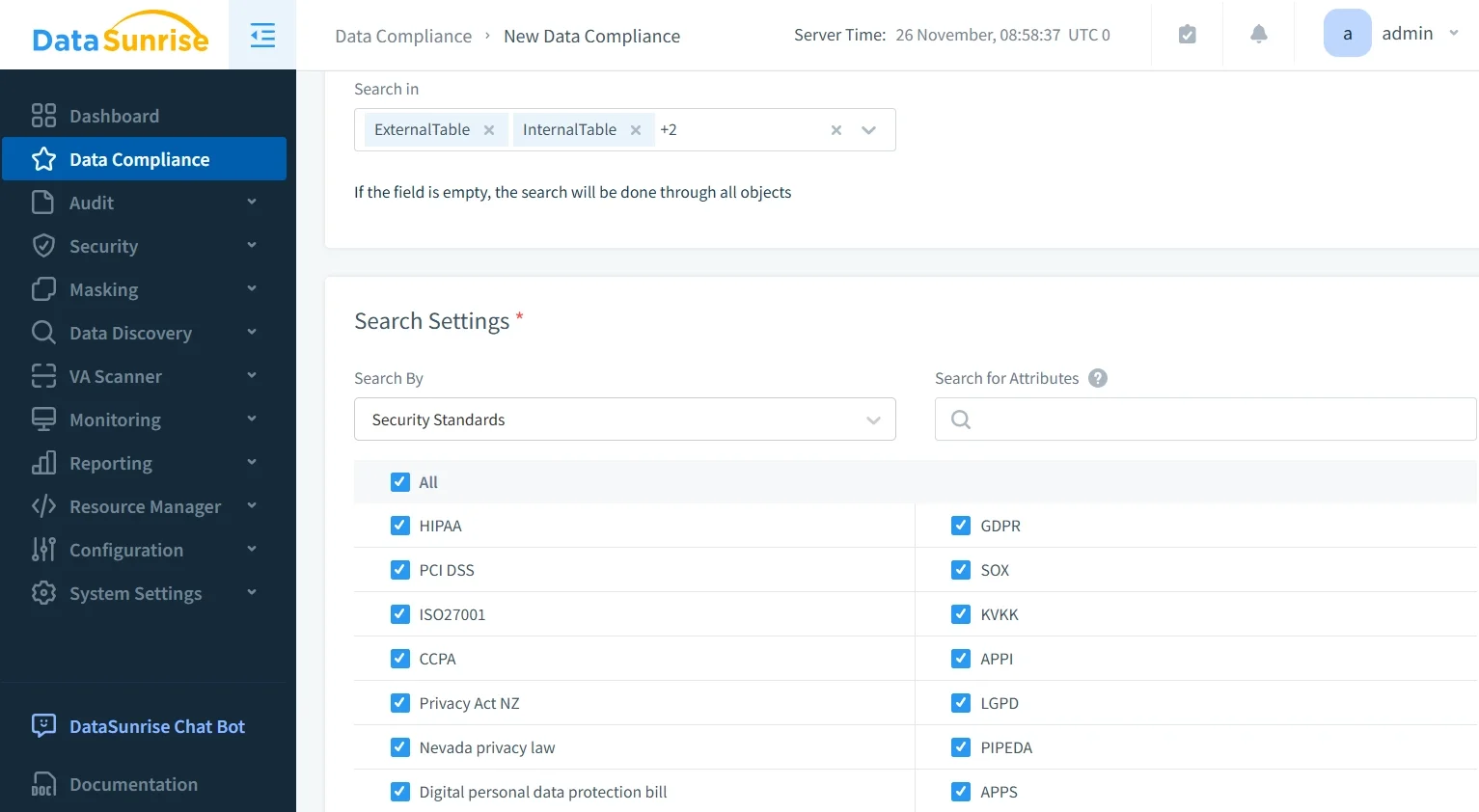
Set up automated compliance reports with pre-configured templates for major compliance frameworks.
Best Practices for Couchbase Audit Implementation
Strategic Monitoring Approach: Implement tiered audit strategies based on data sensitivity: comprehensive monitoring for PII/PHI/financial data, targeted auditing for privileged users, and periodic sampling for high-volume operations.
Retention Management: Maintain active retention for recent data (30-90 days), implement audit storage for historical records (1-7 years), and ensure legal hold provisions for investigations.
Alert Configuration: Design intelligent alerting with severity-based routing, contextual enrichment for rapid response, and ML-based threat detection to reduce false positives.
Implementing DataSunrise: Deploy DataSunrise for enhanced capabilities using configuration wizards for rapid deployment, predefined audit templates, and integration with existing SIEM systems for comprehensive data protection.
Conclusion
While Couchbase provides essential native audit tools, organizations with complex regulatory requirements benefit significantly from advanced solutions like DataSunrise. By implementing Zero-Touch Data Protection with Intelligent Policy Orchestration, organizations can transform their Couchbase audit process into an efficient, adaptable framework.
DataSunrise offers comprehensive audit capabilities, dynamic data masking, and intelligent security controls specifically designed for NoSQL environments. With flexible deployment modes and support for Hybrid/Heterogeneous Environments, DataSunrise provides robust protection while simplifying compliance efforts.
Protect Your Data with DataSunrise
Secure your data across every layer with DataSunrise. Detect threats in real time with Activity Monitoring, Data Masking, and Database Firewall. Enforce Data Compliance, discover sensitive data, and protect workloads across 50+ supported cloud, on-prem, and AI system data source integrations.
Start protecting your critical data today
Request a Demo Download Now