Data Masking Tools and Techniques for ClickHouse
ClickHouse is built for speed, not for babysitting sensitive fields. That is exactly why masking matters. Analytical platforms often hold email addresses, phone numbers, account IDs, order values, and other sensitive records that analysts, support teams, contractors, or BI tools should not always see in raw form. Without masking, one broad SELECT can turn a reporting workflow into a compliance incident. Protecting these fields is also a core part of modern data governance and privacy programs described by organizations such as the NIST Privacy Framework.
ClickHouse now supports multiple ways to reduce exposure, but the right technique depends on where you run it and how much control you need. In ClickHouse Cloud, native masking policies can transform column values at query time for specific users or roles. In both ClickHouse Cloud and self-managed deployments, teams can also combine views, role-based column grants, and row policies to limit exposure. For log data in OSS, query masking rules can hide secrets before queries are written to logs or system tables, as described in the official ClickHouse masking policy documentation.
In many environments, masking also works alongside broader security practices such as Database Activity Monitoring and sensitive data discovery, which help identify and control access to confidential information stored in analytical platforms.
This article walks through practical masking techniques for ClickHouse, explains where native options stop, and shows how DataSunrise can extend masking into a centralized, compliance-focused workflow.
What is Data Masking in ClickHouse?
Data masking is the practice of transforming sensitive values so users can still query data without seeing the original content. In ClickHouse, that can mean showing only the first few characters of an email, hiding part of a phone number, replacing a salary with a neutral value, or exposing only a masked view of a table. These approaches are commonly used as part of broader data masking strategies designed to protect sensitive information while preserving analytical usability.
The important distinction is this: some masking methods only protect what users see in query results, while others also protect logs, exports, and non-production copies. Native query-time masking is cleaner than manual rewrites, but it is not the whole story. In practice, masking should work together with controls such as Database Activity Monitoring and centralized data compliance management frameworks that help organizations enforce privacy and regulatory requirements across their data platforms.
A serious deployment still needs role design, access restrictions, and clear separation between raw and masked paths.
Native ClickHouse Masking Techniques
ClickHouse offers several masking approaches, but they are not all equivalent. The official documentation identifies several mechanisms that can help reduce sensitive data exposure, including masking policies, string replacement functions, masked views, materialized columns, and query masking rules for logs. Each method addresses a different part of the security model, and the choice depends on whether the deployment runs in ClickHouse Cloud or a self-managed environment.
1. Masking Policies in ClickHouse Cloud
Masking policies provide the most direct native implementation of query-time masking. The CREATE MASKING POLICY statement allows administrators to define transformations applied automatically to specific columns whenever certain users or roles query the data. The underlying values remain unchanged in storage, but the returned results are transformed according to the policy.
Policies can apply to multiple columns at once and may include conditional logic through WHERE clauses. Administrators can also control evaluation order using PRIORITY, which becomes important when several masking rules apply to the same table.
Example:
CREATE ROLE masked_analyst;

CREATE MASKING POLICY mask_customer_pii ON customers
UPDATE
    email = replaceRegexpOne(email, '^(.{2})[^@]*(@.*)$', '\\1****\\2'),
    phone = replaceRegexpOne(phone, '^(\\d{3})-(\\d{3})-(\\d{4})$', '\\1-***-\\3')
TO masked_analyst;
With this configuration, analysts querying the customers table will see masked values for email and phone columns while the original records remain intact. This approach represents true dynamic masking because the transformation happens during query execution without duplicating tables or modifying application logic.
2. Masked Views
Views provide a common fallback when native masking policies are unavailable or when administrators want tighter control over which datasets are exposed. A view can apply transformation logic directly in the SELECT statement, presenting masked values while keeping the original table unchanged.
ClickHouse views support SQL SECURITY options such as DEFINER and INVOKER. Users must still receive explicit SELECT permission on the view itself. Administrators should also ensure that direct access to the underlying table is restricted, otherwise users could bypass the masking logic.

In this design, analysts query customers_masked instead of the original table. The transformation occurs inside the view definition, ensuring that sensitive values are partially hidden in query results.
3. Column-level Access Controls
ClickHouse also allows administrators to restrict access to specific columns. Instead of transforming data, column-level permissions prevent users from reading sensitive fields entirely. This approach is often used when masking alone is insufficient or when only a subset of columns should be visible to certain roles.
Column restrictions can be applied through the GRANT statement. If a user attempts a query such as SELECT * without permission to access every column in the table, the query will fail.
Example:
GRANT SELECT(customer_id, name, city, country)
ON sales.customers
TO analyst_role;
This configuration exposes only non-sensitive fields to the analyst role. While this method does not technically mask values, it still plays an important role in minimizing exposure and enforcing least-privilege access.
4. Row Policies Plus Masking Design
Row policies complement masking by limiting which records a user can access. Rather than modifying column values, a row policy filters the dataset returned to a user based on defined conditions. This feature is useful for separating data across business units, geographic regions, or project teams.
Example:
CREATE ROW POLICY region_policy
ON customers
FOR SELECT
USING region = 'EU'
TO regional_analyst;
In many deployments, row policies and masking techniques work together. Row filtering reduces the scope of visible records, while views or masking policies transform sensitive columns inside the permitted dataset.
5. Query Masking Rules for Logs
Another masking mechanism exists at the server configuration level. ClickHouse allows administrators to define query masking rules that sanitize sensitive patterns before queries are written to logs or system tables such as system.query_log, system.text_log, and system.processes.
Example configuration snippet:
<query_masking_rules>
  <rule>
    <name>hide_credit_cards</name>
    <regexp>\b\d{4}-\d{4}-\d{4}-\d{4}\b</regexp>
    <replace>****-****-****-****</replace>
  </rule>
</query_masking_rules>
These rules are typically implemented with regular expressions and help prevent secrets, credentials, or personal data from appearing in diagnostic logs. While this feature protects internal observability systems, it does not change the results returned to users executing queries.
Extending ClickHouse Masking with DataSunrise
Native controls are useful, but enterprise environments usually want more than isolated SQL objects. They want one place to define policy, one workflow to discover sensitive fields, one reporting layer for auditors, and one consistent approach across cloud, on-premise, and hybrid infrastructures.
DataSunrise addresses these requirements by providing a centralized data security and compliance platform that extends masking capabilities beyond what native ClickHouse features provide. Instead of managing masking logic through individual SQL objects, organizations can apply security policies through a unified interface that covers multiple databases and environments.
Below are the key ways DataSunrise enhances masking workflows for ClickHouse deployments.
Sensitive Data Discovery Before Masking
Before masking rules can be implemented, organizations must first identify where sensitive data exists. In large analytical environments, this step is often overlooked, which leads to incomplete protection and gaps in compliance controls.
DataSunrise includes automated Sensitive Data Discovery capabilities that scan databases and detect fields containing personally identifiable information, financial records, authentication data, or other regulated information. The discovery engine analyzes database schemas and data patterns to detect values such as email addresses, phone numbers, payment card numbers, and other personal identifiers.
By automatically identifying these fields, security teams can apply masking policies more accurately. As a result, organizations avoid the common problem of leaving sensitive columns unprotected due to incomplete manual audits.
Centralized Dynamic and Static Masking
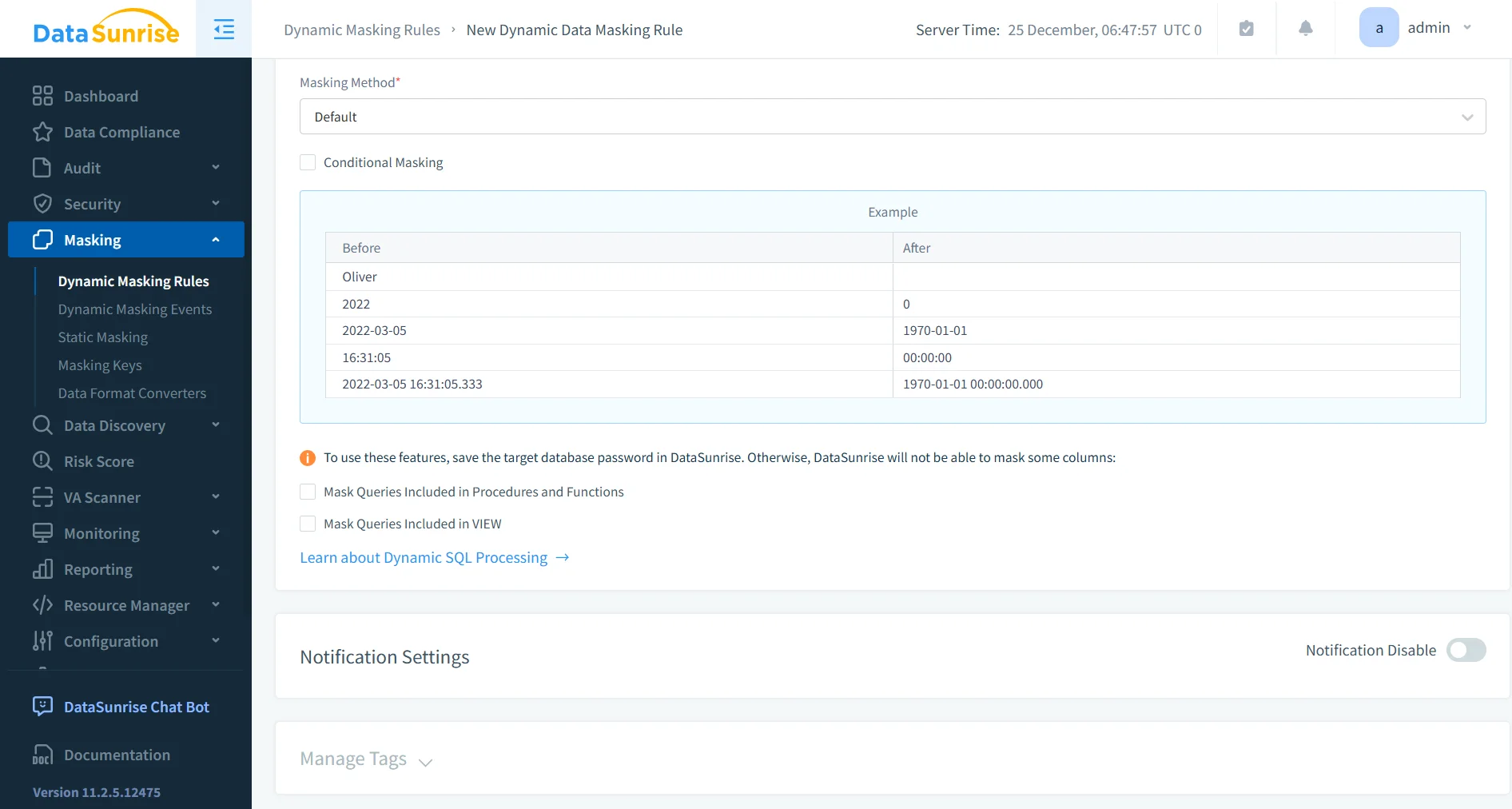
Once sensitive fields have been identified, administrators can apply masking policies through a centralized management interface. DataSunrise supports both Dynamic Data Masking and Static Data Masking, allowing organizations to protect data in multiple operational scenarios.
Dynamic masking transforms values at query time without modifying the underlying data stored in ClickHouse. This approach works well in analytics environments where multiple user groups access the same datasets but should not see the original sensitive values. Static masking, by contrast, creates sanitized copies of datasets that can safely be used in development, testing, or external analytics environments.
Managing both techniques from a centralized platform allows teams to apply consistent masking policies across multiple ClickHouse clusters without maintaining separate SQL scripts or view definitions.
Integration with Monitoring and Audit Controls
Masking policies become significantly more effective when they are combined with monitoring and auditing capabilities. DataSunrise integrates masking with several additional security controls that help organizations track how sensitive data is accessed and used.
For example, Database Activity Monitoring records database interactions in real time, providing visibility into queries executed against protected datasets. In addition, Audit Logs capture security events and query history, allowing administrators to investigate unusual behavior or verify compliance with internal security policies.
The platform also supports Security Rules that analyze queries and detect suspicious activity, including attempts to bypass masking or extract sensitive information.
Together, these capabilities create a security layer that not only masks data but also monitors how that data is accessed across the environment.
Compliance Automation and Reporting
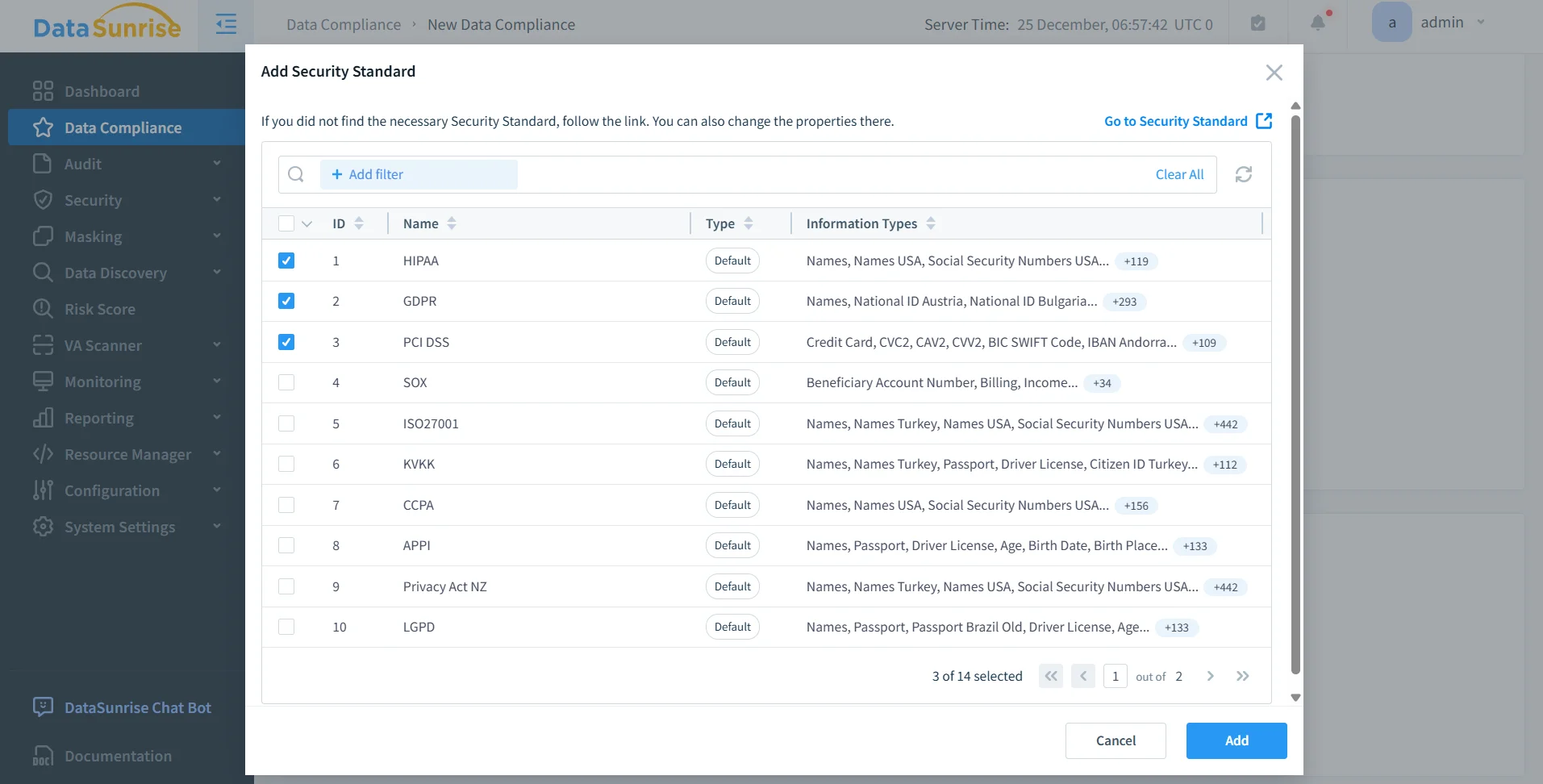
Organizations operating in regulated industries must demonstrate that data protection policies are implemented consistently and effectively. DataSunrise simplifies this process by providing automated compliance workflows and reporting capabilities.
Through the Compliance Manager, administrators can generate reports that document how masking policies protect sensitive information across databases and applications. These reports support regulatory frameworks such as GDPR, HIPAA, PCI DSS, and SOX.
Instead of collecting compliance evidence manually from logs and database configurations, security teams can generate audit-ready reports directly from the platform. This significantly reduces the effort required to demonstrate compliance during security audits.
Cross-Platform Security Governance
Modern data architectures rarely rely on a single database system. Analytical platforms such as ClickHouse often operate alongside transactional databases, cloud warehouses, and NoSQL platforms within the same environment.
DataSunrise provides a unified governance layer across the databases listed among the supported data storage platforms. This allows organizations to define masking and compliance policies once and apply them consistently across heterogeneous infrastructures.
As a result, teams avoid maintaining separate security implementations for each database technology. Instead, masking, auditing, monitoring, and compliance controls can be managed from a single centralized platform.
Business impact
Effective masking in ClickHouse reduces the blast radius of analyst access, protects non-production workflows, and helps teams keep sensitive columns out of dashboards, exports, and ad hoc exploration. It also reduces the operational overhead of maintaining manually created “safe” datasets for analytics or development. These practices are commonly part of broader data masking strategies designed to secure analytical environments.
For regulated environments, the benefit is not limited to hiding sensitive values. Organizations must also demonstrate that access controls are enforced consistently and that data protection policies are applied across all environments. Centralized controls such as reporting, behavioral analysis, and alerting help organizations maintain visibility and accountability. These capabilities typically operate alongside Database Activity Monitoring and broader data compliance programs.
| Impact Area | Description | Supporting Capability |
|---|---|---|
| Reduced Data Exposure | Masking prevents sensitive values from appearing in query results, dashboards, or exported reports used by analysts and third-party tools. | Centralized masking policies |
| Secure Analytics Workflows | Analysts can query datasets without accessing raw sensitive fields, enabling safe exploration of production-scale data. | Dynamic masking and role-based access |
| Protection of Non-Production Environments | Masked datasets can be used in development, QA, and analytics sandboxes without exposing real personal or financial information. | Static masking and dataset sanitization |
| Compliance Readiness | Organizations can demonstrate that sensitive data protection policies are applied consistently across environments. | Report Generation |
| Insider Risk Detection | Behavioral monitoring helps identify unusual query patterns or attempts to access restricted information. | Behavior Analytics |
| Real-Time Security Response | Alerts notify administrators when suspicious queries or policy violations occur. | Real-Time Notifications |
By combining masking with monitoring, reporting, and alerting capabilities—along with controls such as Sensitive Data Discovery and Data Audit—organizations can protect sensitive information while maintaining the analytical performance that ClickHouse is designed to deliver.
Conclusion
ClickHouse gives you real masking options now, but the toolbox is uneven. Native masking policies are the best built-in answer for ClickHouse Cloud, while self-managed deployments still lean heavily on views, column grants, row policies, and log masking rules. Each method works, but each solves only part of the problem.
For small, tightly controlled setups, native techniques may be enough. For larger environments, the smarter move is centralized masking combined with Sensitive Data Discovery, policy orchestration, audit visibility through Database Activity Monitoring, and compliance reporting in one place.
That is where DataSunrise Overview and its deployment modes become relevant.
Protect Your Data with DataSunrise
Secure your data across every layer with DataSunrise. Detect threats in real time with Activity Monitoring, Data Masking, and Database Firewall. Enforce Data Compliance, discover sensitive data, and protect workloads across 50+ supported cloud, on-prem, and AI system data source integrations.
Start protecting your critical data today
Request a Demo Download Now