Database Audit for Azure Cloud Storage
In today's hybrid cloud landscape, implementing robust database audit capabilities for Azure Cloud Storage has become a critical security requirement. According to Microsoft's Digital Defense Report 2024, organizations with comprehensive cloud storage audit systems detect potential security threats 91% faster and reduce breach-related costs by up to 68%.
Azure Cloud Storage handles massive volumes of structured and unstructured data across blob storage, file shares, and data lakes. As organizations migrate critical workloads to Azure Cloud Storage, comprehensive database audit capabilities have transformed from a technical consideration into a business necessity.
This guide explores Azure Cloud Storage's native audit capabilities and demonstrates how DataSunrise can enhance data security monitoring and streamline compliance efforts for cloud storage environments.
Native Azure Cloud Storage Database Audit Capabilities
Azure Cloud Storage includes several built-in features for monitoring and auditing storage activities such as data access, file modifications, and administrative actions. Implementing proper audit trails is essential for maintaining comprehensive oversight:
1. Azure Storage Analytics and Diagnostic Logs
Enable basic database audit capabilities through the Azure portal:
# Enable comprehensive audit logging via Azure CLI
az storage logging update \
  --account-name "enterprisestorage" \
  --services blob file queue table \
  --log-types read write delete \
  --retention-days 365
2. Testing with Sample Operations
Execute sample operations to generate comprehensive audit logs:
# PowerShell operations for audit testing
$storageAccount = Get-AzStorageAccount -ResourceGroupName "AuditRG" -Name "enterprisestorage"
$ctx = $storageAccount.Context

# Create test container and upload files
$container = New-AzStorageContainer -Name "audit-test-container" -Context $ctx
Set-AzStorageBlobContent -File "customer_data.csv" -Container "audit-test-container" -Context $ctx

# Simulate access and modification operations
Get-AzStorageBlob -Container "audit-test-container" -Context $ctx
Remove-AzStorageBlob -Container "audit-test-container" -Blob "customer_data.csv" -Context $ctx
3. Reviewing Database Audit Logs
Examine collected audit logs using Azure Monitor:
// Query Azure Storage audit logs for the past 7 days
StorageBlobLogs
| where TimeGenerated > ago(7d)
| where Category in ("StorageRead", "StorageWrite", "StorageDelete")
| project TimeGenerated, OperationName, ObjectKey, ClientIpAddress, StatusCode
| order by TimeGenerated desc
4. Azure Portal Web UI for Audit Review
The Azure Portal provides an intuitive interface for accessing audit information without requiring specialized query expertise:
- Navigate to your Storage Account and select "Monitoring" under the left menu
- Access "Insights" to view pre-built monitoring dashboards with storage activity visualizations
- Use "Logs" to run custom KQL queries against audit data with filtering capabilities
- Review "Activity log" for administrative operations and configuration changes
- Configure "Alerts" for automated notifications of unusual access patterns or security events
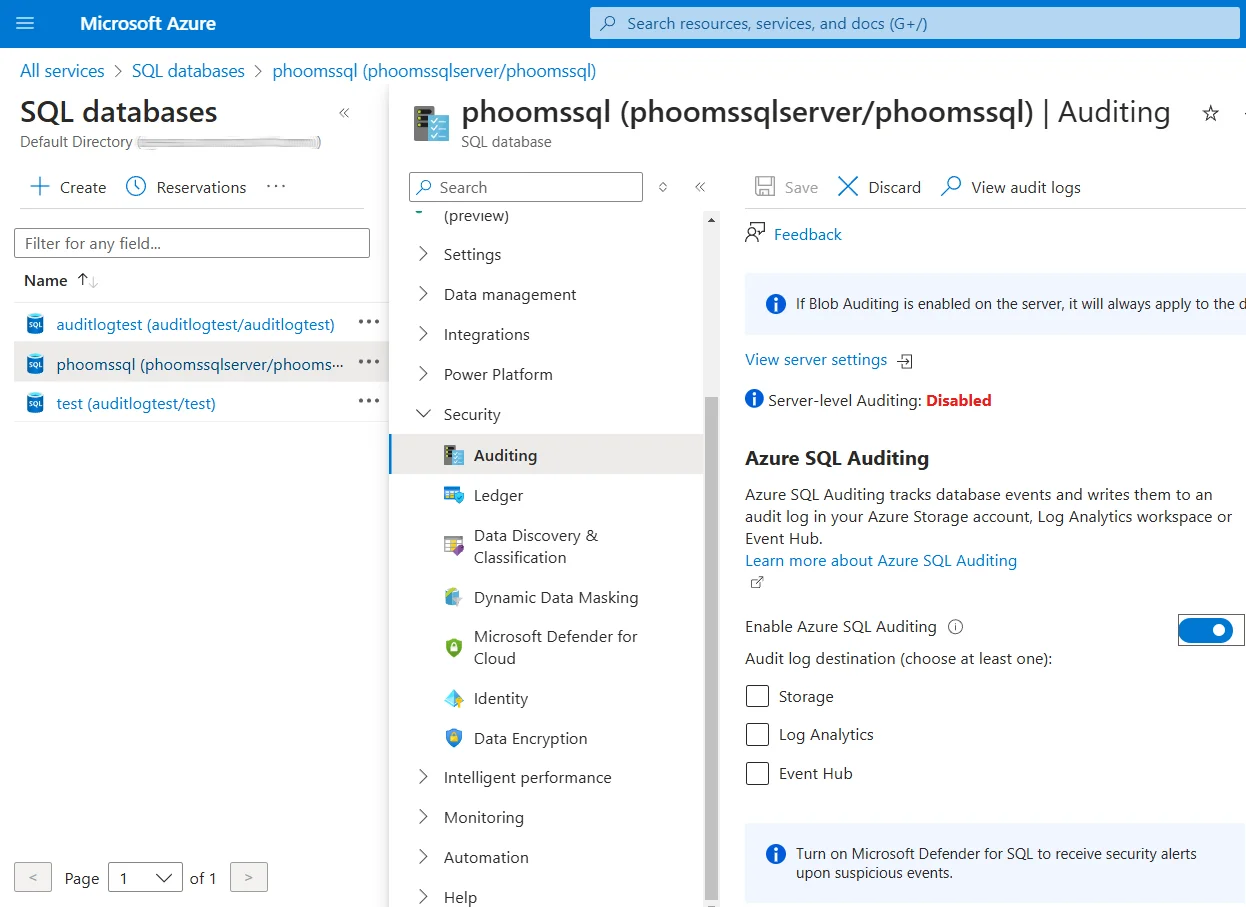
This web-based interface makes it easier for security analysts and compliance officers to monitor cloud storage activities without specialized technical knowledge.
You can refer to Microsoft's official documentation for more information about Azure Storage Analytics configurations.
Enhanced Database Audit for Azure Cloud Storage with DataSunrise
Although Azure Cloud Storage's native audit features provide basic monitoring, they may not meet demands of production environments requiring robust compliance regulations and security controls. DataSunrise enhances Azure Cloud Storage with Comprehensive Sensitive Data Detection, offering highly customizable audit rules, advanced database security protocols, and automated compliance reporting.
Advantages of DataSunrise for Azure Cloud Storage
| Feature | Description |
|---|---|
| Zero-Touch Implementation | Flexible deployment options with No-Code Policy Automation and intuitive interface |
| Auto-Discover & Classify | Intelligent Data Discovery across structured, semi-structured, and unstructured formats, including OCR-driven discovery |
| Seamless Multi-Environment Coverage | Advanced threat protection with real-time notifications and behavioral analytics |
| Unified Security Framework | Centralized database activity monitoring across 40+ data storage platforms |
Setting Up DataSunrise for Azure Cloud Storage Audit
Implementing DataSunrise for Azure Cloud Storage audit follows a streamlined process:
- Connect to Azure Storage: Establish a secure connection to your Azure Storage account through DataSunrise's administrative interface by providing storage account credentials and connection parameters.
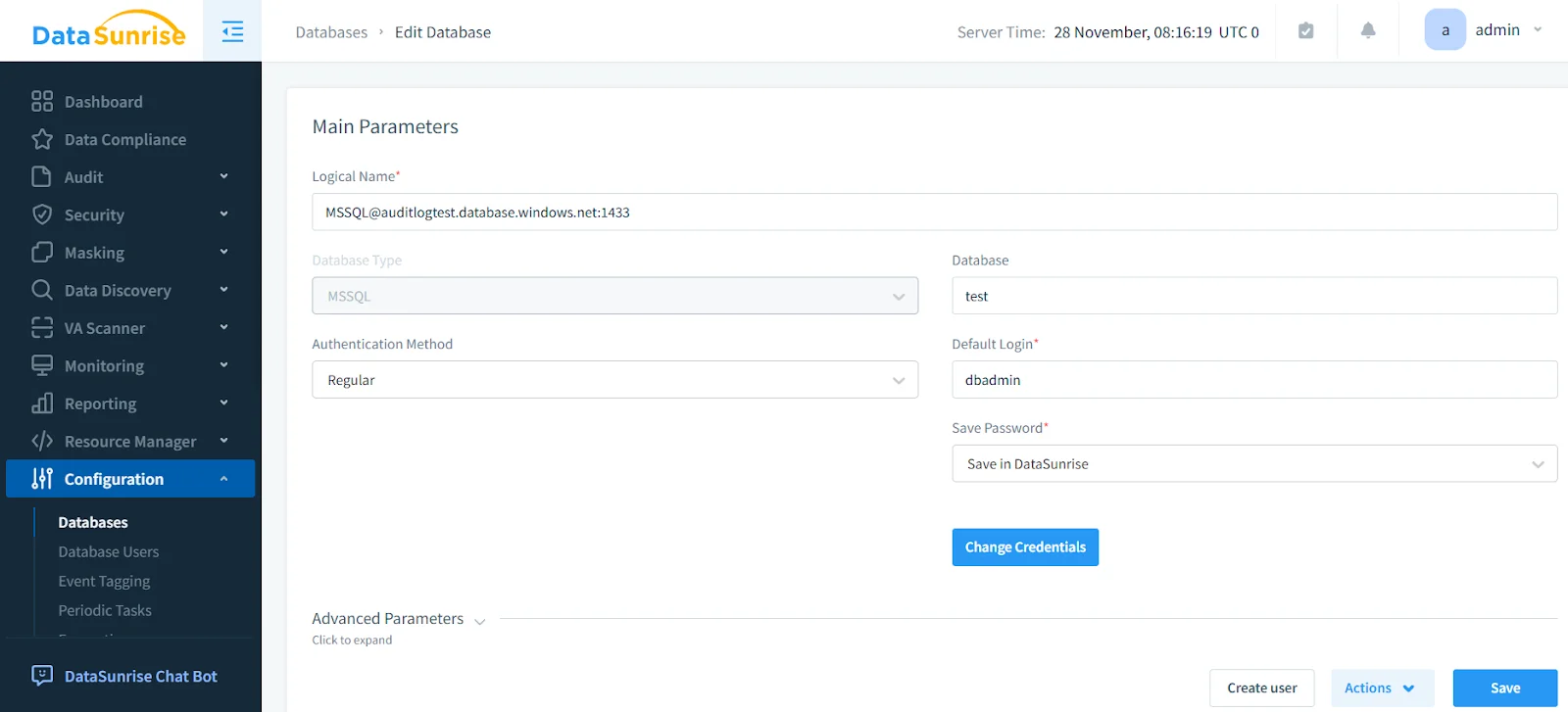
Configure Audit Rules: Create customized audit rules to monitor specific containers, file types, or user activities based on your data security policy and compliance requirements.
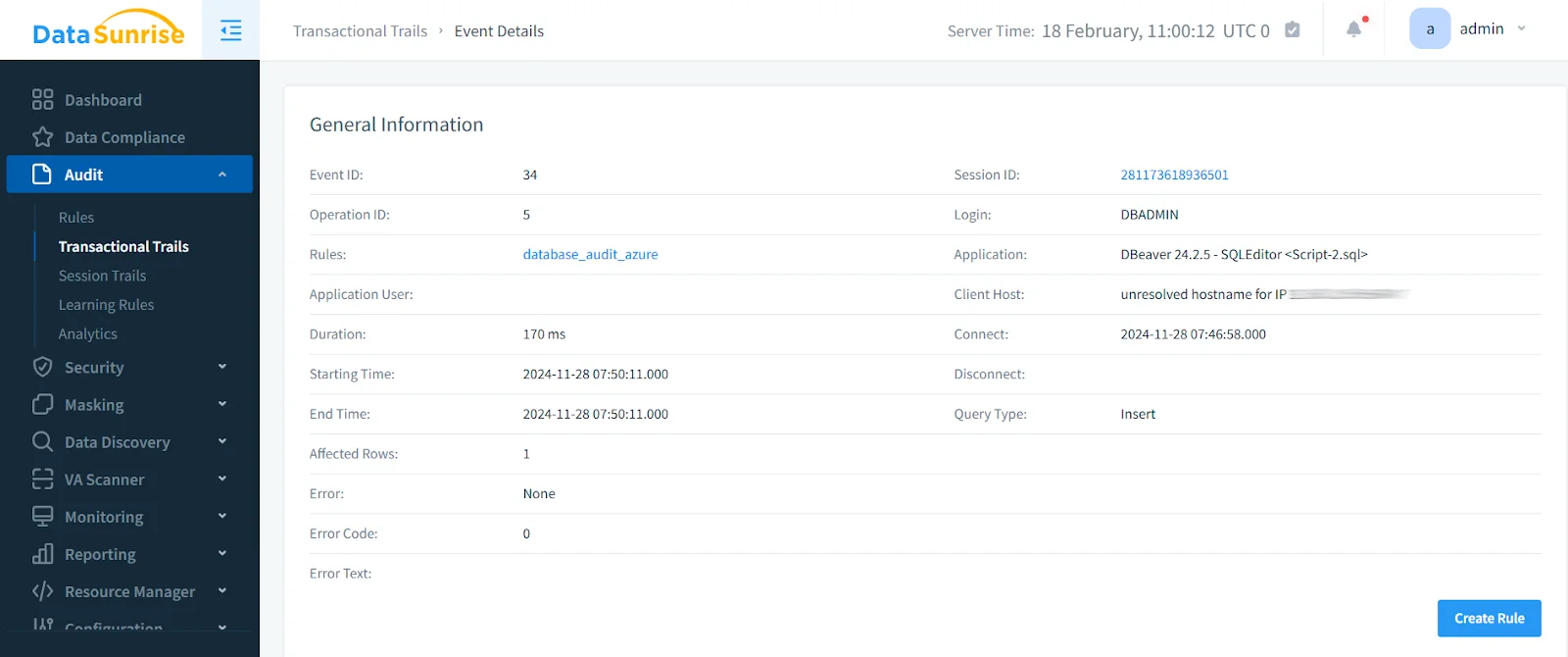
Review Audit Events: Access comprehensive audit trails through DataSunrise's unified dashboard, providing complete visibility into all Azure Storage operations with advanced filtering and real-time monitoring capabilities.
Business Benefits of Database Audit for Azure Cloud Storage
Implementing database audit capabilities for Azure Cloud Storage provides multiple business advantages:
- Risk Mitigation: Proactively identify and address data breaches or compliance violations in cloud storage before they become costly issues.
- Streamlined Audits: Automate audit goals for cloud storage environments, reducing manual effort and enhancing operational efficiency.
- Enhanced Trust: Demonstrate commitment to cloud data protection and compliance, building trust with customers and stakeholders.
- Improved Operational Efficiency: Streamline cloud storage management processes for better decision-making.
- Competitive Advantage: Strengthen competitive position by adopting secure, compliant cloud storage practices.
Conclusion
As organizations increasingly rely on Azure Cloud Storage for critical data operations, robust database audit capabilities become essential for ensuring security and compliance. While Azure Storage offers strong native monitoring features, advanced solutions are crucial to meet evolving compliance standards and protect sensitive cloud-hosted data.
DataSunrise provides a comprehensive database audit solution for Azure Cloud Storage, addressing compliance and security challenges through Zero-Touch Data Protection, Automated Compliance Reporting, and broad platform compatibility. DataSunrise delivers the robust audit infrastructure needed to maintain security and meet regulatory requirements for cloud storage environments.
Protect Your Data with DataSunrise
Secure your data across every layer with DataSunrise. Detect threats in real time with Activity Monitoring, Data Masking, and Database Firewall. Enforce Data Compliance, discover sensitive data, and protect workloads across 50+ supported cloud, on-prem, and AI system data source integrations.
Start protecting your critical data today
Request a Demo Download Now