SAP HANA Compliance Management
In today's data-intensive enterprise landscape, maintaining robust compliance management for SAP HANA has become a critical business imperative. According to IBM's 2024 Data Breach Report, organizations with comprehensive audit trail systems identify potential security threats significantly faster and reduce breach-related costs substantially. With compliance regulations like GDPR, HIPAA, PCI DSS, and SOX imposing stringent requirements, traditional manual compliance approaches cannot keep pace with modern enterprise demands.
This article explores SAP HANA's native compliance capabilities and demonstrates how DataSunrise can enhance your compliance management strategy with automated policy enforcement, intelligent monitoring, and comprehensive reporting features. For more information about SAP HANA's security architecture, refer to the SAP HANA Security Guide.
Native SAP HANA Compliance Management Capabilities
SAP HANA provides several built-in features designed to support compliance initiatives, forming the foundation for tracking database activity, managing user access, and maintaining security controls.
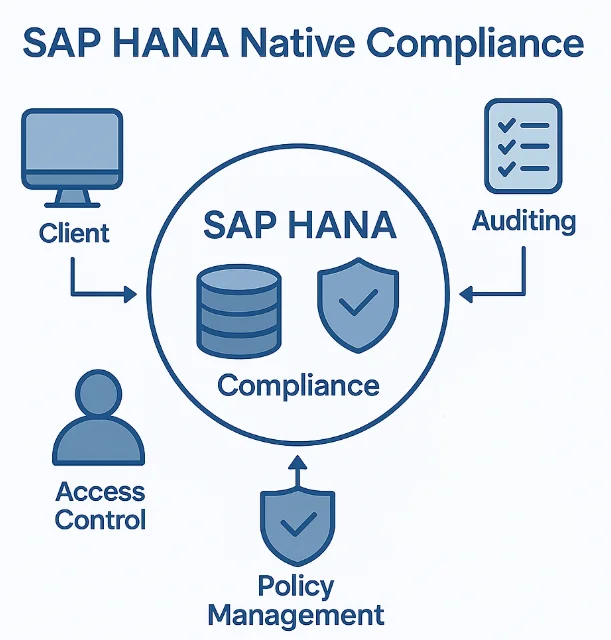
1. SAP HANA Audit Trail Configuration
SAP HANA's audit trail functionality captures security-relevant activities within the database environment. To enable basic auditing, administrators can configure audit policies through SQL commands:
-- Enable audit trail for the system
ALTER SYSTEM ALTER CONFIGURATION ('global.ini', 'SYSTEM')
SET ('auditing configuration', 'default_audit_trail_type') = 'SYSLOGPROTOCOL'
WITH RECONFIGURE;

-- Create audit policy for table access
CREATE AUDIT POLICY SensitiveDataAccess
AUDITING SUCCESSFUL SELECT, UPDATE, INSERT, DELETE
ON SCHEMA CustomerData
LEVEL CRITICAL;

-- Enable the audit policy
AUDIT POLICY SensitiveDataAccess;
These commands activate auditing for specific database objects and operations, creating a foundation for compliance monitoring.
2. Reviewing Compliance Logs
Once auditing is configured, examine the captured compliance logs through SAP HANA's audit views:
-- Query recent audit events
SELECT
    TIMESTAMP,
    USER_NAME,
    STATEMENT_STRING,
    SCHEMA_NAME,
    OBJECT_NAME,
    EVENT_ACTION
FROM SYS.AUDIT_LOG
WHERE TIMESTAMP >= ADD_DAYS(CURRENT_TIMESTAMP, -7)
ORDER BY TIMESTAMP DESC;

-- Analyze failed authentication attempts
SELECT
    TIMESTAMP,
    USER_NAME,
    CLIENT_IP,
    EVENT_STATUS
FROM SYS.AUDIT_LOG
WHERE EVENT_ACTION = 'CONNECT'
AND EVENT_STATUS = 'FAILED'
ORDER BY TIMESTAMP DESC;
For more comprehensive information about SAP HANA's native audit capabilities, refer to the SAP HANA Security Guide.
Limitations of Native SAP HANA Compliance Management
While SAP HANA's built-in compliance features provide essential functionality, organizations with complex regulatory requirements often encounter several challenges:
| Native Feature | Key Limitation | Business Impact |
|---|---|---|
| Audit Trail | Manual configuration for each database object | Time-consuming setup process across large environments |
| Compliance Reporting | No automated regulatory framework mapping | Manual effort required for audit preparation |
| Sensitive Data Discovery | Requires manual identification and tagging | Critical data may remain unprotected |
| Real-Time Monitoring | Limited native alerting capabilities | Delayed response to compliance violations |
| Policy Management | Complex configuration across multiple systems | Inconsistent policies in distributed environments |
| Retention Management | Manual log rotation and archival processes | Risk of non-compliance with retention requirements |
These limitations can significantly impact an organization's ability to maintain continuous compliance and respond quickly to regulatory requirements.
Enhanced SAP HANA Compliance Management with DataSunrise
While SAP HANA provides foundational compliance capabilities, DataSunrise significantly enhances compliance management through its comprehensive security platform with Zero-Touch Compliance Automation and sophisticated monitoring features designed specifically for enterprise database environments.
Implementing DataSunrise for SAP HANA Compliance
DataSunrise's implementation process is streamlined for rapid deployment, enabling organizations to achieve compliance readiness in hours rather than weeks:
1. Connect to SAP HANA Instance
Begin by establishing a secure connection between DataSunrise and your SAP HANA environment through the intuitive administrative interface. DataSunrise supports both single-container and multi-tenant database container (MDC) deployments for comprehensive coverage.
2. Automated Sensitive Data Discovery
DataSunrise's Auto-Discover & Classify engine automatically scans your SAP HANA environment to identify sensitive data according to regulatory frameworks, including PII detection, financial data, health information, and custom patterns.
3. Create Compliance-Driven Security Rules
Configure granular compliance rules using DataSunrise's No-Code Policy Automation interface to monitor access, track privileged users, enforce separation of duties requirements, and document all data modifications.
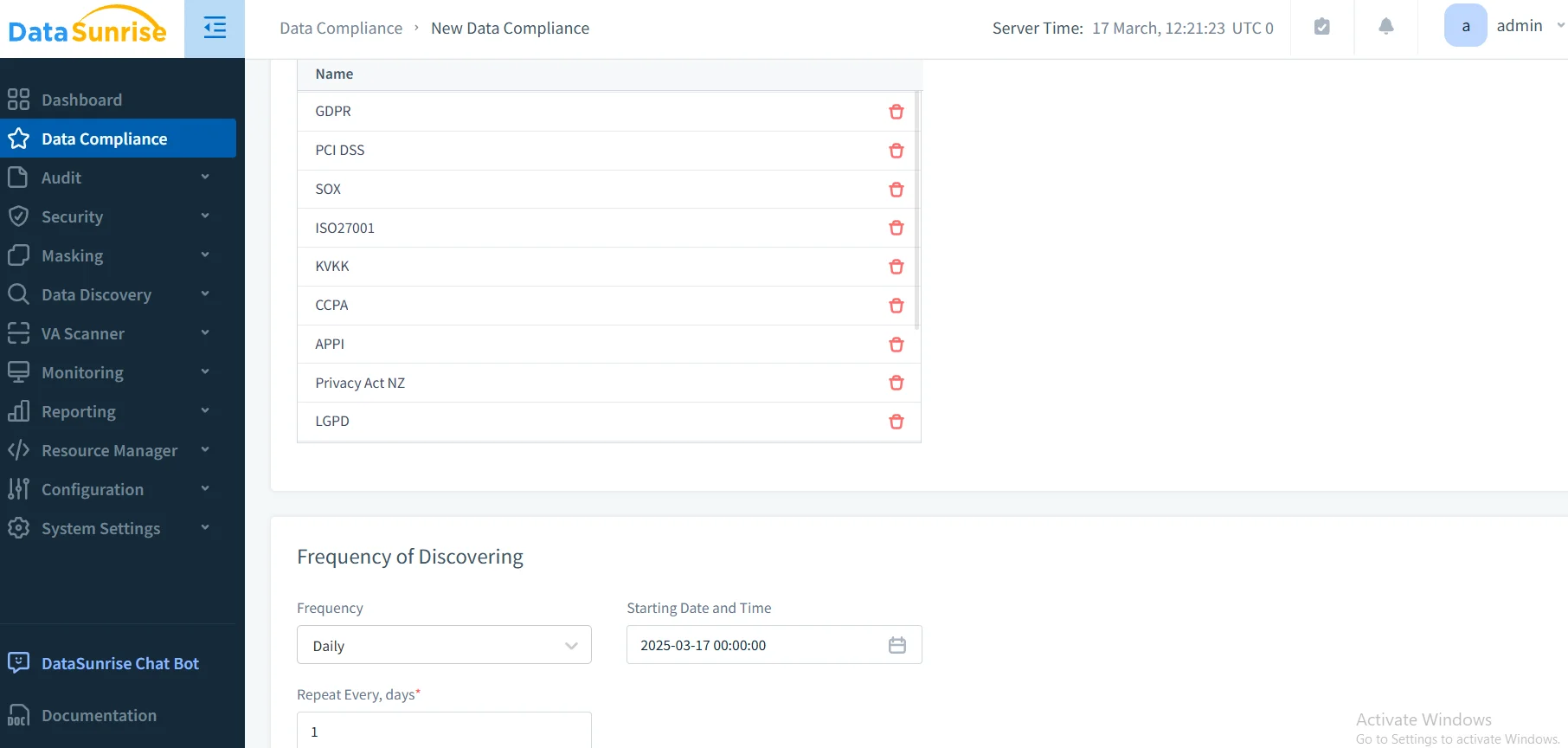
4. Review Comprehensive Compliance Reports
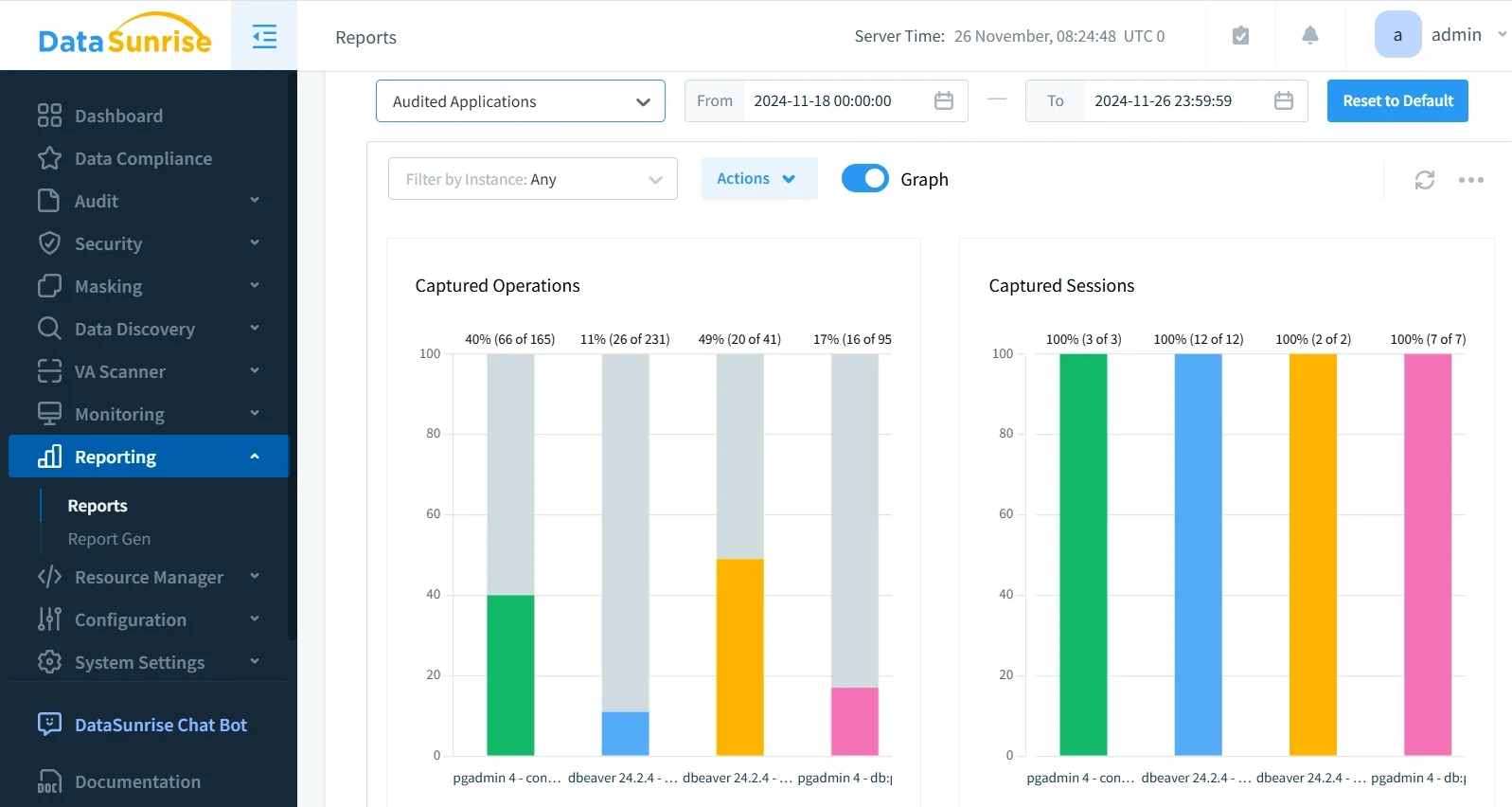
Access detailed compliance information through DataSunrise's unified dashboard with pre-configured templates for major regulatory frameworks.
Key Advantages of DataSunrise for SAP HANA Compliance
DataSunrise delivers significant enhancements over SAP HANA's native compliance capabilities through advanced features specifically designed for regulatory adherence:
Compliance Autopilot
DataSunrise's Continuous Regulatory Calibration engine automatically monitors changes in regulatory frameworks and updates compliance policies without manual intervention. This ensures ongoing adherence to GDPR, HIPAA, PCI DSS, SOX, and other regulations while minimizing administrative overhead.
Automated Compliance Reporting
Generate pre-configured reports for regulatory frameworks with comprehensive compliance mapping:
- GDPR Compliance: Track personal data processing activities and demonstrate consent management
- HIPAA Compliance: Monitor protected health information access and maintain required audit trails
- PCI DSS Compliance: Document cardholder data access and enforce security controls
- SOX Compliance: Maintain detailed records of financial data modifications
These automated reports dramatically reduce the time and effort required for audit preparation, transforming days of manual work into automated processes that complete in minutes.
Real-Time Compliance Monitoring
Unlike SAP HANA's basic logging, DataSunrise provides real-time notifications with immediate alerts for compliance violations, enabling security teams to respond quickly to potential regulatory issues and security threats.
Dynamic Data Masking for Compliance
DataSunrise's dynamic data masking capabilities protect sensitive data in real-time while maintaining application functionality. This ensures compliance with data protection regulations by preventing unauthorized exposure of sensitive information during queries and reports.
User Behavior Analytics
DataSunrise's advanced behavior analytics establish baselines of normal user activity within SAP HANA and identify anomalies that might indicate compliance violations or security threats. This behavioral monitoring transforms compliance management from passive record-keeping into proactive risk mitigation.
Cross-Platform Compliance Visibility
DataSunrise provides unified compliance management across heterogeneous environments. With support for over 40 data storage platforms, organizations can ensure consistent compliance policies across SAP HANA and other database systems, eliminating gaps in regulatory coverage.
Conclusion
As SAP HANA continues to serve as the backbone for mission-critical enterprise applications, implementing robust compliance management has become essential for regulatory adherence and business success. While SAP HANA offers valuable native compliance features, organizations with complex regulatory requirements benefit significantly from enhanced solutions like DataSunrise.
DataSunrise provides a comprehensive compliance management framework specifically designed for SAP HANA environments, offering Zero-Touch Compliance Automation, intelligent policy orchestration, and automated reporting capabilities. With flexible deployment modes, DataSunrise transforms SAP HANA compliance management from a resource-intensive burden into a strategic security asset.
Protect Your Data with DataSunrise
Secure your data across every layer with DataSunrise. Detect threats in real time with Activity Monitoring, Data Masking, and Database Firewall. Enforce Data Compliance, discover sensitive data, and protect workloads across 50+ supported cloud, on-prem, and AI system data source integrations.
Start protecting your critical data today
Request a Demo Download Now