SAP HANA Data Compliance Automation

In today's complex regulatory landscape, implementing robust data compliance automation for SAP HANA has become a strategic imperative. According to IBM's 2024 Data Breach Report, organizations with comprehensive audit trail systems identify potential security threats significantly faster and reduce breach-related costs substantially.
SAP HANA, SAP's high-performance in-memory database platform, powers mission-critical business applications across industries. As organizations consolidate sensitive data into SAP HANA environments, implementing automated compliance regulations has transformed from a technical consideration into a business necessity.
This guide explores SAP HANA's native compliance features and demonstrates how DataSunrise's Zero-Touch Compliance Automation can enhance your compliance posture with intelligent policy orchestration.
Native SAP HANA Compliance Capabilities
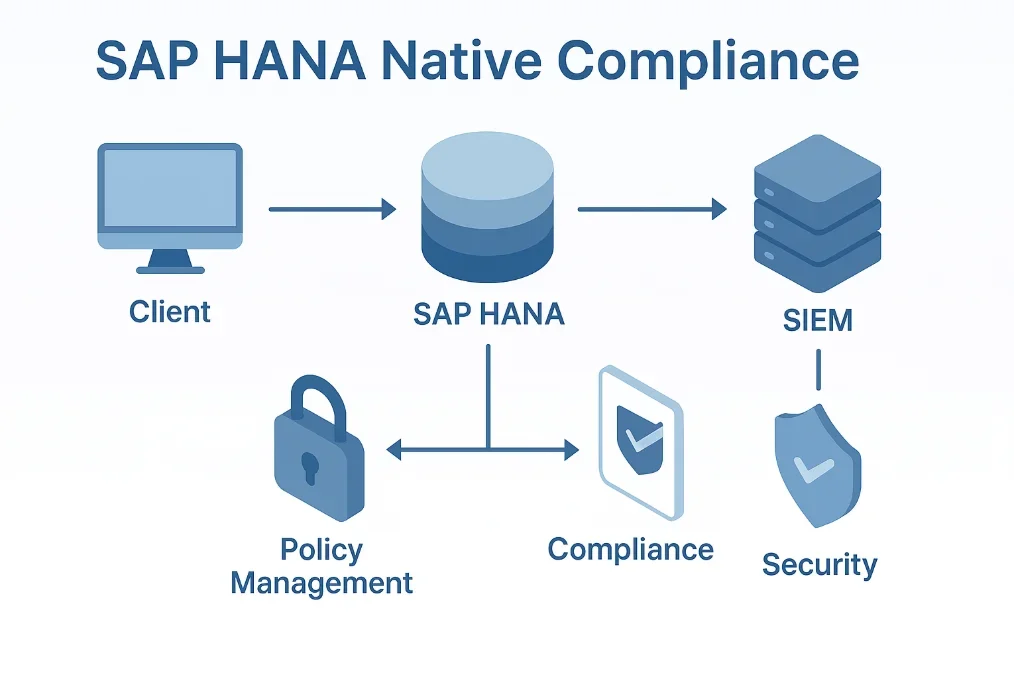
SAP HANA includes several built-in features for implementing compliance monitoring that track database activities, user actions, and data modifications. These native capabilities provide the foundation for maintaining compliance through various auditing mechanisms and access controls.
1. Testing Compliance Monitoring
Execute sample operations to generate compliance audit data:
-- Create test table with sensitive data
CREATE COLUMN TABLE customer_data (
    customer_id INTEGER PRIMARY KEY,
    customer_name NVARCHAR(100),
    ssn NVARCHAR(11),
    account_balance DECIMAL(15,2)
);

-- Insert and query operations
INSERT INTO customer_data VALUES (1, 'Michael Anderson', '123-45-6789', 25000.00);
SELECT * FROM customer_data WHERE account_balance > 20000;
UPDATE customer_data SET account_balance = 26500.00 WHERE customer_id = 1;
2. Reviewing SAP HANA Audit Logs
Access audit information through system views:
-- Query audit log entries
SELECT
    AUDIT_TIME,
    USER_NAME,
    SCHEMA_NAME,
    OBJECT_NAME,
    ACTION_NAME
FROM
    SYS.AUDIT_LOG
WHERE
    AUDIT_TIME >= ADD_DAYS(CURRENT_TIMESTAMP, -7)
ORDER BY
    AUDIT_TIME DESC;
Limitations of Native SAP HANA Compliance Features
While SAP HANA provides essential compliance monitoring, organizations face several challenges with data security using native features alone:
| Native Feature | Key Limitation | Business Impact |
|---|---|---|
| Audit Policies | Manual configuration | Inconsistent compliance coverage |
| Data Discovery | No automated classification | Critical data may remain unprotected |
| Compliance Reporting | Manual report generation | Time-consuming audit preparation |
| Policy Updates | Manual regulatory adjustments | Risk of compliance drift |
| Cross-System Visibility | Isolated monitoring | Incomplete compliance posture |
DataSunrise: Autonomous Compliance Orchestration for SAP HANA
DataSunrise significantly enhances compliance automation through sophisticated capabilities designed for enterprise SAP environments. DataSunrise's Compliance Autopilot transforms SAP HANA compliance from a manual, reactive process into an automated, proactive framework.
Key Features of DataSunrise for SAP HANA Compliance
Auto-Discover & Classify: Automatically scan your SAP HANA environment to identify and classify sensitive data according to GDPR, HIPAA, PCI DSS, and SOX using NLP and ML algorithms.
No-Code Policy Automation: Create sophisticated compliance policies without specialized SQL expertise, reducing implementation time from weeks to hours.
Continuous Regulatory Calibration: Automatically monitor regulatory changes and update compliance policies to maintain alignment with evolving requirements for GDPR, HIPAA, PCI DSS, and SOX.
Real-Time Compliance Monitoring: Receive immediate notifications for policy violations with intelligent alerts that enable quick response to compliance incidents.
Automated Compliance Reporting: Generate comprehensive reports with pre-configured templates for major regulatory frameworks, transforming days of manual work into minutes with audit logs automatically mapped to compliance requirements.
Dynamic Data Masking: Protect sensitive data with Surgical Precision Masking that adapts based on user roles and access contexts.
Implementing DataSunrise for SAP HANA Compliance Automation
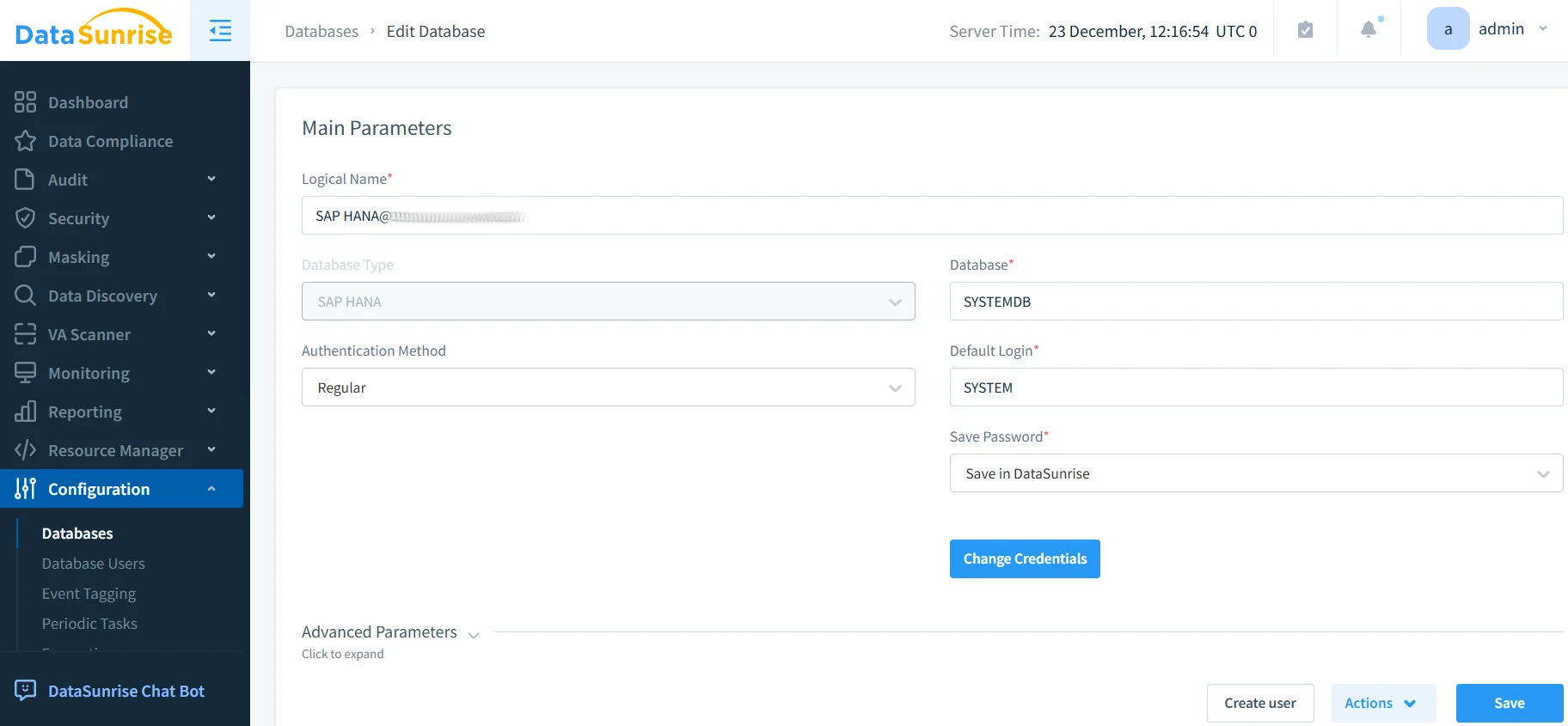
Step 1: Connect to SAP HANA Environment
Establish a secure connection between DataSunrise and your SAP HANA instance. DataSunrise supports single-node, scale-out, and multi-tenant database containers for comprehensive compliance coverage.
Step 2: Enable Automated Data Discovery
Initiate DataSunrise's Auto-Discover & Classify engine to automatically identify sensitive data, creating a comprehensive inventory of compliance-relevant information.
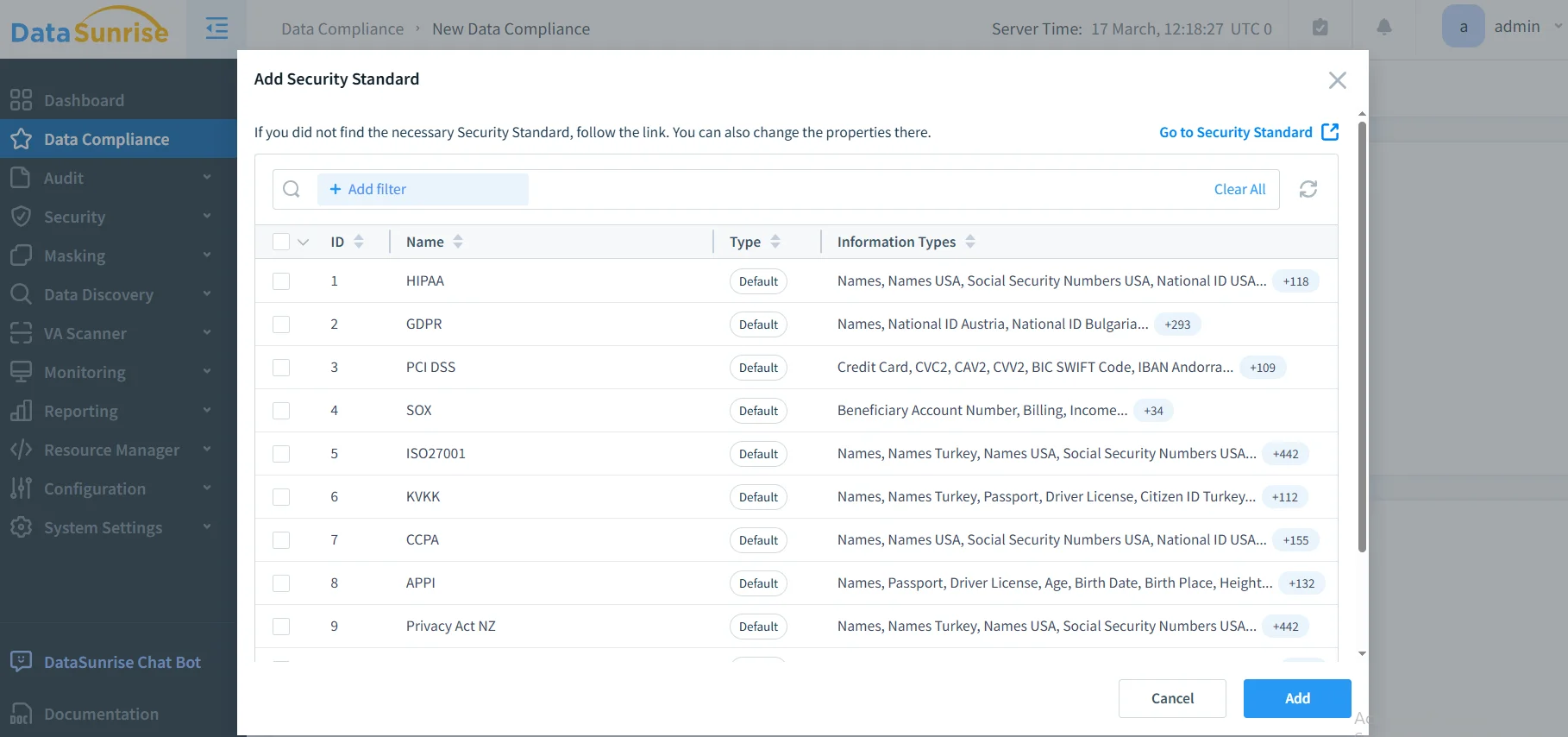
Step 3: Configure Compliance Policies
Create tailored compliance policies using No-Code Policy Automation to define regulatory scope, specify monitoring criteria, configure alerts, and establish masking rules.
Step 4: Review Compliance Dashboard
Access comprehensive compliance information through DataSunrise's unified dashboard with real-time status, violation tracking, trend analysis, and audit-ready reports.
Best Practices for SAP HANA Compliance Automation
1. Data-Centric Compliance Strategy
Focus monitoring on tables containing PII, financial data, and healthcare information. Use DataSunrise's automated classification to maintain accurate inventories of compliance-relevant information.
2. Regulatory Framework Alignment
Map compliance policies to specific regulatory requirements. Schedule regular assessments and maintain evidence repositories with appropriate retention periods aligned with data compliance regulations.
3. Enhanced Automation Implementation
Deploy DataSunrise's comprehensive platform with User Behavior Analysis and cross-system integration for consistent compliance policies.
4. Operational Excellence
Establish review procedures, configure intelligent alerting, and optimize performance impact with DataSunrise's efficient monitoring architecture that minimizes security threats while maintaining comprehensive coverage.
Conclusion
As organizations increasingly rely on SAP HANA for business-critical operations, implementing robust compliance automation has become essential. While SAP HANA offers foundational native capabilities, organizations with complex regulatory requirements benefit significantly from enhanced solutions like DataSunrise.
DataSunrise provides comprehensive Compliance Autopilot specifically designed for SAP HANA environments, offering Zero-Touch Compliance Automation with continuous regulatory calibration and intelligent monitoring. With flexible deployment modes, DataSunrise transforms SAP HANA compliance into a streamlined, automated framework.
By implementing DataSunrise's enterprise-grade compliance automation, organizations achieve measurable improvements in compliance effectiveness, reduce operational overhead by up to 80%, and maintain continuous adherence to multiple regulatory frameworks simultaneously.
Protect Your Data with DataSunrise
Secure your data across every layer with DataSunrise. Detect threats in real time with Activity Monitoring, Data Masking, and Database Firewall. Enforce Data Compliance, discover sensitive data, and protect workloads across 50+ supported cloud, on-prem, and AI system data source integrations.
Start protecting your critical data today
Request a Demo Download Now