
Sensitive Data Protection in Snowflake
In today's data-driven landscape, protecting sensitive information within cloud data platforms has become critical. According to IBM's 2024 Cost of a Data Breach Report, organizations with comprehensive data protection strategies reduce breach costs by $1.76 million and detect incidents 73% faster. With breaches at an all-time high, implementing robust sensitive data protection for Snowflake is now a business necessity.
While Snowflake provides native security features, organizations in regulated industries often need more sophisticated solutions to identify, classify, and protect sensitive data across their ecosystem. This guide explores Snowflake's data governance capabilities and how DataSunrise enhances them with Zero-Touch Data Masking and Autonomous Compliance Orchestration.
Understanding Sensitive Data Protection in Snowflake
Sensitive data protection encompasses the identification, classification, and safeguarding of confidential information in Snowflake. This includes PII, PHI, financial records, and intellectual property subject to regulatory requirements.
Effective protection addresses several challenges:
- Data Discovery: Automatically identifying sensitive information across databases and tables
- Classification: Categorizing data by sensitivity levels and regulatory requirements
- Access Controls: Implementing role-based restrictions to limit exposure
- Masking: Protecting data during development, testing, and analytics
- Compliance: Maintaining audit records for regulatory requirements
Snowflake's distributed nature introduces unique considerations: multi-cloud deployment requiring unified policies, data sharing necessitating granular controls, semi-structured formats with nested sensitive fields, petabyte-scale environments making manual classification impractical, and zero-copy cloning requiring consistent protection.
Native Snowflake Sensitive Data Protection Capabilities
Snowflake includes several built-in features for protecting sensitive information through various security policies.
1. Dynamic Data Masking Policies
Snowflake's native dynamic masking feature allows administrators to create policies that automatically mask sensitive data based on user context:
-- Create a masking policy for credit card numbers
CREATE OR REPLACE MASKING POLICY credit_card_mask AS (val string)
RETURNS string ->
  CASE
    WHEN CURRENT_ROLE() IN ('ANALYST_ROLE') THEN '****-****-****-' || RIGHT(val, 4)
    WHEN CURRENT_ROLE() IN ('ADMIN_ROLE') THEN val
    ELSE '****-****-****-****'
  END;

-- Apply the masking policy to a column
ALTER TABLE customers
MODIFY COLUMN credit_card_number
SET MASKING POLICY credit_card_mask;

-- Query the table to see masking in action
SELECT customer_name, credit_card_number, email
FROM customers
LIMIT 5;

-- Example output for ANALYST_ROLE:
-- John Smith, ****-****-****-1234, [email protected]
2. Row Access Policies
Implement row-level security with role-based access controls to restrict access to sensitive data based on user attributes:
-- Create a row access policy for regional data protection
CREATE OR REPLACE ROW ACCESS POLICY region_access AS (region string)
RETURNS boolean ->
  CASE
    WHEN CURRENT_ROLE() IN ('GLOBAL_ADMIN_ROLE') THEN true
    WHEN CURRENT_ROLE() = 'EU_ANALYST_ROLE' AND region = 'EU' THEN true
    WHEN CURRENT_ROLE() = 'US_ANALYST_ROLE' AND region = 'US' THEN true
    ELSE false
  END;

-- Apply the row access policy to a table
ALTER TABLE customer_transactions
ADD ROW ACCESS POLICY region_access ON (customer_region);

-- Test the policy
SELECT * FROM customer_transactions;
-- Users only see rows matching their regional access permissions
3. Snowflake Web UI for Protection Management
Snowflake's web-based interface provides an intuitive way to manage sensitive data protection without writing SQL:
- Data Governance Hub: Navigate to the "Data Governance" section to view and manage masking policies, row access policies, and tags
- Policy Management: Create and modify protection policies through guided wizards
- Schema Browser: Review which columns have masking policies applied and their configurations
- Access History: Monitor sensitive data access patterns through the query history interface
- Role Management: Configure role-based access controls and verify protection coverage
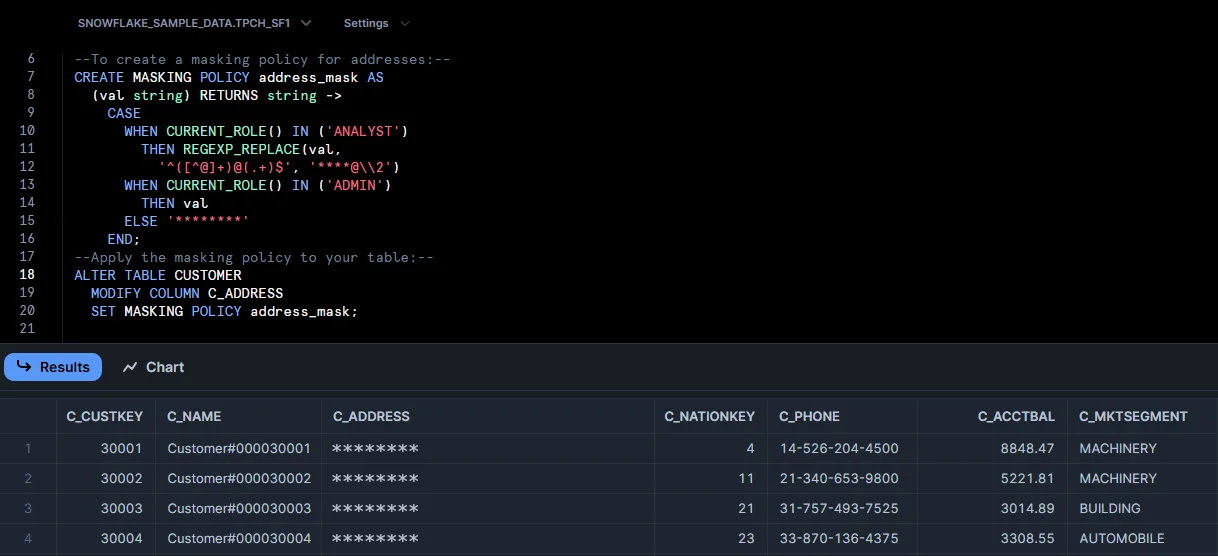
This web interface makes it easier for security administrators to implement and maintain sensitive data protection without requiring extensive SQL expertise.
Enhanced Sensitive Data Protection with DataSunrise
DataSunrise significantly enhances Snowflake's native capabilities through Auto-Discover & Mask and sophisticated analytics designed for cloud data platforms, providing comprehensive database security.
Setting Up DataSunrise for Snowflake Protection
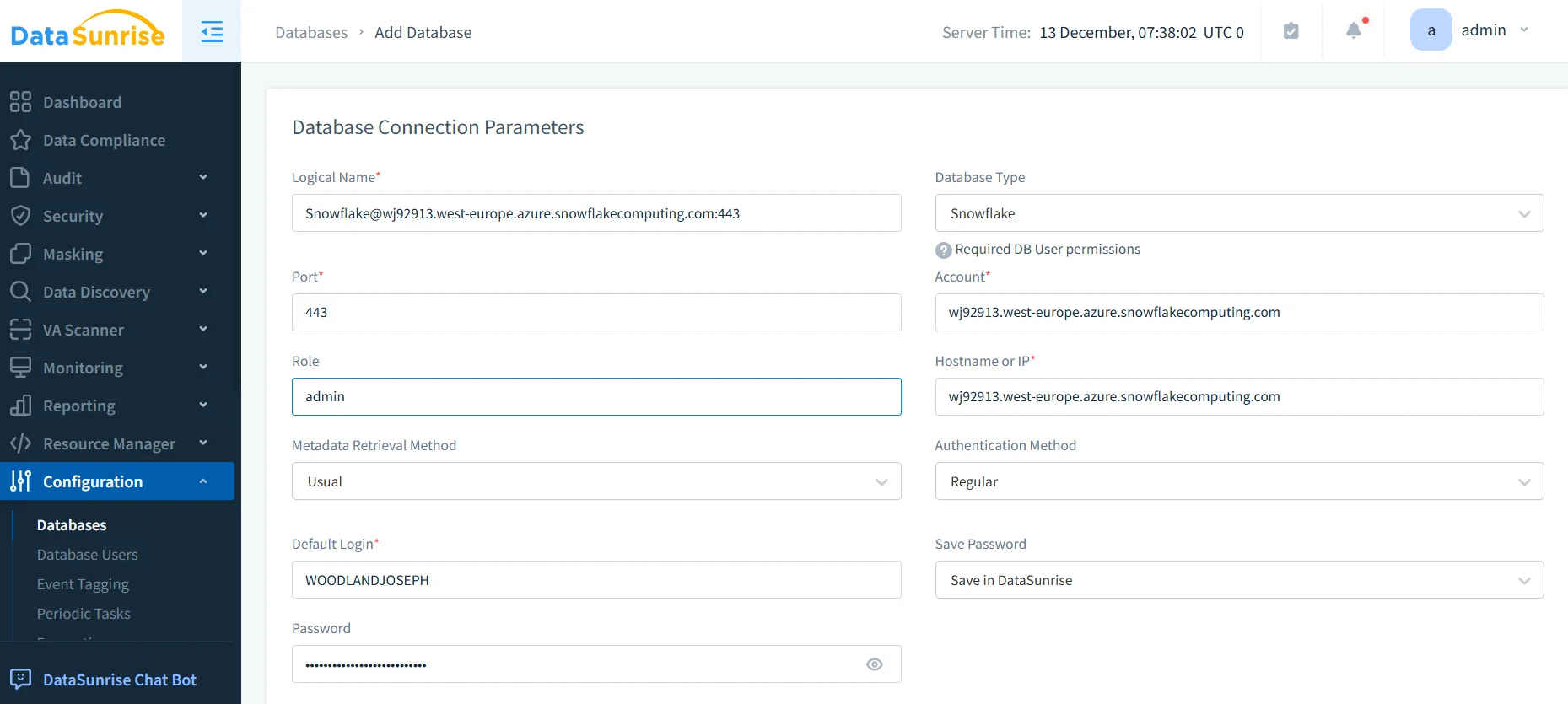
1. Connect to Snowflake Instance
Establish a secure connection between DataSunrise and your Snowflake environment. DataSunrise supports all deployment models including multi-cloud, hybrid, and private deployments with flexible deployment modes.
2. Configure Automated Data Discovery
Leverage DataSunrise's NLP Data Discovery to automatically identify sensitive information, classify data according to regulatory frameworks, and continuously monitor for newly added sensitive data through data management capabilities.
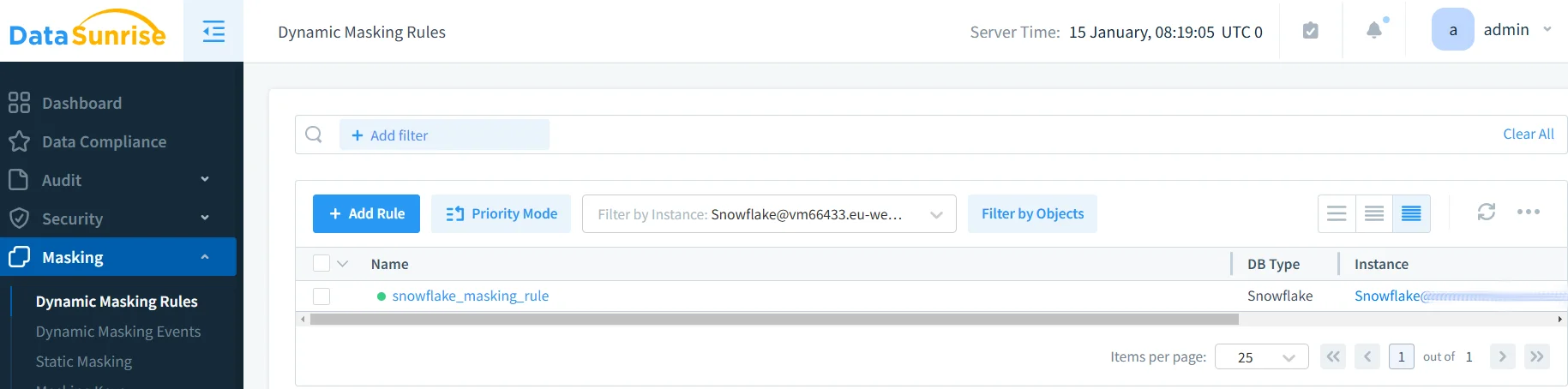
3. Implement Dynamic Data Masking Rules
Create masking policies using DataSunrise's No-Code Policy Automation with context-aware masking, surgical precision controls, and static masking options.
4. Monitor Sensitive Data Access
Access comprehensive audit trails with detailed information about all sensitive data access through DataSunrise's unified dashboard with database activity monitoring.
Key Advantages of DataSunrise for Snowflake
| Feature | Description |
|---|---|
| Auto-Discover & Classify | Automatically identify and classify sensitive data using NLP algorithms and machine learning across structured, semi-structured, and unstructured formats |
| Zero-Touch Data Masking | Implement sophisticated masking policies without writing complex SQL, reducing implementation time from weeks to hours with Autonomous Compliance Orchestration |
| Real-Time Notifications | Receive immediate alerts for unauthorized access with contextual information and recommended actions |
| User Behavior Analytics | Establish baselines for normal access patterns and detect anomalies using ML algorithms |
| Automated Compliance Reporting | Generate pre-configured reports for GDPR, HIPAA, PCI DSS, SOX with one-click compliance evidence |
| Dynamic Data Masking | Protect sensitive data in real-time while maintaining application functionality transparently without requiring changes |
| Cross-Platform Visibility | Monitor Snowflake and other platforms from a unified console with support for over 40 data storage platforms |
| Continuous Regulatory Calibration | Automatically update protection policies to maintain compliance across multiple frameworks without manual intervention |
Conclusion
As organizations increasingly rely on Snowflake for business-critical data, implementing robust sensitive data protection is essential. While Snowflake offers foundational capabilities, organizations with complex requirements benefit from enhanced solutions like DataSunrise.
DataSunrise provides Zero-Touch Data Masking with advanced auto-discovery, Autonomous Compliance Orchestration, and Continuous Regulatory Calibration. With flexible deployment modes supporting on-premise, cloud, and hybrid environments, DataSunrise delivers true zero-touch compliance across all major regulations.
Protect Your Data with DataSunrise
Secure your data across every layer with DataSunrise. Detect threats in real time with Activity Monitoring, Data Masking, and Database Firewall. Enforce Data Compliance, discover sensitive data, and protect workloads across 50+ supported cloud, on-prem, and AI system data source integrations.
Start protecting your critical data today
Request a Demo Download Now