Static Data Masking in Microsoft SQL Server
Modern organizations rarely suffer breaches because encryption failed. More often, they leak sensitive data through testing environments, analytics exports, outsourced development pipelines, or cloned production databases that someone forgot existed three quarters ago. Spectacular species behavior, really.
This is where static data masking in Microsoft SQL Server becomes critical.
Static masking permanently transforms sensitive information inside a copied dataset while preserving structural integrity and application usability. Unlike dynamic masking, which hides data only at query time, static masking changes the stored values themselves. As a result, developers, QA teams, contractors, and analytics users can safely work with realistic datasets without exposing actual personal or regulated information.
Organizations commonly use static masking to protect:
- Personally identifiable information (PII)
- Financial records
- Healthcare data
- Authentication-related fields
- Internal business intelligence datasets
The pressure to secure non-production data continues to grow as regulations such as GDPR, HIPAA, PCI DSS, SOX, and CCPA expand enforcement requirements across cloud and hybrid infrastructures. According to IBM Cost of a Data Breach Report, compromised development and test environments remain a frequent contributor to large-scale exposure events.
This article explains how static data masking works natively in Microsoft SQL Server and how DataSunrise extends these capabilities through Zero-Touch Data Masking, Compliance Autopilot, and centralized policy orchestration across heterogeneous environments.
What is Static Data Masking?
Static data masking is the process of permanently replacing sensitive information in a copied database with fictitious but realistic values. Unlike dynamic masking, which hides data only during query execution, static masking changes the stored values themselves. Once the masking process is complete, the original sensitive data no longer exists in the cloned environment.
In Microsoft SQL Server, static masking is commonly used for development, testing, analytics, training, and third-party access scenarios where realistic datasets are required without exposing actual regulated information.
For example, a real email address or credit card number can be replaced with masked values while preserving the database structure and application functionality. This allows teams to safely work with production-like data without creating compliance risks.
Static masking plays an important role in meeting regulatory requirements such as GDPR, HIPAA, PCI DSS, and SOX, especially in non-production environments where sensitive data often spreads quietly through backups, test copies, and analytics exports. Because apparently cloning production into staging and calling it “temporary” became an industry tradition.
Advanced platforms such as DataSunrise Static Data Masking extend these capabilities through automated discovery, centralized policy orchestration, and Zero-Touch Data Masking across hybrid and cloud infrastructures.
Native Static Data Masking Capabilities in Microsoft SQL Server
Unlike dynamic masking, Microsoft SQL Server does not provide a dedicated built-in engine for static data masking. Instead, static masking is usually implemented through custom T-SQL scripts, cloned database workflows, ETL processes, or external tools.
The general idea is simple: create a copy of the production database, replace sensitive values with fictional or randomized data, preserve relationships between tables, and then deliver the sanitized dataset to development, testing, analytics, or training environments.
In practice, most SQL Server masking workflows rely on update operations, stored procedures, temporary staging tables, and scripted transformations. Functional? Yes. Elegant? About as elegant as repairing a submarine with duct tape and optimism.
Creating a Sample Dataset
The following example creates a simple employee table containing sensitive information such as email addresses, salaries, and credit card numbers:
CREATE TABLE Employees (
    EmployeeID INT PRIMARY KEY,
    FullName NVARCHAR(100),
    EmailAddress NVARCHAR(255),
    Salary DECIMAL(10,2),
    CreditCardNumber NVARCHAR(32)
);

INSERT INTO Employees VALUES
(1, 'John Carter', '[email protected]', 85000, '4532123412341234'),
(2, 'Alice Brown', '[email protected]', 92000, '5198765432109876');
At this stage, the dataset still contains real-style sensitive information that should not be exposed directly outside production systems.
Applying Static Masking with T-SQL
Static masking can be applied using standard T-SQL update operations that permanently replace original values inside the copied database.
For example, email addresses can be replaced with generated placeholder values:
UPDATE Employees
SET EmailAddress =
    CONCAT('user', EmployeeID, '@masked.local');
Salary information can also be randomized to preserve realistic ranges without exposing actual compensation data:
UPDATE Employees
SET Salary =
    ROUND((RAND(CHECKSUM(NEWID())) * 40000) + 50000, 2);
Similarly, credit card numbers can be partially obfuscated while preserving formatting consistency:
UPDATE Employees
SET CreditCardNumber =
    CONCAT('XXXX-XXXX-XXXX-',
           RIGHT(CreditCardNumber,4));
Unlike runtime masking approaches, these operations permanently modify the stored values inside the cloned dataset.
Verifying the Results
Once masking is complete, querying the table returns sanitized records instead of the original sensitive data:
SELECT * FROM Employees;
Example output:
| EmployeeID | FullName | EmailAddress | Salary | CreditCardNumber |
|---|---|---|---|---|
| 1 | John Carter | [email protected] | 67321.22 | XXXX-XXXX-XXXX-1234 |
| 2 | Alice Brown | [email protected] | 74210.54 | XXXX-XXXX-XXXX-9876 |
The database remains structurally functional, applications continue operating normally, and sensitive information is no longer exposed in downstream environments.
Autonomous Static Data Masking with DataSunrise
DataSunrise Compliance Manager delivers autonomous static data masking for Microsoft SQL Server through centralized policy orchestration and Zero-Touch Data Masking capabilities. Unlike traditional scripting workflows that require constant maintenance and manual tuning, DataSunrise provides a unified platform for discovering, classifying, masking, and governing sensitive information across structured, semi-structured, and unstructured environments. The platform supports SQL databases, NoSQL systems, cloud storage, enterprise file systems, data warehouses, and OCR-scanned image content, helping organizations maintain consistent protection across hybrid infrastructures. Because eventually every company discovers that sensitive data somehow escaped into fifteen Excel exports and a forgotten backup folder from 2019.
1. Connect SQL Server Instance
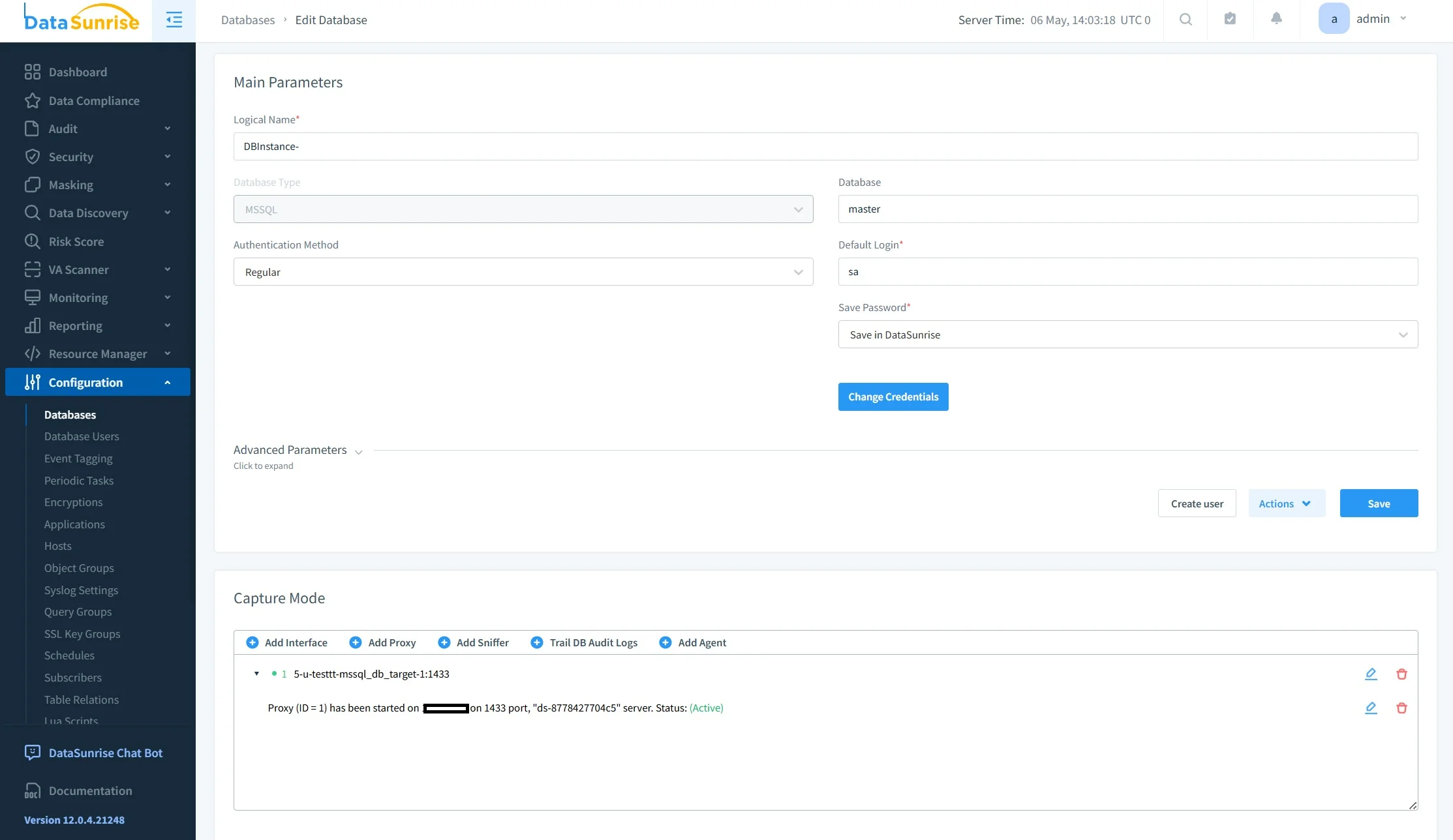
The first step involves connecting the SQL Server environment to DataSunrise using proxy mode, sniffer mode, or native log trailing deployment methods. DataSunrise supports deployment across on-premise infrastructures, AWS, Azure, GCP, and hybrid environments, allowing organizations to integrate masking controls without redesigning schemas or modifying application logic.
2. Discover Sensitive Data Automatically
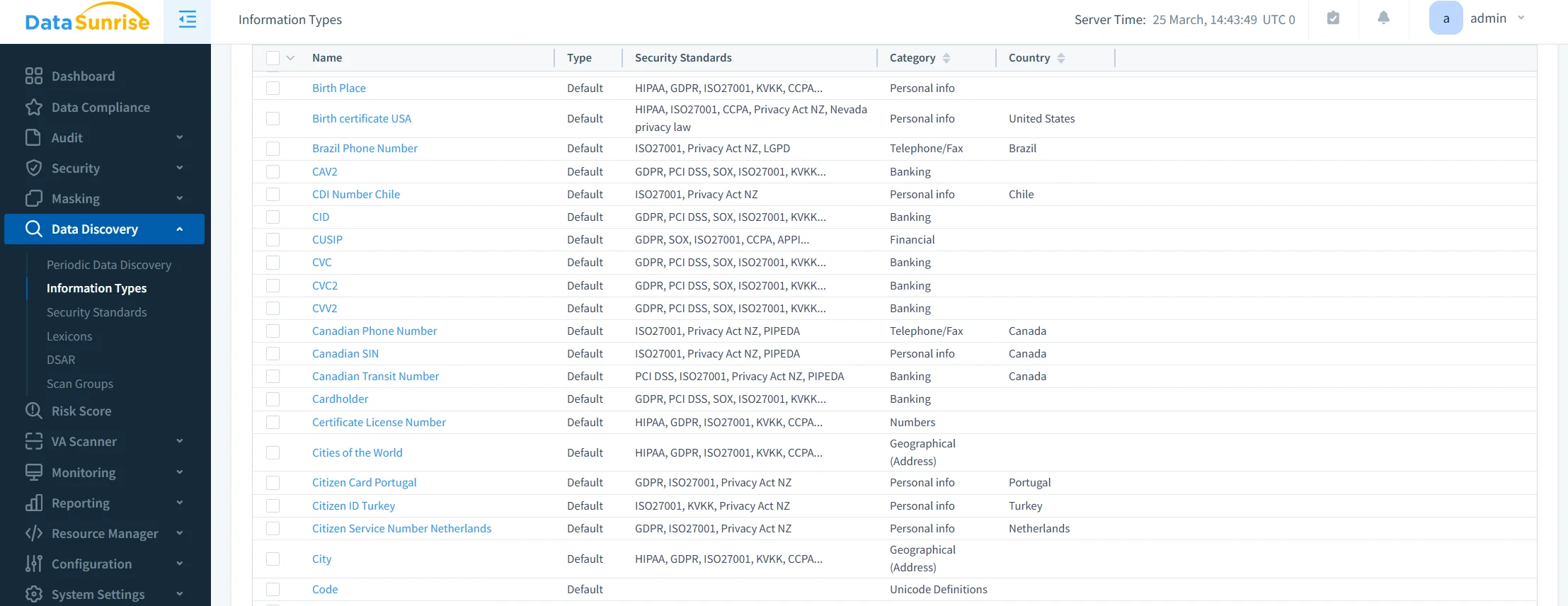
Using Sensitive Data Discovery and NLP-powered classification engines, DataSunrise automatically identifies regulated and business-critical information across connected systems. The platform can detect personally identifiable information, protected health information, financial records, authentication-related data, and other compliance-regulated fields.
Unlike manual SQL-based masking workflows, DataSunrise continuously scans for newly introduced compliance risks through automated discovery tasks and Continuous Regulatory Calibration.
3. Configure Static Masking Rules
Administrators can define fine-grained masking policies through a centralized management interface. Supported masking techniques include randomization, tokenization, hashing, shuffling, nullification, synthetic data substitution, and format-preserving masking.
These policies can be reused across environments and automatically aligned with regulatory frameworks such as GDPR, HIPAA, PCI DSS, SOX, CCPA, ISO 27001, and SOC 2.
This centralized approach significantly reduces the operational complexity associated with maintaining large numbers of custom masking scripts across multiple systems and environments.
4. Execute Automated Masking Tasks
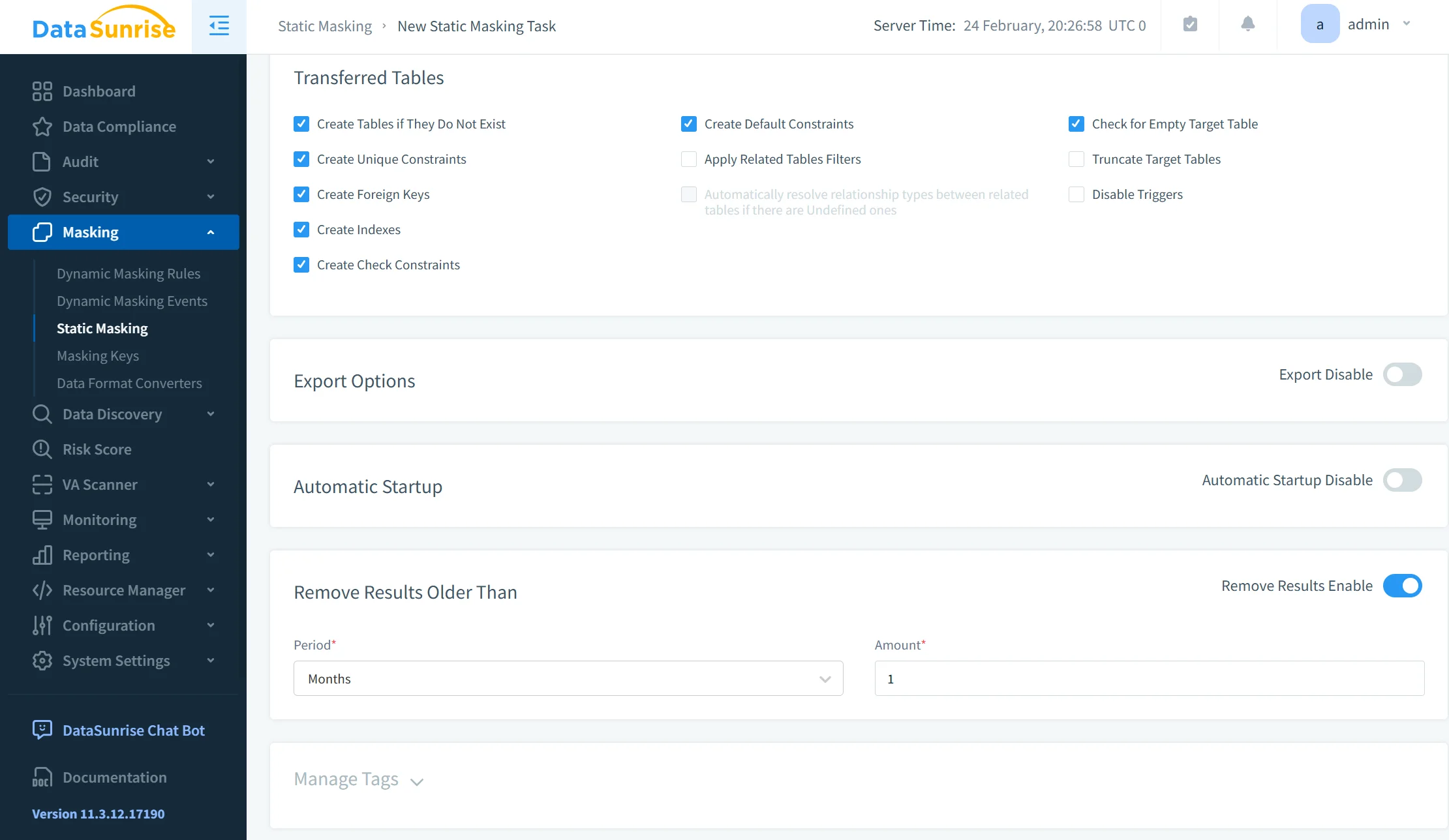
Once masking policies are configured, DataSunrise can execute automated masking workflows through scheduled tasks and reusable templates. This helps organizations maintain consistent masking standards across environments while reducing manual effort, accelerating sanitized dataset provisioning, and lowering operational risk.
Unlike fragmented masking solutions that require constant rule adjustments, DataSunrise delivers Continuous Compliance Alignment across heterogeneous infrastructures with centralized governance and enterprise-grade policy enforcement.
Business Impact of Static Data Masking
| Benefit | Impact |
|---|---|
| Reduced exposure risk | Prevents sensitive data leakage in non-production environments while improving overall data security |
| Faster compliance readiness | Accelerates alignment with GDPR, HIPAA, PCI DSS, and SOX through automated compliance management workflows |
| Operational scalability | Automates masking processes across large infrastructures and hybrid environments |
| Safer analytics workflows | Enables realistic testing and reporting without exposing production-sensitive records through advanced static data masking |
| Centralized governance | Simplifies policy management across databases, cloud storage, and analytics systems with unified database activity monitoring |
| Lower compliance overhead | Reduces manual scripting, repetitive audit preparation, and operational complexity |
| Improved audit readiness | Provides centralized reporting, visibility into sensitive data access, and automated audit trails generation |
Organizations implementing autonomous masking frameworks typically achieve significantly lower compliance management overhead while improving visibility into sensitive data exposure paths and strengthening enterprise-wide data protection strategies.
Conclusion
Static data masking in Microsoft SQL Server provides an essential mechanism for protecting sensitive information outside production systems. Native T-SQL approaches can work for isolated environments, but they become difficult to scale consistently across modern enterprise ecosystems.
DataSunrise Overview transforms masking from a collection of maintenance-heavy scripts into an enterprise-ready autonomous protection framework.
Through Zero-Touch Data Masking, Compliance Autopilot, ML-driven discovery, Unified Security Framework integration, and centralized governance, DataSunrise enables organizations to secure SQL Server environments while minimizing operational complexity. The platform combines advanced data masking, automated data discovery, centralized compliance management, and enterprise-grade database security controls within a single platform.
Unlike fragmented masking workflows that require constant adjustment, DataSunrise delivers Continuous Compliance Posture management across cloud, on-premise, and hybrid infrastructures with significantly reduced administrative effort.
Protect Your Data with DataSunrise
Secure your data across every layer with DataSunrise. Detect threats in real time with Activity Monitoring, Data Masking, and Database Firewall. Enforce Data Compliance, discover sensitive data, and protect workloads across 50+ supported cloud, on-prem, and AI system data source integrations.
Start protecting your critical data today
Request a Demo Download Now