
How to Audit Amazon S3

Auditing Amazon S3 isn’t just a checkbox for compliance—it’s a foundational pillar for operational awareness, data governance, and breach prevention. Whether you’re securing sensitive files, verifying policy enforcement, or building a forensic-ready pipeline, a proper audit trail helps teams see, understand, and respond to data activity across accounts.
In this article, we’ll walk through how to audit Amazon S3 using both AWS-native tooling and advanced capabilities from DataSunrise. You’ll learn what to enable, how to structure logs, what metadata to collect, and how to turn passive telemetry into actionable insight.
Prerequisites: What to Set Up First
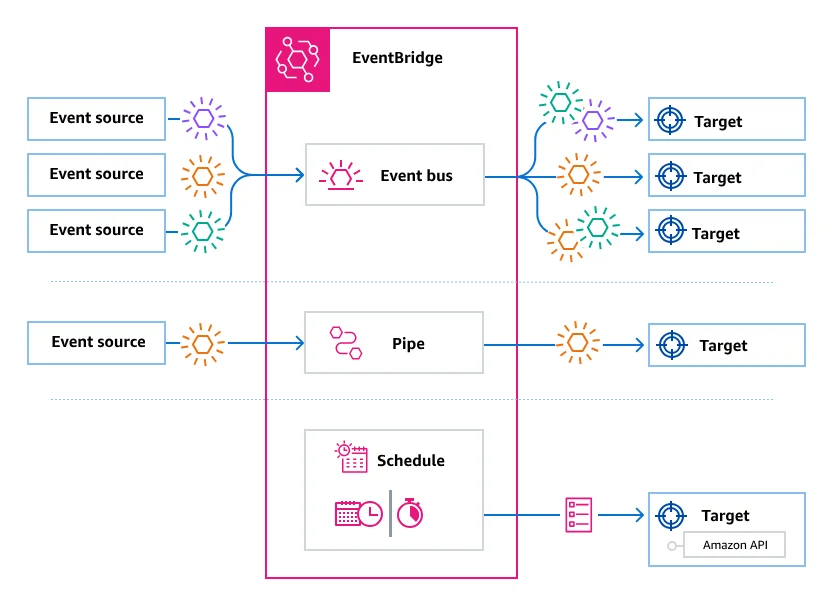
Before enabling an effective audit process for Amazon S3, you need to:
- Define which buckets and prefixes are considered sensitive
- Enable CloudTrail with data event logging for object-level API actions
- Decide where to store logs (ideally a centralized bucket with write-only ACLs)
- Establish access policy baselines so you can compare intent vs. behavior
For structured output and correlation, it’s best to use CloudTrail alongside Amazon EventBridge to route logs across accounts.
Step-by-Step: Enabling Native S3 Audit Logging
✅ Step 1: Enable CloudTrail Data Events
Use the AWS console or CLI to enable data events on key S3 buckets. This ensures CloudTrail captures:
GetObject,PutObject,DeleteObject- Tagging and ACL changes
- Versioning and lifecycle transitions
aws cloudtrail put-event-selectors \
  --trail-name MyS3Trail \
  --event-selectors '[{"ReadWriteType":"All","IncludeManagementEvents":true,"DataResources":[{"Type":"AWS::S3::Object","Values":["arn:aws:s3:::my-sensitive-bucket/"]}]}]'
Tip: Monitor cost impact of data events if logging many buckets or regions.
✅ Step 2: Enable S3 Server Access Logs (Optional)
These logs provide HTTP-style entries for each request, capturing:
- HTTP status
- Referrer headers
- Requester account ID
- Total bytes transferred
Enable them under the bucket properties tab. Server logs are verbose but useful for bandwidth monitoring and anomaly detection.
✅ Step 3: Centralize Logs for Cross-Account Review
Use AWS Organizations or EventBridge to route CloudTrail logs from multiple accounts to a central aggregation account. This allows security and compliance teams to audit access at scale.
Note: Consider setting up a log archive S3 bucket with object lock for immutability.
What the Logs Contain
A typical CloudTrail log event for S3 access includes:
{
  "eventTime": "2025-07-30T14:42:12Z",
  "eventName": "GetObject",
  "userIdentity": {
    "type": "AssumedRole",
    "principalId": "ABC123:user@corp"
  },
  "sourceIPAddress": "192.0.2.0",
  "requestParameters": {
    "bucketName": "finance-records",
    "key": "2024/Q1/earnings.csv"
  },
  "responseElements": {
    "x-amz-request-id": "EXAMPLE123456789"
  }
}
However, logs alone don’t answer:
- Was the accessed object sensitive?
- Did the user have policy-aligned permissions?
- Was the access masked or depersonalized?
- Did this action violate any compliance thresholds?
How DataSunrise Elevates the Audit Layer
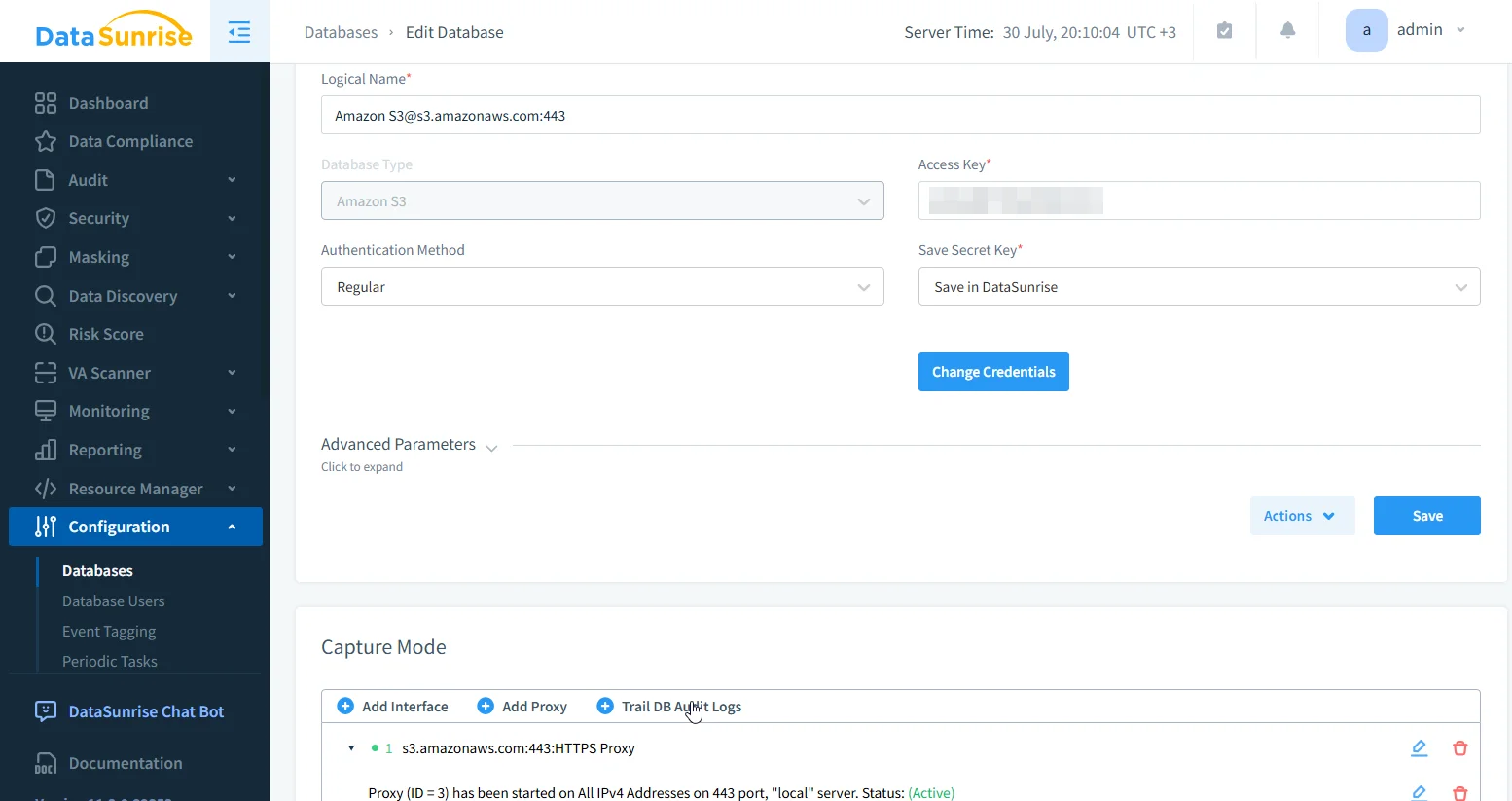
DataSunrise transforms Amazon S3 logging into a structured, policy-aware data audit trail. It parses CloudTrail logs, enriches events, applies dynamic masking, and flags out-of-policy actions.
Sensitive Data Discovery
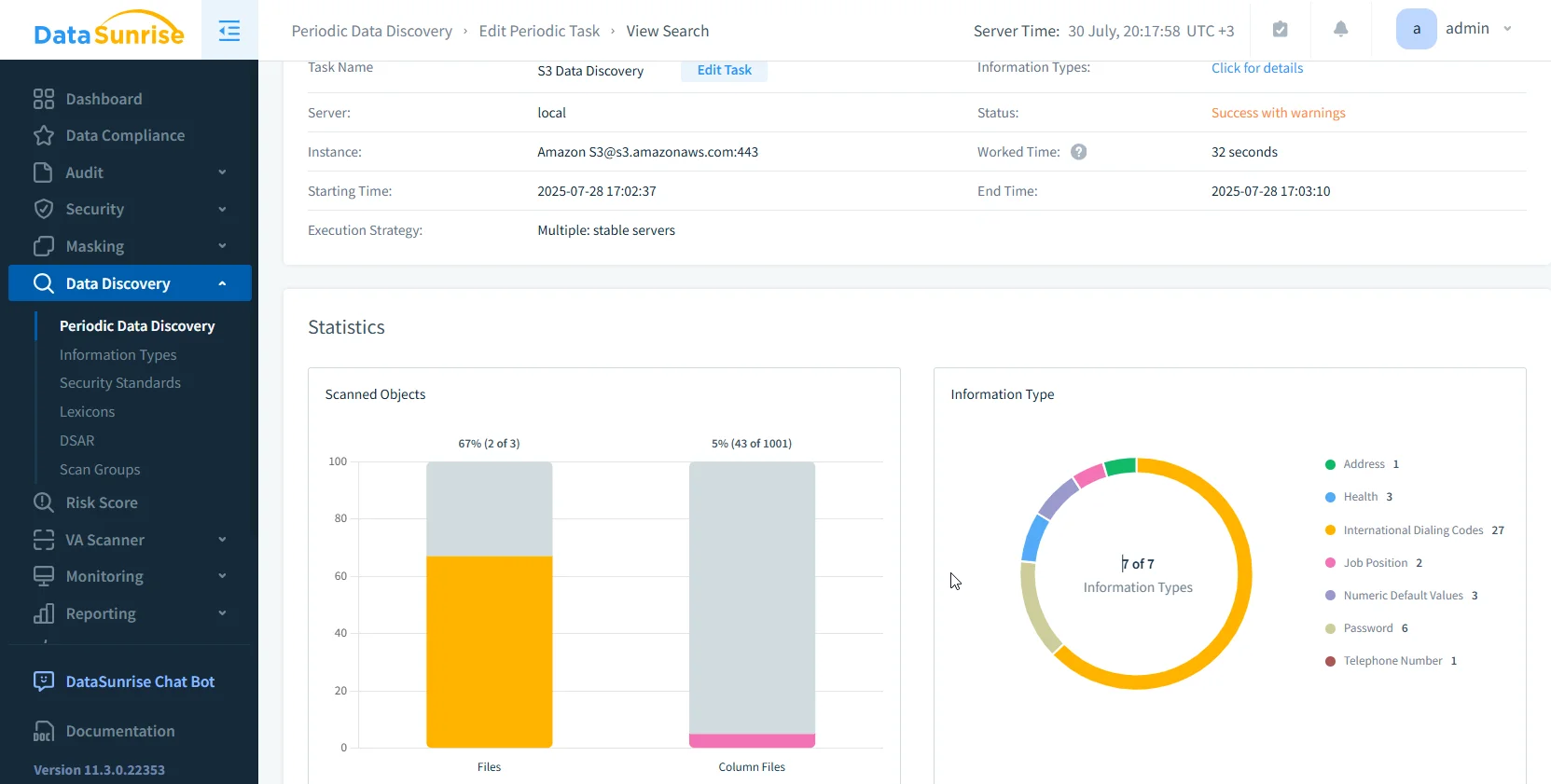
Automatically scan S3 objects for PII, PHI, and PCI, even inside PDFs, Excel files, and images via OCR detection.
Dynamic Masking Enforcement
Apply zero-touch data masking for any access event violating policy. Obfuscate sensitive fields based on role, source IP, or request context.
Smart Audit Trails
Generate context-enriched audit logs with:
- Anomaly risk scores
- Masking status (applied or bypassed)
- Real-time user behavior patterns
- Security rule violations
All logs can be exported to Athena, OpenSearch, or your SIEM.
Sample SQL: Audit Violations in Athena
Once logs are enriched, run queries like this to detect violations:
SELECT
  event_time,
  bucket,
  key,
  user,
  policy_allowed,
  masking_applied,
  anomaly_score
FROM
  datasunrise_s3_logs
WHERE
  event_type = 'GetObject'
  AND policy_allowed = false
ORDER BY
  event_time DESC
LIMIT 50;
You can schedule these reports or trigger alerts using real-time notifications to Slack, Teams, or email.
Additional Audit Features in DataSunrise
- Granular Rule Engine for object-based auditing
- Unified dashboards for S3, RDS, Redshift, MongoDB
- Automated compliance reports for SOX, HIPAA, GDPR
- User behavior analytics
- Slack/MS Teams integration
Conclusion
If you only use raw CloudTrail logs, you're not auditing—you're collecting.
To audit Amazon S3 properly, you need:
- Object-level logging (CloudTrail, Server Logs)
- Sensitive data context (classification)
- Policy intelligence (was access allowed?)
- Response actions (alerting, masking, blocking)
- Reporting alignment (compliance dashboards)
DataSunrise provides all of that in one platform—with flexible deployment options and support for over 50 data platforms.
Ready to turn your S3 logs into a true audit trail? Book a demo and start auditing smarter—without changing your architecture.
Protect Your Data with DataSunrise
Secure your data across every layer with DataSunrise. Detect threats in real time with Activity Monitoring, Data Masking, and Database Firewall. Enforce Data Compliance, discover sensitive data, and protect workloads across 50+ supported cloud, on-prem, and AI system data source integrations.
Start protecting your critical data today
Request a Demo Download Now