How to Audit IBM Informix
Auditing IBM Informix is a vital practice for maintaining transparency, ensuring compliance, and safeguarding sensitive enterprise data. Informix, known for its high availability and resilience, includes native auditing capabilities to record every critical database event. However, combining these native features with advanced third-party solutions such as DataSunrise allows organizations to achieve deeper visibility, centralized monitoring, and compliance automation.
This article outlines how to configure Informix’s native auditing system, interpret its logs, and enhance audit operations with DataSunrise for enterprise-grade protection.
Importance of Audit
Database auditing plays a crucial role in maintaining data integrity, ensuring accountability, and providing traceability across enterprise systems. For organizations running Informix, auditing is not only about logging actions—it’s about building a foundation for compliance, operational control, and risk prevention.
A well-implemented audit system helps to:
- Ensure Regulatory Compliance: Audit records serve as verifiable proof for meeting standards such as GDPR, HIPAA, PCI DSS, and SOX.
- Detect Unauthorized Access: Continuous monitoring identifies anomalies, insider threats, or external breaches before they cause harm.
- Maintain Data Integrity: Tracking data changes ensures that all modifications are legitimate and reversible.
- Facilitate Forensic Analysis: In the event of a security incident, detailed audit logs enable investigators to reconstruct user actions and determine the root cause.
- Promote Accountability: By recording each operation and user action, organizations can ensure transparency and enforce responsible data management practices.
In short, auditing is essential not just for compliance, but for maintaining trust, operational efficiency, and long-term data security within Informix environments.
Configuring Native Audit in IBM Informix
Informix uses a built-in auditing subsystem that allows administrators to monitor database activity, login events, and data access attempts. This is managed primarily through the onaudit utility, which defines the auditing scope and output preferences.
Step 1: Enable the Audit Subsystem
Before beginning, ensure you have DBSSO privileges (Database System Security Officer). To activate auditing:
onaudit -L 1   # Enable audit log mode
onaudit -A 1   # Start auditing for all users
onaudit -n     # Begin new audit log file
onaudit -c     # Confirm configuration
This configuration enables logging for all sessions and creates a fresh audit log file. To verify the setup, use:
onaudit -s
which displays the current audit configuration and log location.
Step 2: Define Audit Masks
Audit masks control what events to track. You can specify audit categories like data definition changes, access attempts, or user management. For example:
onaudit -a -u dbadmin -e ACTB,DBCR,DBDR
This command audits the user dbadmin for table access (ACTB), database creation (DBCR), and database drop (DBDR) events.
For detailed event code descriptions, refer to the Informix audit event code reference.
Step 3: Generate and Inspect Audit Records
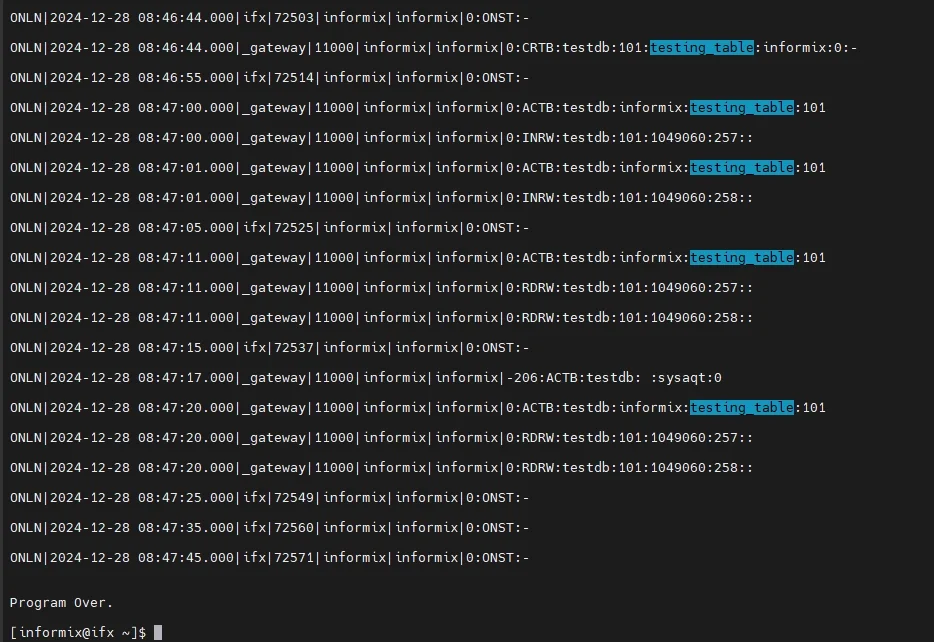
Once auditing is active, database actions automatically produce audit entries. Run sample operations to test:
CREATE TABLE emp_records (id SERIAL, emp_name VARCHAR(80), dept VARCHAR(50));
INSERT INTO emp_records VALUES (1, 'Robert Miles', 'Finance');
UPDATE emp_records SET dept = 'Audit' WHERE emp_name = 'Robert Miles';
SELECT * FROM emp_records;
DROP TABLE emp_records;
To view the audit trail, use:
onshowaudit
Typical log output follows a pipe-delimited format:
Event|Timestamp|User|Process|Database|Host|Details
ACTB|2025-10-20 15:01:22|dbadmin|4361|testdb|srv01|SELECT * FROM emp_records;
For cleaner integration with SIEM tools, administrators often export logs in text or CSV for centralized analysis.
Limitations of Native Informix Auditing
Although the Informix audit subsystem is reliable, it has inherent limitations that can affect large-scale deployments. The table below summarizes the main constraints and their implications:
| Limitation | Description |
|---|---|
| Manual Log Rotation | Administrators must manually manage, archive, and rotate large audit files, which increases operational workload. |
| No Real-Time Alerts | The system lacks built-in event-driven notifications, making it difficult to detect and respond to suspicious activities immediately. |
| Limited Filtering | Audit data often requires post-processing for targeted analysis, as filtering options are minimal during log generation. |
| Instance-Specific Scope | Each Informix instance maintains its own isolated audit logs, which complicates centralized audit management. |
| Performance Trade-offs | Detailed auditing can introduce minor I/O overhead, especially in high-transaction environments, impacting performance. |
These constraints make third-party solutions like DataSunrise valuable for automation and comprehensive visibility.
Enhancing Informix Audit with DataSunrise
DataSunrise augments Informix auditing by centralizing data access monitoring, automating compliance checks, and enabling real-time responses to unauthorized activity. It captures all user actions through proxy or sniffer modes with minimal system impact.
Unified Audit Management
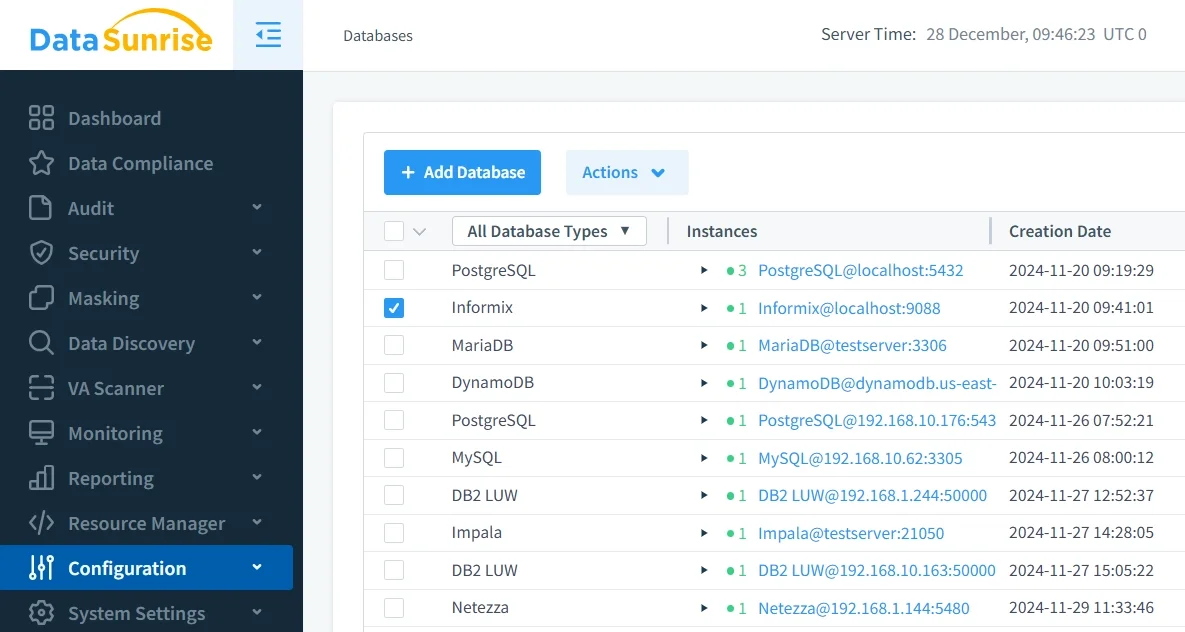
With Unified Audit Management, DataSunrise consolidates all audit records from multiple Informix instances and other databases into one centralized platform.
This unified dashboard offers a holistic view of database activity, eliminating the need to manually aggregate and review logs from different environments. It helps administrators detect patterns across systems, simplifies audit reporting, and significantly reduces operational overhead.
By managing audit trails from a single interface, organizations gain complete visibility over their database landscape while maintaining consistency in policy enforcement.
Granular Audit Rules
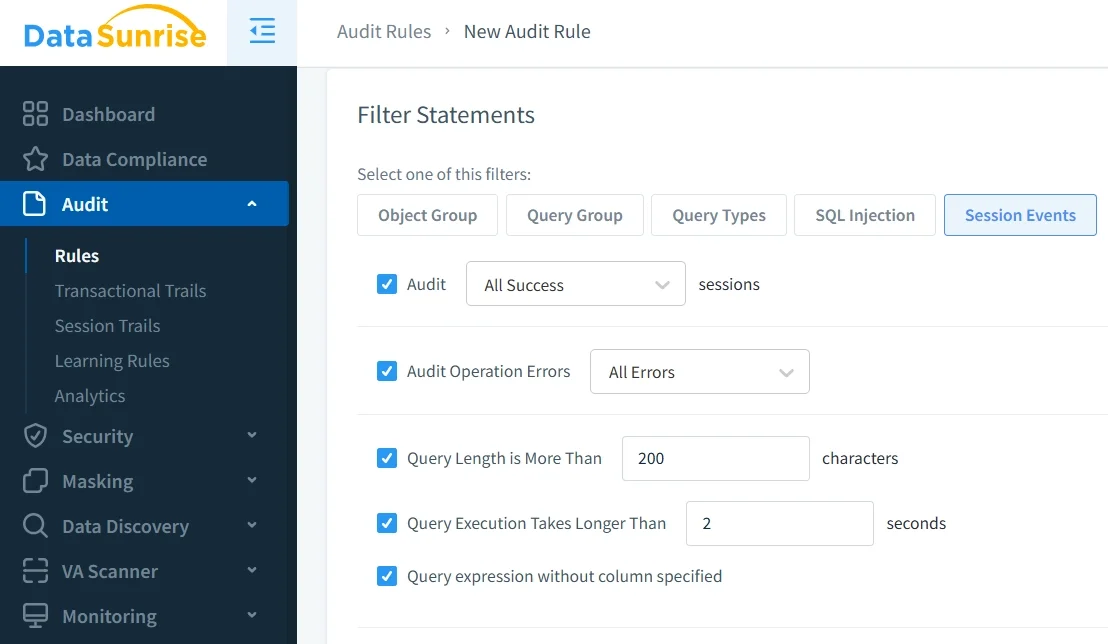
Through Granular Audit Rules, administrators can define precise scopes for monitoring database activity.
DataSunrise allows custom configuration of audit rules based on user roles, schemas, commands, or object types. For example, you can track only UPDATE and DROP operations on sensitive tables, while excluding routine queries to minimize noise.
This level of control ensures that the audit process focuses on high-impact activities, enabling both detailed traceability and improved system performance.
Real-Time Notifications
With Real-Time Notifications, DataSunrise turns database auditing into a proactive process.
The system immediately alerts security teams about suspicious events—such as failed login attempts, privilege escalations, or unauthorized schema changes—through email, SIEM integrations, or collaboration tools like Slack and Microsoft Teams.
This real-time insight enables faster incident response, allowing teams to investigate and mitigate issues before they evolve into critical security breaches.
Behavior Analytics
DataSunrise employs advanced Behavior Analytics to identify abnormal user behavior and potential insider threats.
The platform leverages machine learning models to detect anomalies in query execution, frequency, and data access patterns. For instance, if a user suddenly retrieves large datasets outside of normal business hours, the system flags it as suspicious and triggers an alert.
This continuous monitoring adds an intelligent layer of protection, ensuring that even subtle or non-signature-based threats are detected early.
Automated Compliance Reporting
DataSunrise simplifies audit preparation with Automated Compliance Reporting.
The system automatically generates compliance reports aligned with major frameworks such as GDPR, HIPAA, PCI DSS, and SOX.
Reports can be scheduled or produced on demand, helping organizations quickly demonstrate compliance to auditors and regulators. This automation minimizes human effort, reduces audit preparation time, and ensures continuous alignment with industry regulations.
Cross-Platform Activity Monitoring
Through Cross-Platform Activity Monitoring, DataSunrise provides a unified layer of visibility across more than 40 supported data platforms.
Whether you’re running Informix, Oracle, PostgreSQL, or MongoDB, all activities are logged and analyzed consistently.
This feature is especially valuable for organizations with hybrid or multi-database environments, ensuring that compliance and security standards are enforced universally across on-premises and cloud infrastructures.
Data Security Integration
DataSunrise goes beyond auditing by combining it with Data Security mechanisms such as masking, database firewall, and vulnerability assessment.
This integrated approach ensures that audit insights directly inform protection measures. For instance, if an audit reveals repeated unauthorized access to a table, administrators can instantly create masking or blocking rules to prevent future exposure.
This synergy strengthens the overall security posture, making auditing an active component of a broader data protection strategy.
Flexible Deployment Modes
With Flexible Deployment Modes, DataSunrise adapts to virtually any infrastructure setup.
It can be deployed in proxy, sniffer, or agentless log-based modes, ensuring full coverage for both cloud and on-premise environments.
This flexibility means organizations can implement auditing without changing their existing database configurations or affecting performance. The non-intrusive nature of these modes makes DataSunrise a practical choice for enterprises prioritizing uptime and scalability.
Business Impact
Implementing an Informix audit system enhanced by DataSunrise leads to tangible business outcomes:
| Benefit | Description |
|---|---|
| Operational Efficiency | Automates audit trail management and reduces manual reporting. |
| Regulatory Readiness | Provides audit-ready evidence for external auditors and regulators. |
| Faster Incident Response | Real-time alerts enable quicker investigation of suspicious actions. |
| Reduced Compliance Costs | Lowers overhead through automation and centralized visibility. |
| Risk Mitigation | Detects and prevents policy violations before they escalate. |
These combined advantages empower organizations to maintain continuous visibility, comply with data protection laws, and reduce administrative complexity.
Conclusion
Auditing IBM Informix ensures accountability and compliance, yet its built-in features alone may not meet modern enterprise needs. Integrating DataSunrise elevates this capability by unifying audit management, adding intelligent alerting, and automating regulatory reporting.
With support for hybrid, on-premise, and cloud environments, DataSunrise transforms Informix auditing into a proactive, compliant, and efficient process.
Protect Your Data with DataSunrise
Secure your data across every layer with DataSunrise. Detect threats in real time with Activity Monitoring, Data Masking, and Database Firewall. Enforce Data Compliance, discover sensitive data, and protect workloads across 50+ supported cloud, on-prem, and AI system data source integrations.
Start protecting your critical data today
Request a Demo Download Now